
How do I cancel Outreach so I am not charged again?
Open Settings, then Billing, press Cancel on your Outreach plan, choose why, and press Cancel Outreach. About a minute. You keep Outreach until the end of the period you have paid for.
Updated 19 October 2026
Open Settings, then Billing
Press Settings at the bottom of the main menu, then Billing; on a phone, press the menu button first. Each plan you pay for has its own card with its price and Next payment date.
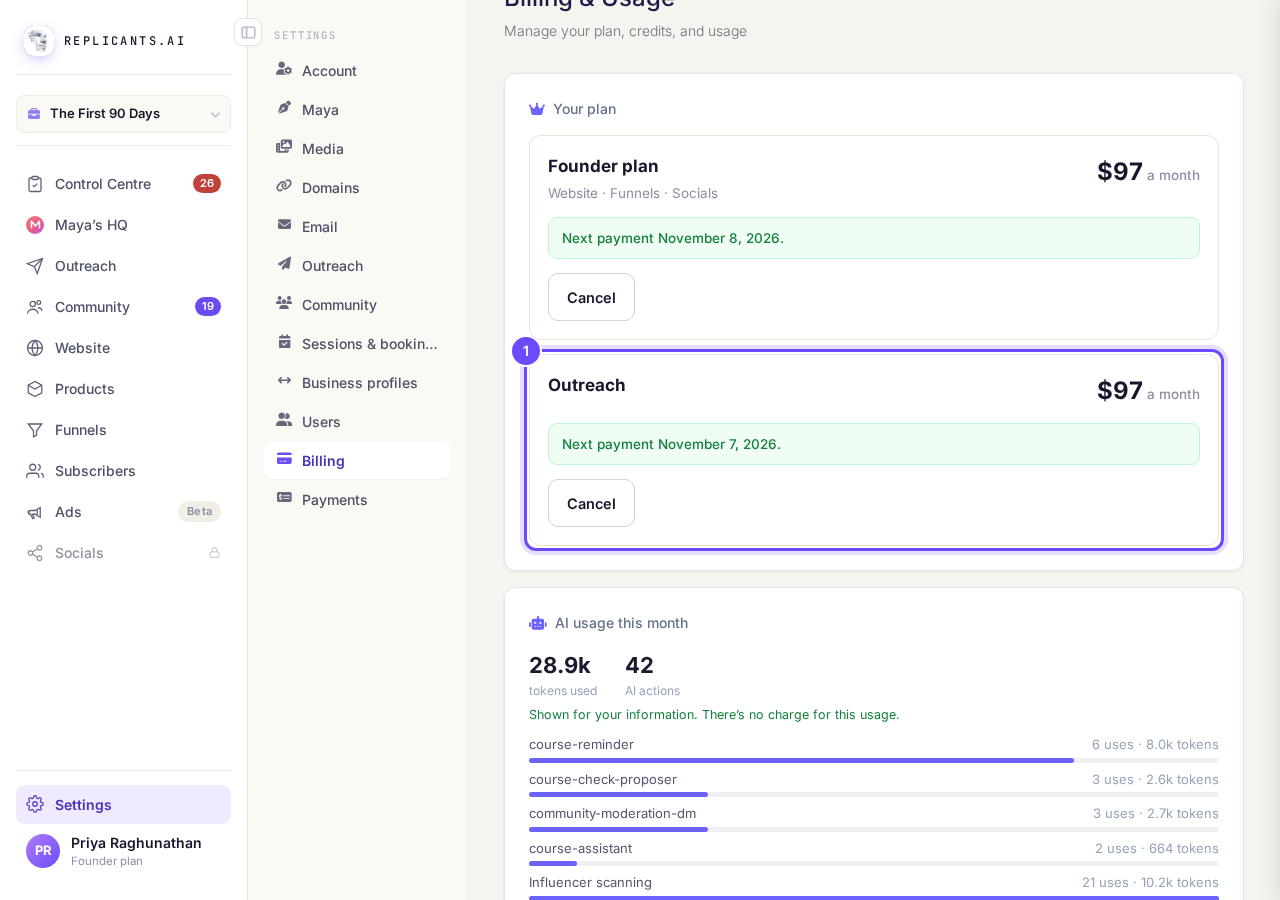
Your plan, with the Outreach card.
Take me therePress Cancel on Outreach
Press Cancel on the Outreach card, not on any other plan. If a box headed Before you cancel offers you a deal first, press No thanks, cancel my plan to carry on.
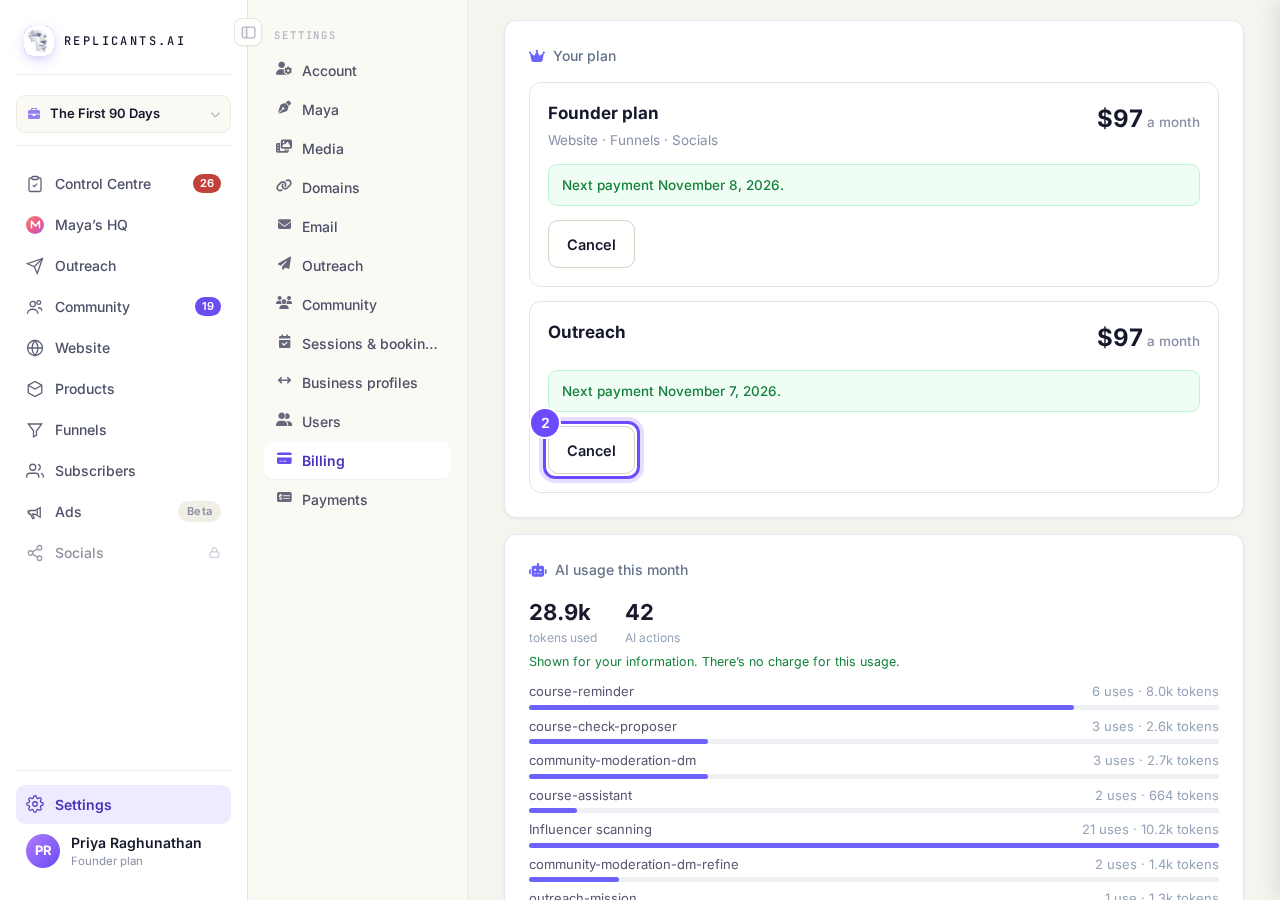
Cancel, on the Outreach card.
Choose why, then press Cancel Outreach
The box Cancel Outreach? says you keep everything you are paying for until the end of the period already paid for. Choose an answer in Why are you cancelling? and press Cancel Outreach; Keep it closes the box and changes nothing.
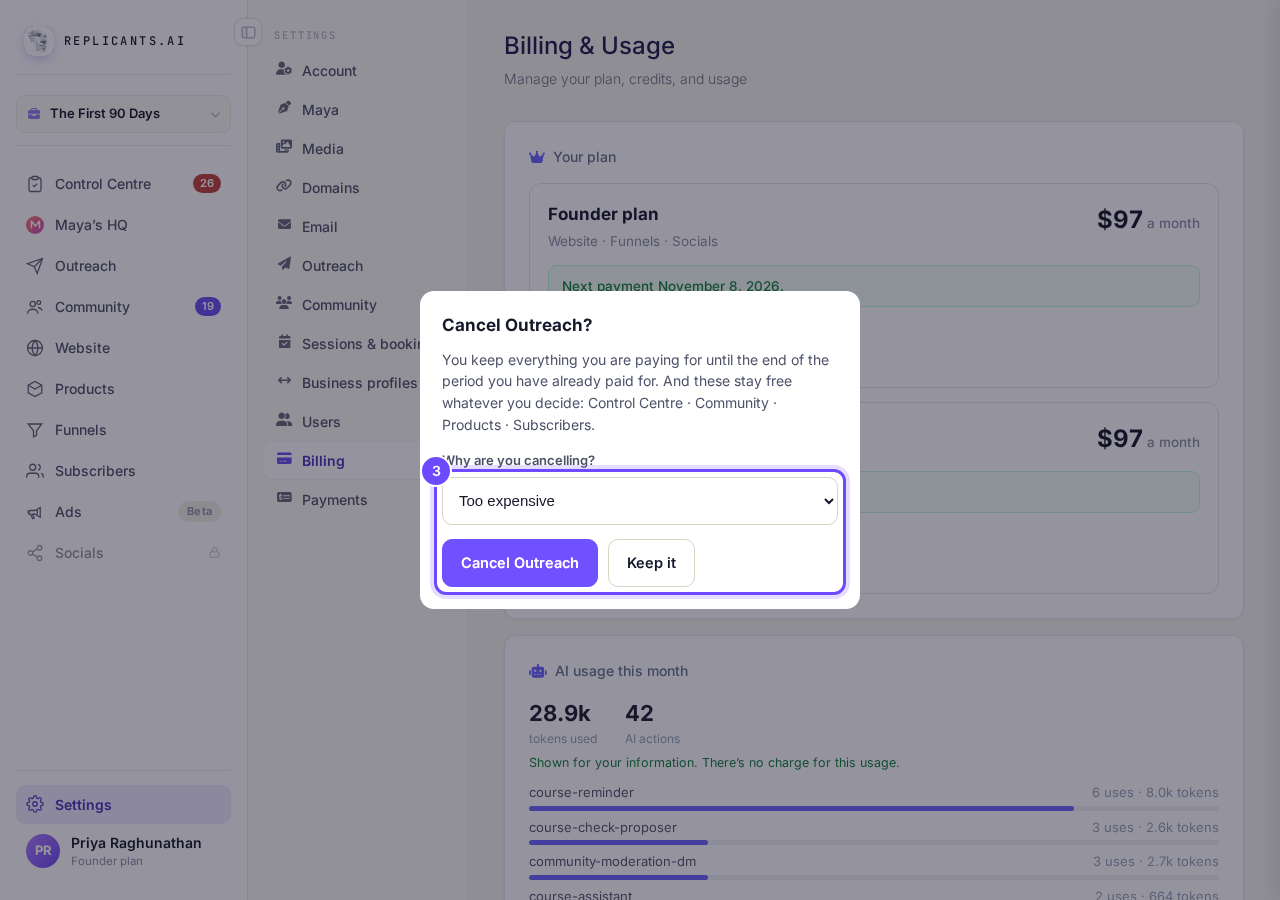
Cancel Outreach?, with the reason and the two buttons.
Check it says Ends on
The Outreach card now says Ends on and the date, then You keep everything until then. No further payment is taken.
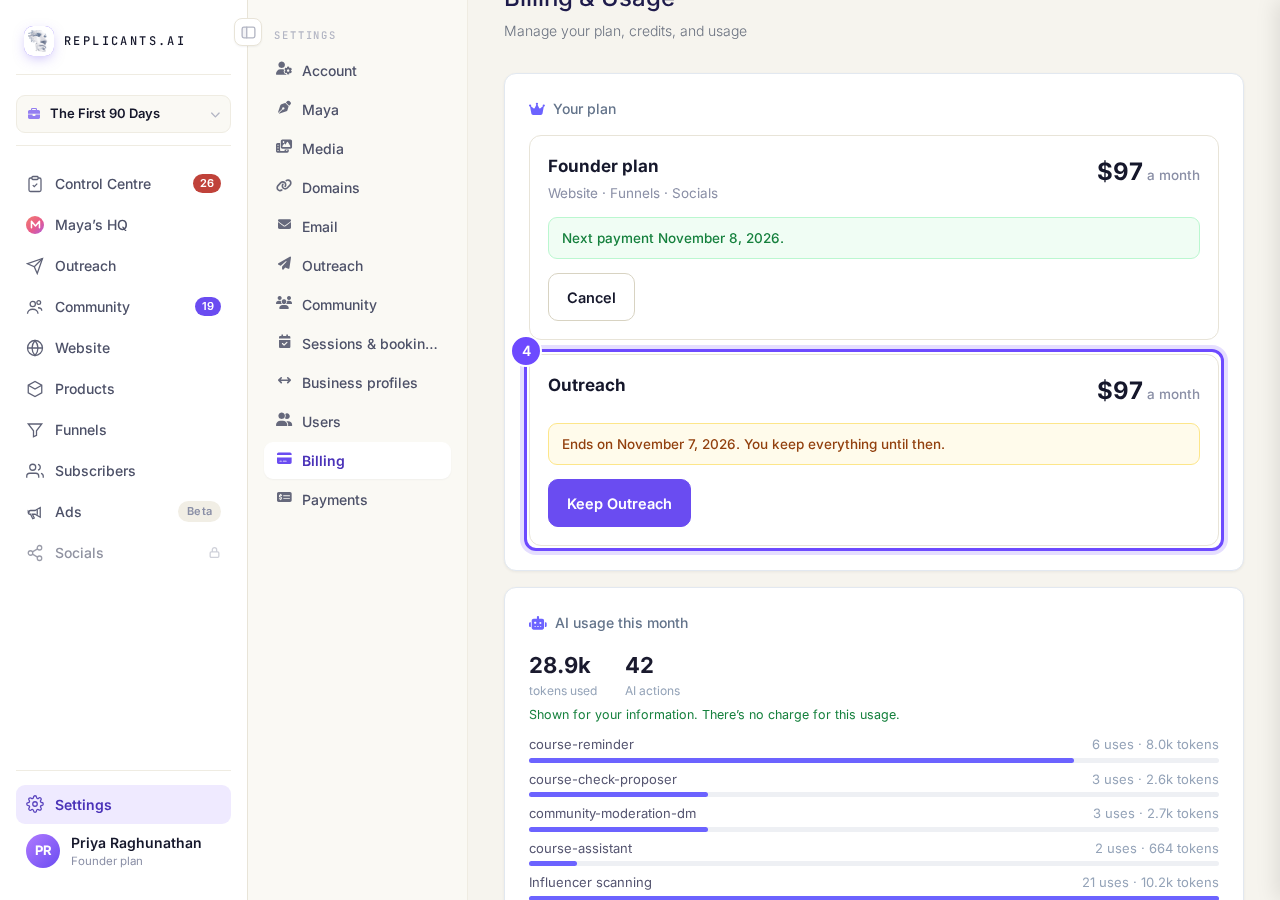
Ends on, with Keep Outreach underneath.


After cancelling
Do I get a refund?#
Refunds are not automatic. If you think you were charged when you should not have been, ask us in the help chat.
What stays free?#
The box lists what stays free whatever you decide, such as your Community, Products and Subscribers.
Before the end date, press Keep Outreach on the same card to carry on. If you hold a founding rate, the box warns you first: once cancelled, that rate is gone for good. If your Outreach card shows Contact us instead of Cancel, it is billed another way, for example through Expertise.tv, so press Contact us and ask us there.
What am I paying for, and how do I stop it?
Related articles
Do you take a percentage of what I sell?
No. Replicants takes no share of your sales. Buyers pay into your own Stripe account, Stripe keeps its card fee, and the rest is yours. What you pay us is separate from your sales: your Replicants plan, if you are on a paid one, and anything you choose to buy from us, such as a web address.
How do I change the Stripe account my money goes into?
Settings, then Payments. Let go of the account that is joined now, then join up again and sign in as the one you want the money in.
How do I choose the currency my business sells in?
Your main currency is the one new prices and products start in, and the one Maya quotes prices in. A coach in the UK can charge in US dollars if they want to. Under a minute.