
How do I run a game in my community, and how do members join it?
A game is a time-boxed challenge that rewards the things you want your members to do. Without Studio it is under Games; with Studio it lives inside a space.
Updated 19 October 2026
Open Community, then Games
Games is under the grey BUILD heading. On a phone, press the menu button at the top right first.
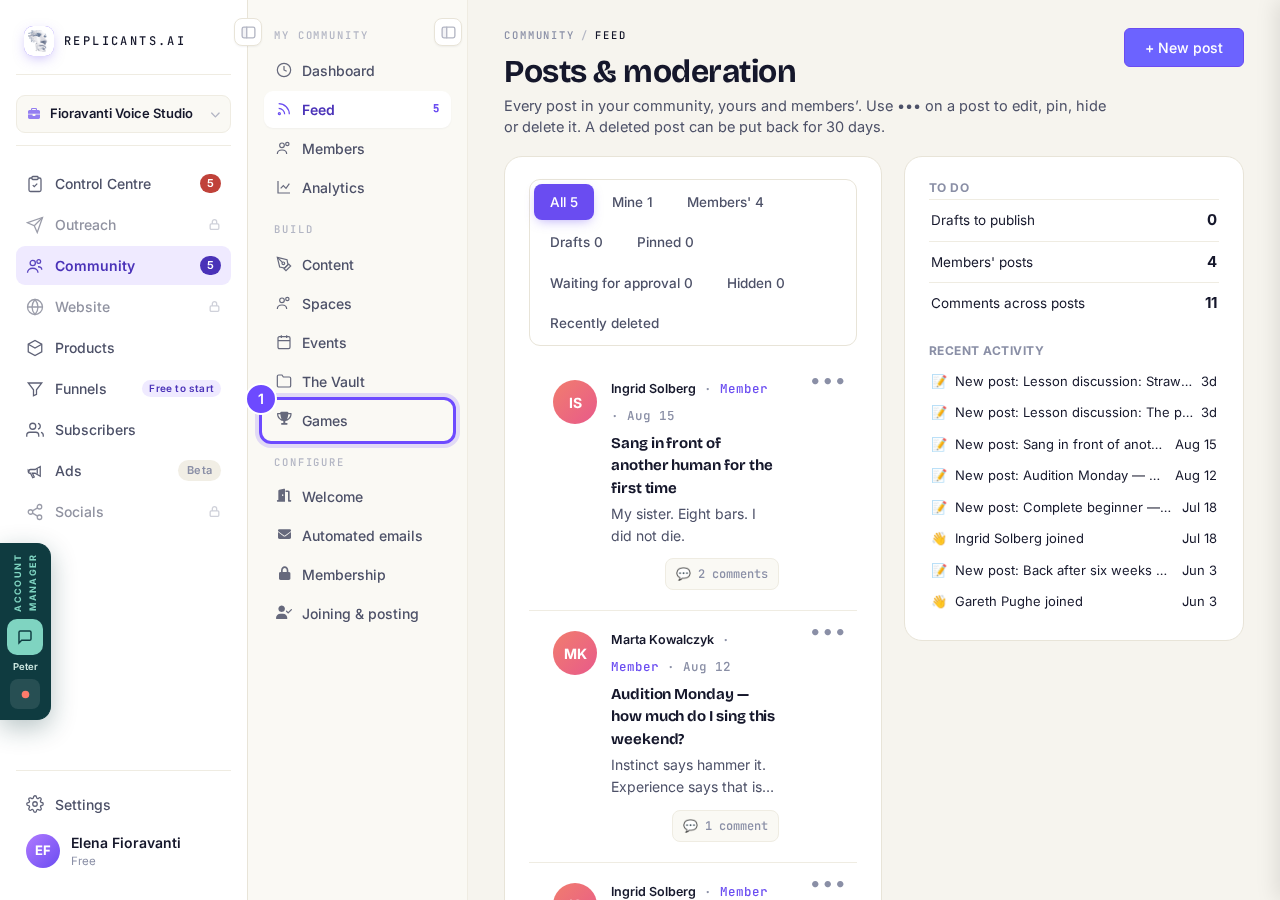
Games, under Build.
Press Set up a game
Start the guide asks about your people and drafts the tasks, posts and reminders. When it is done, press Manage on the game, then Publish it.
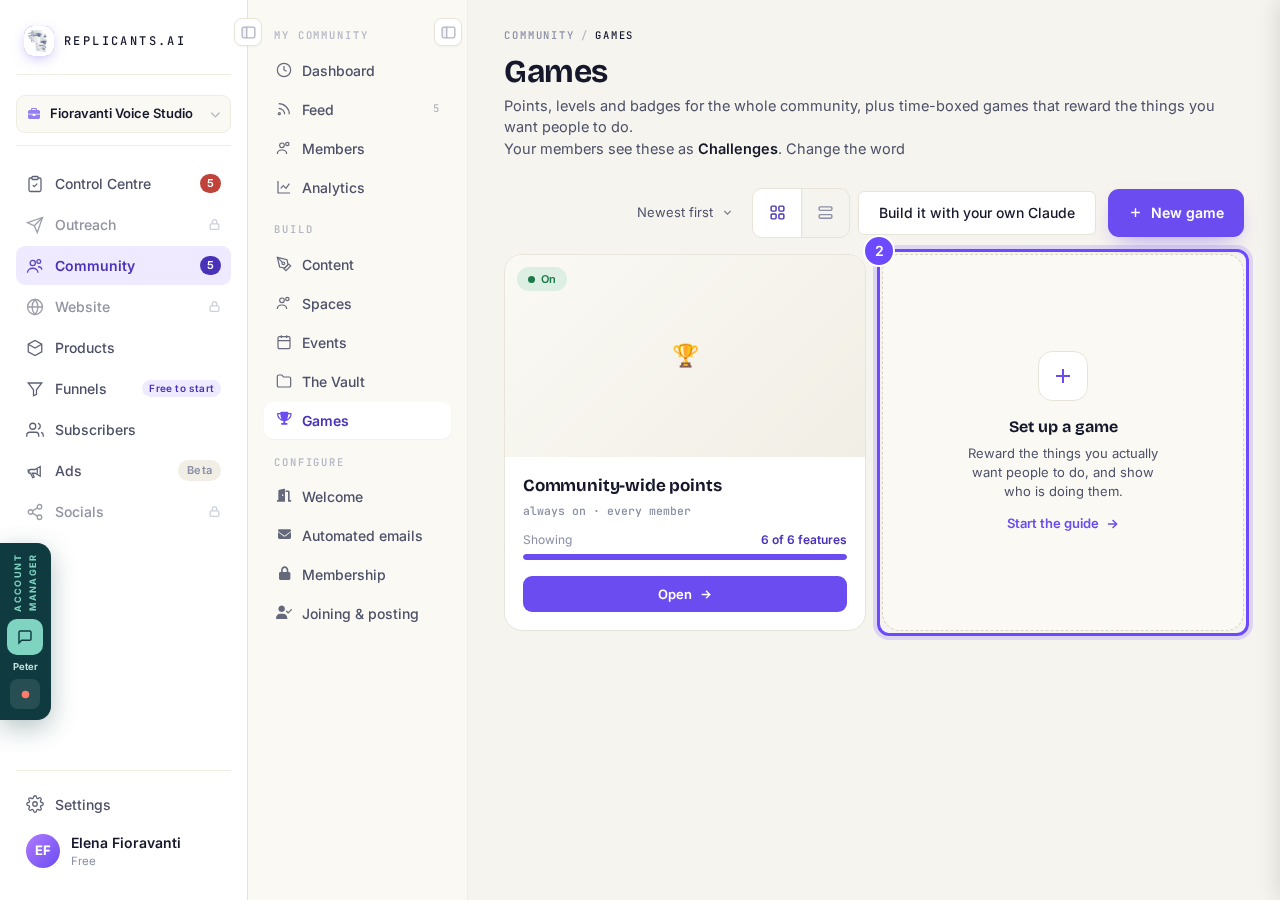
Set up a game, beside Community-wide points.
Make a Challenge in Spaces
With Studio, Games leaves the menu, because a game lives inside a space. Open Community, then Spaces, press New space and pick Challenge (making a space).
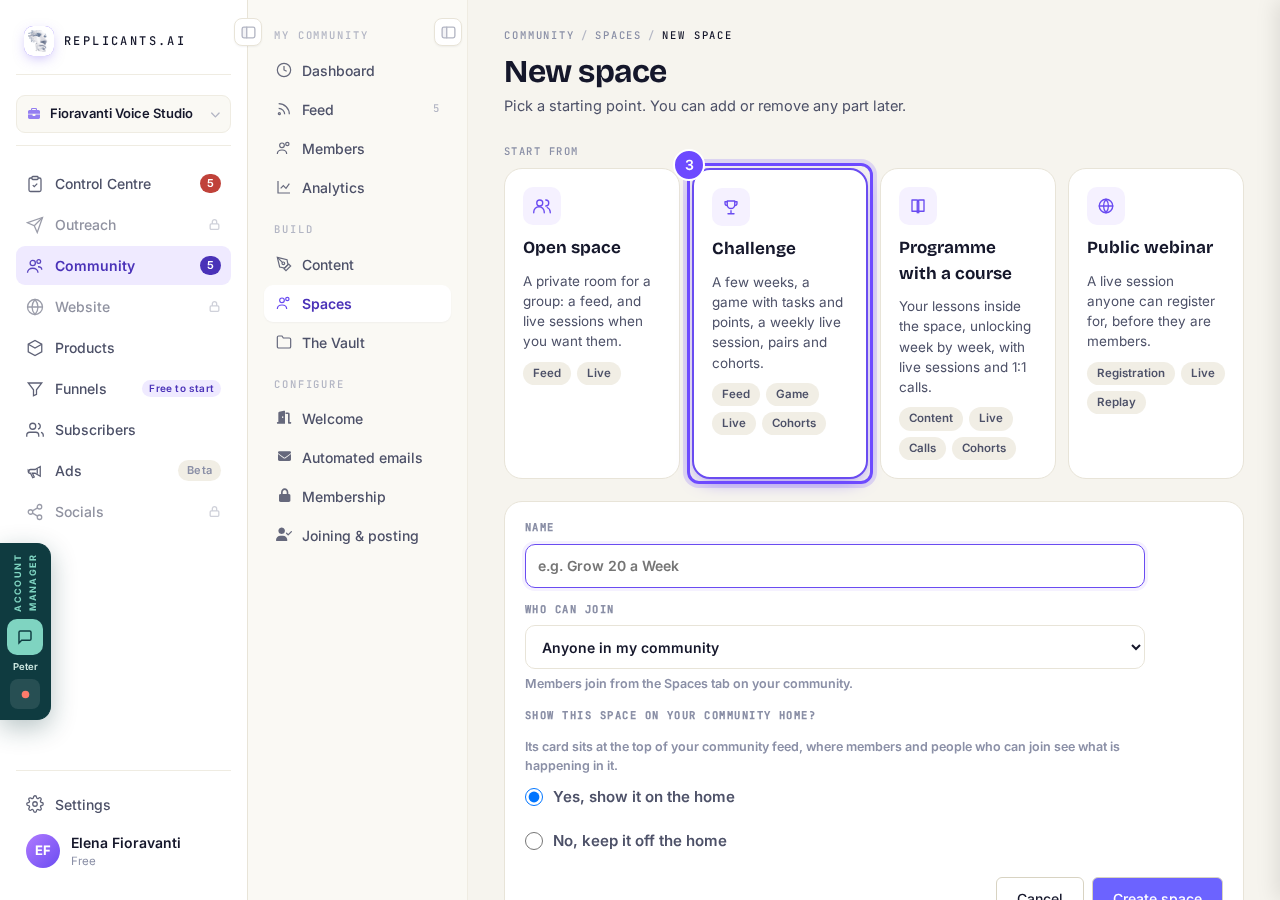
Challenge, one of the kinds of space.
Open Game in the space
A Challenge has a game from the start. In any other space, switch on A challenge with points under What’s in this space in Settings.
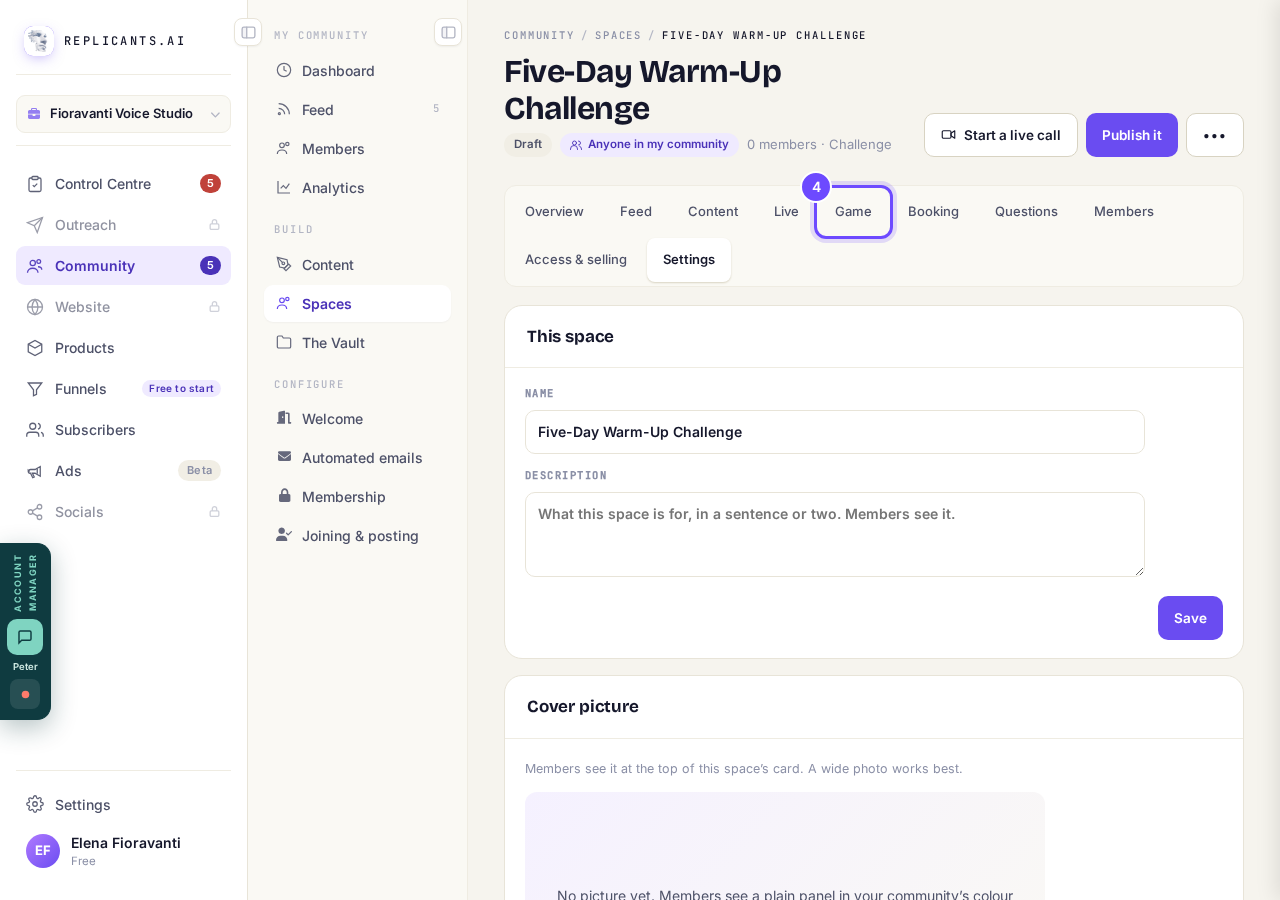
Game, at the top of the space.
Press Make the challenge
The same guide sets it up inside the space. Only that space’s members see it and play, and its posts go in that space’s feed.
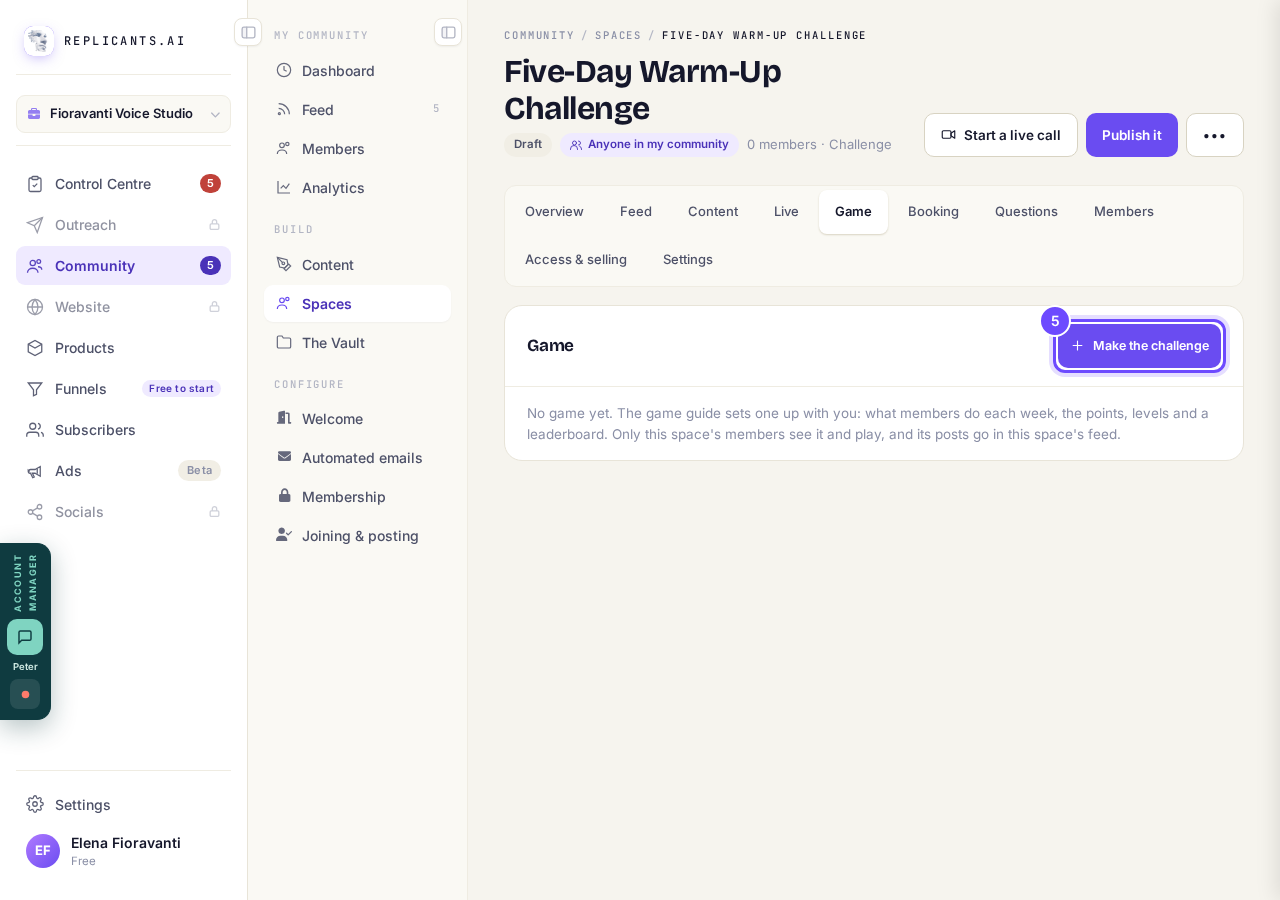
Make the challenge.


How do I run a short challenge in my community?
Related articles
Can I approve new members before they get into my community?
Yes. Switch on approval and anyone who asks to join waits in a Requests list in Members until you let them in, the way a private LinkedIn or Facebook group works. People you invite, and people who pay, still go straight in. About five minutes to set up.
Can I change a member's post before I approve it?
No. A post waiting for your approval can only be approved or rejected, so you cannot change a member's words. If a few words need changing, approve it and add a comment, or message the member and reject it.
Can I change the words in the posts Maya wrote before I approve them?
Yes. Open the post from Drafts on your Feed, press Edit, change the words and press Save changes. What you save is what goes out when you approve it. About a minute.