
How do I choose what my domain opens on, and what shows when a page is not found?
Settings, then Domains. Under your domain, pick the Home page people land on, leave the Page not found choice as it is unless you want one of your own pages, and press Save routing.
Updated 19 October 2026
Open Domains
Open Settings, then Domains, and find your domain
The two choices sit in the box under the domain's own card. Each domain has its own.
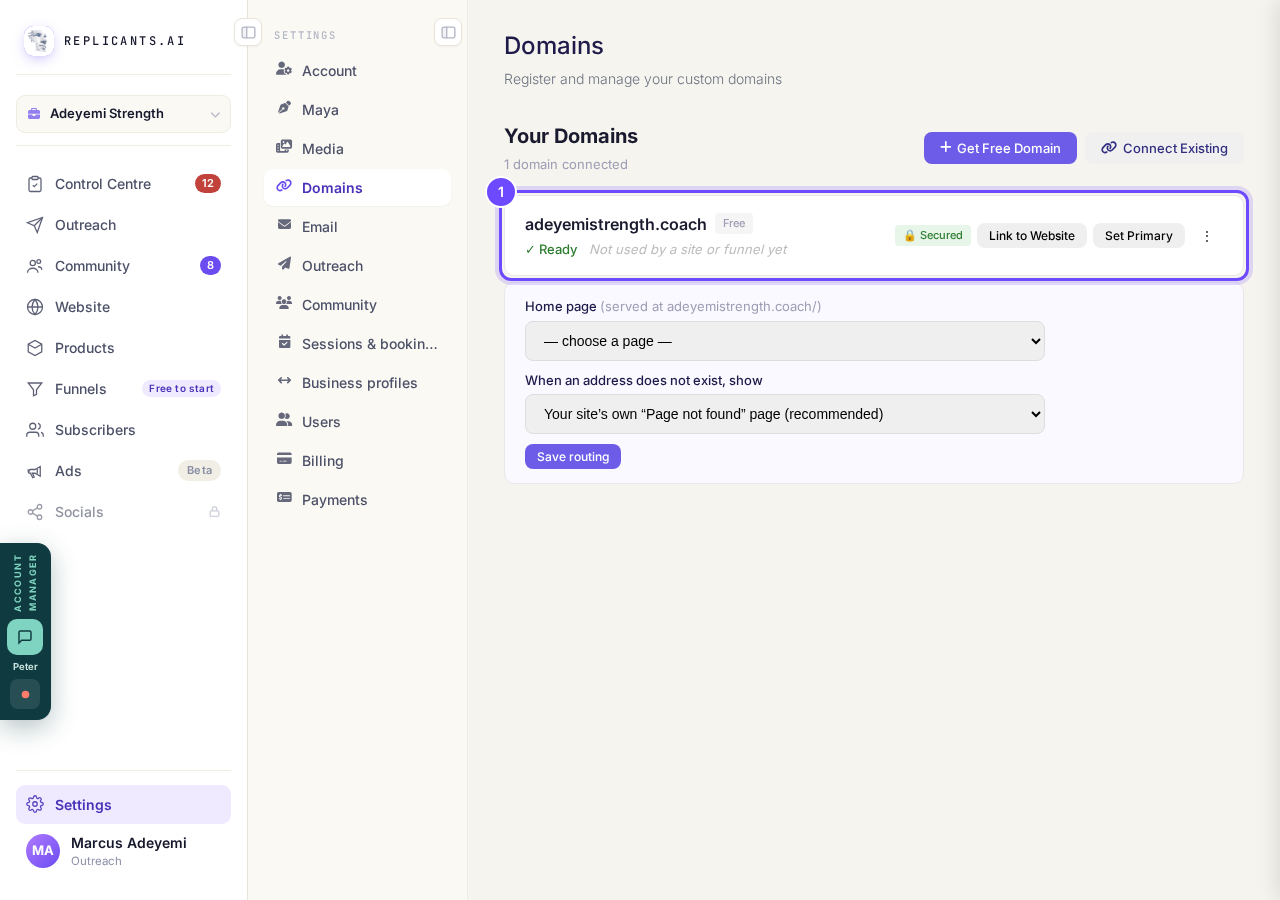
Your domain, with its two choices underneath.
Take me thereChoose the Home page
It is the page shown when someone types your domain with nothing after it. Each choice names the page and the site it belongs to, and says if that site is on another domain.
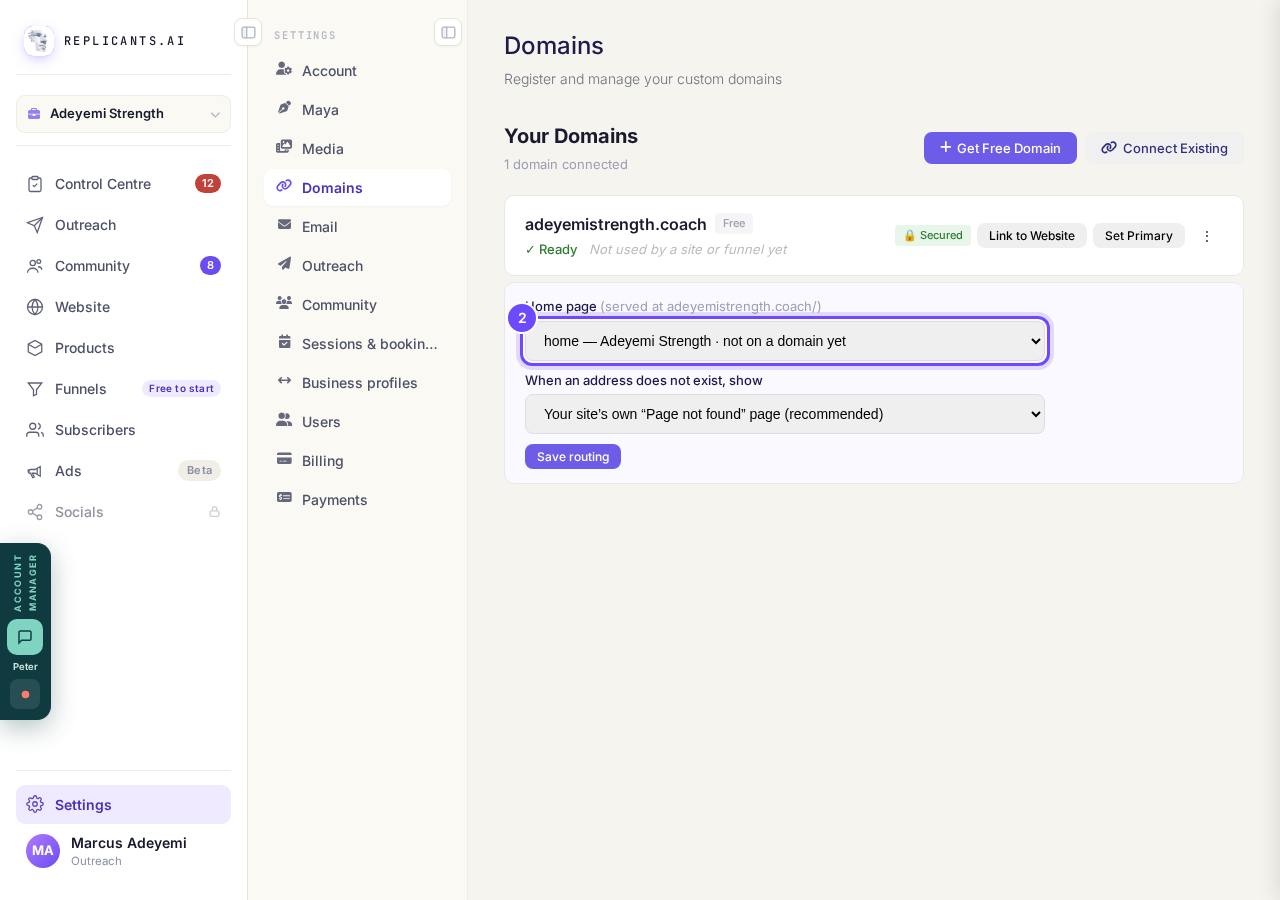
Home page, set to the website's home.
Leave the Page not found choice as it is, or pick a page
Your site's own Page not found page (recommended) is made for you when you publish, and tells a visitor the address was wrong. Avoid picking your home page here: a wrong address would then look like a working page.
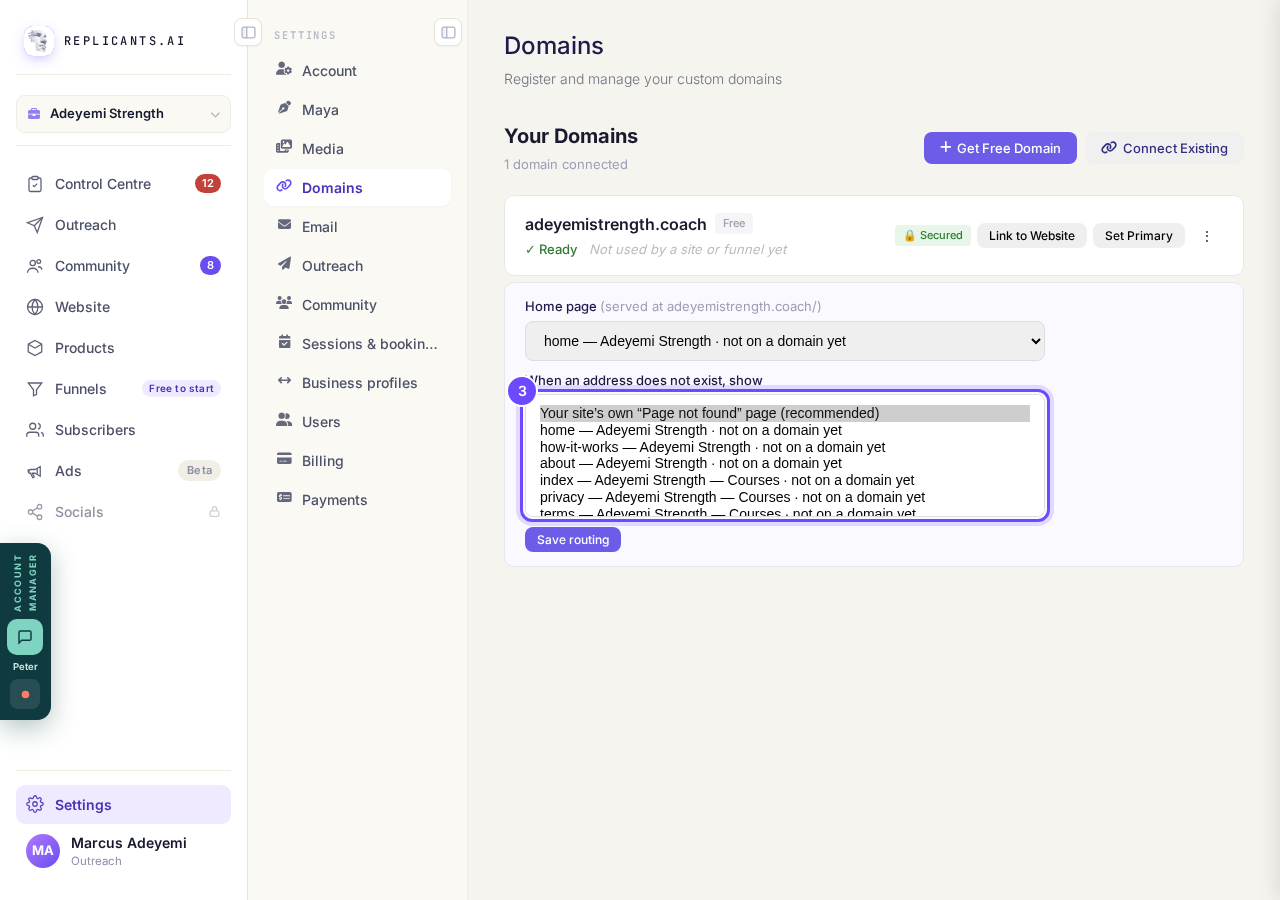
The recommended choice, at the top of the list.
Press Save routing
It says Saved beside the button when it is done.
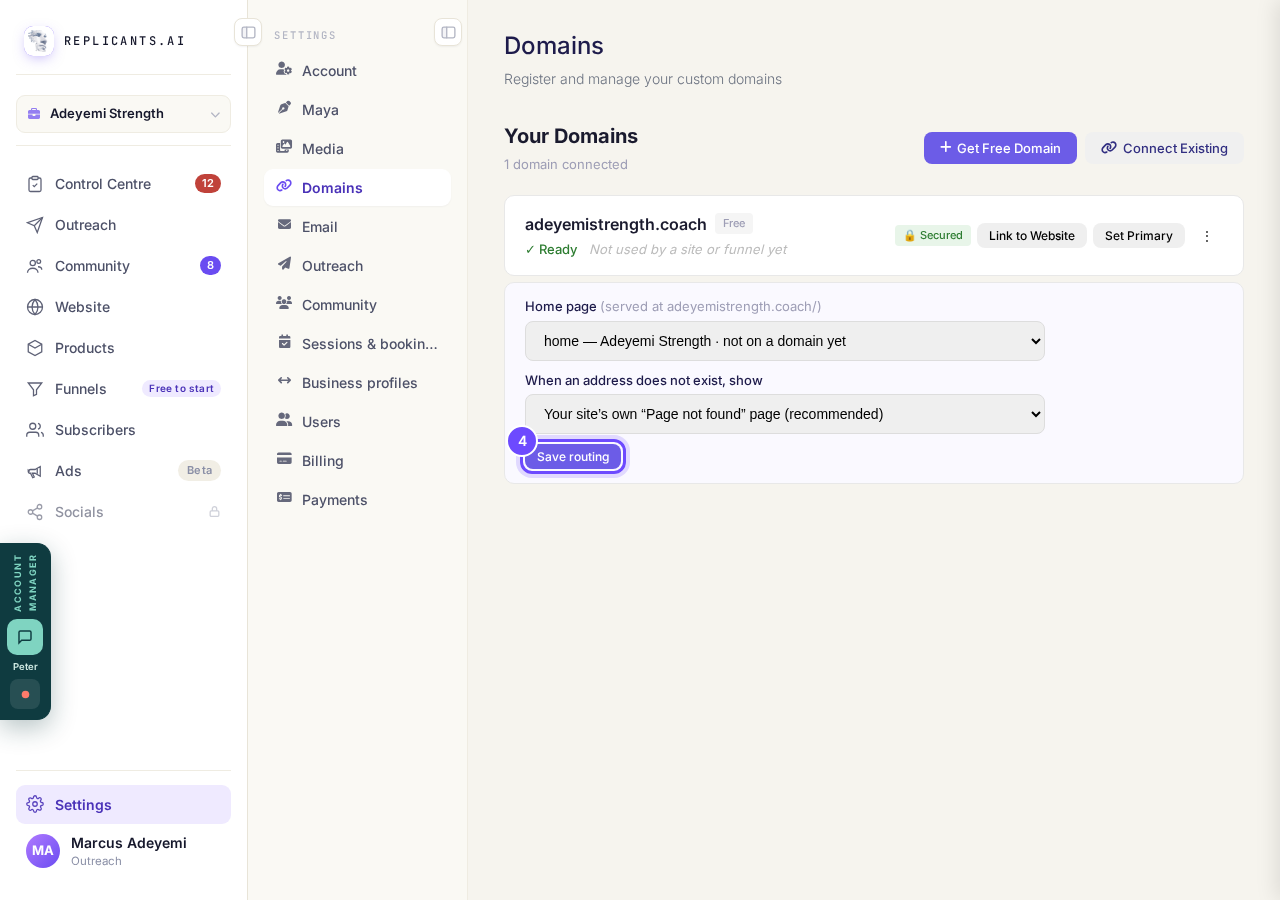
Save routing, under the two choices.


What do Verify DNS, Link to Website and Set Primary mean on my domain?
Related articles
How do I add a new page to my website?
You add a page from your website's Manage board. It starts as a draft in your site's design and goes live when you republish. About five minutes.
How do I add a privacy policy and terms to my website?
Every website has a Privacy Policy and Terms & Conditions, linked from the footer. We write them for you, or you upload your own. About two minutes.
How do I build my website?
Pick a design in the Gallery, bring in what you already have, answer a few of Maya's questions, then work through six short steps and press Publish my website. Everything is saved as you go, so you can stop and come back.