
How do I connect a domain I already own, or part of one like community.yourname.com?
Settings, then Domains, then Connect My Domain. Type the domain, or a part of it like community.yourname.com, and we show you two lines to add where you bought it. It takes about 5 minutes, plus up to an hour for the change to come through.
Updated 19 October 2026
Open Settings, Domains, and press Connect My Domain
It is on the card that says I already have a domain. If you already have a domain on the list, press Connect Existing at the top instead.
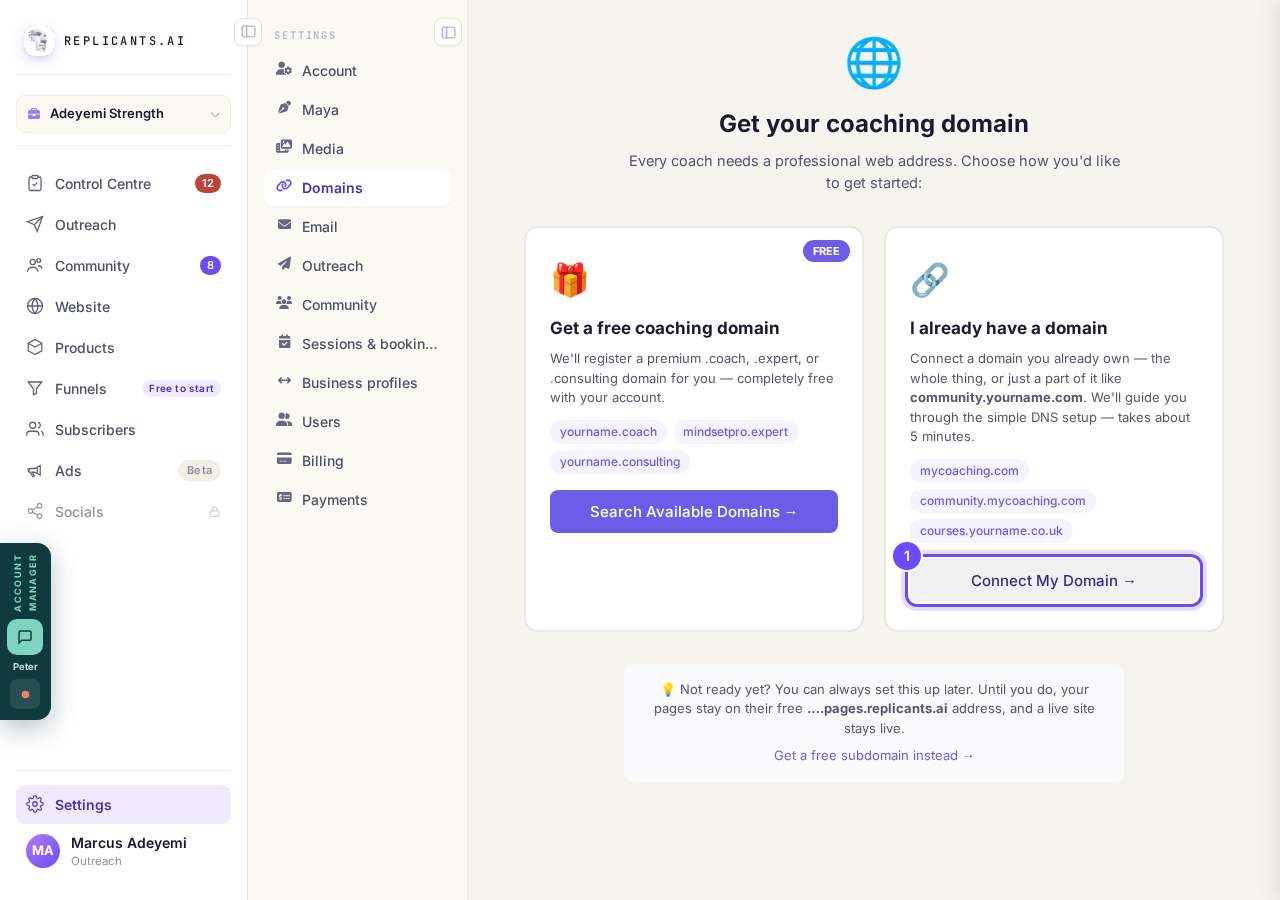
Connect My Domain, on the right-hand card.
Take me thereType the domain, then press Continue
Type it bare, like yourname.com. For a part of it, type community.yourname.com or courses.yourname.com: your main website stays where it is.
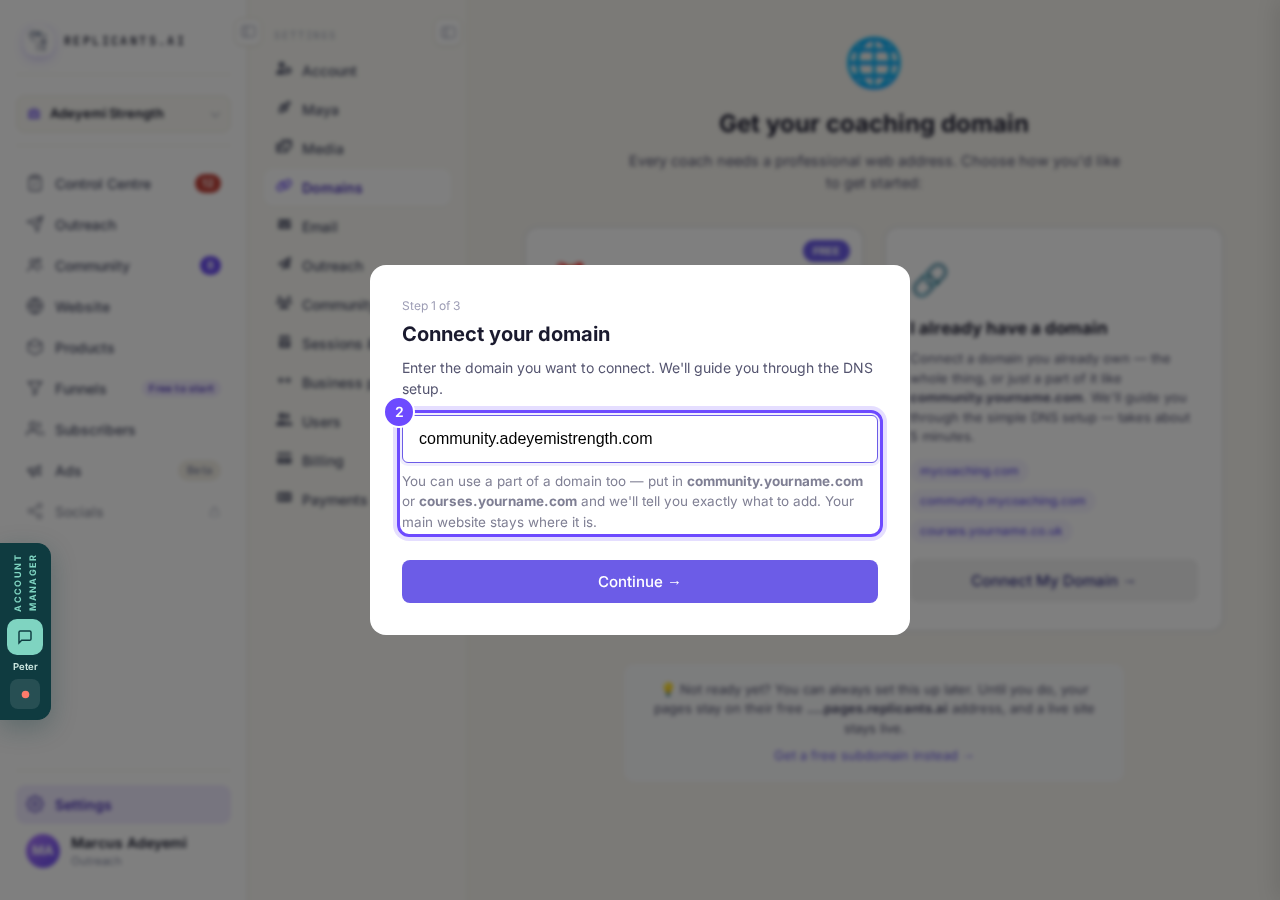
A part of a domain, typed in.
Add both lines at your domain company
Open its DNS settings and add each line as a new record, copying the Type, Name and Value exactly. A whole domain also gets a third line, recommended, so the www version works too.
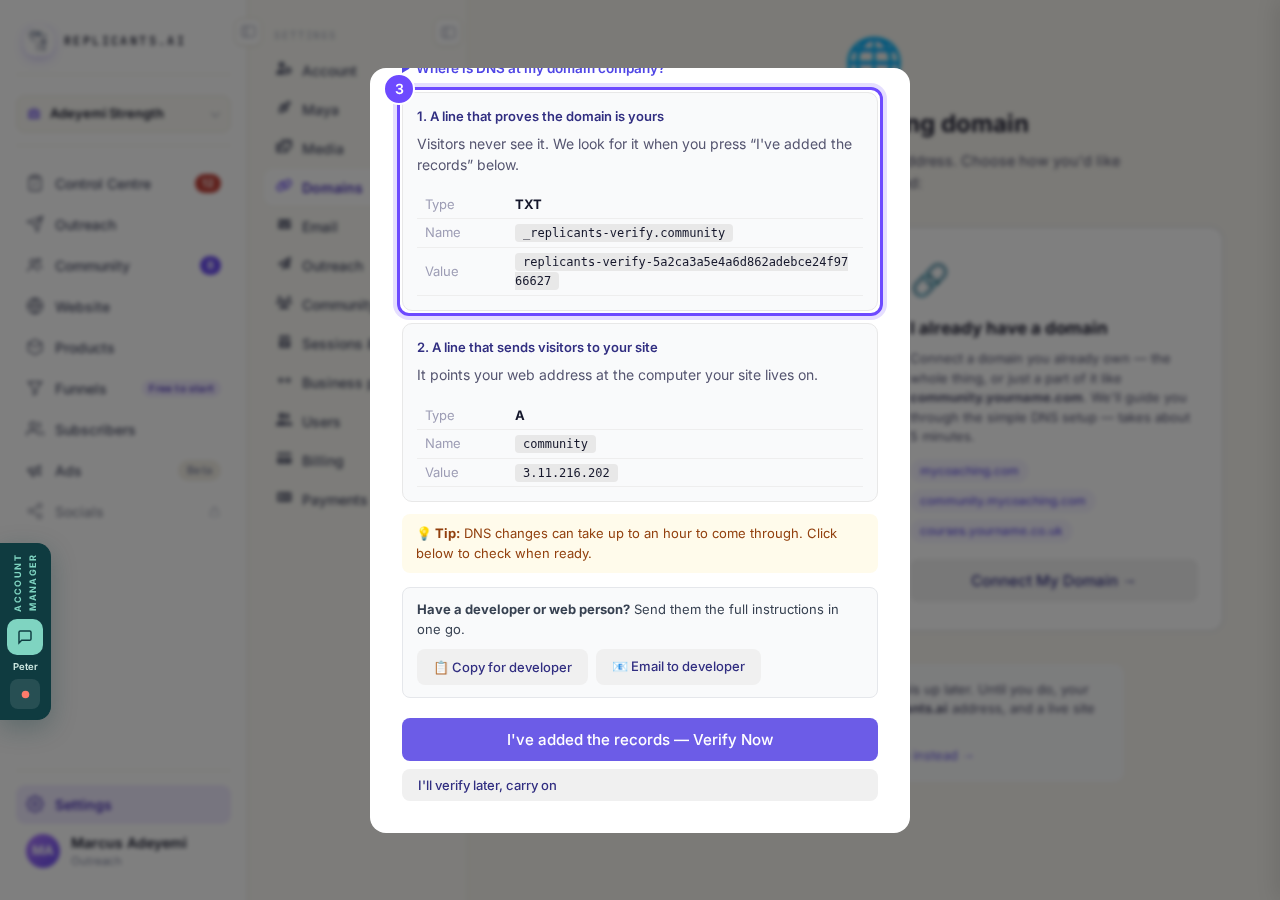
One line proves the domain is yours, one sends visitors to your site.
Press I've added the records, Verify Now
Changes can take up to an hour to come through. If you are not done yet, press I'll verify later, carry on and the domain waits on your list.
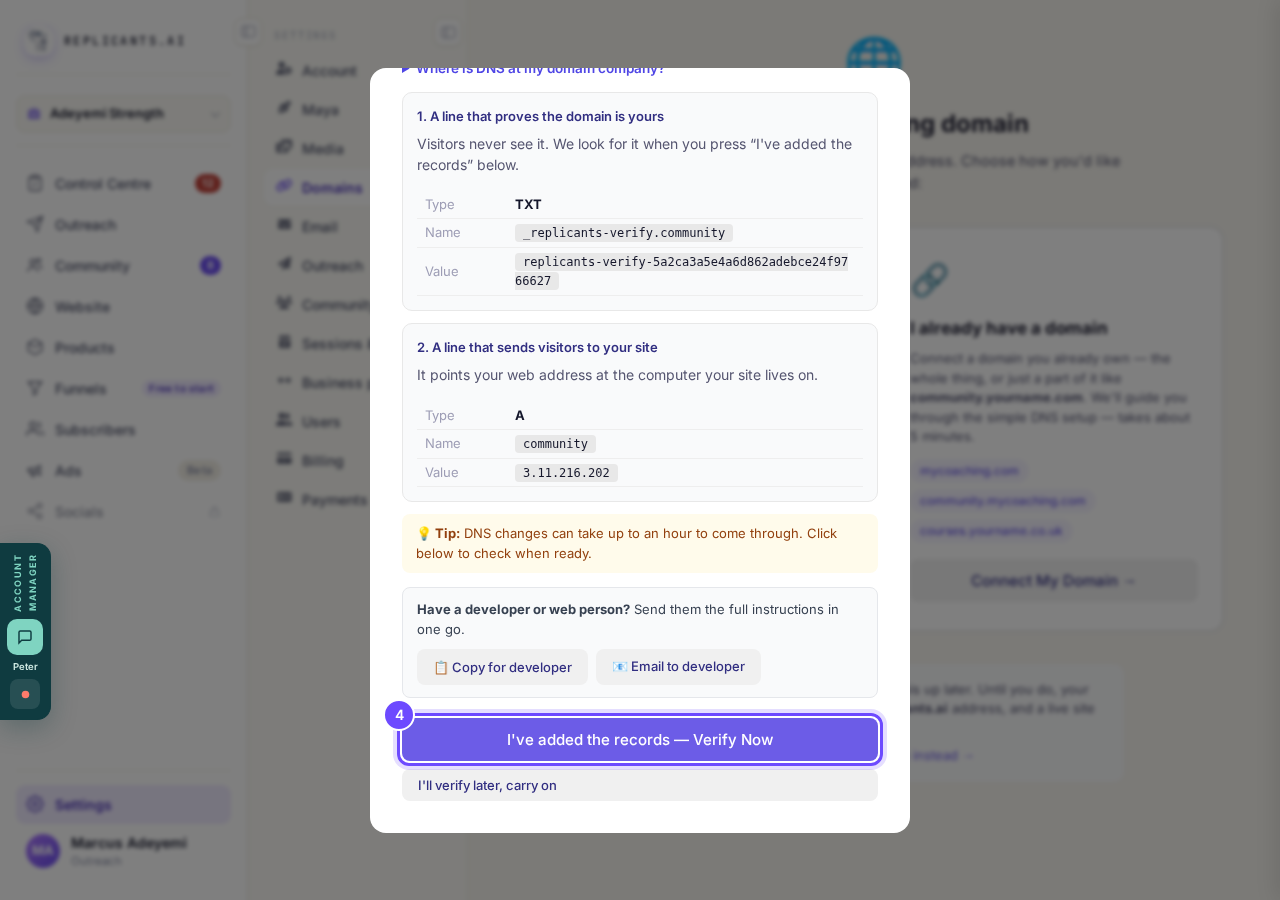
Verify Now, once both lines are in.
Come back and press Verify DNS
A domain still waiting says Verify under its name, and the answer to each check stays on the card so you can read it.
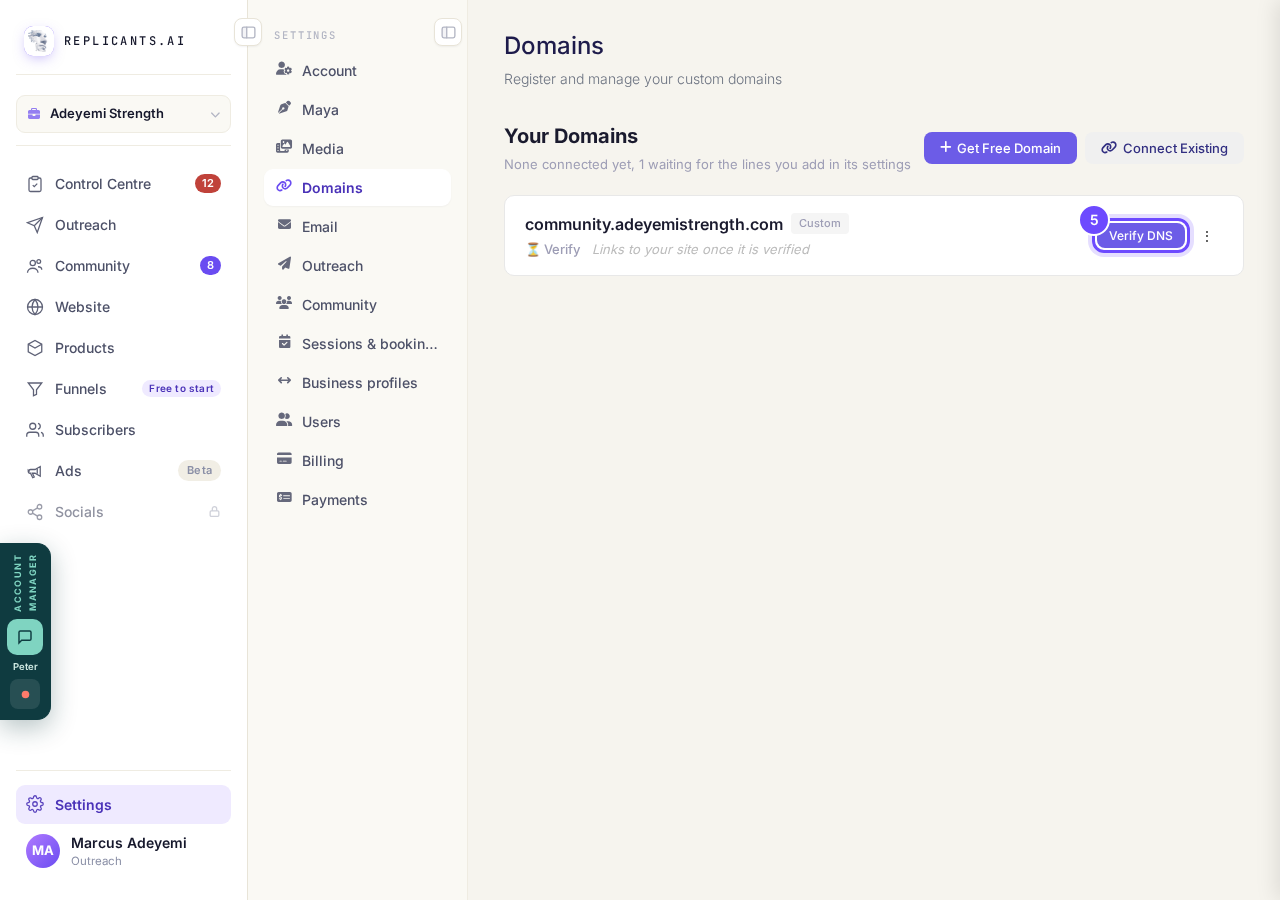
Verify DNS, on a domain that is waiting.
Take me thereSee it connected
The list says 1 domain connected. The padlock is set up for you; if it says Not secured, press Secure your domain.
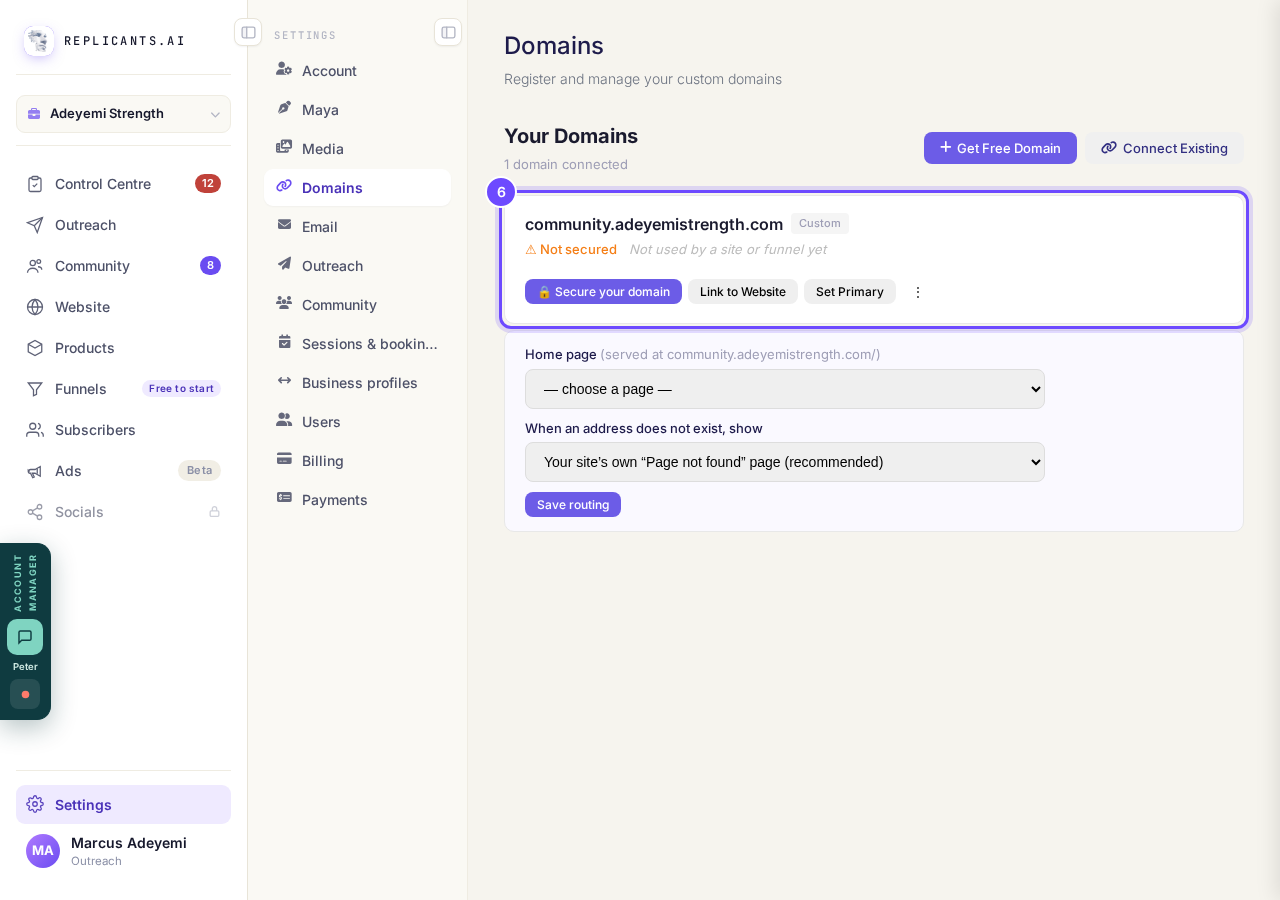
Connected, with Secure your domain beside it.


If it says it can't find the domain on the internet at all, check the spelling; a domain bought in the last day can take that long to appear. If the first line is found but not the second, the screen tells you the exact line still to add.
What do Verify DNS, Link to Website and Set Primary mean on my domain?
Related articles
How do I add a new page to my website?
You add a page from your website's Manage board. It starts as a draft in your site's design and goes live when you republish. About five minutes.
How do I add a privacy policy and terms to my website?
Every website has a Privacy Policy and Terms & Conditions, linked from the footer. We write them for you, or you upload your own. About two minutes.
How do I build my website?
Pick a design in the Gallery, bring in what you already have, answer a few of Maya's questions, then work through six short steps and press Publish my website. Everything is saved as you go, so you can stop and come back.