
How do I connect my social accounts and post to all of them at once?
Connect each network once in Settings, then Socials. Then press Write a post in Socials, say what it is about, and Maya writes a version for each network; you preview each one and pick when it goes out. About five minutes the first time.
Updated 19 October 2026
Open Settings, then Socials
Settings is at the bottom of the main menu on the left (on a phone, press the menu button first). Socials there is where you connect the Facebook, Instagram, LinkedIn, X, YouTube and TikTok accounts your posts go out on.
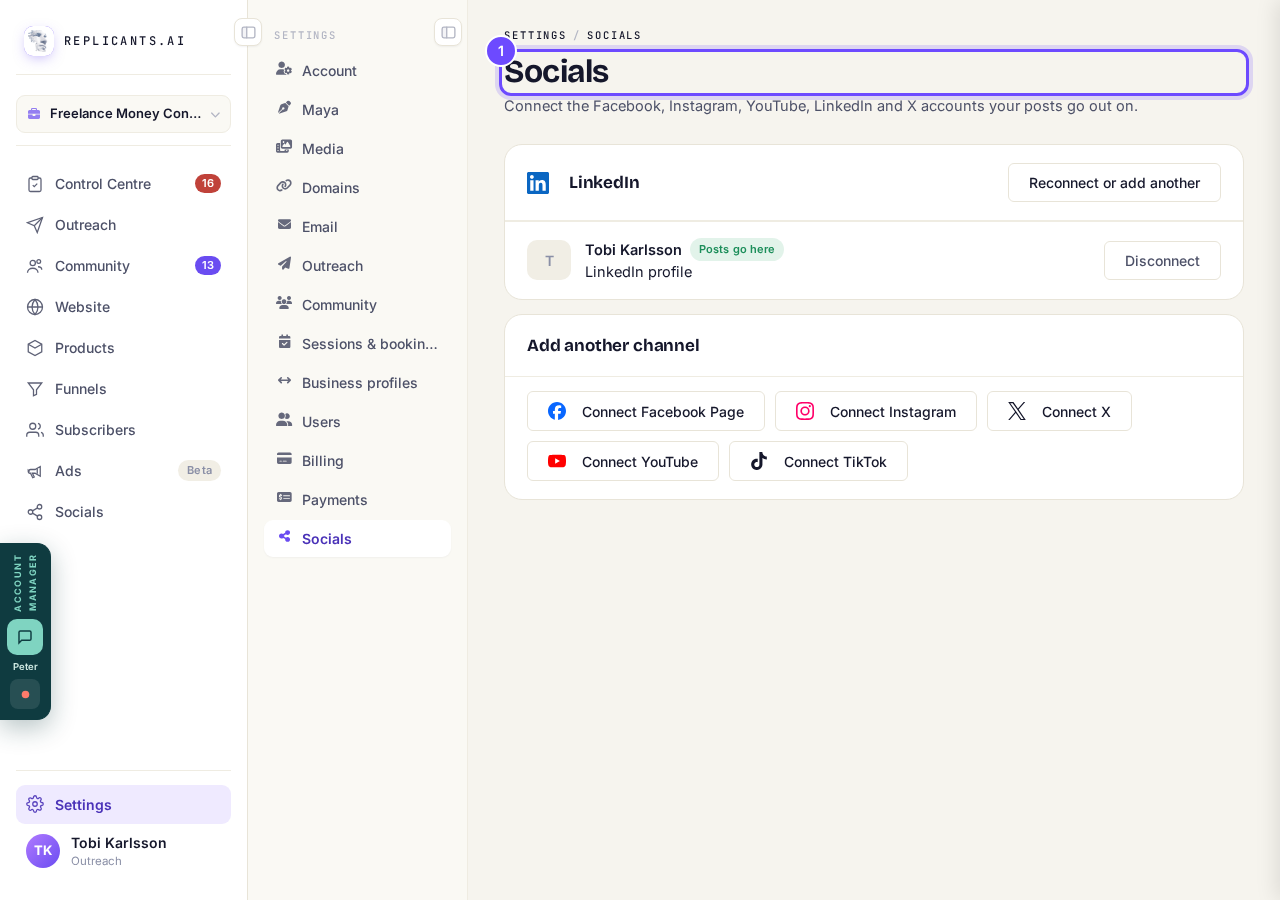
Socials, in Settings.
Press Connect for a network, such as Connect LinkedIn
The network's own sign-in opens. Sign in, allow posting, and you come back here connected. Facebook's button says Connect Facebook Page, because Facebook lets apps post to a Page, never to a personal profile.
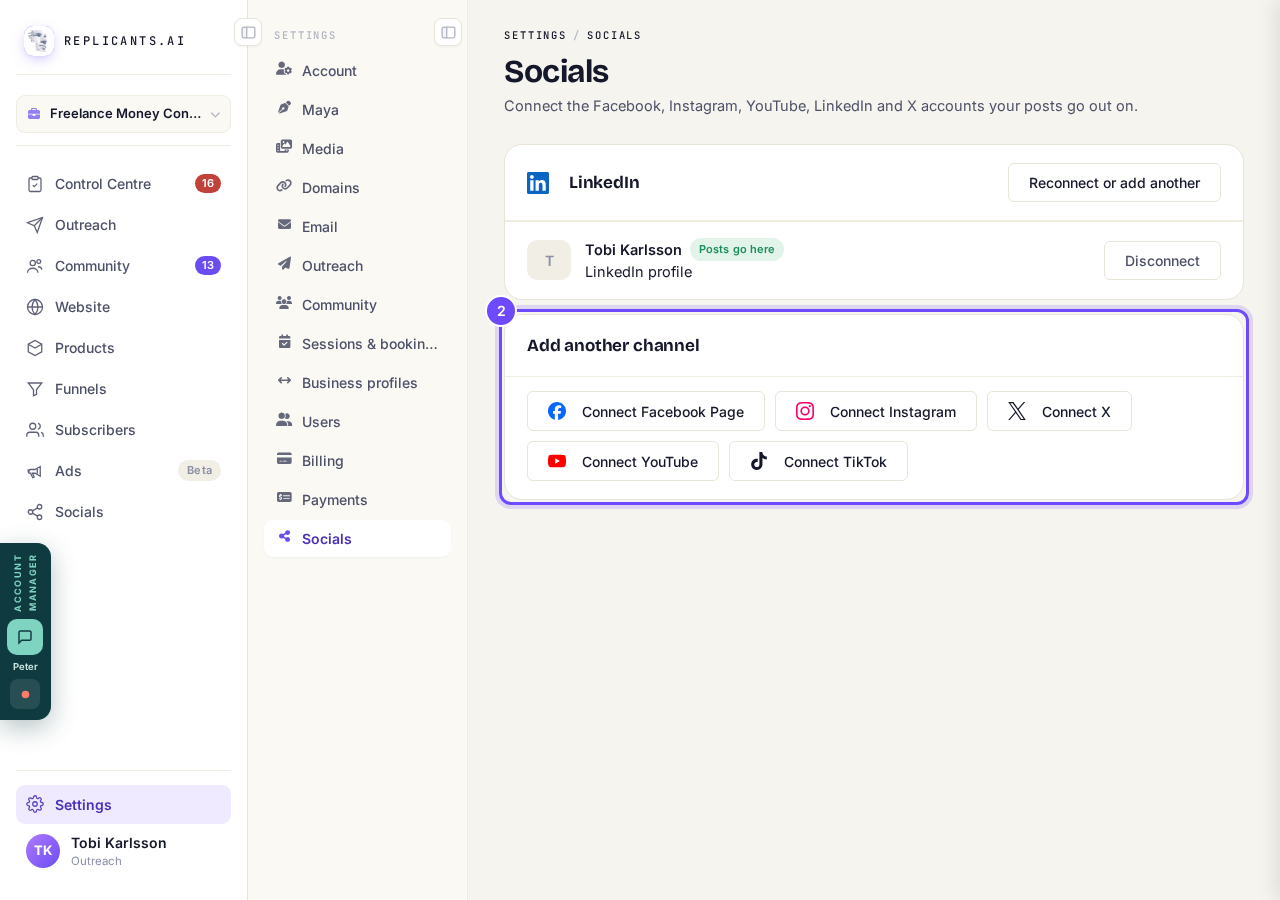
Add another channel, with a Connect button for each network.
Check the account says Posts go here
Each account is listed under its network. If one needs fixing it says so in plain words, with a Reconnect button. Add another channel connects the next network.
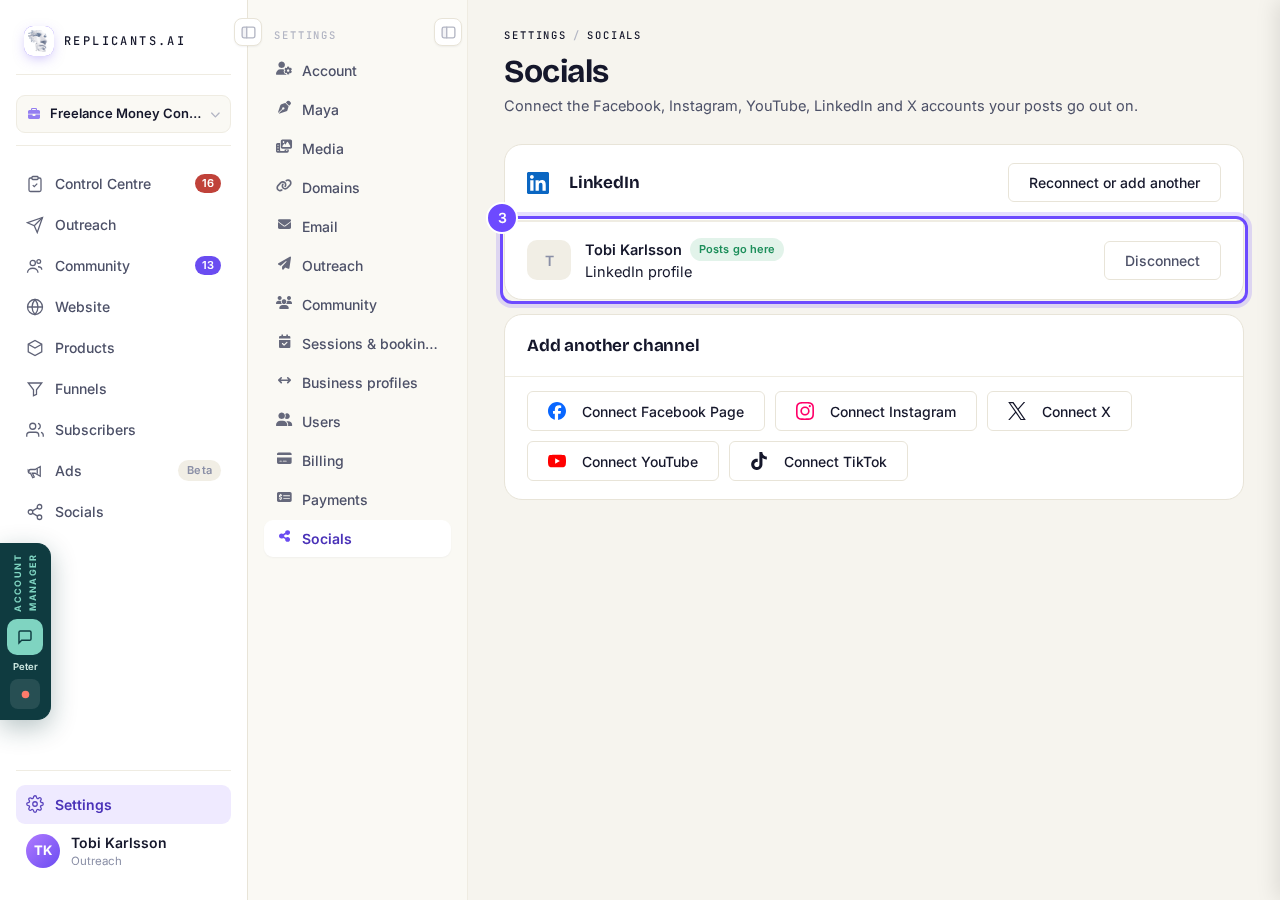
A connected account, with Posts go here.
Open Socials and press Write a post
Socials is in the main menu. Write a post is at the top right of the page.
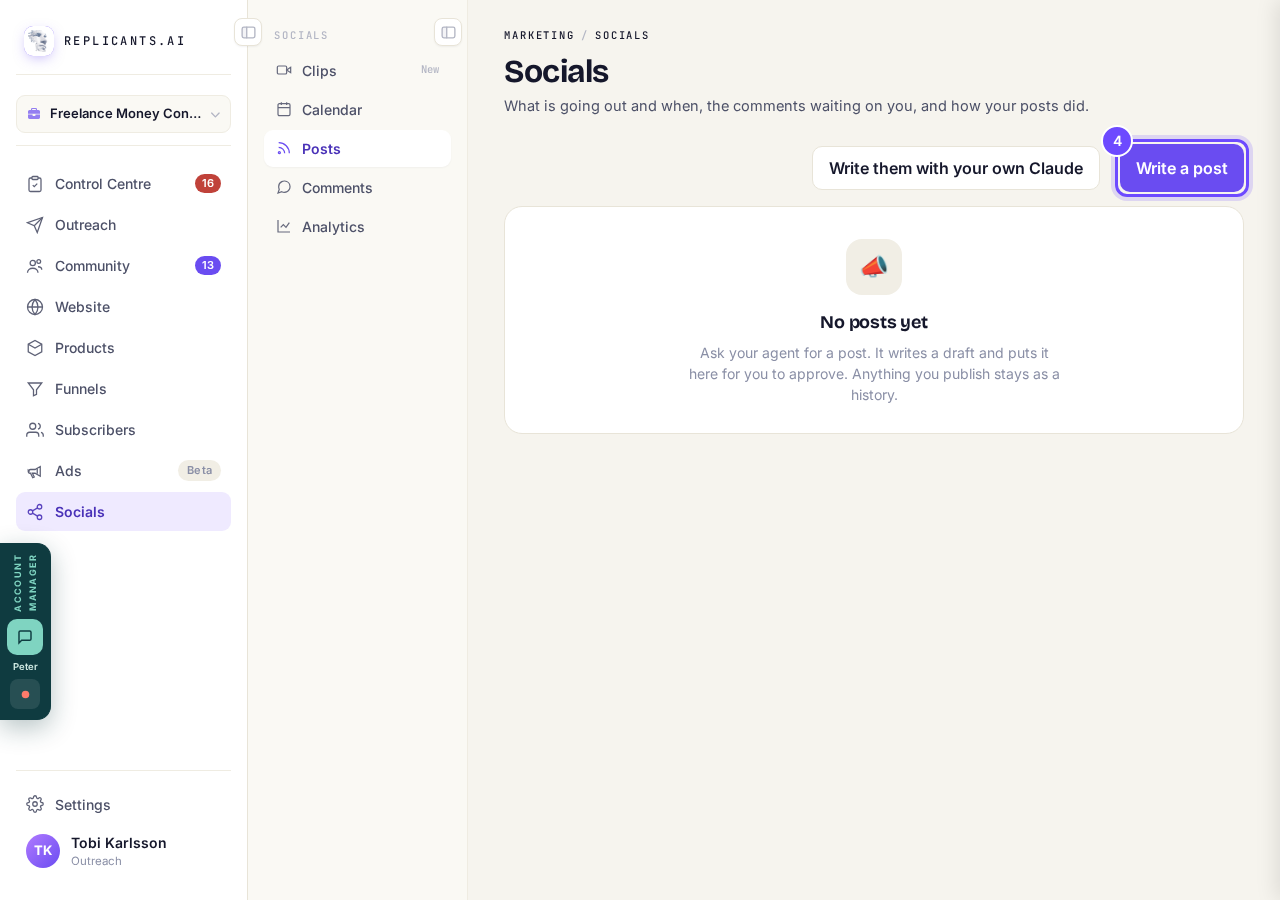
Write a post, at the top right of Socials.
Say what the post is about, then press Write it for each network
Type it under What do you want to say?, and press Add a picture or Add a video if you want one. Maya writes a version for each network from your words.
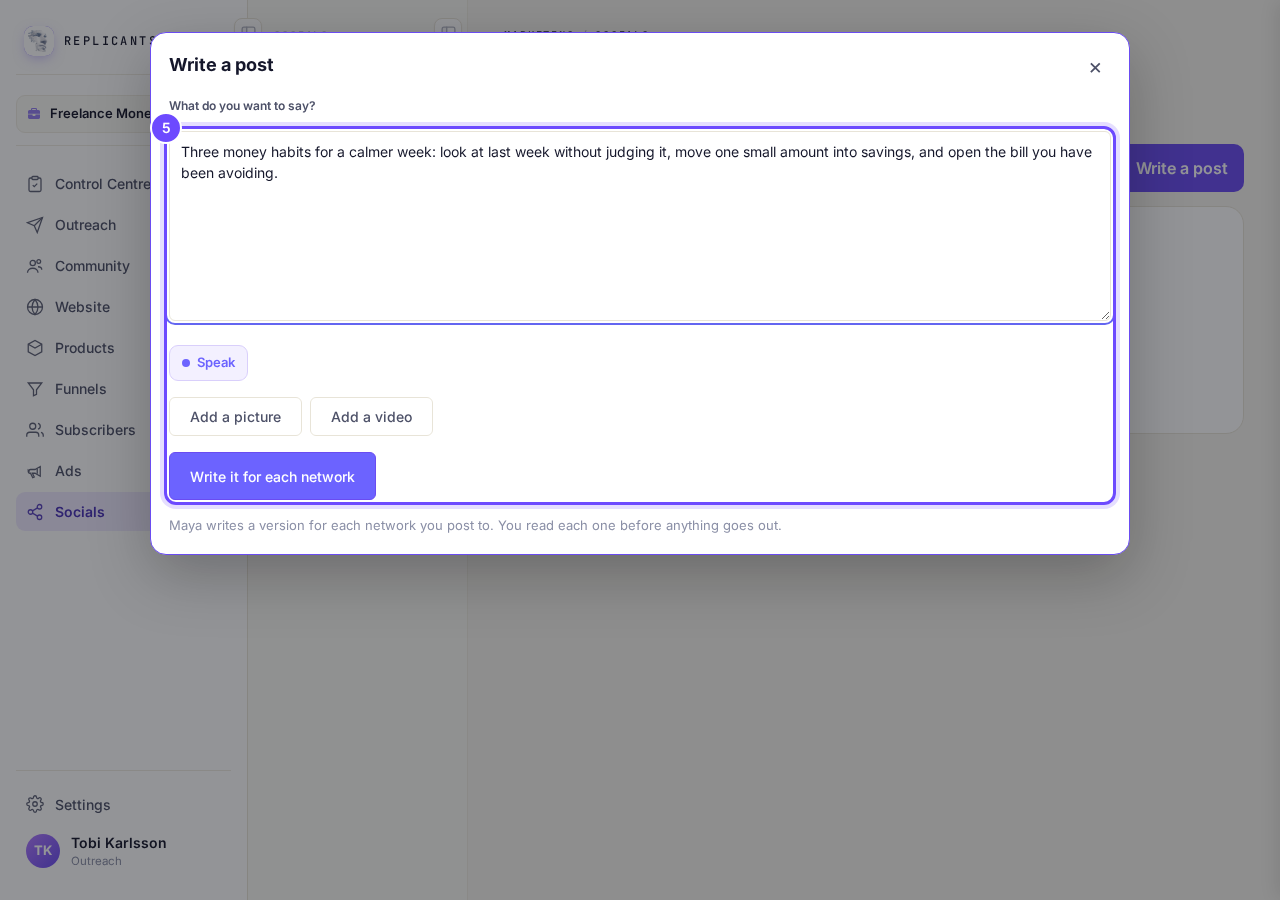
What do you want to say?, and Write it for each network.
Press each network to preview its version
Its words sit beside a preview of how it will look there; change anything, or press Ask Maya to change it. Networks you have not connected say Not connected, and pressing one asks you to connect it there and then.
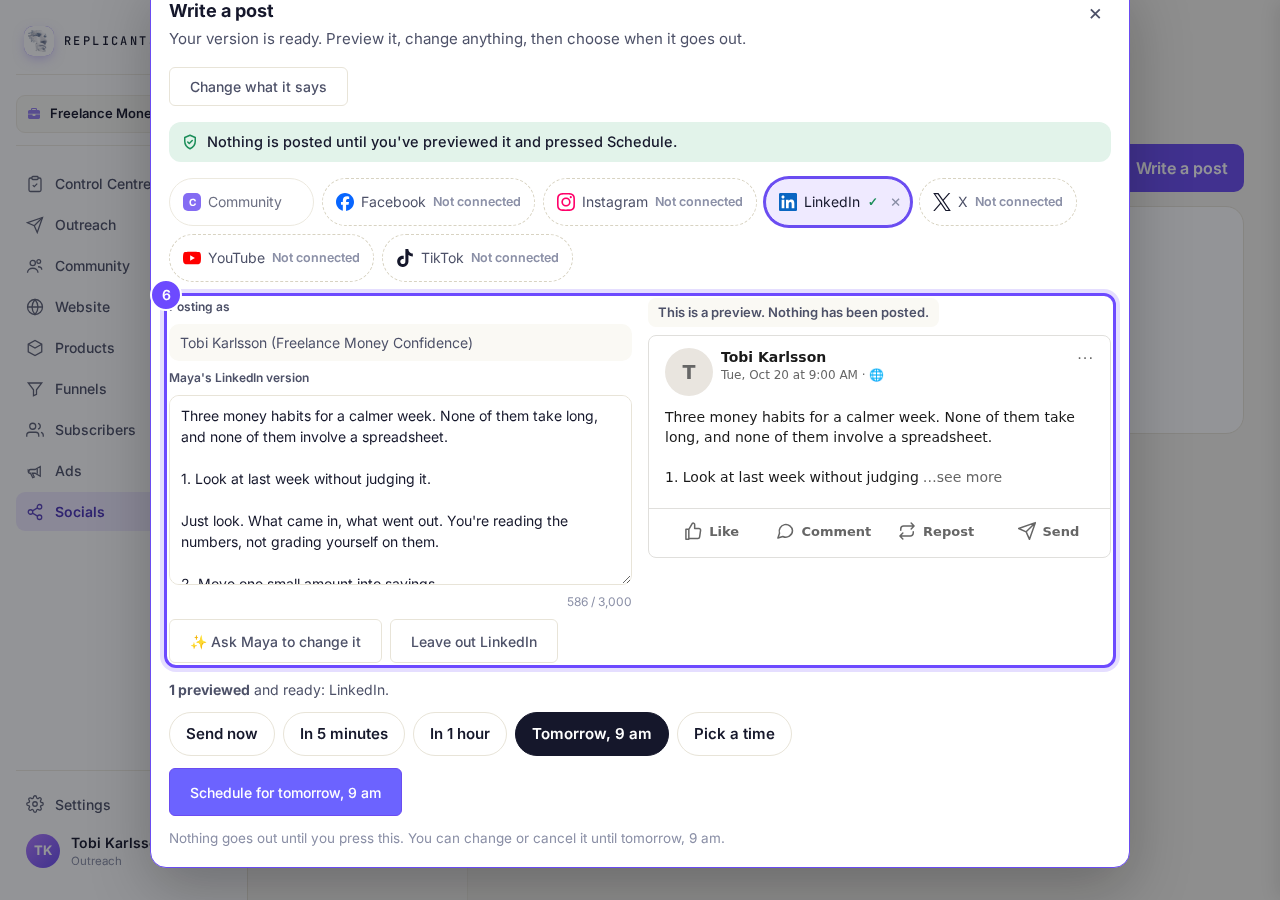
A network's own version beside its preview.
Choose when, then press the button
Pick Send now, In 5 minutes, In 1 hour, Tomorrow, 9 am or Pick a time. The button says what it will do, such as Schedule for tomorrow, 9 am, once every network is previewed.
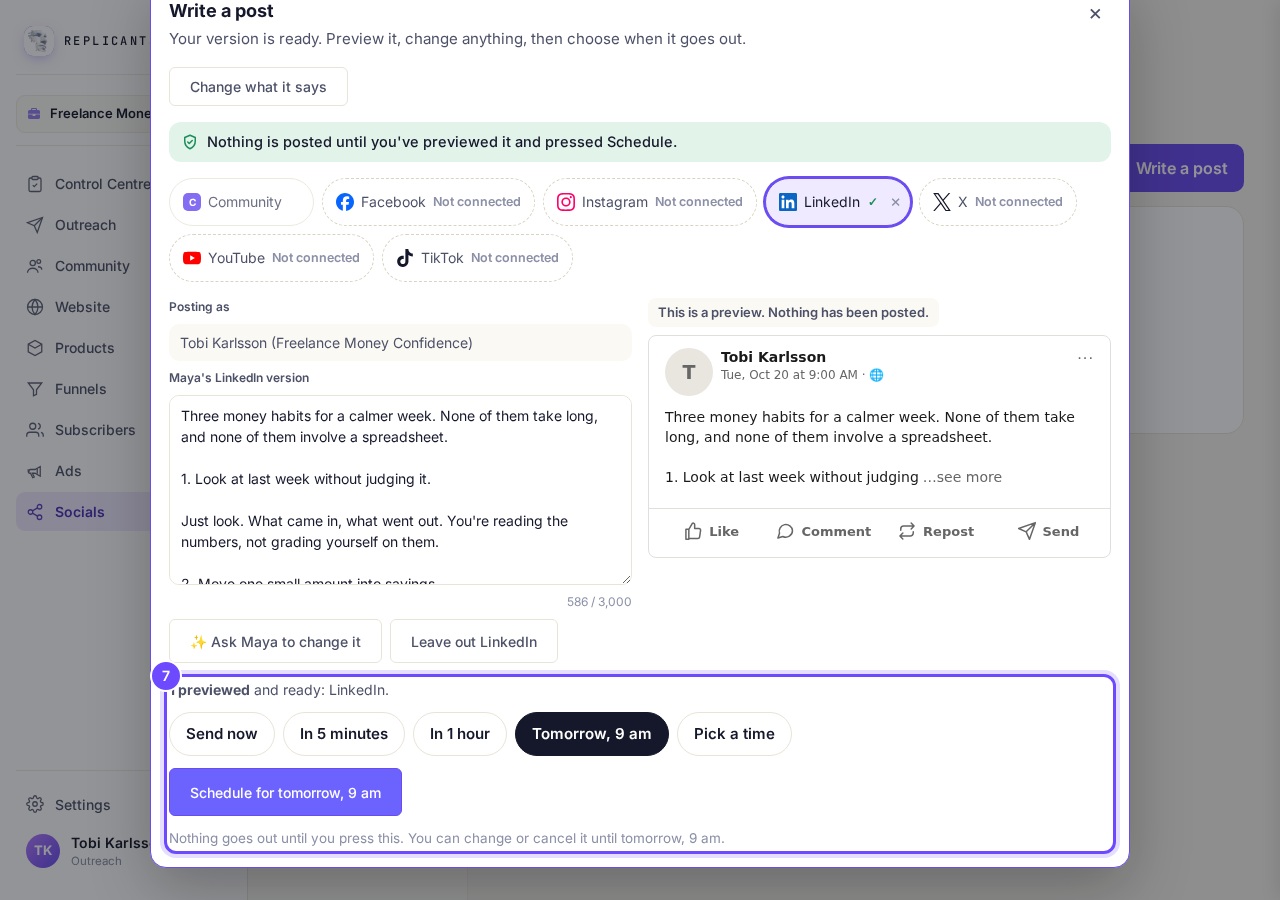
When it goes out, and the button that says what it will do.


If you connect two accounts on the same network, Settings, Socials asks you to pick the one your posts go to. Press Send posts here on it.
Related articles
Can I talk instead of typing?
Under the boxes you type into there is a Speak button. Press it, talk, press Stop, and your words are typed into the box for you. It works on a laptop and on a phone.
Do I have to decide on the leads offer right now?
No. Your community is free and works without it. The price for leads is Outreach, a separate paid tool that finds people for your community, and you can say no and carry on building.
How are my social posts doing?
Open Socials, then Analytics. You see your posts, views, likes, comments, shares and new followers, each against the same stretch of time before (except on All), and every post on its own.