
The ad said free. Why am I being asked to pay?
Your community is free forever, and so are Courses, Products, Subscribers and taking payment through your own Stripe. The card and the free trial are only for the two paid plans, Studio and Outreach, and you can say no to both. Checking takes about two minutes.
Updated 19 October 2026
Look under your name for Free
Your name is at the bottom of the menu on the left, and the word under it is your plan. Free means you are paying us nothing. On a phone the menu shows your name but not the plan; step 3 tells you instead.
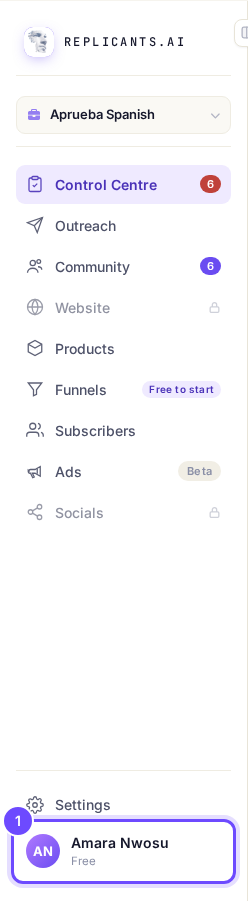
Free, under your name.
Read a padlock as a paid plan
Website and Socials carry a padlock (on a phone, Upgrade) because they come with Studio, and pressing one buys nothing. A row without a padlock costs nothing to open. Outreach can show with no padlock as a paused preview, and switching it on starts its free trial (step 4).
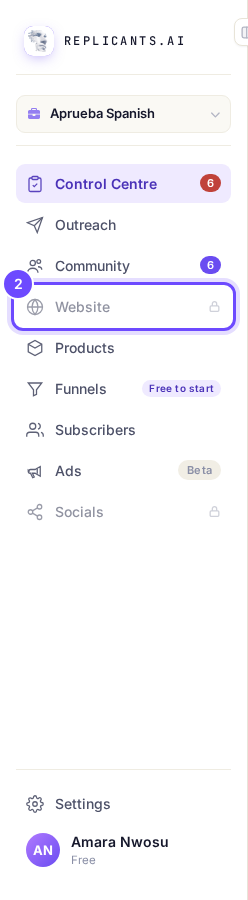
Website has a padlock: it comes with Studio.
Open Settings, then Billing
Press Settings at the bottom of the menu, then Billing. Under Plans it says You are not paying us anything right now. while you are on no paid plan.
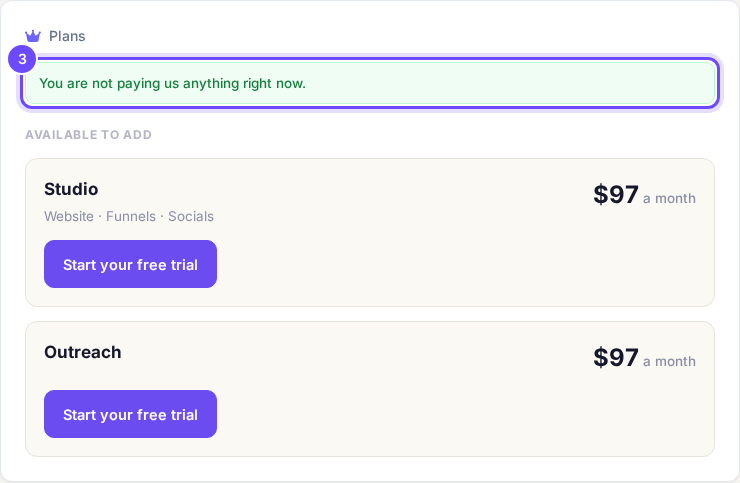
You are not paying us anything right now.
Take me thereSee what Studio and Outreach add
Under Available to add is a card for each paid plan, each with its own Start your free trial button. Studio adds Website · Funnels · Socials. Outreach finds people on LinkedIn for your community, and its price depends on the size you choose when you start it.
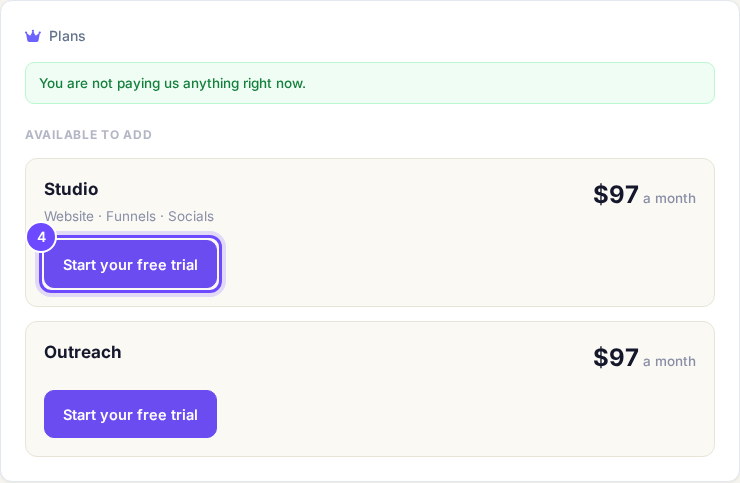
Studio and Outreach, each with Start your free trial.
Take me thereRead the trial screen before you add a card
Press Start your free trial only if you want to try that plan. The screen shows Today $0, the date it is Free until, and the price after that. It says: Cancel any time before that date and you are not charged. We will email you 3 days before. You keep your community either way.
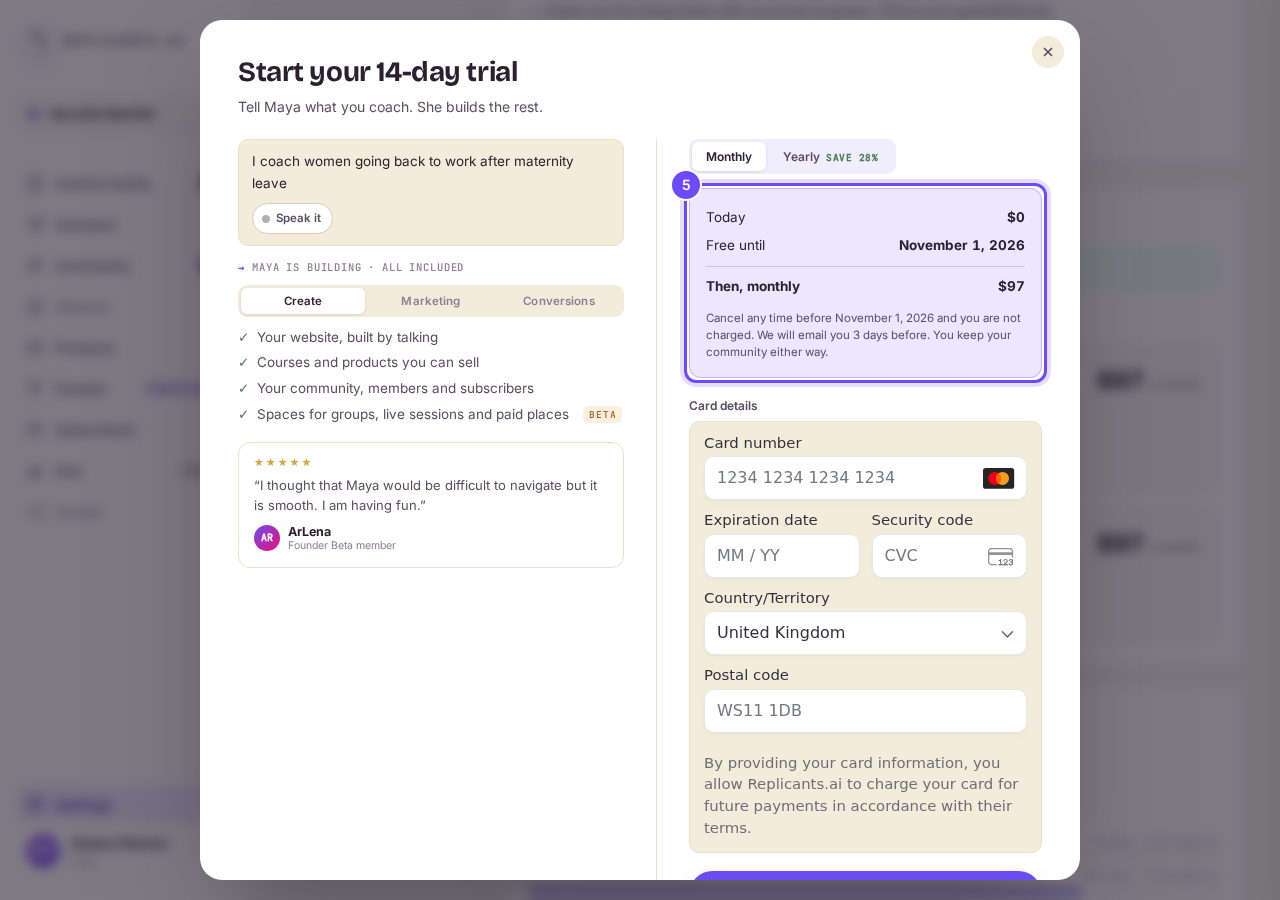
Today $0, and the date it is free until.


What each plan gives you
| Plan | What it gives you | What it costs |
|---|---|---|
| Free | Your community on its own address, Courses, Products, Subscribers, Control Centre, taking payment through your own Stripe, and your first funnel page. | Nothing. Free while your community has fewer than 5,000 members. |
| Studio | Website, Funnels, Socials and Spaces. | A free trial, then $97 a month for up to 20,000 subscribers, or less a month if you pay yearly. Bigger lists cost $157 to $397 a month. |
| Outreach | Finds people on LinkedIn who fit your community, warms them up and invites them in. | A free trial, then a monthly plan sized by leads: Solo $47 for 50 leads a month, Practice $97 for 150, Authority $197 for 300. |
Questions coaches ask
Why did a price appear straight after I signed up?#
That screen offers Outreach at a launch price. You can say no: press the small grey line under the big pink button, which starts No thanks. What each button on that screen does.
Do you take a cut of what I sell?#
No. Payments go into your own Stripe account and we take 0%. Stripe still charges its own card fee.
Is the price on this page the one I will pay?#
These are the list prices. Your checkout always shows the exact amount for your account, and any offer you have, before you add a card.
Open Settings, then Billing, press Cancel on that plan's card, and follow the screens to the end before the free days end. A Studio trial shows there as Founder plan. You are not charged, and your community, courses and subscribers stay. On Studio the cancel screen warns You’ll lose your Founder plan, with its extra AI credits, and it can’t be got back once it’s cancelled. What you keep when you stop a plan.
What is free right now, and what is locked for later?
Related articles
Can I talk instead of typing?
Under the boxes you type into there is a Speak button. Press it, talk, press Stop, and your words are typed into the box for you. It works on a laptop and on a phone.
Do I have to decide on the leads offer right now?
No. Your community is free and works without it. The price for leads is Outreach, a separate paid tool that finds people for your community, and you can say no and carry on building.
How are my social posts doing?
Open Socials, then Analytics. You see your posts, views, likes, comments, shares and new followers, each against the same stretch of time before (except on All), and every post on its own.