
How do I make a product and set its price?
Open Products, then Prices & offers, and press + New product. Give it a name, choose how buyers pay, press Save product, then add a price and press Add price. About five minutes once Stripe is connected.
Updated 19 October 2026
Take me there
Open Prices & offers
Press Products in the main menu, then Prices & offers under Sell; on a phone, press the menu button at the top right first. It lists every product, with its price and where it is used.
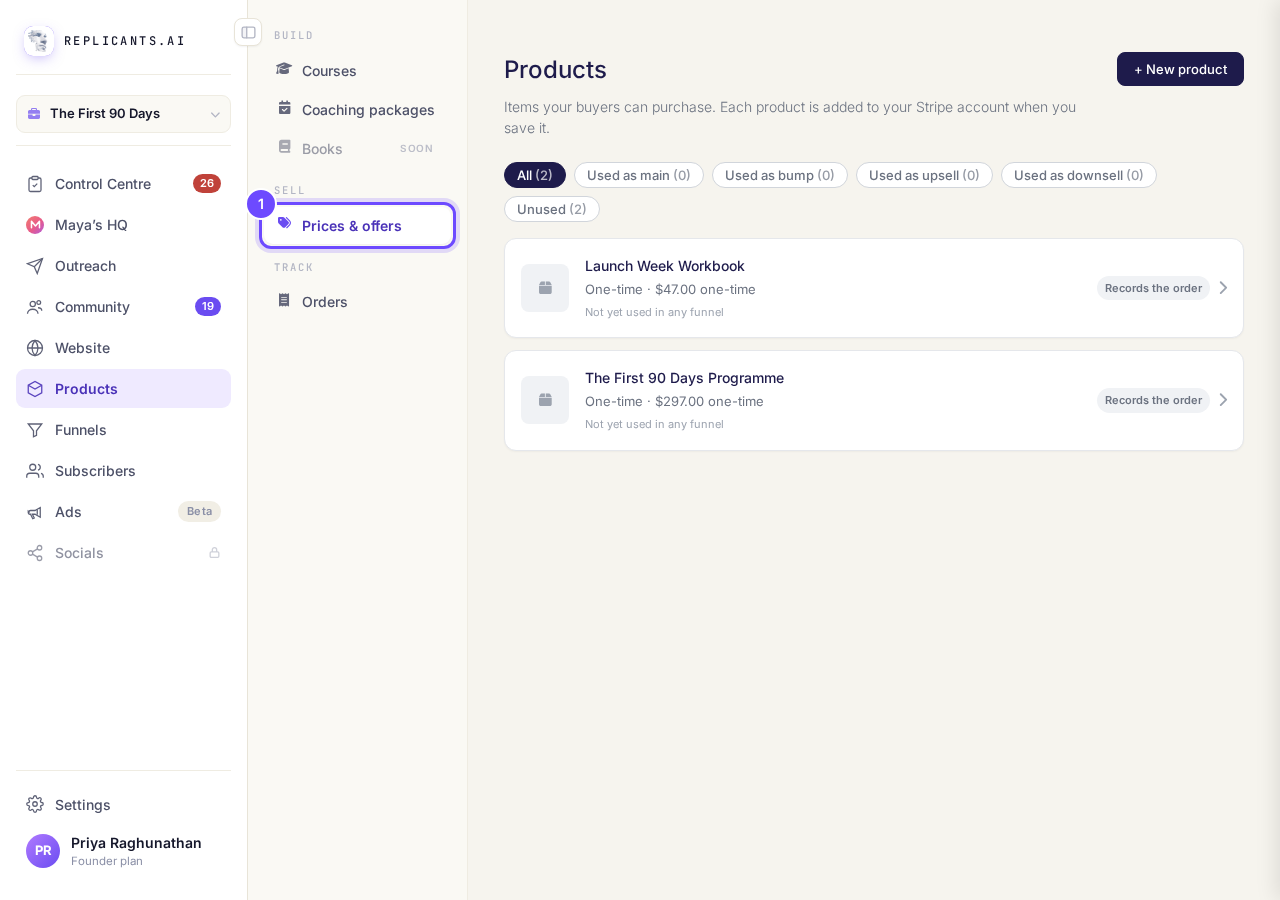
Prices & offers, under Sell in Products.
Press + New product and name it
Press + New product at the top right, then type its Name and, if you like, a Description of what the buyer gets. Buyers see the name on your order form.
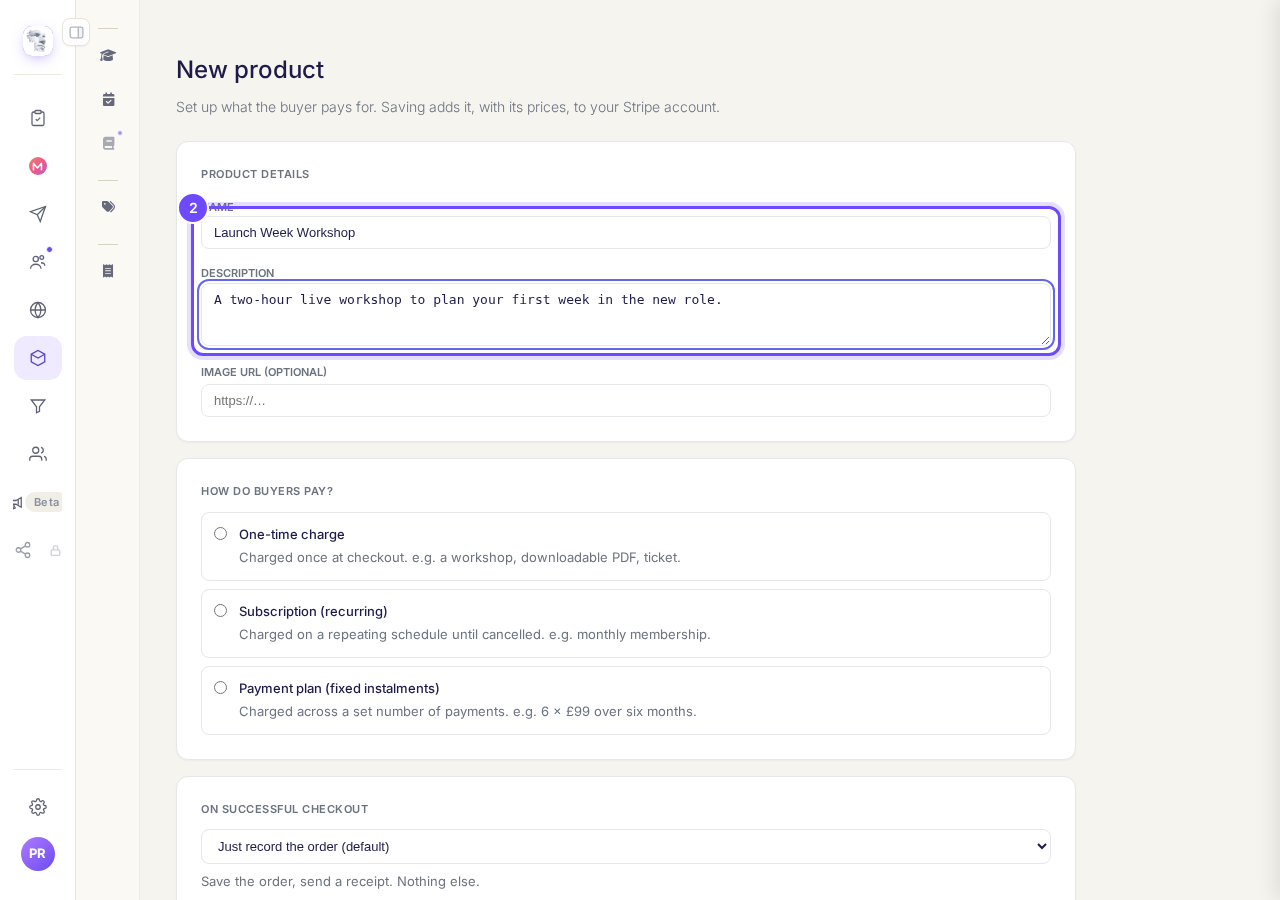
Name and Description, under Product details.
Choose how buyers pay
Under How do buyers pay? choose One-time charge, Subscription (recurring) or Payment plan (fixed instalments). Each one says under it what it is for.
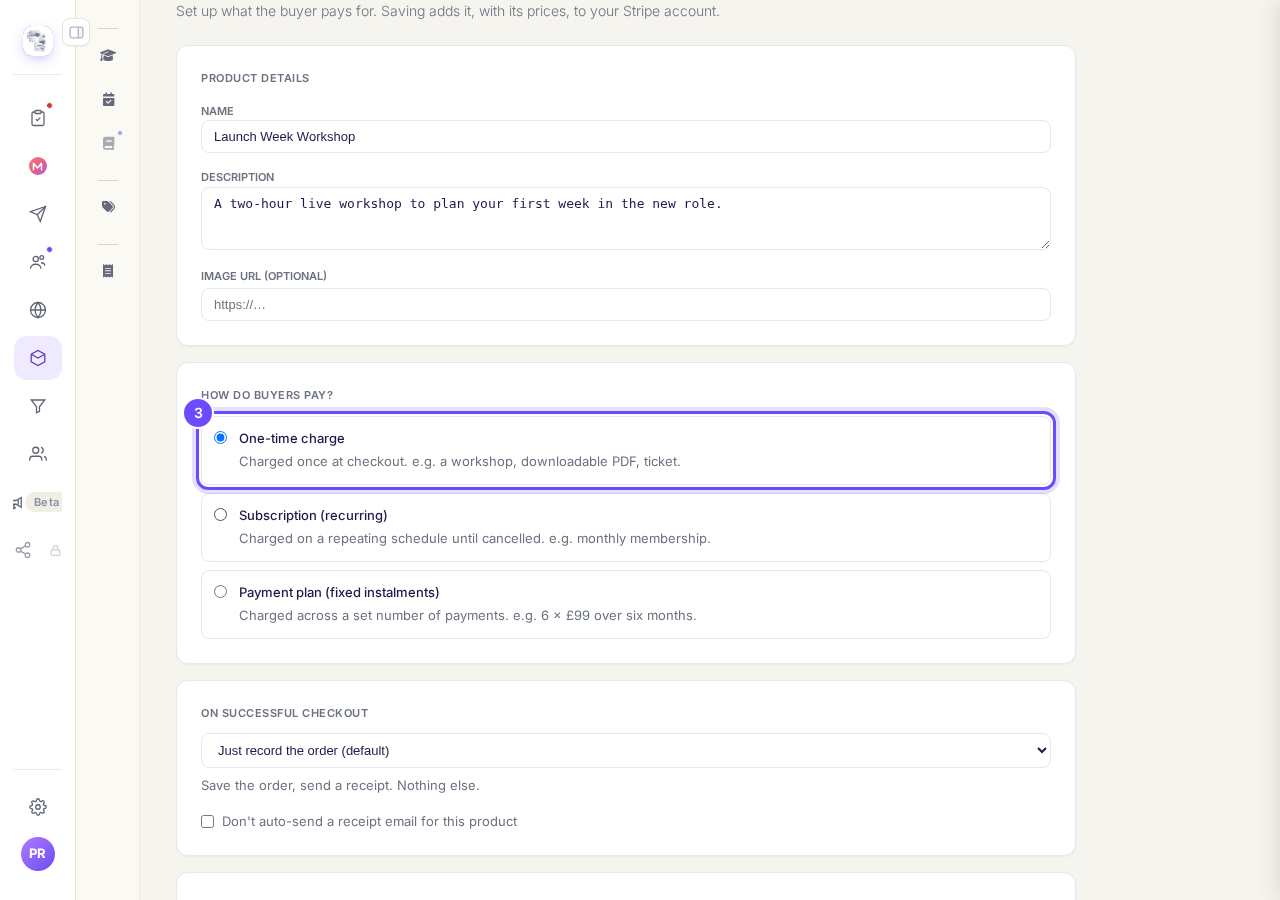
One-time charge, the first of the three ways to pay.
Press Save product
Leave On successful checkout as it is unless the product gives access to a course or a space; the first choice records the order and sends a receipt. Then press Save product.
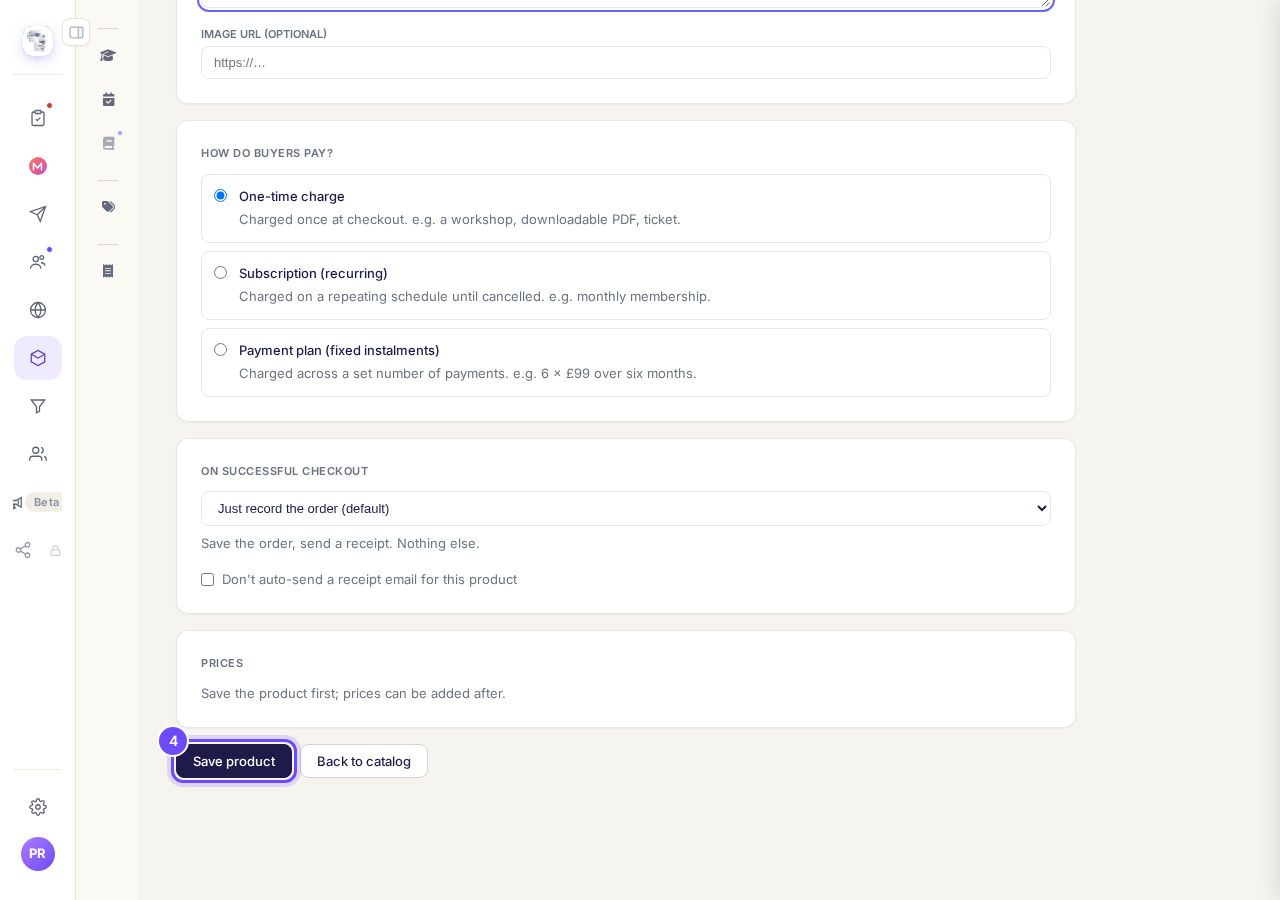
Save product, at the bottom of the form.
Add a price
Under Prices, open + Add a price, type the AMOUNT, choose the CURRENCY and the TYPE, then press Add price. On a phone the row is squeezed, so AMOUNT may show only part of the number you type, and TYPE sits at the right edge and starts at One-time.
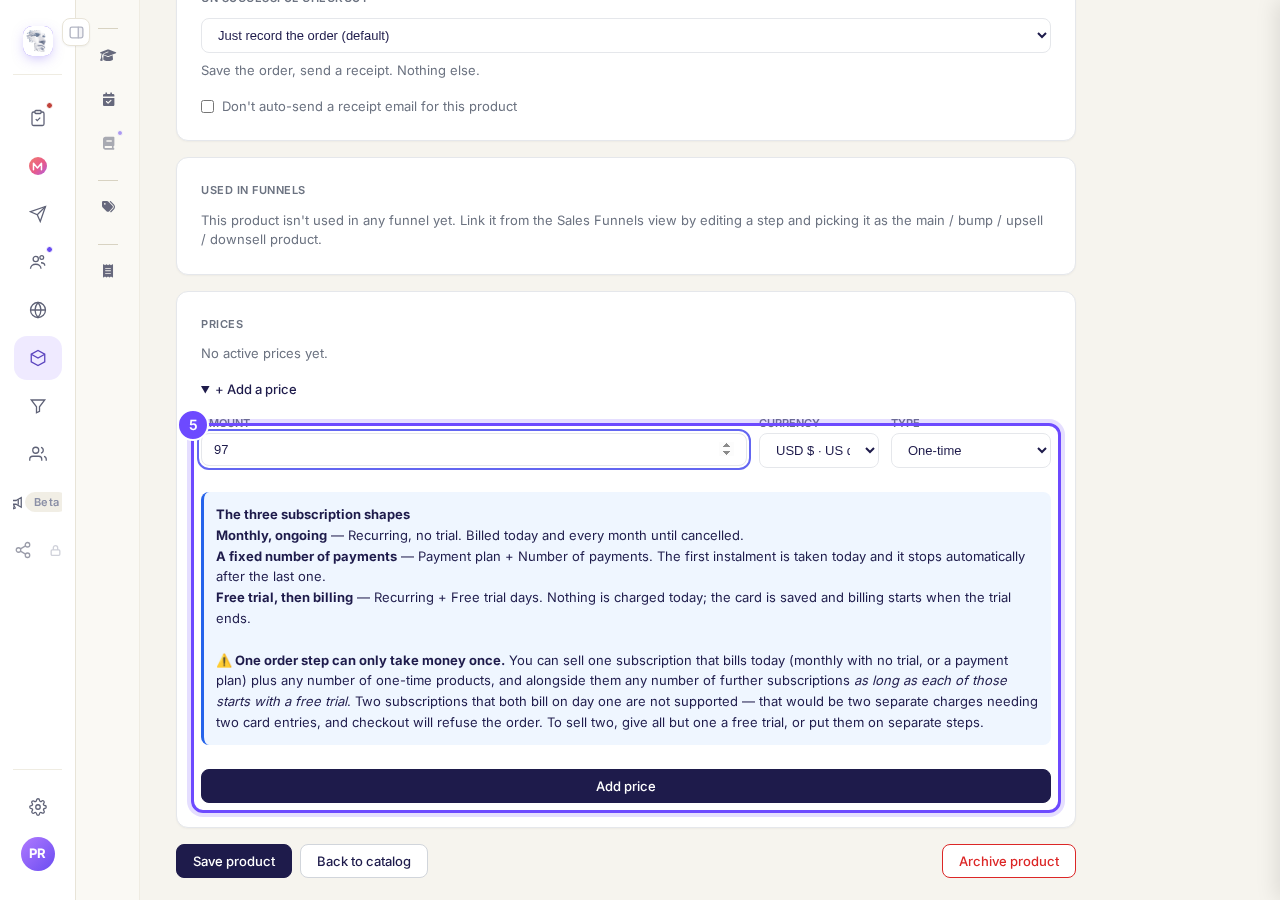
Amount, currency and type, with Add price underneath.
See it on Prices & offers
Press Back to catalog. Your product is on the list with its price; the line under it says Not yet used in any funnel until you put it on a page.
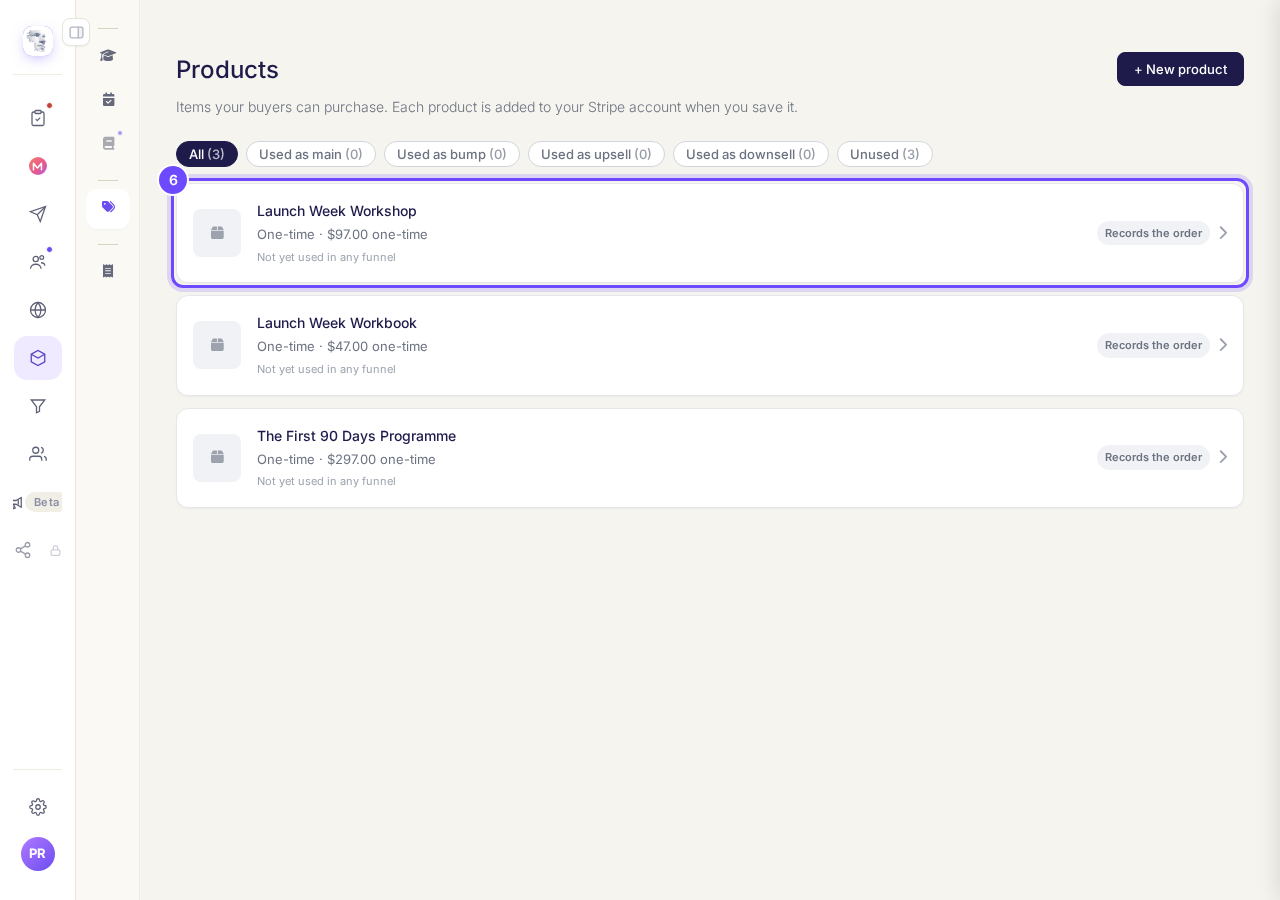
The new product and its price, on Prices & offers.


About products and prices
Can I change a price later?#
Add the new price under Prices on the product, and archive the old one. People will no longer be able to buy at an archived price.
Can a product have more than one price?#
Yes. Add each one under Prices, for example one payment of the whole amount and a payment plan of three.
How do I take a product off sale?#
Open it and press Archive product. It is hidden and nobody can buy it any more.
Do I make a product for my course here?#
No need. Setting a price on your course makes its product for you, and it shows here as On sale now for that course.
One page that takes payment can sell one subscription that bills today, plus any number of one-time products. Further subscriptions on the same page each need a free trial, or a page of their own. The box under + Add a price says the same.
Why is my order form not showing, and how do I put my product on it?
Related articles
Do you take a percentage of what I sell?
No. Replicants takes no share of your sales. Buyers pay into your own Stripe account, Stripe keeps its card fee, and the rest is yours. What you pay us is separate from your sales: your Replicants plan, if you are on a paid one, and anything you choose to buy from us, such as a web address.
How do I cancel Outreach so I am not charged again?
Open Settings, then Billing, press Cancel on your Outreach plan, choose why, and press Cancel Outreach. About a minute. You keep Outreach until the end of the period you have paid for.
How do I change the Stripe account my money goes into?
Settings, then Payments. Let go of the account that is joined now, then join up again and sign in as the one you want the money in.