
How do I see who bought, and refund an order?
Open Products, then Orders, press the order, and press Refund beside what they bought. About two minutes; Stripe usually returns the money to their card within 5 to 10 working days.
Updated 19 October 2026
Open Orders
Press Products in the main menu, then Orders under Track; on a phone, press the menu button at the top right first. Every sale from your funnels and courses is here, newest first.
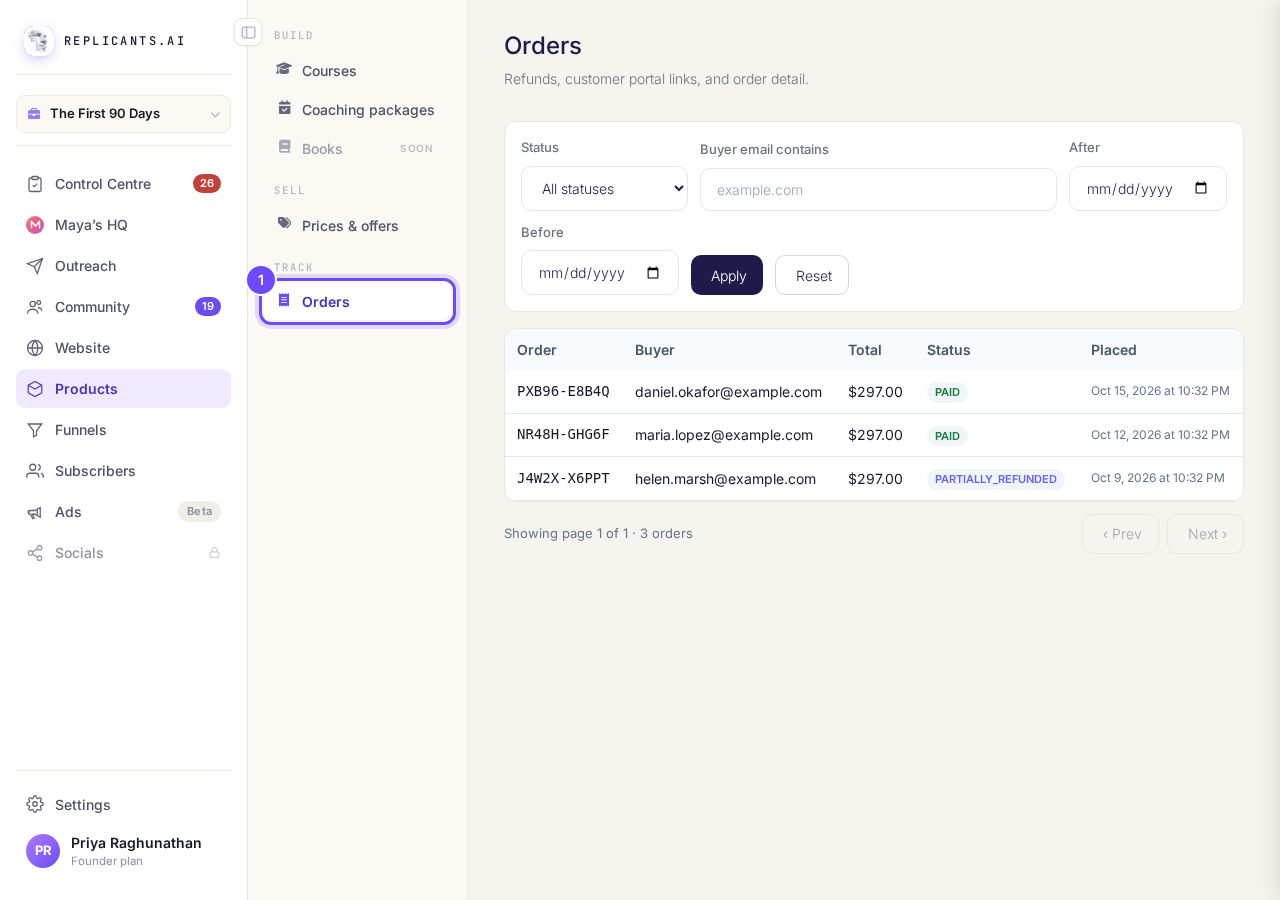
Orders, under Track in Products.
Press the order
Each line shows the order number, the buyer's email, the total, the status and the date; on a phone the table is cut off at the right edge, so open the order to see its status. To find one, type part of their email in Buyer email contains and press Apply.
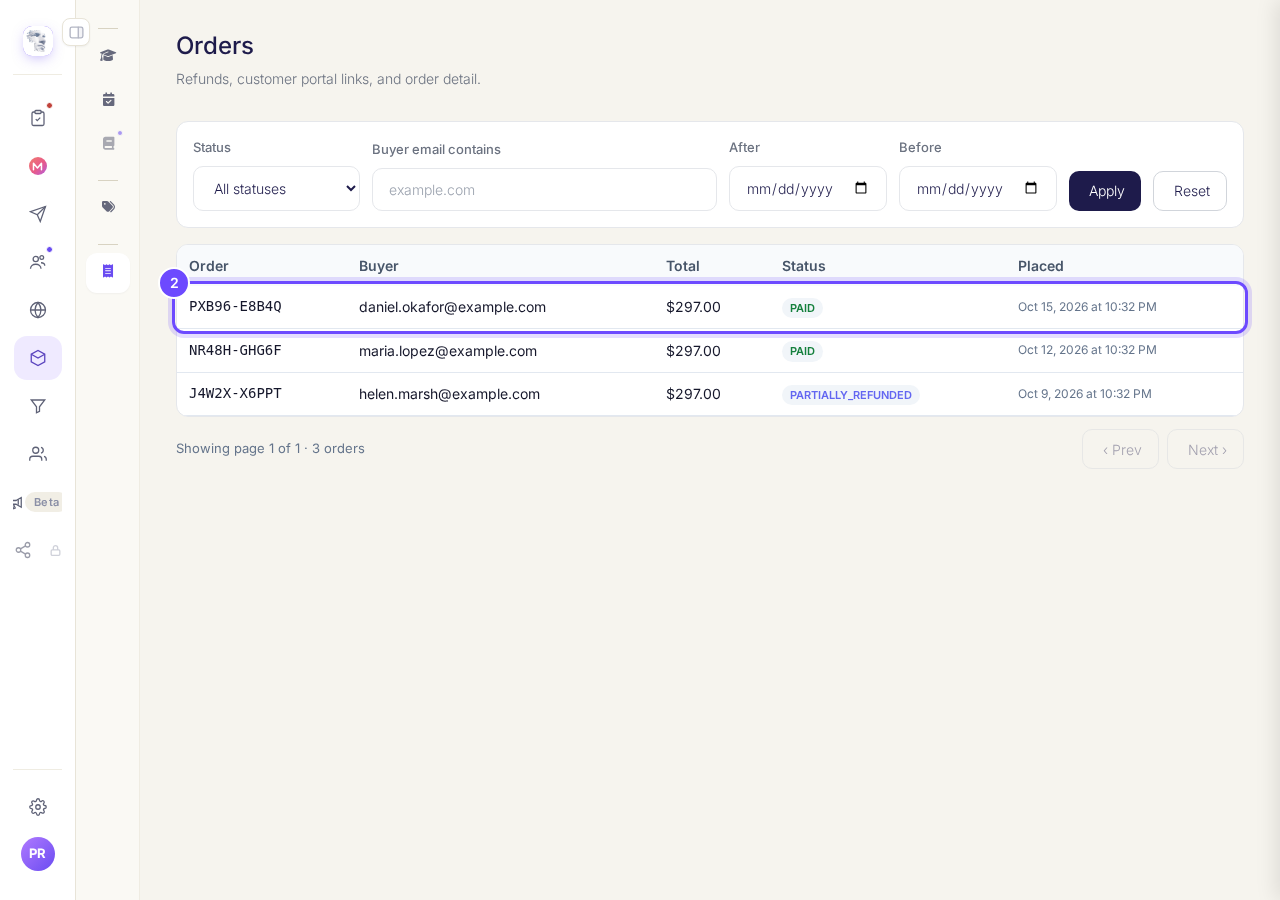
One buyer's order, on Orders.
Read what they bought
What they bought lists each item with its price, and how much is Refunded and how much you Can still refund. Something added after checkout says so.
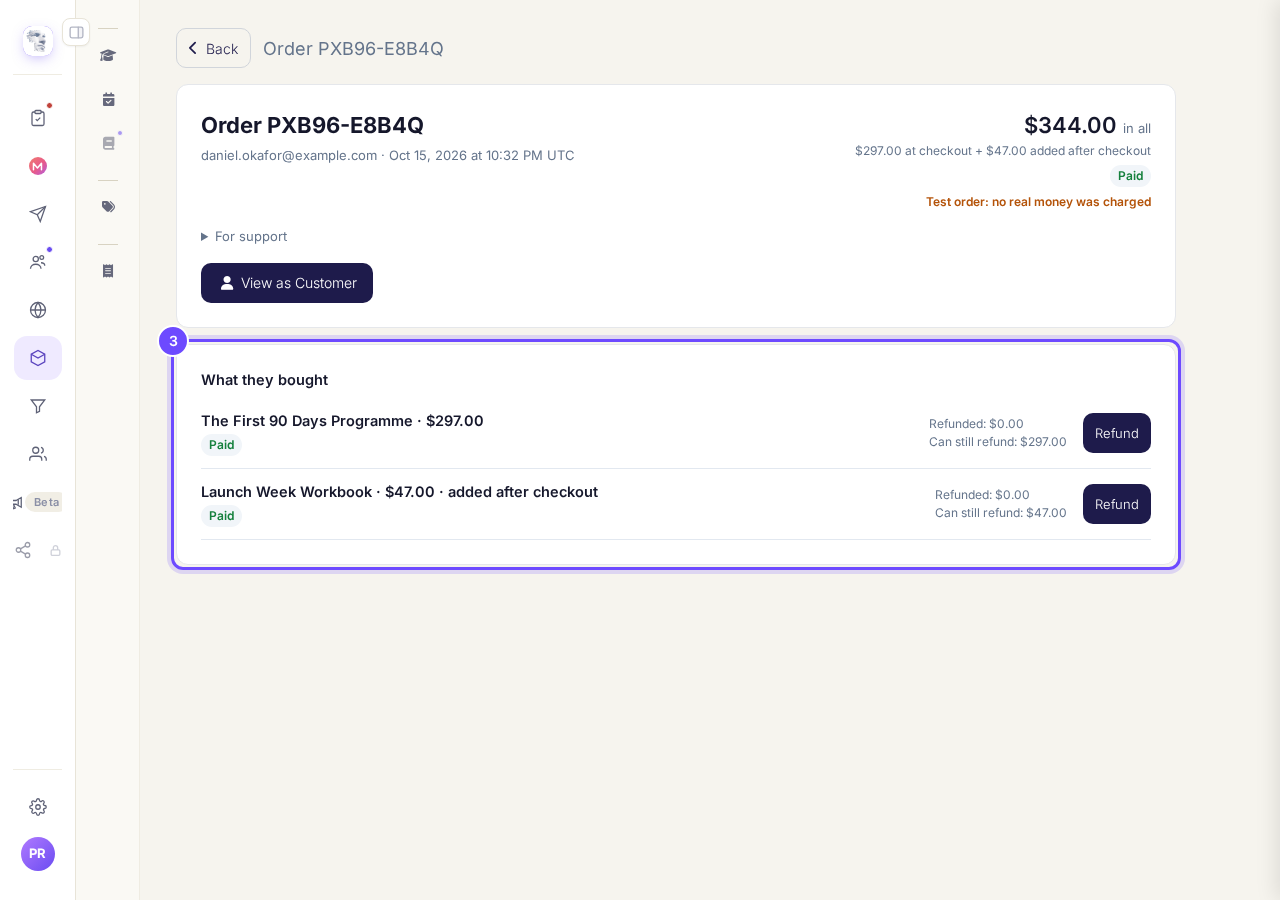
What they bought, on the order.
Press Refund
Press Refund beside the item you are giving money back for. Each item is refunded on its own.
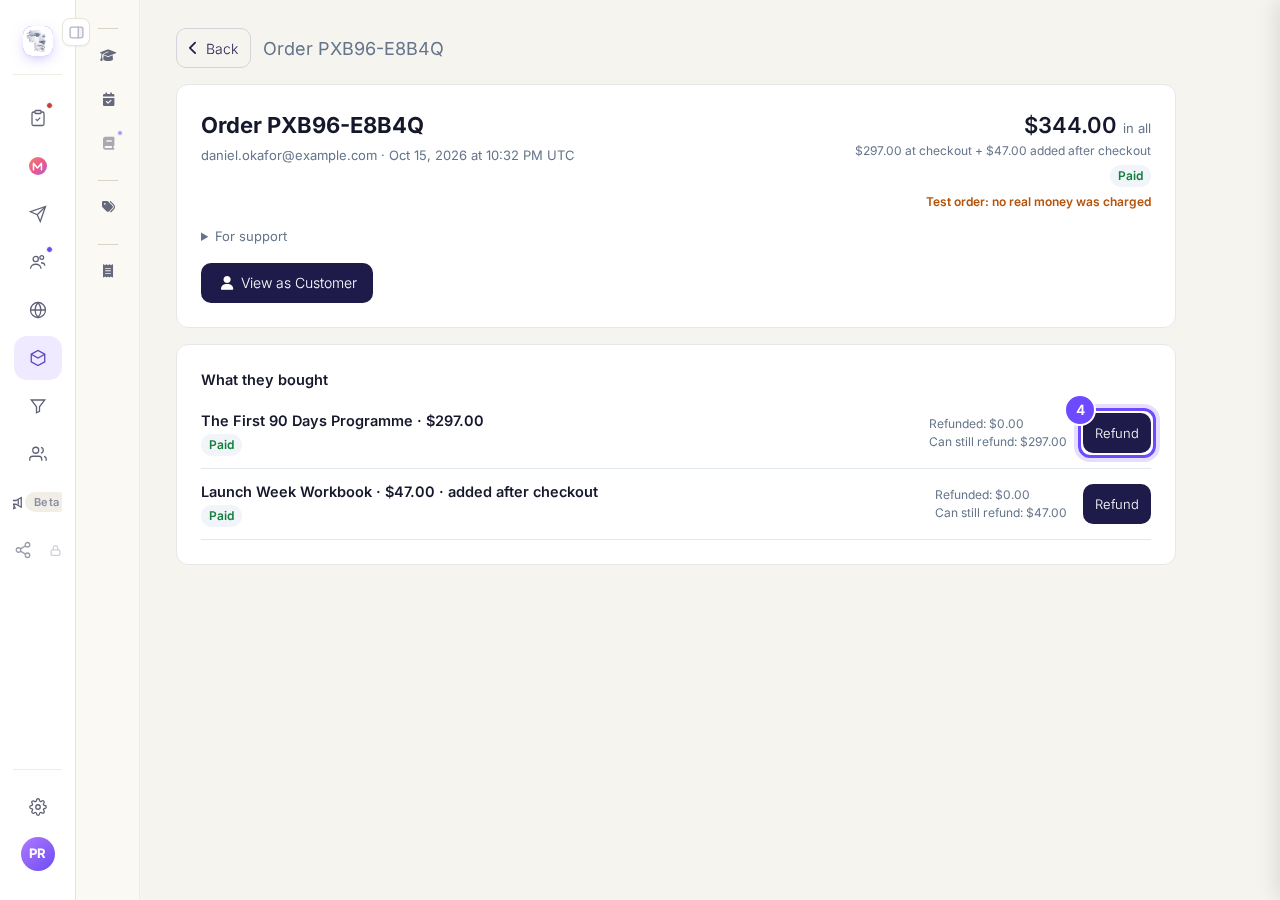
Refund, beside the item.
Choose the amount and the reason
Refund amount starts at the whole amount; type less for a part refund. Choose Why are you refunding it?, add Your note (optional), which only you see, and press Review refund.
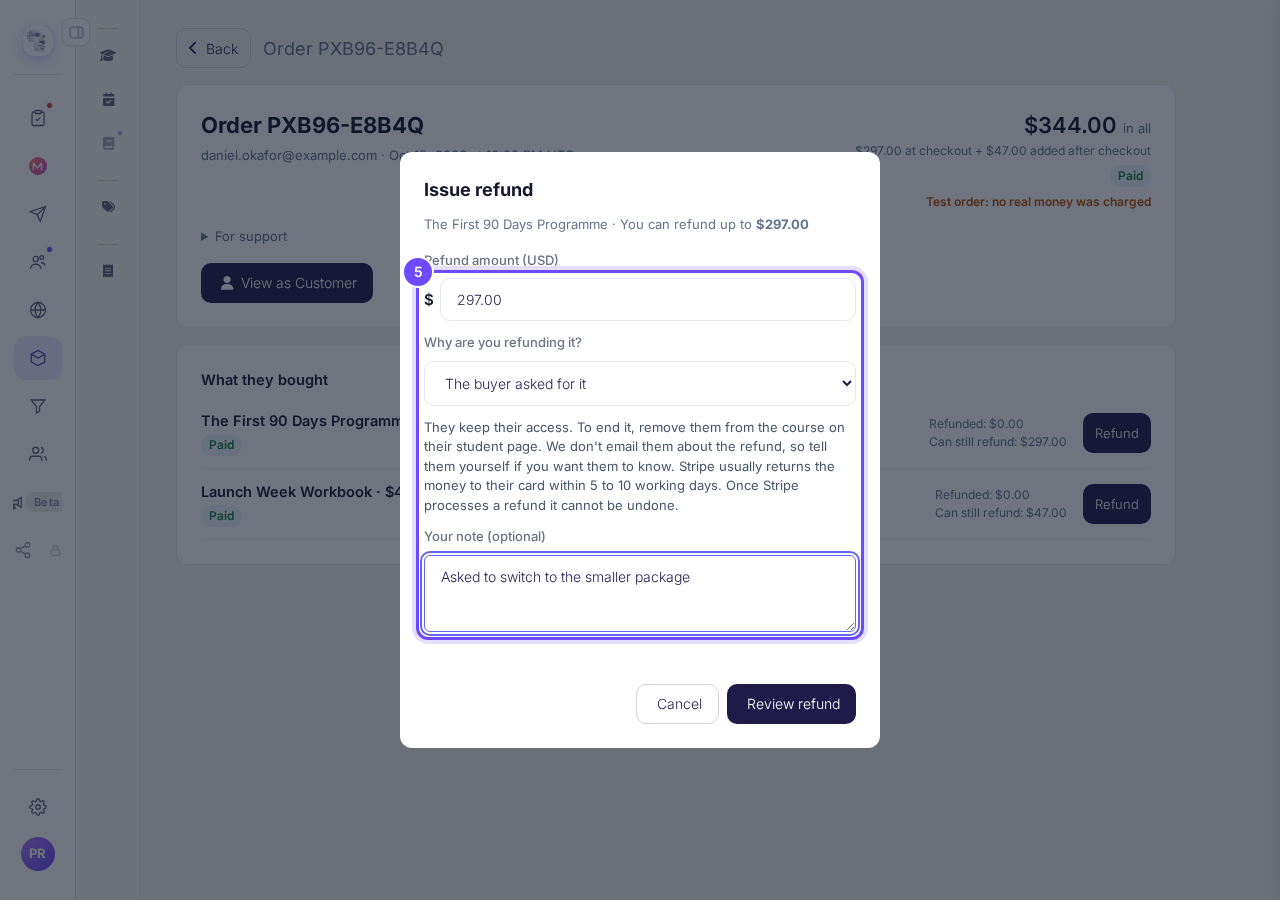
Issue refund: amount, reason and your note.
Check, then press Refund
Read who the money goes back to, then press the button with the amount, for example Refund $297.00. Once Stripe processes a refund it cannot be undone.
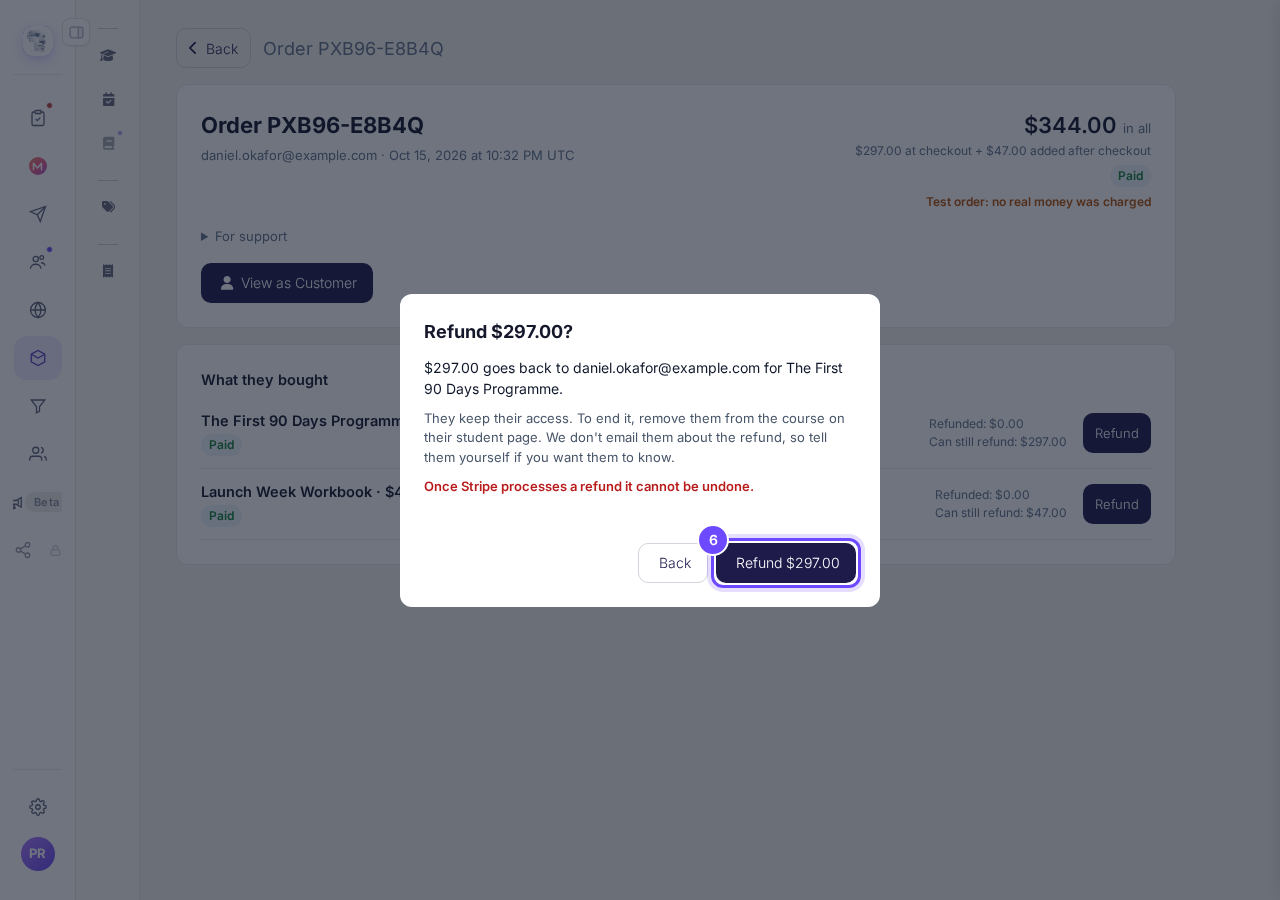
The check before the refund, with the amount on the button.
See it in the refund history
The order now shows Refund history: with the amount, the date and your reason, and the status says Part refunded or Refunded.
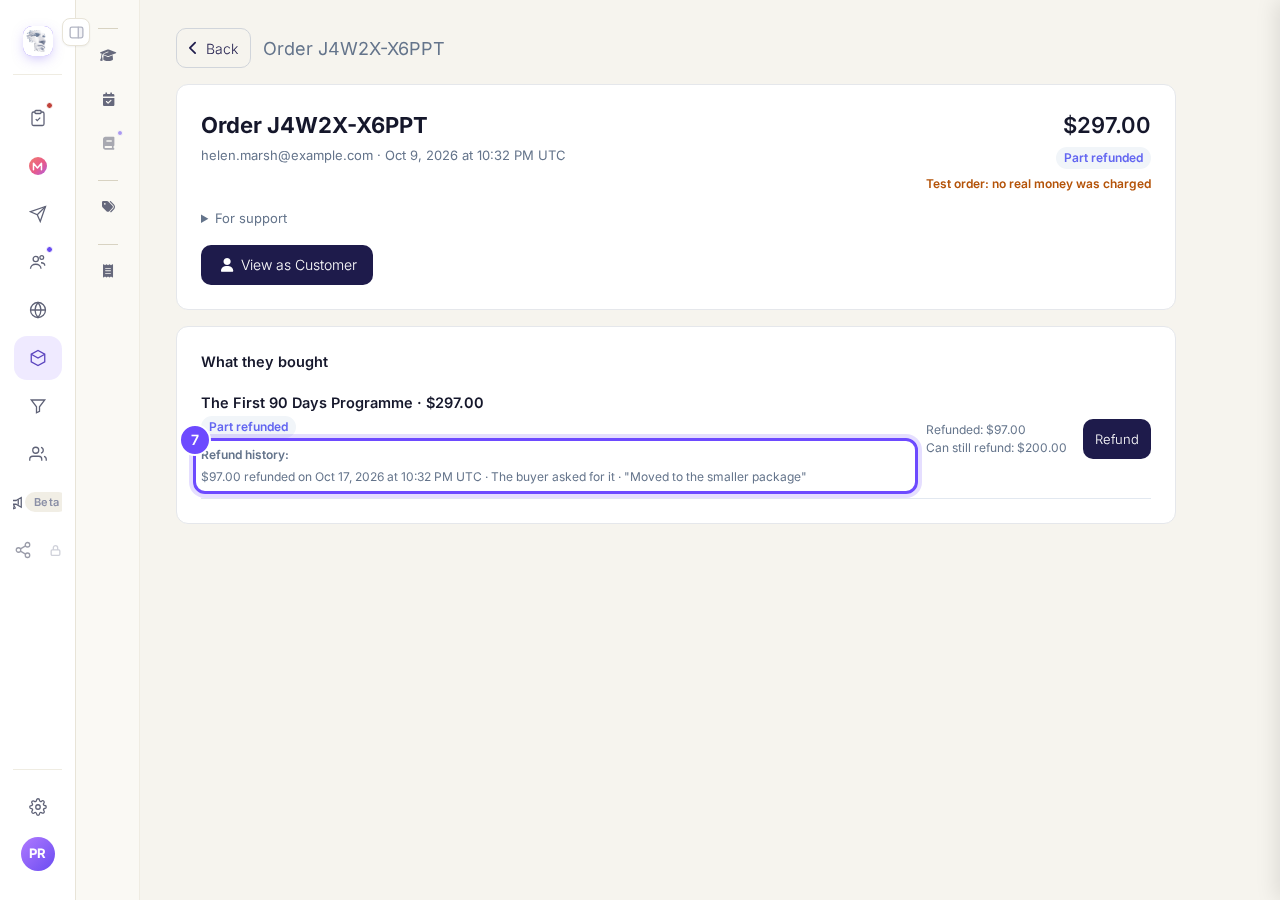
Refund history, on the order.


About orders
What does Test order mean?#
Test order: no real money was charged means it was paid with a test card, so there is nothing real to refund.
Does Stripe charge for a refund?#
Stripe charges nothing to refund a card payment, but it keeps its fee from the original payment.
Refunding a course student?#
You can also start from the student. See How do I refund a student on my course?.
We do not email the buyer about the refund, so tell them yourself. To make a refund in full end access to the course or space it bought, choose End their access under When you refund a payment in full in Settings, then Payments.
Do you take a percentage of what I sell?
Related articles
Do you take a percentage of what I sell?
No. Replicants takes no share of your sales. Buyers pay into your own Stripe account, Stripe keeps its card fee, and the rest is yours. What you pay us is separate from your sales: your Replicants plan, if you are on a paid one, and anything you choose to buy from us, such as a web address.
How do I cancel Outreach so I am not charged again?
Open Settings, then Billing, press Cancel on your Outreach plan, choose why, and press Cancel Outreach. About a minute. You keep Outreach until the end of the period you have paid for.
How do I change the Stripe account my money goes into?
Settings, then Payments. Let go of the account that is joined now, then join up again and sign in as the one you want the money in.