
Do my new connections get a welcome email automatically?
Yes. If you use Outreach, every new connection gets a welcome email by itself, as soon as we have their email address. No LinkedIn welcome message is sent to anyone today, so the email does that job. One screen shows you both, in about two minutes.
Updated 19 October 2026
Open Automated emails and choose Outreach
Open Community, then Automated emails. At the top there are two choices: Community and Outreach. Choose Outreach.
You will see three messages, in the order they would go: Connection note, Welcome DM and Welcome email.
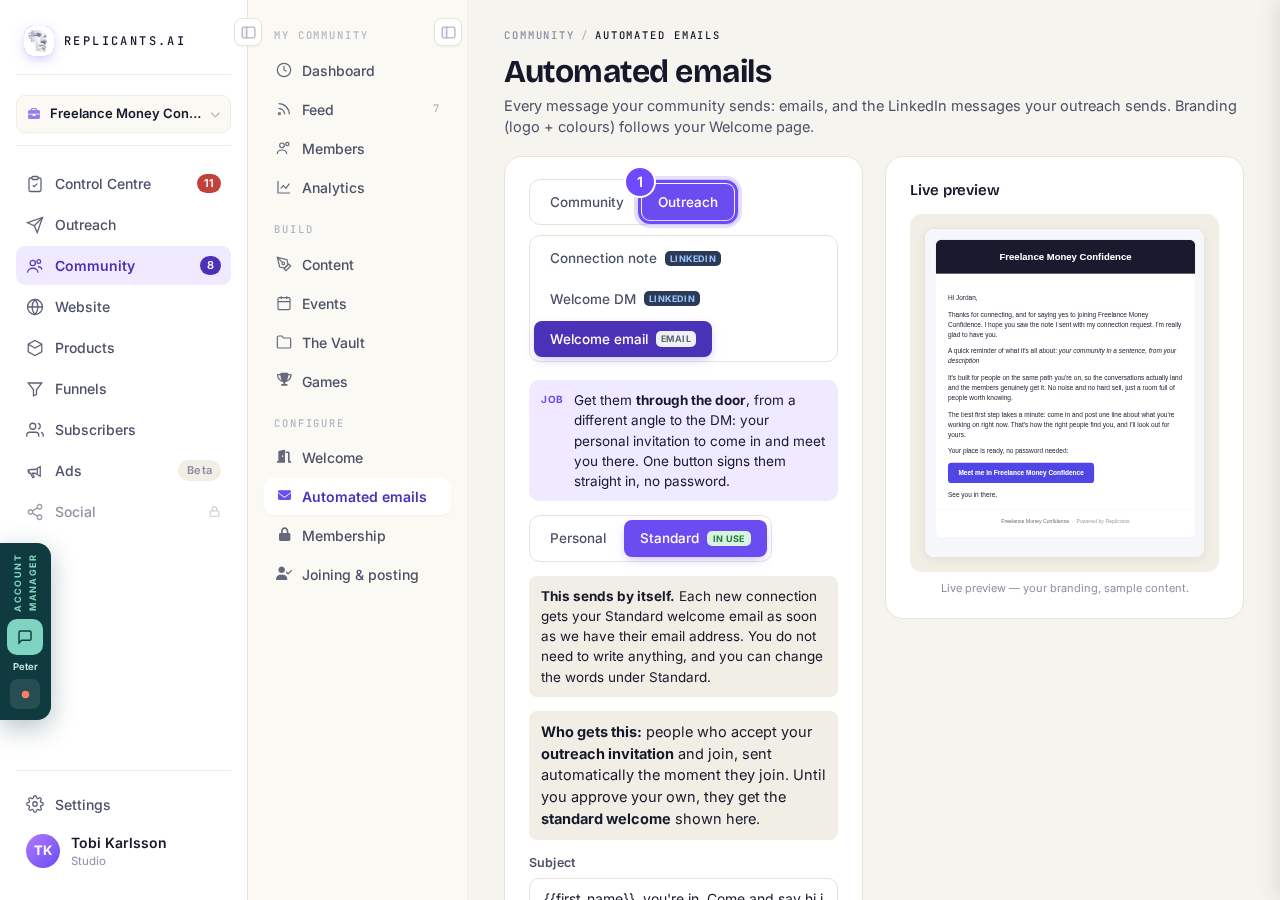
Outreach holds the connection note, the Welcome DM and the welcome email.
Take me therePress Welcome email and read the grey line
It says This sends by itself. Each new connection gets your welcome email as soon as we have their email address.
You do not have to write anything for it to go. If that line ever says Welcome emails are switched off, nothing is being sent.
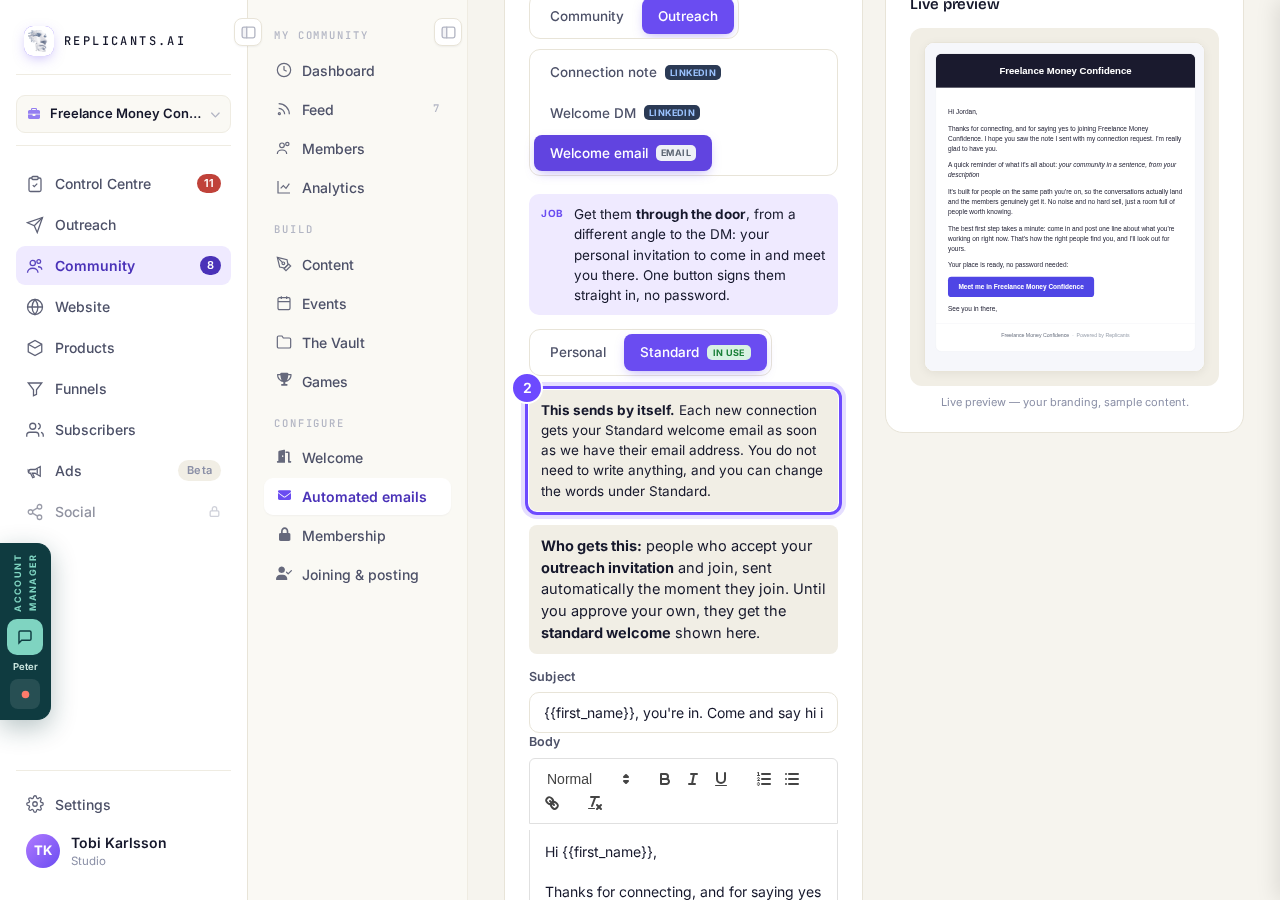
This sends by itself: nothing for you to do.
Change the words under Standard, then press Approve & enable
The Subject and the email underneath are yours to change. Press Save draft to keep your changes, then Approve & enable to send your version.
Until you approve it, new connections get the standard welcome you can read there.
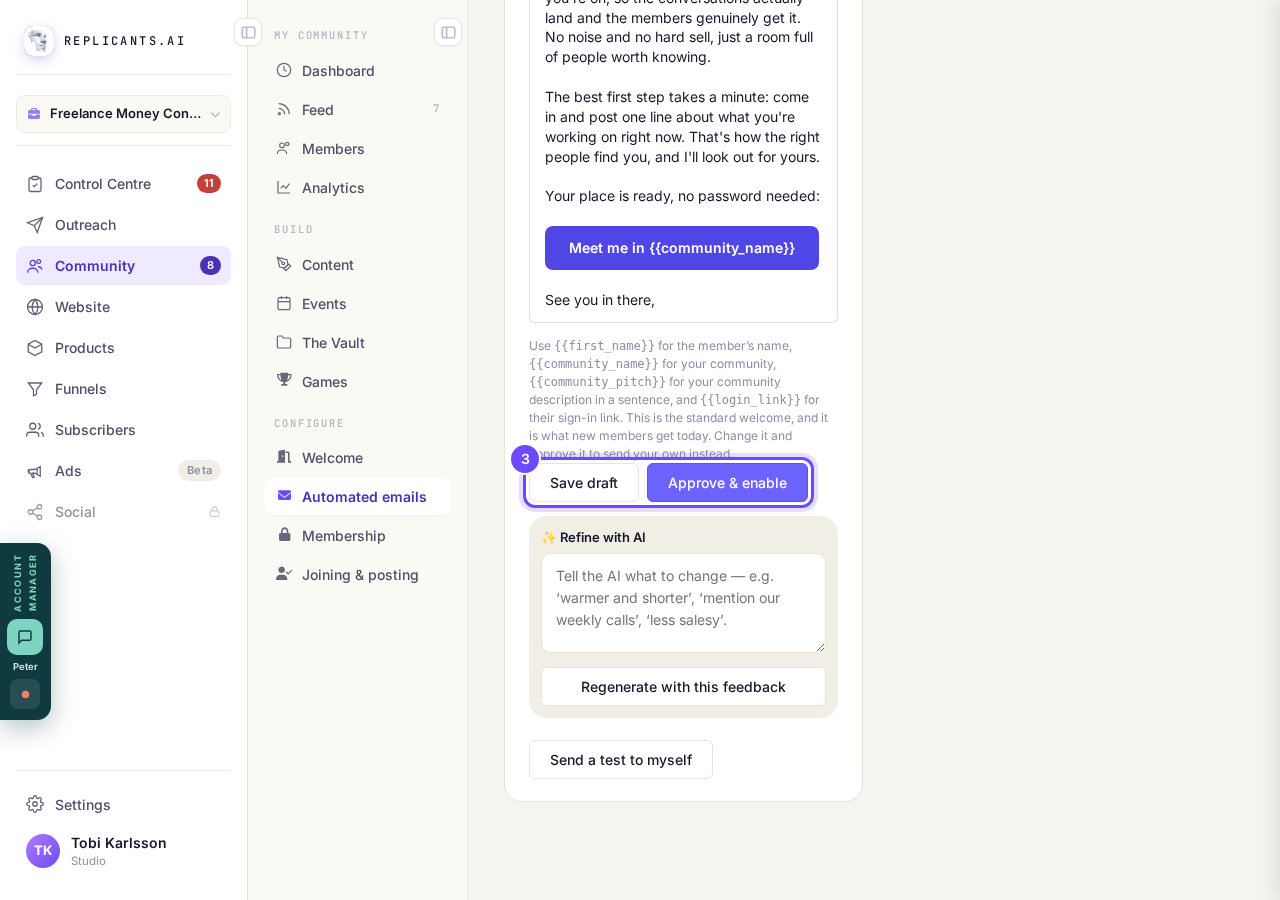
Save draft keeps it; Approve & enable sends your version.
Press Welcome DM and read the two messages
These are the LinkedIn messages: a welcome, and a follow-up 7 days later. Neither is sent to anyone today, even after you press Approve & enable and whatever the grey line then says, so your welcome email does that job.
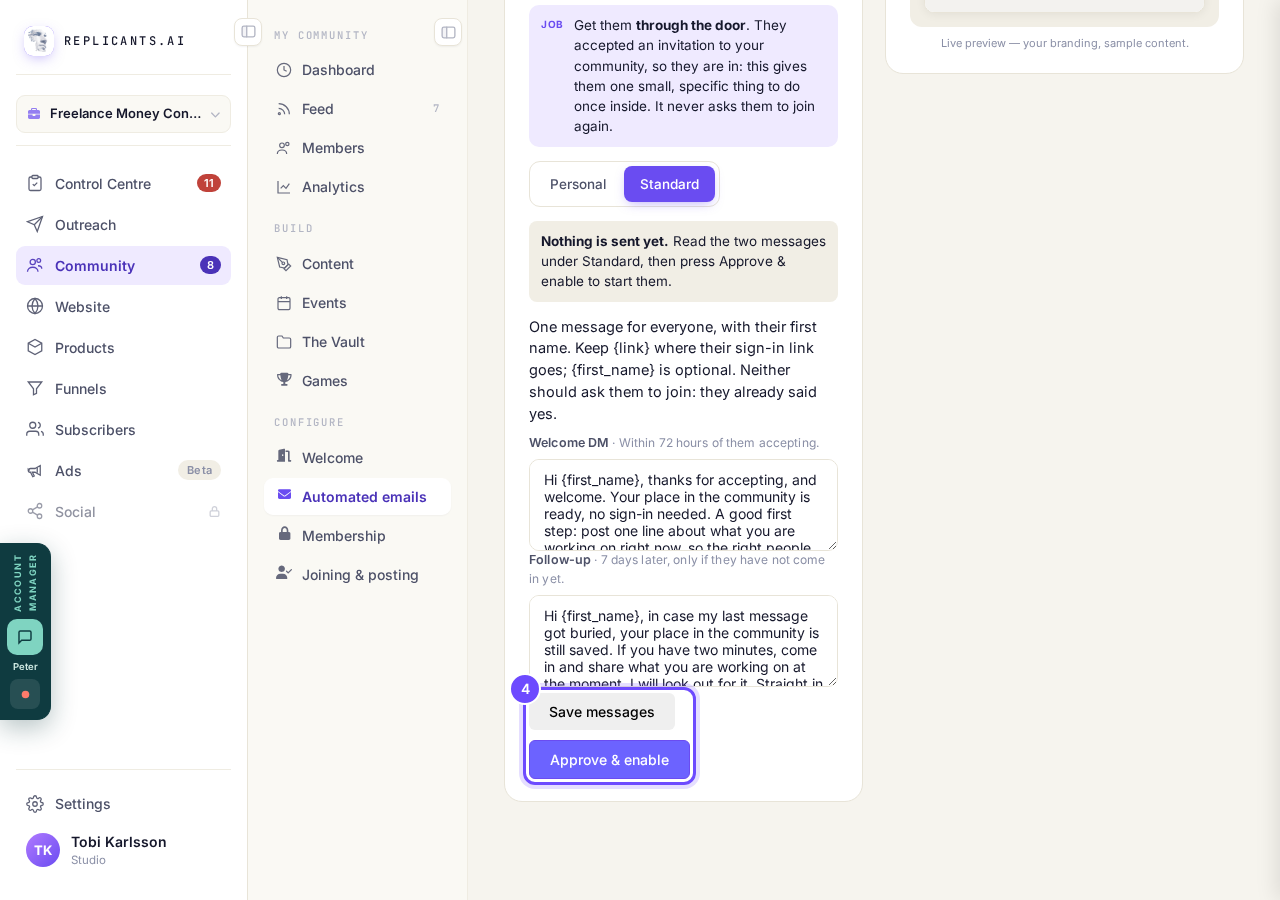
No LinkedIn message is sent to anyone today.
Leave Personal alone
Personal is not switched on for anyone, so nothing on it goes to anyone.
Your welcome email goes with the words under Standard.
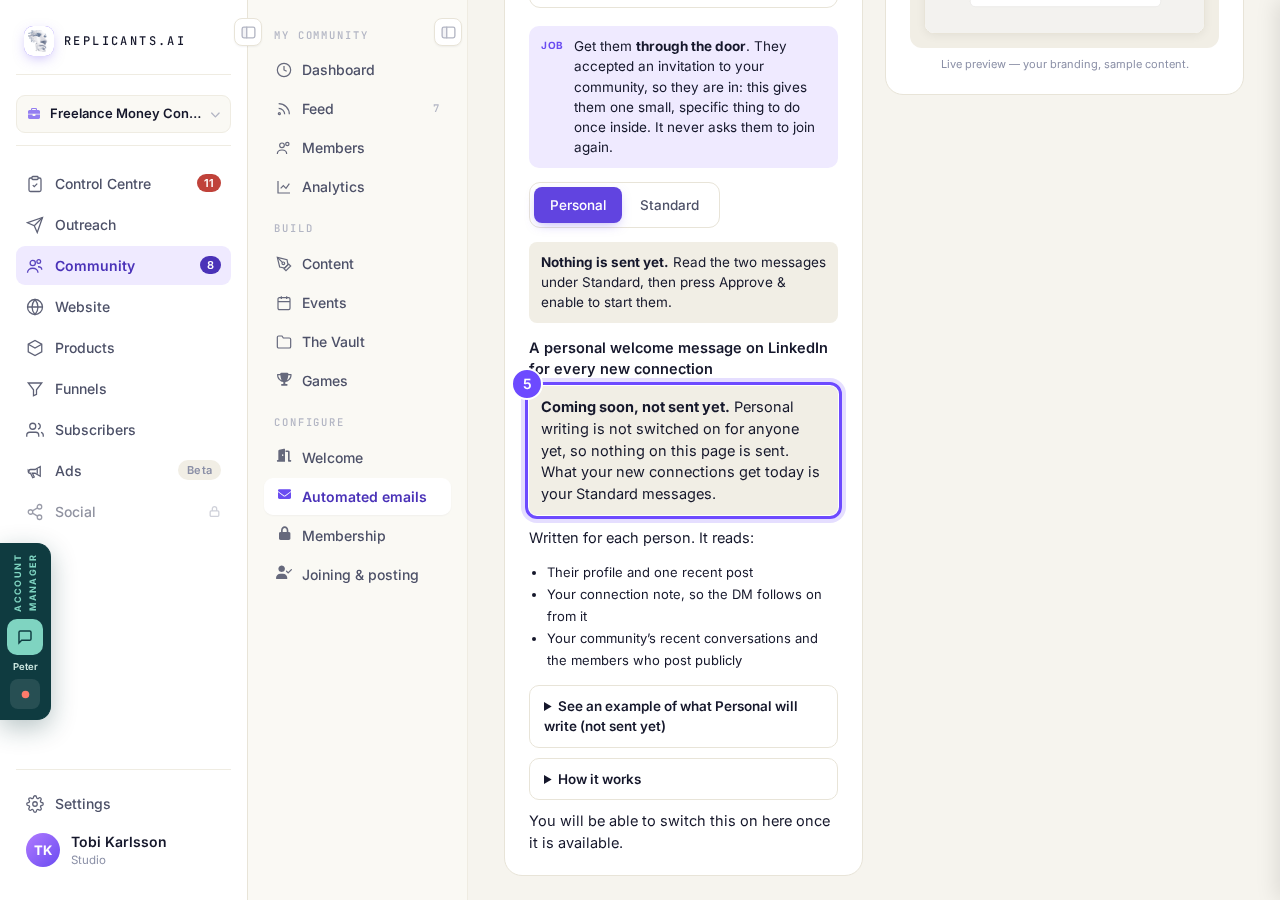
Personal is not switched on. Nothing there is sent.


Related articles
Can I use Outreach on Instagram or X?
No. Today Outreach works on LinkedIn only, through your own account.
Do I need a LinkedIn account to use Replicants?
No. Almost everything works without LinkedIn: your community, Courses, Products, Subscribers and email, Funnels and Website. Only Outreach needs it, because it finds people on LinkedIn and connects with them from your own profile.
How does Outreach turn strangers into community members?
Outreach finds people who have recently shown an interest in the problem you solve, gets your name in front of them on LinkedIn, and brings the ones who say yes into your community. Most of it runs by itself. Your part is a few minutes a day approving comments, and then making new members feel welcome.