
How do I get my free coaching domain, like yourname.coach?
Settings, then Domains. Search your name, pick an address ending in .coach, .expert or .consulting, and we register it and set it up for you. The first year is free, then it renews at $29 a year.
Updated 19 October 2026
Open Settings, then Domains
Settings is at the bottom of the menu on the left. On a phone, press the menu button at the top first.
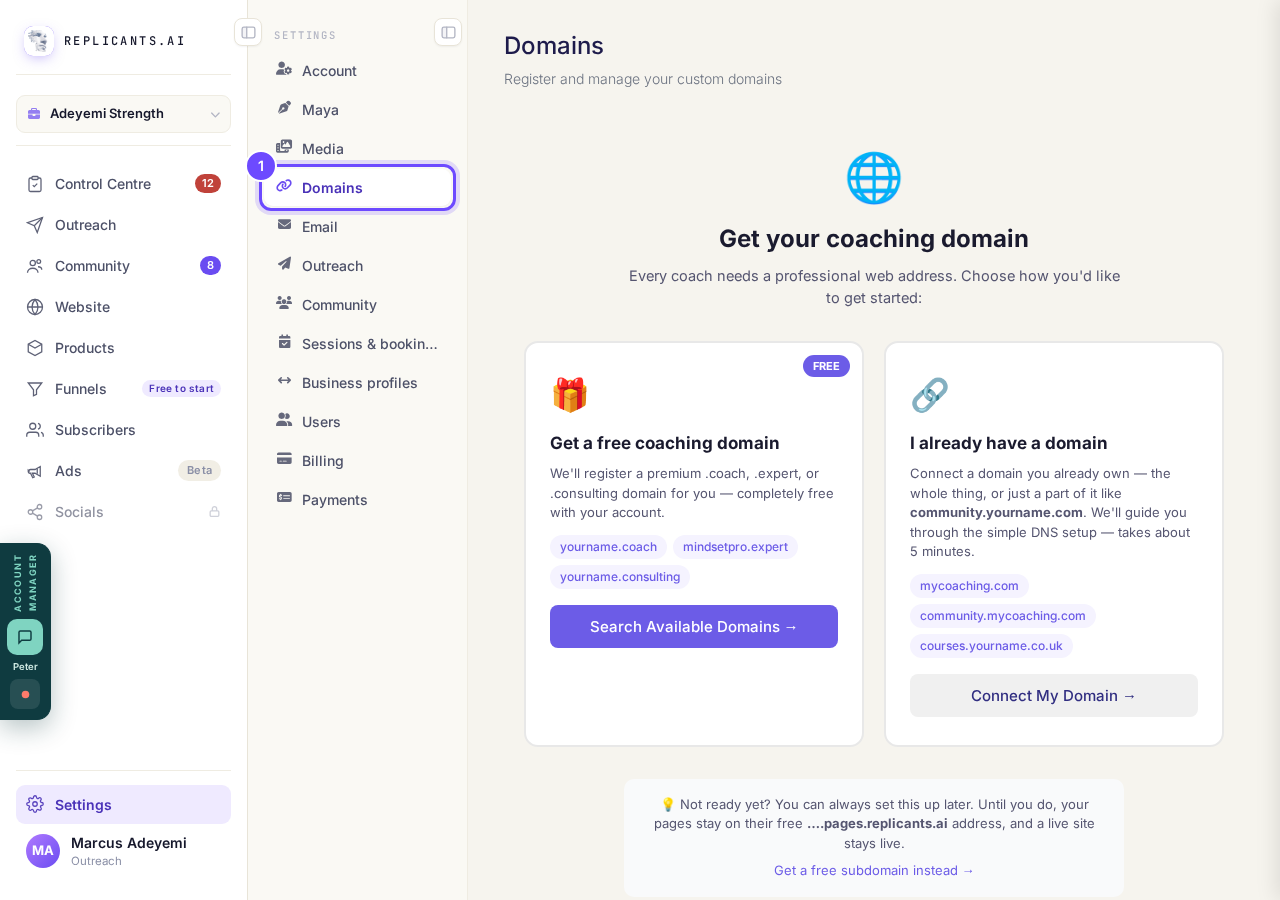
Domains, in Settings.
Take me therePress Search Available Domains
It is on the card that says Get a free coaching domain. If you already have a domain here, the same search is the Get Free Domain button at the top.
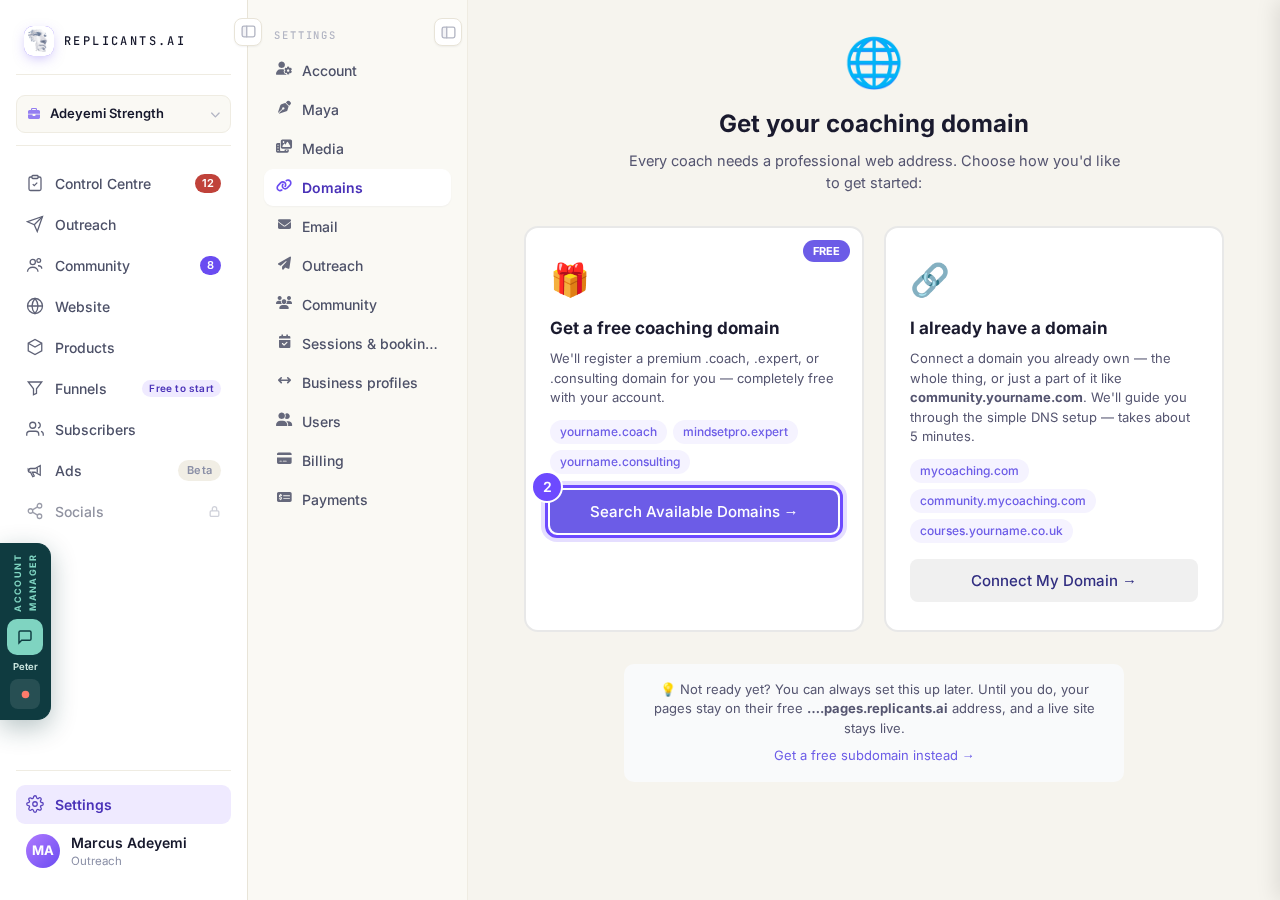
Search Available Domains, on the free card.
Type your name, press Search, then press Get Free
Your name or your business works best, with no spaces. Only addresses you can have are listed, and if yours is taken we suggest close ones that are free.
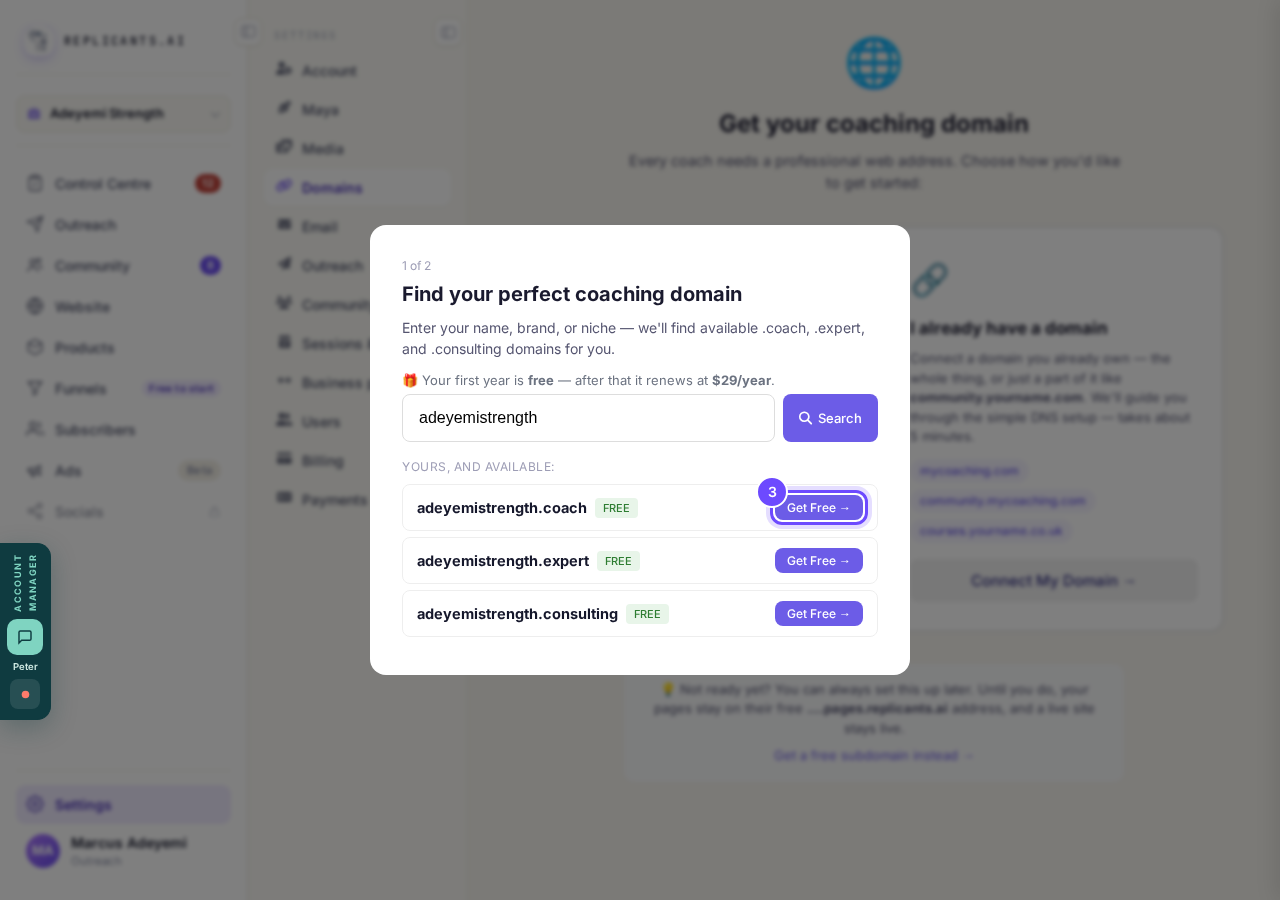
Three free addresses, each with Get Free.
Read the box, then press Yes, register your address for me
This is the address you will give people, so take a moment: we would not advise changing it later. The button names the address you chose, and No, let me look again goes back to the list.
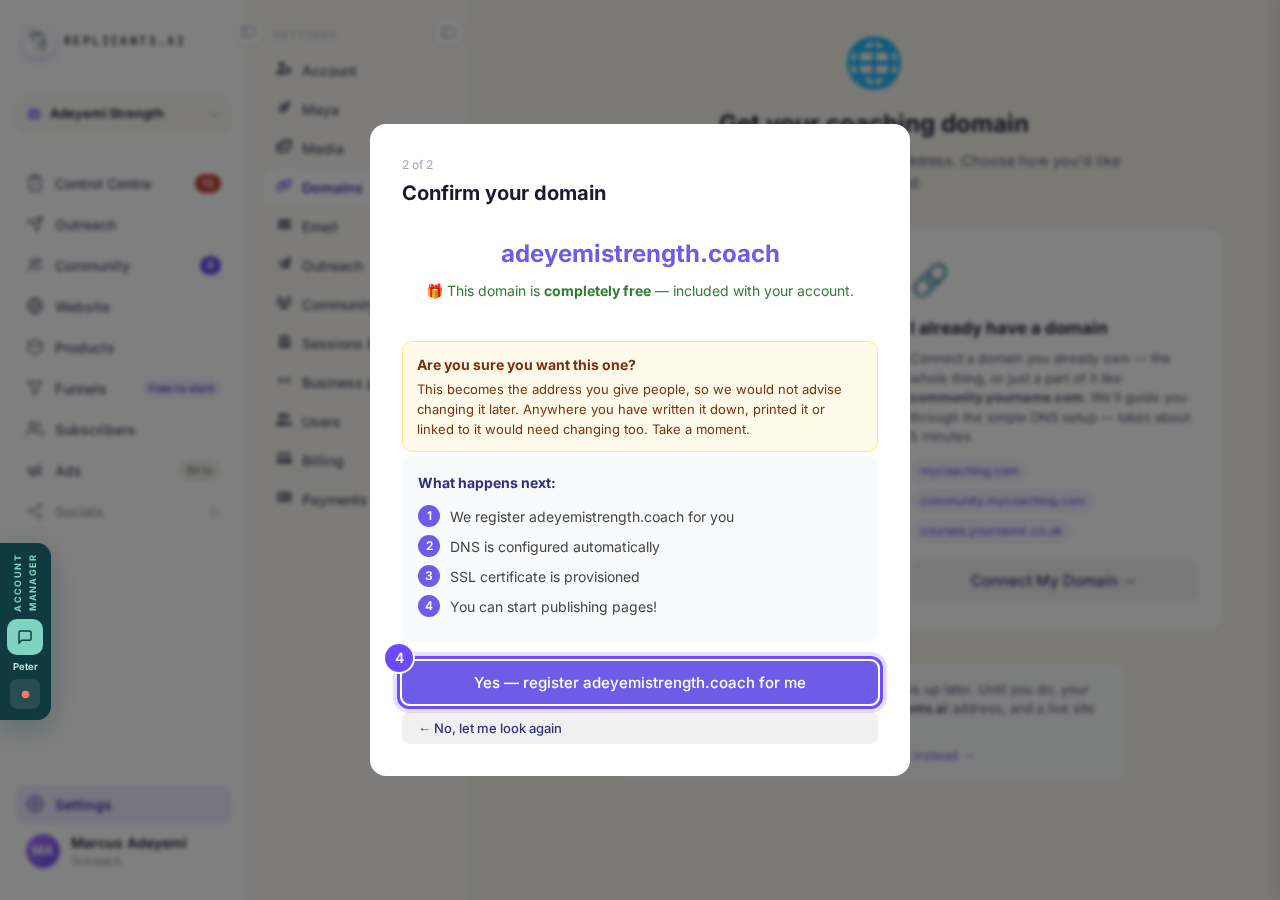
The confirm box, and the button that registers it.
See your new domain on the list
At first the card says Free and Not secured, with Securing in and a countdown while the padlock goes on by itself. A few minutes later it says Ready and Secured, and you can put your website on it from Website, Manage, Your domain.
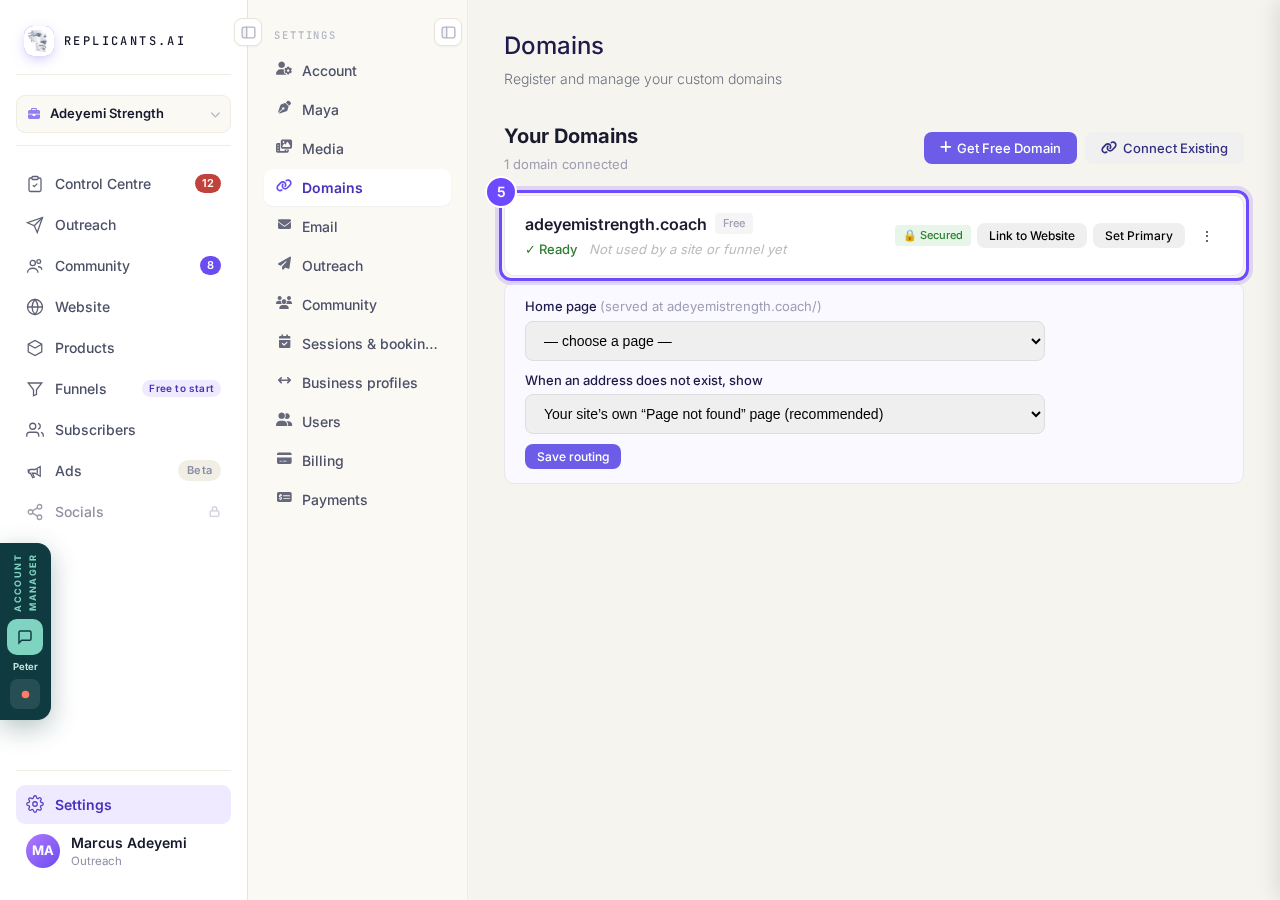
Your free domain on the list.


Once you have one, the screen tells you which address is yours. The first year is free and it renews at $29 a year after that. Names that cost extra are never offered here.
How do I use my own web address?
Related articles
How do I add a new page to my website?
You add a page from your website's Manage board. It starts as a draft in your site's design and goes live when you republish. About five minutes.
How do I add a privacy policy and terms to my website?
Every website has a Privacy Policy and Terms & Conditions, linked from the footer. We write them for you, or you upload your own. About two minutes.
How do I build my website?
Pick a design in the Gallery, bring in what you already have, answer a few of Maya's questions, then work through six short steps and press Publish my website. Everything is saved as you go, so you can stop and come back.