
How do I use my own web address?
Website, Manage, then Your domain. Connect a domain you own or take a free one, then pick it and press Update my domain. Your site moves onto it and keeps its free address as well.
Updated 19 October 2026
Open Websites
Open Website and press Manage on your site
Website is in the main menu on the left, and opens on Your websites.
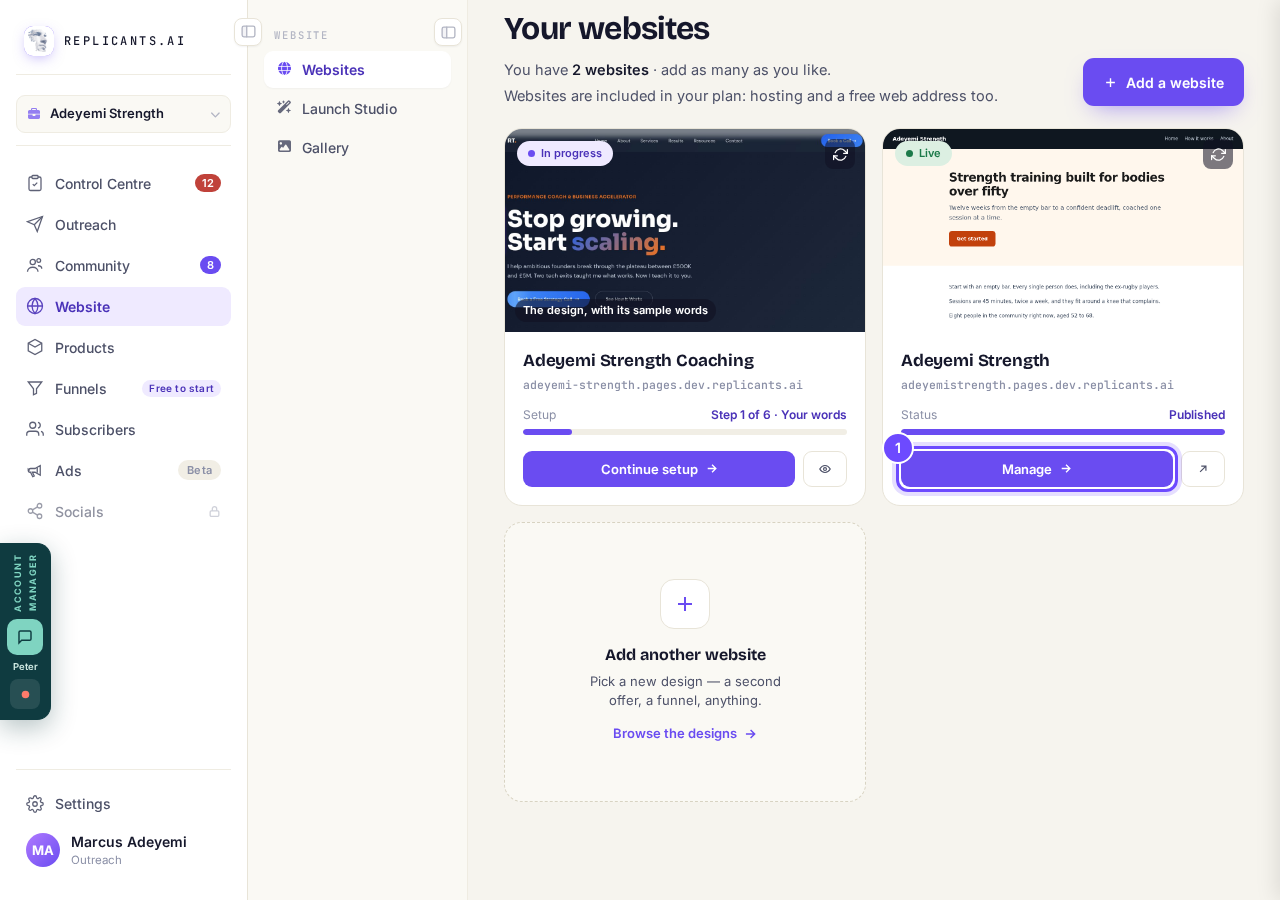
Manage, on your live site's card.
Take me therePress Your domain in the list on the right
It is in the Manage list, under Design. On a phone that list is near the bottom of the page.
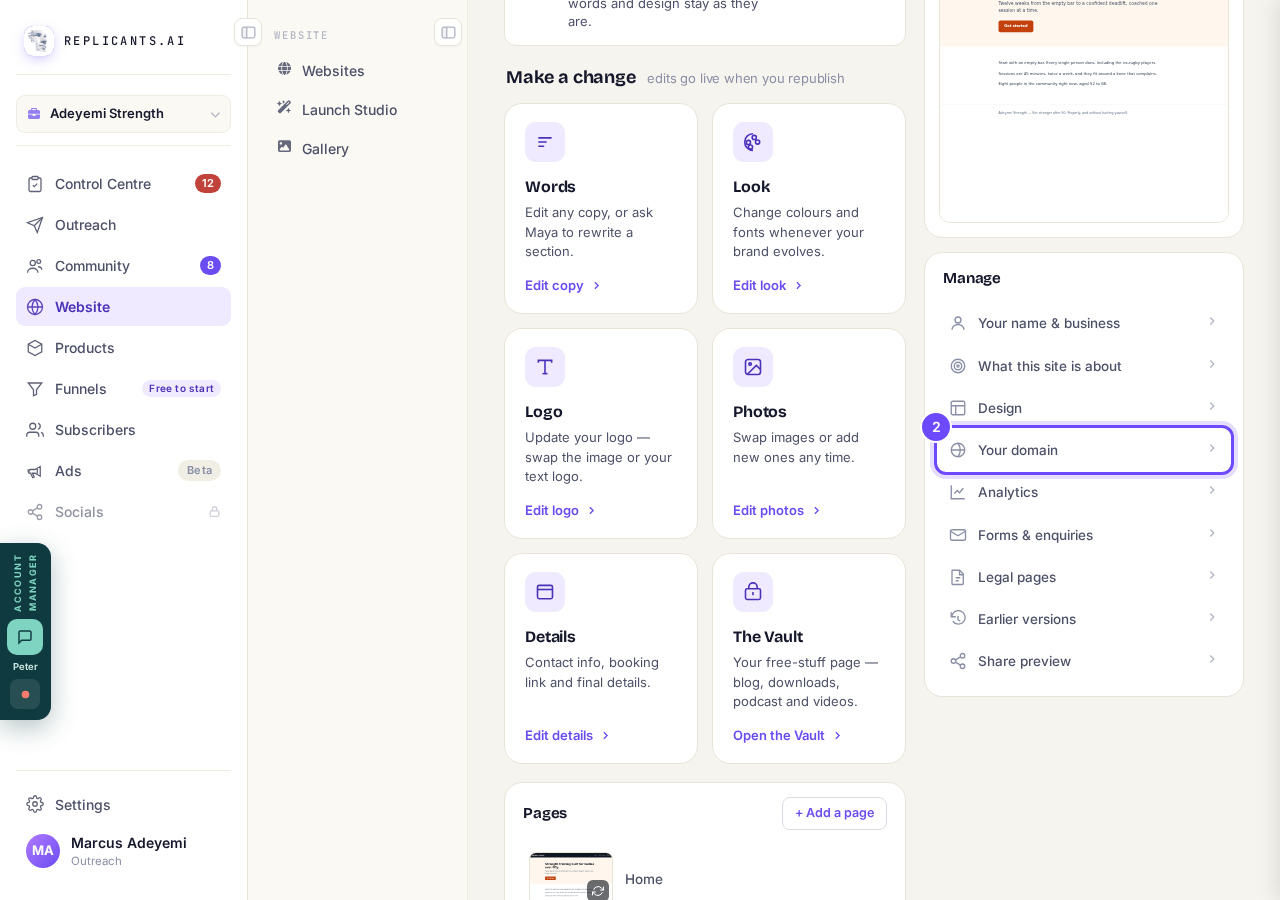
Your domain, in the Manage list.
Read where your site is now
Free address is the one ending in pages.replicants.ai, and Your own domain shows any domain of yours; Serving now marks the one people see. A domain still waiting for its lines says so here too.
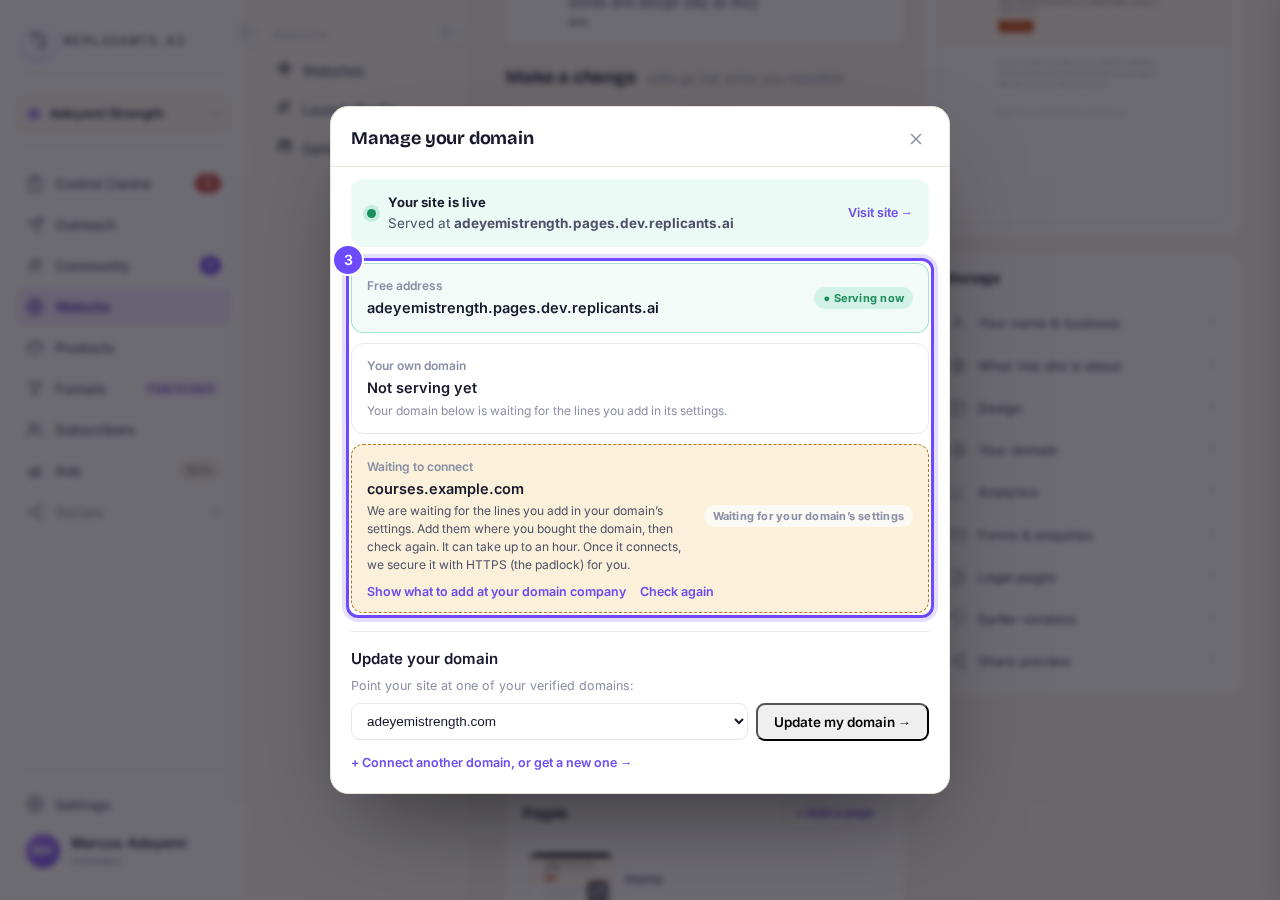
Manage your domain: the addresses you have.
Press Connect another domain, or get a new one
With no domain yet it reads Connect a domain you own, or get a new one. It opens over this screen, so you never lose your place.
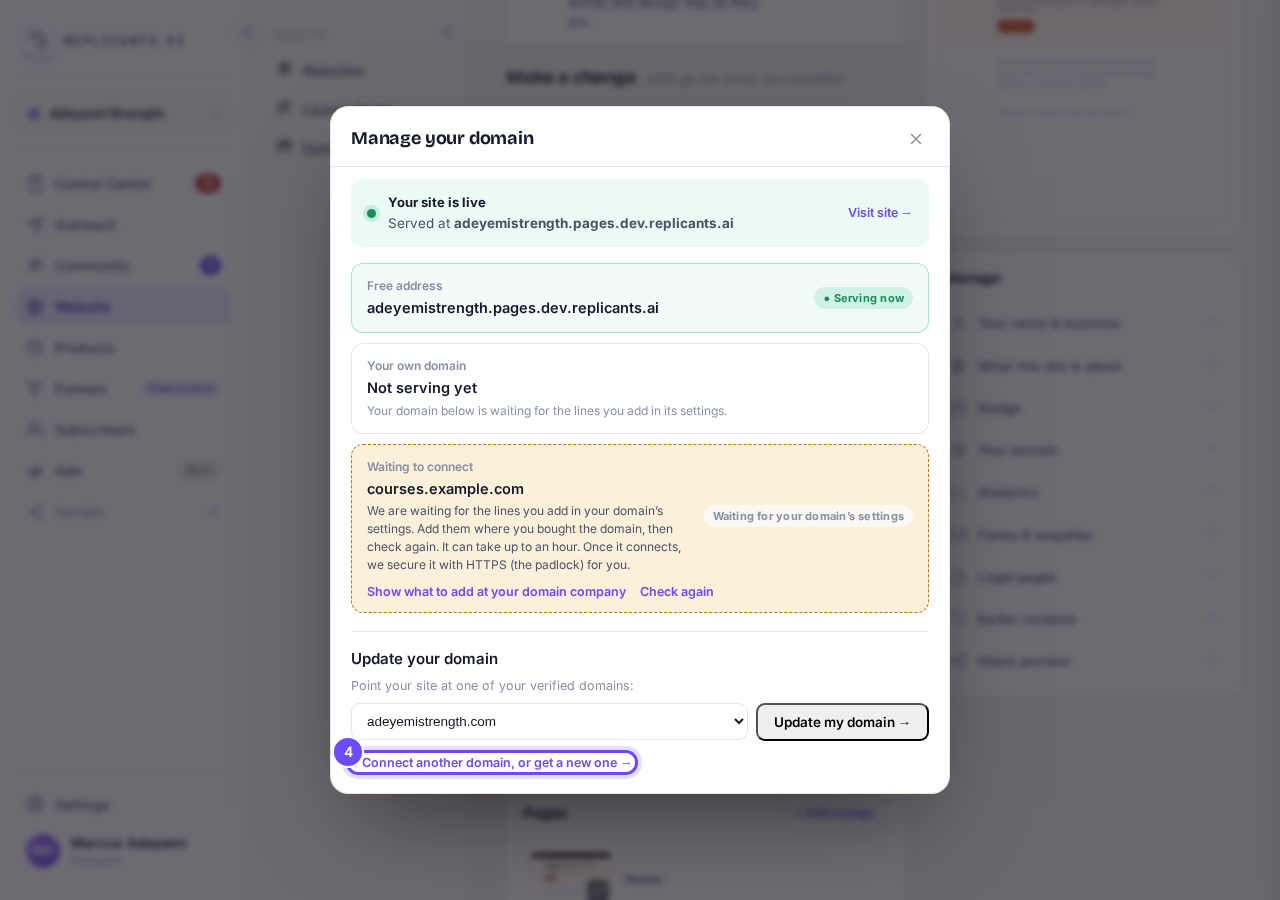
The link under Update your domain.
Choose One I already own, or Get a new one, free
One I already own shows the lines to add where you bought it. Get a new one, free finds you a .coach, .expert or .consulting address and sets it all up.
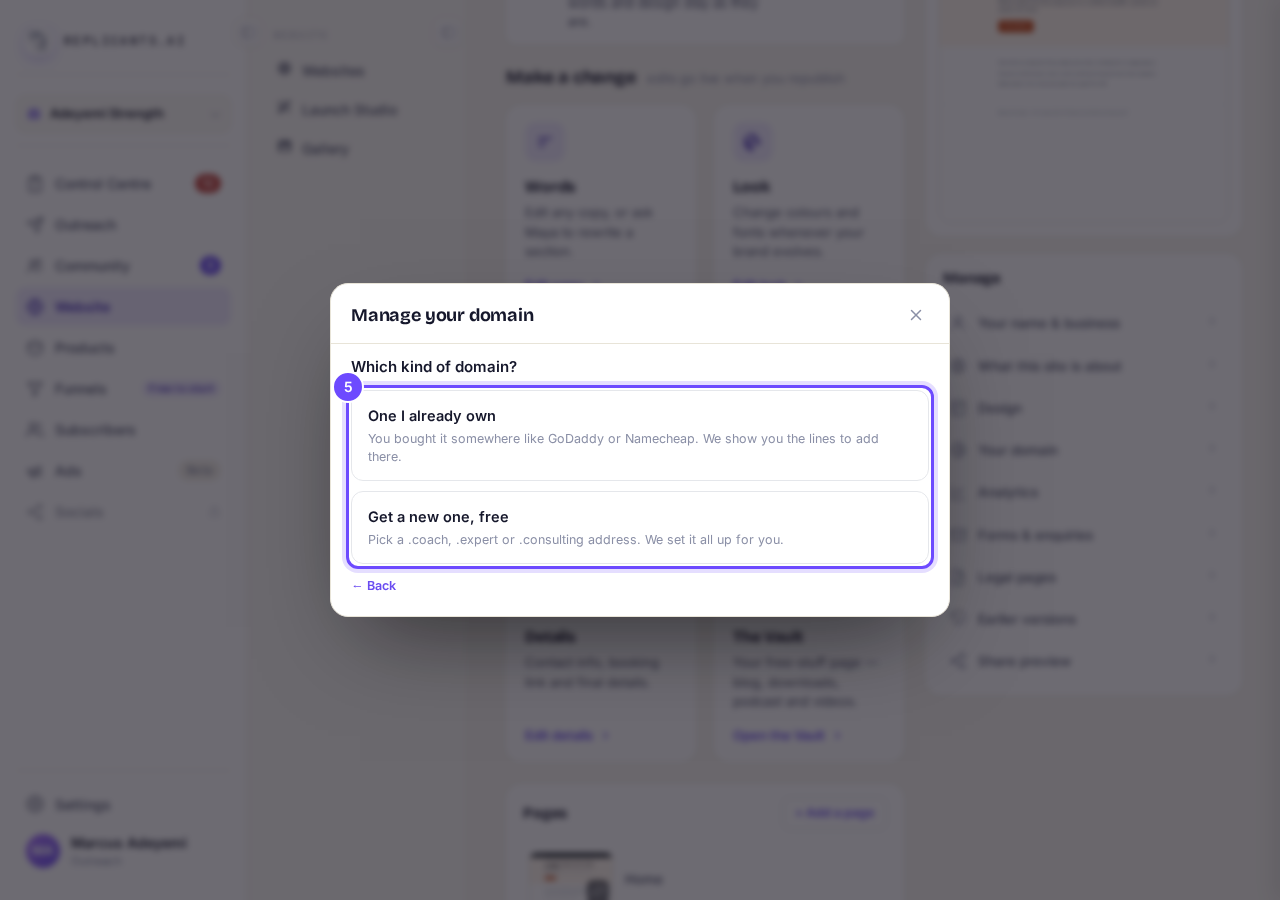
Which kind of domain?
Choose your domain, then press Update my domain
Only verified domains are in the list. This moves your site onto the domain and republishes it, and the padlock is set up for you.
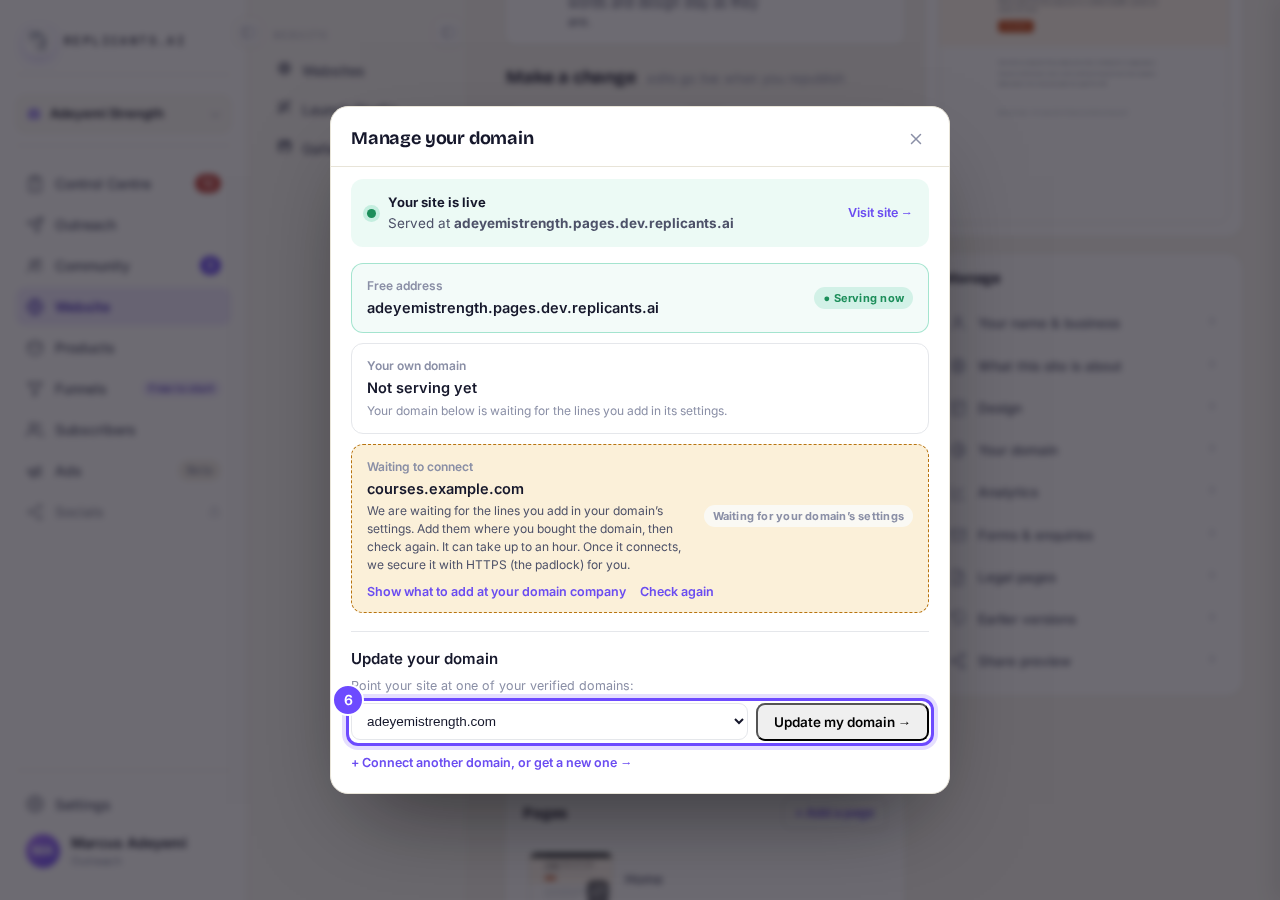
Update your domain, with a verified domain chosen.


The screen asks before it moves the domain, twice, and puts the other site back on its own free address. Nothing is taken off a live site without you saying yes.
How do I connect a domain I already own, or part of one like community.yourname.com?
Related articles
How do I add a new page to my website?
You add a page from your website's Manage board. It starts as a draft in your site's design and goes live when you republish. About five minutes.
How do I add a privacy policy and terms to my website?
Every website has a Privacy Policy and Terms & Conditions, linked from the footer. We write them for you, or you upload your own. About two minutes.
How do I build my website?
Pick a design in the Gallery, bring in what you already have, answer a few of Maya's questions, then work through six short steps and press Publish my website. Everything is saved as you go, so you can stop and come back.