
I closed the DNS instructions for my domain. How do I get them back?
You can open them again from your website: Website, Manage, Your domain, then Show what to add at your domain company on the domain that is waiting.
Updated 19 October 2026
Open Website, press Manage, then Your domain
Your domain is in the Manage list on the right of your site's page; on a phone the list is near the bottom.
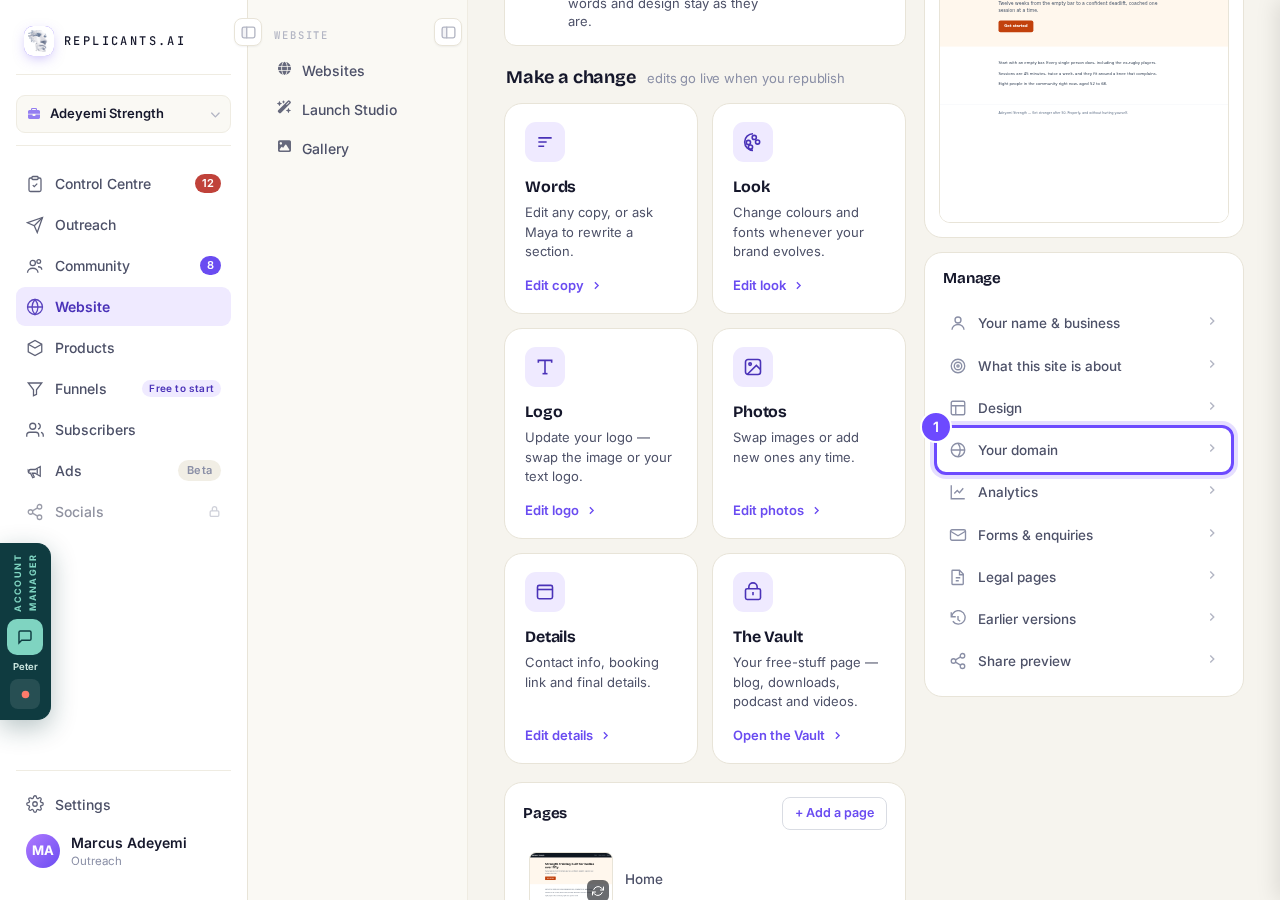
Your domain, in the Manage list.
Take me therePress Show what to add at your domain company
It is in the box called Waiting to connect, under your domain's name.
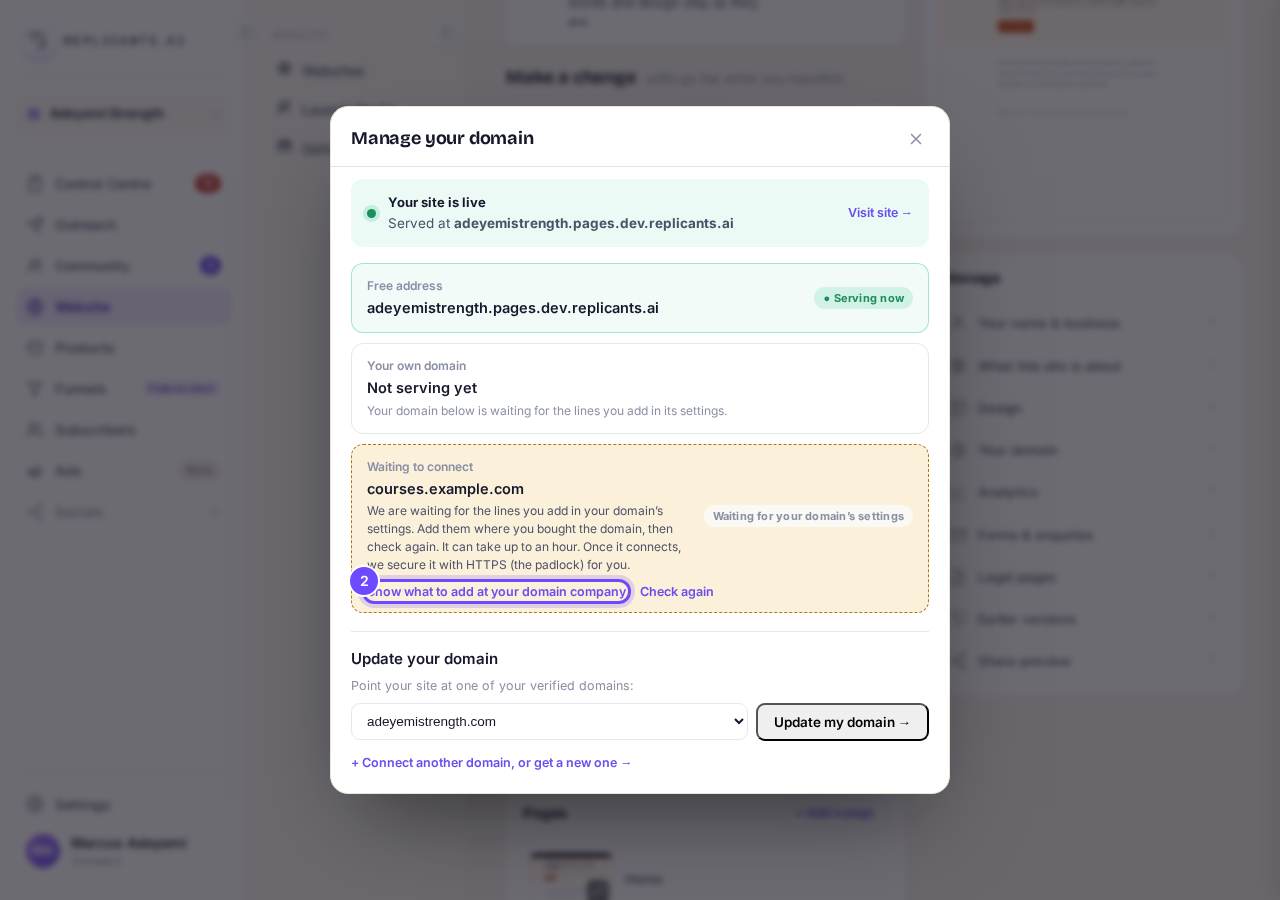
Show what to add at your domain company.
Add each line where you bought the domain
Open its DNS settings, often called DNS, Manage DNS or DNS records, and add each line as a new record, copied exactly. The line that proves the domain is yours is the TXT one, and its name starts _replicants-verify.
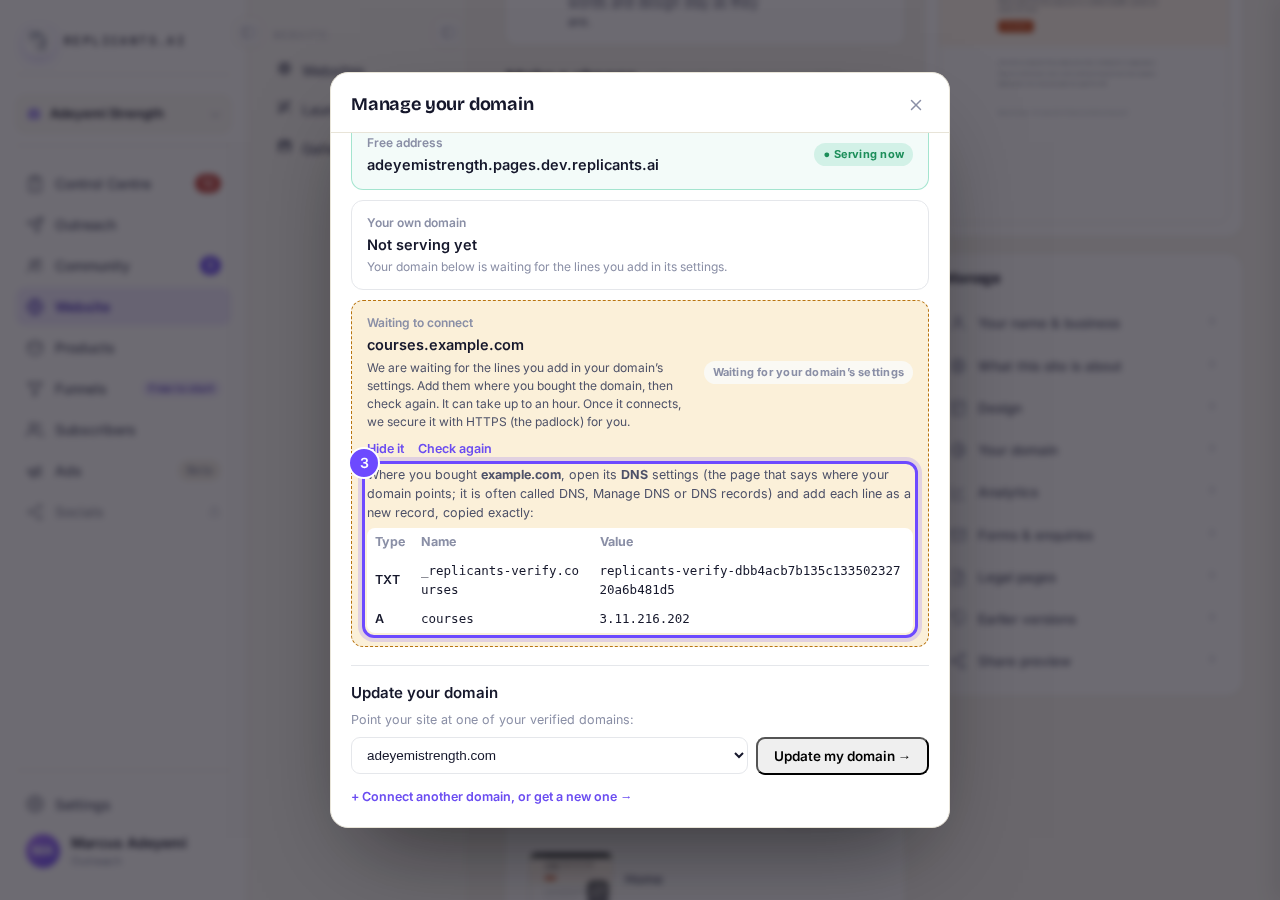
The lines to add: their type, name and value.
Press Check again
The answer shows under the button, with the time it checked. If it cannot see the lines yet, wait a little: changes can take up to an hour.
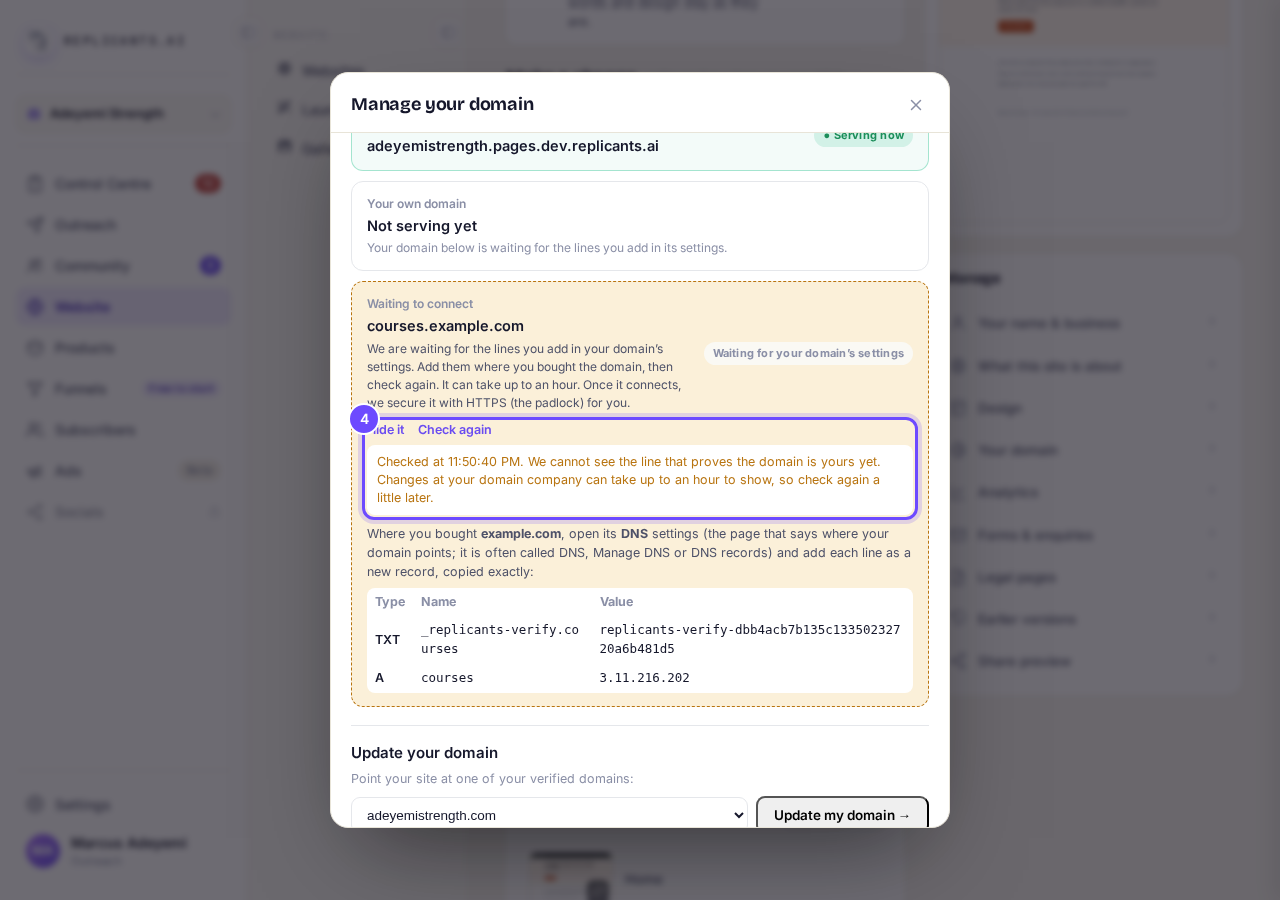
Check again, and its answer.


The lines show on the Your domain screen of a website that is already live; a site still being set up has no Manage button. On Settings, Domains, a waiting domain has Verify DNS, which checks but does not show the lines. To see them there, remove the domain with its three dots and add it again: that is safe on a domain that never finished connecting. Adding it again gives the TXT line a new value, so replace any TXT line you already added with the new one.
How do I connect a domain I already own, or part of one like community.yourname.com?
Related articles
How do I add a new page to my website?
You add a page from your website's Manage board. It starts as a draft in your site's design and goes live when you republish. About five minutes.
How do I add a privacy policy and terms to my website?
Every website has a Privacy Policy and Terms & Conditions, linked from the footer. We write them for you, or you upload your own. About two minutes.
How do I build my website?
Pick a design in the Gallery, bring in what you already have, answer a few of Maya's questions, then work through six short steps and press Publish my website. Everything is saved as you go, so you can stop and come back.