
My course says it needs republishing. What do I do?
Press Publish changes at the top of your course, then Publish in the box. Your course page is updated in under a minute.
Updated 18 October 2026
Press Publish changes at the top of your course
It shows when your live course page differs from what you have set up, such as a new look or cover, or when we have improved how course pages are built.
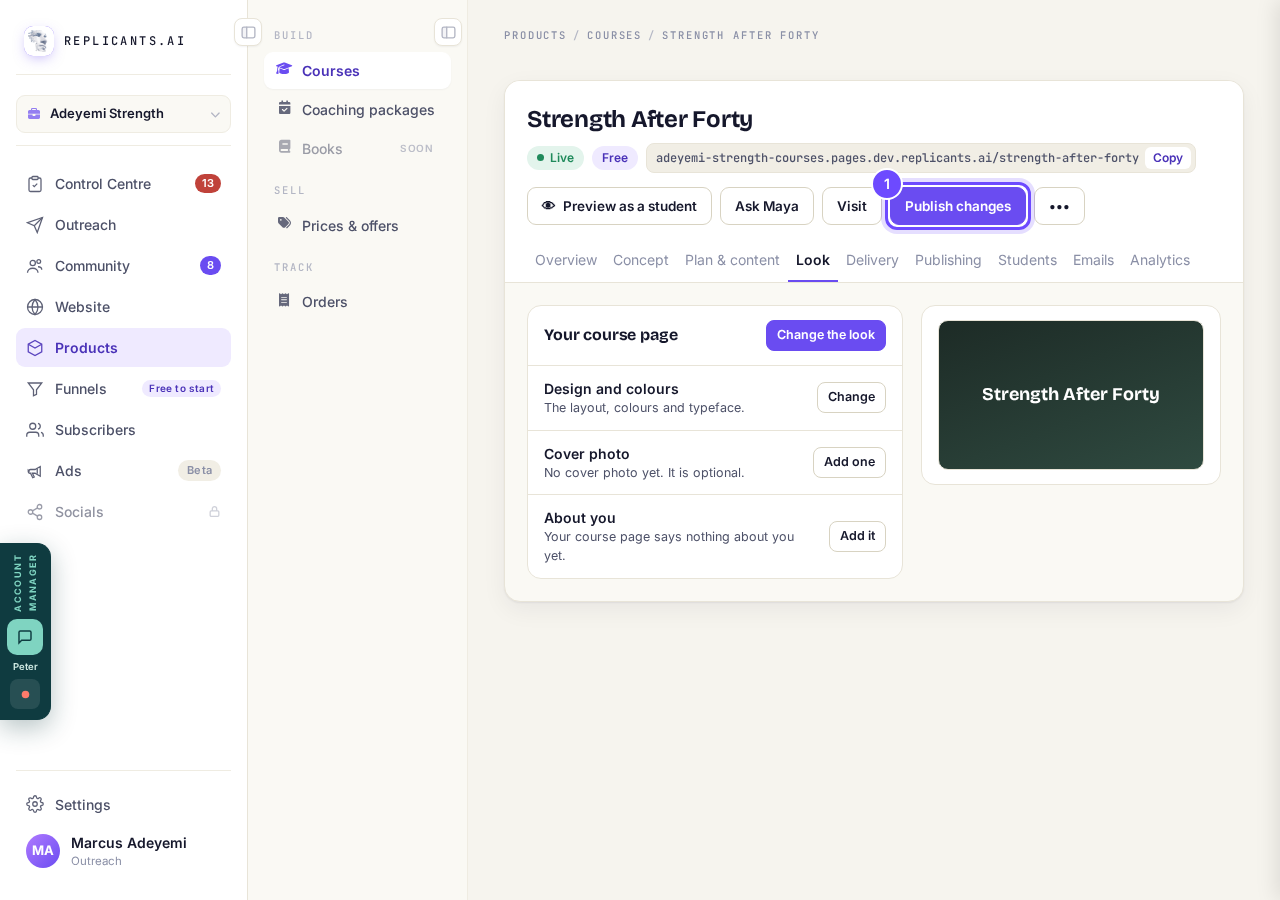
Publish changes, at the top of the course.
Press Publish in the box
The box lists what goes live and ends with Your lessons are not affected: students always see the latest version of those.
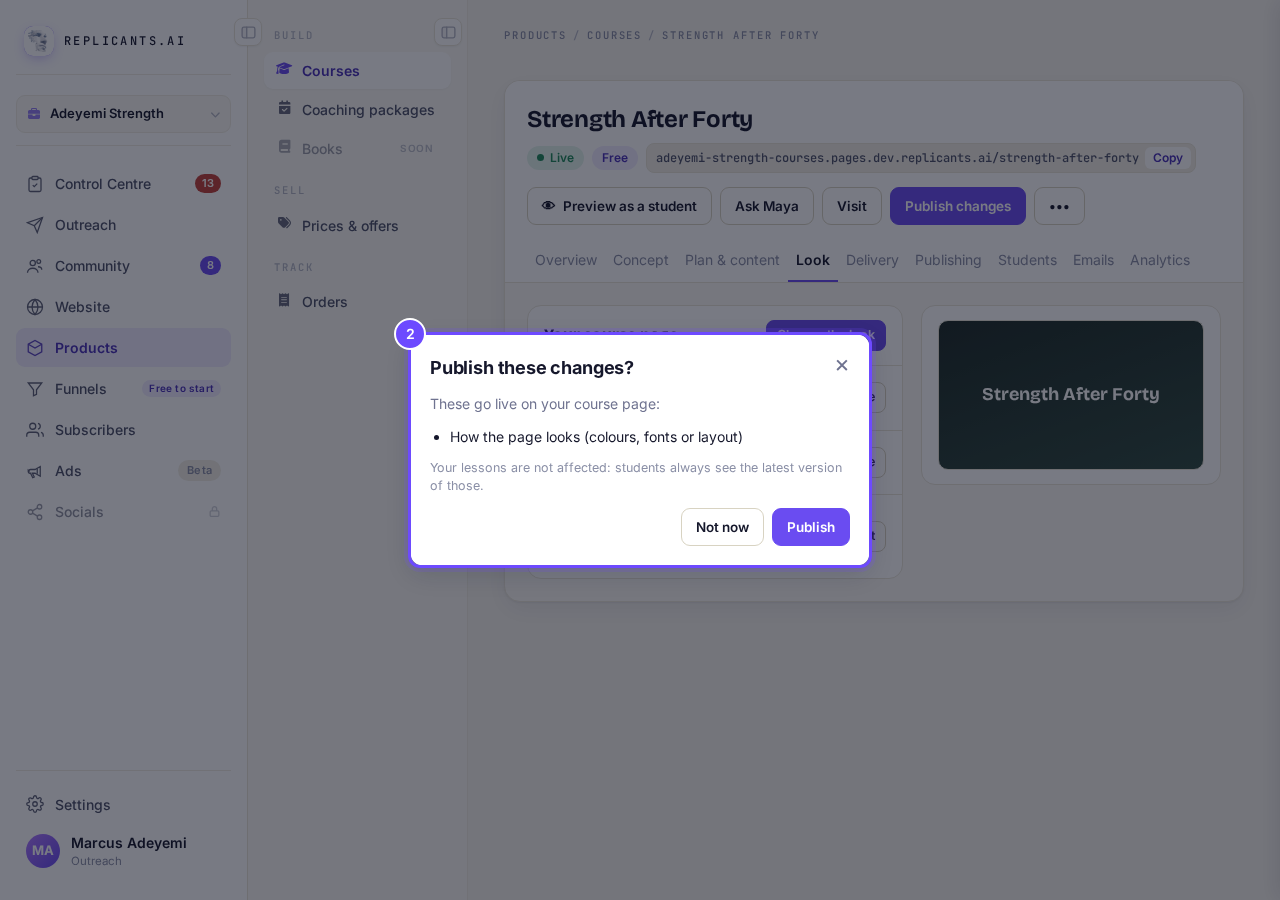
Publish these changes?
Press Close
The box repeats what went live, with View your course ↗.
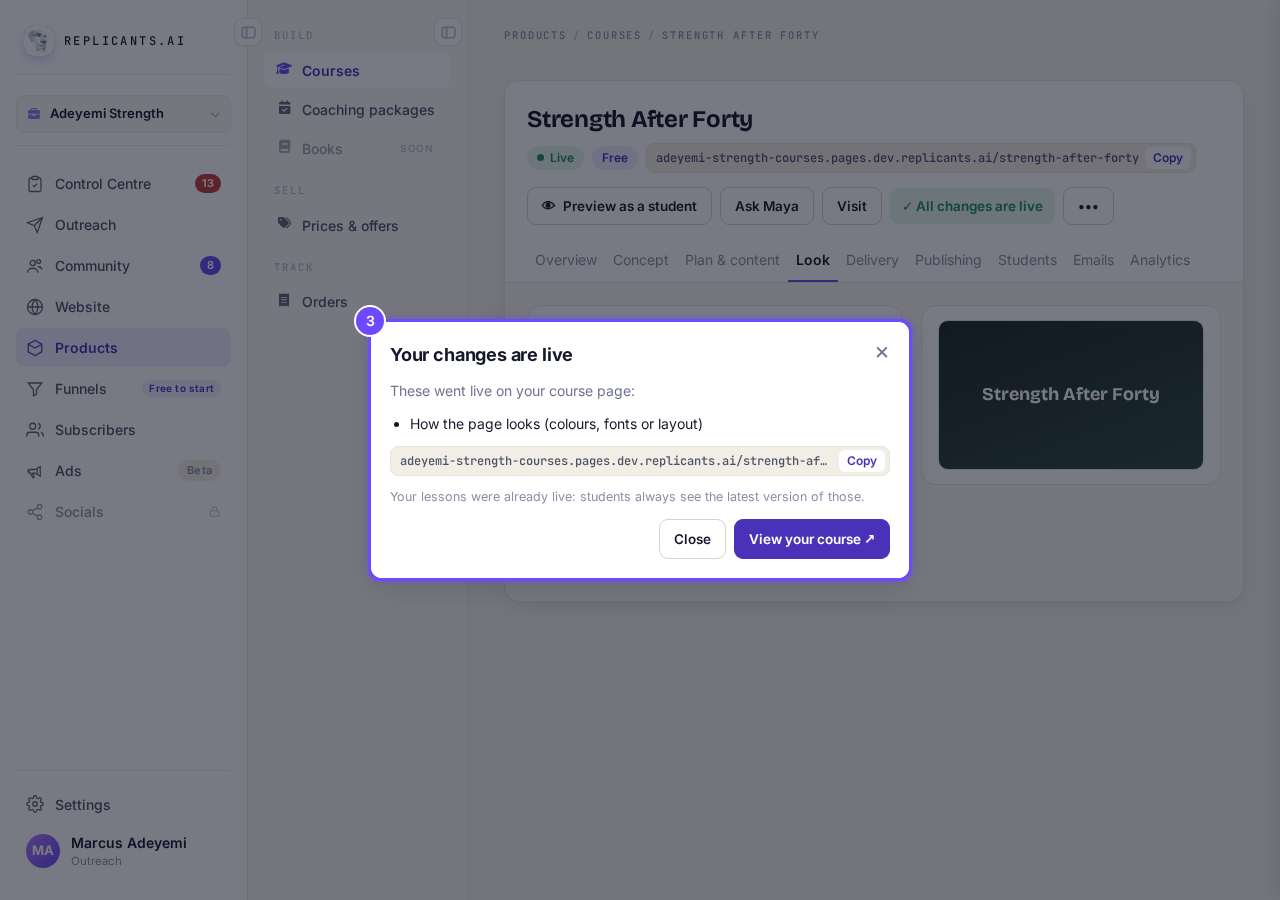
Your changes are live.
Check it says All changes are live
That means your course page matches your course.
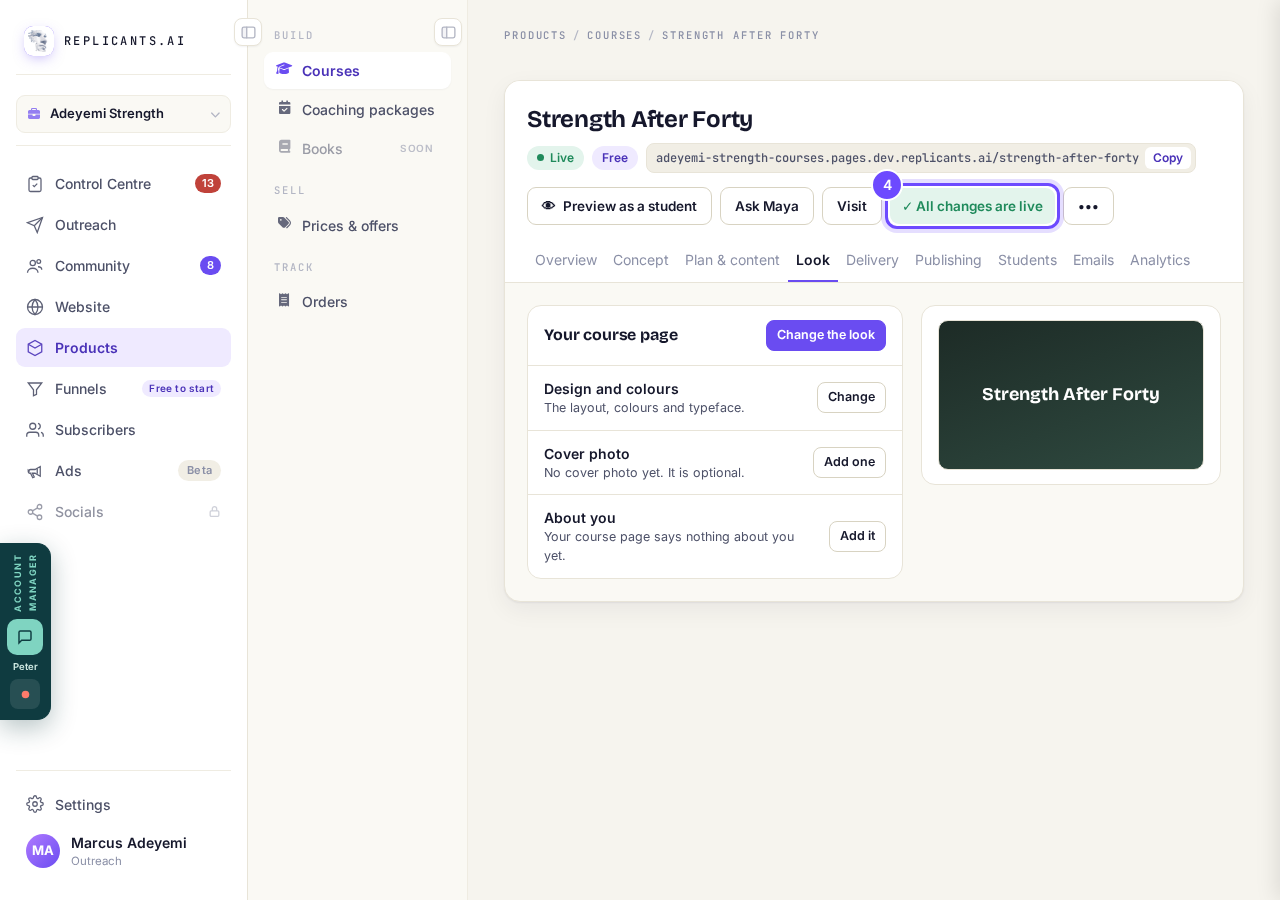
All changes are live, at the top.
Or press Update all on your Courses page
It updates every course listed under Your students are on an older version of your course page., and sends any changes of your own waiting on them too.
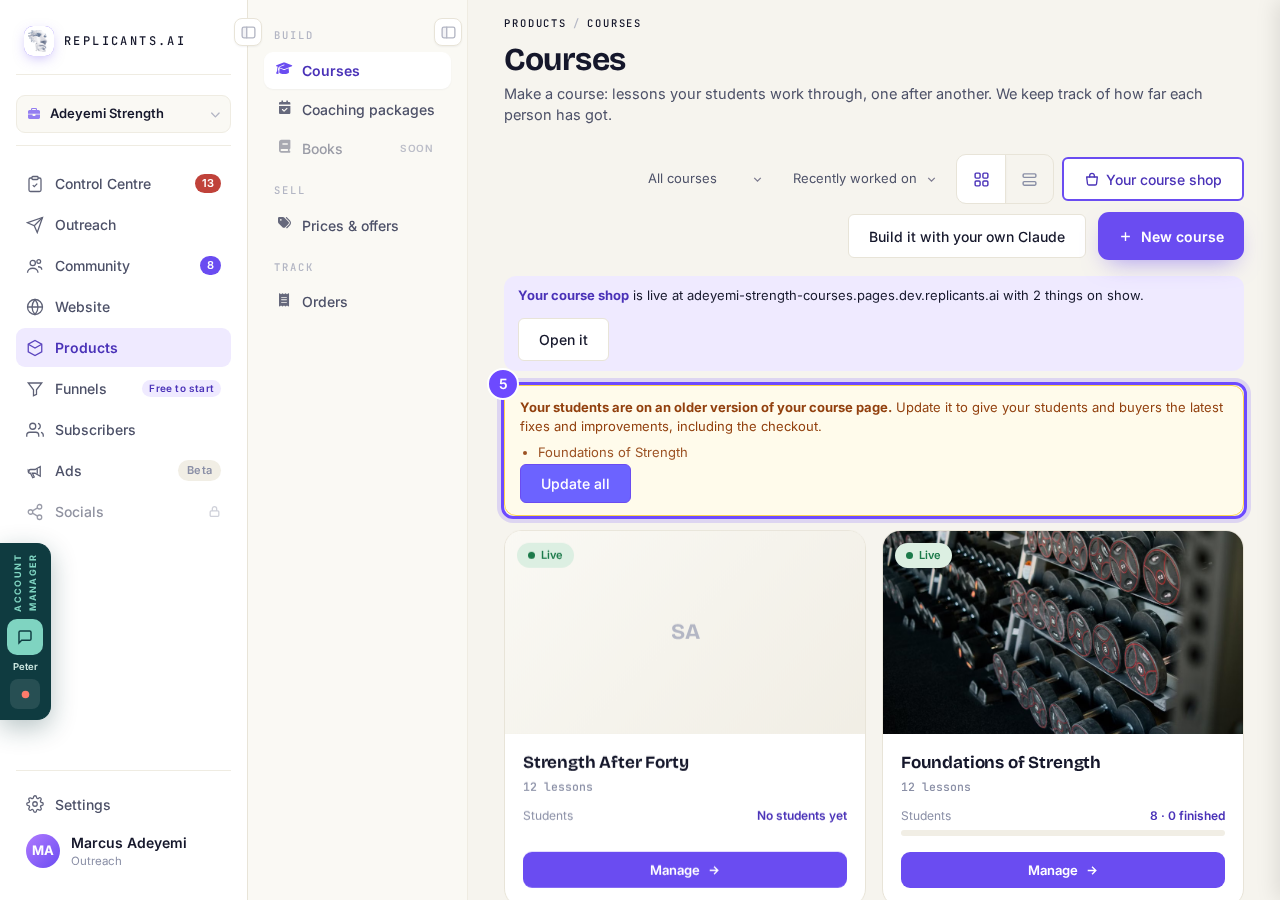
The bar on your Courses page, with Update all.


Why it happens
Why does my course page need publishing again?#
Your course page is a copy made when you publish, so it opens fast for everyone. Lessons are different: students get a lesson the moment you save it.
I switched on a new tool for students. Do I need to publish?#
Usually not: a tool you switch on works straight away. Only if your Courses page says your students are on an older version of your course page, press Update all once.
My Courses page says I have unpublished edits#
Press Republish on that bar; it opens the course, where you press Publish changes.
Until you press Publish changes, students and buyers keep the page as it was when you last published. On a paid course, Your course is on an older checkout has its own Update button.
How do I build and change a course with Claude?
Related articles
Can I see a real course before I build mine?
Yes. Claire's free course, Small Steps, is a real course you can join as a student in about five minutes.
Can I turn my workbook, notes or recordings into a course?
Yes. Add your workbook, notes, slides or recordings at the start of a new course and Maya reads them; the questions arrive already answered, and your plan is built from them.
How does my course help students finish?
Your course has a tool for students who drift off, get stuck or feel alone, and you switch them all on or off in one place: Delivery, at the top of your course. Looking through them takes about five minutes.