
How does the AI tutor answer my students' questions?
A student stuck at 10pm has nobody to ask. Switch on the AI tutor on the Delivery screen and it answers them there and then, only from what you put in your course, naming the lesson it used.
Updated 18 October 2026
Press the switch beside AI tutor
It is under What students get on the Delivery screen, and works for your students straight away.
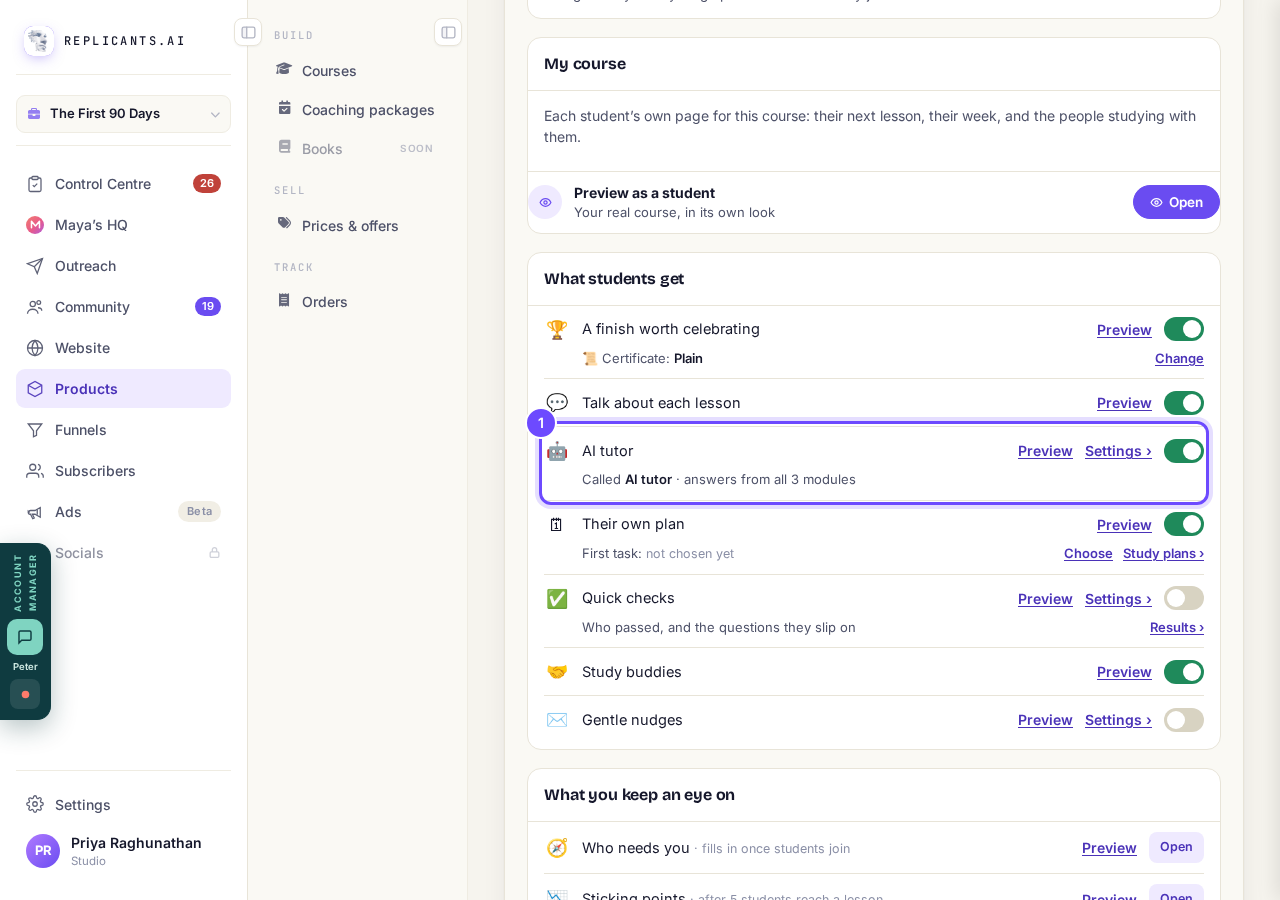
The AI tutor's row, with its switch.
Press Settings › and give it a name, if you like
Leave Its name empty and it stays AI tutor; the name never changes what it does or says.
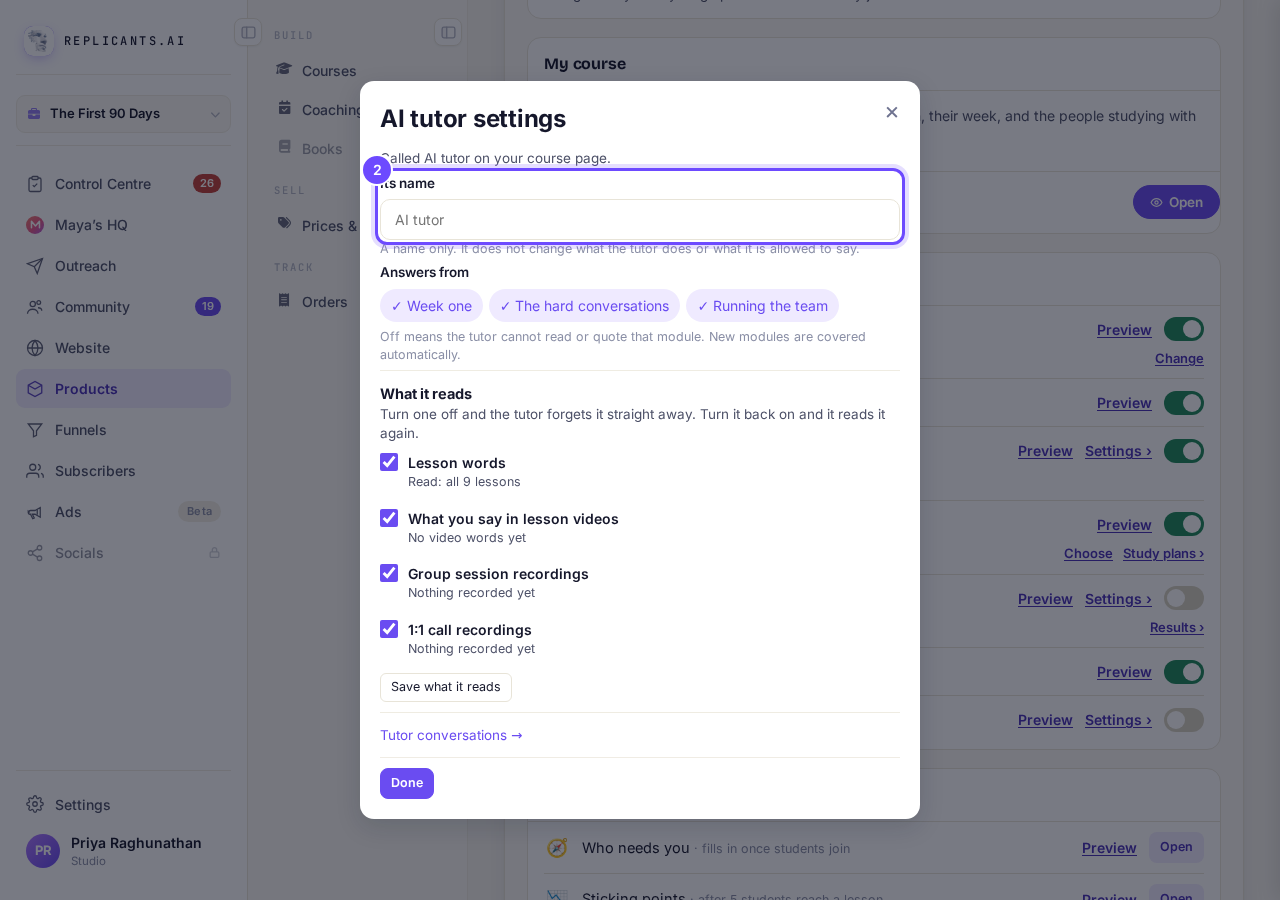
Its name, in the AI tutor's settings.
Choose the modules it answers from
Press a module under Answers from to keep the tutor out of it; at least one stays on, and new modules are covered automatically.
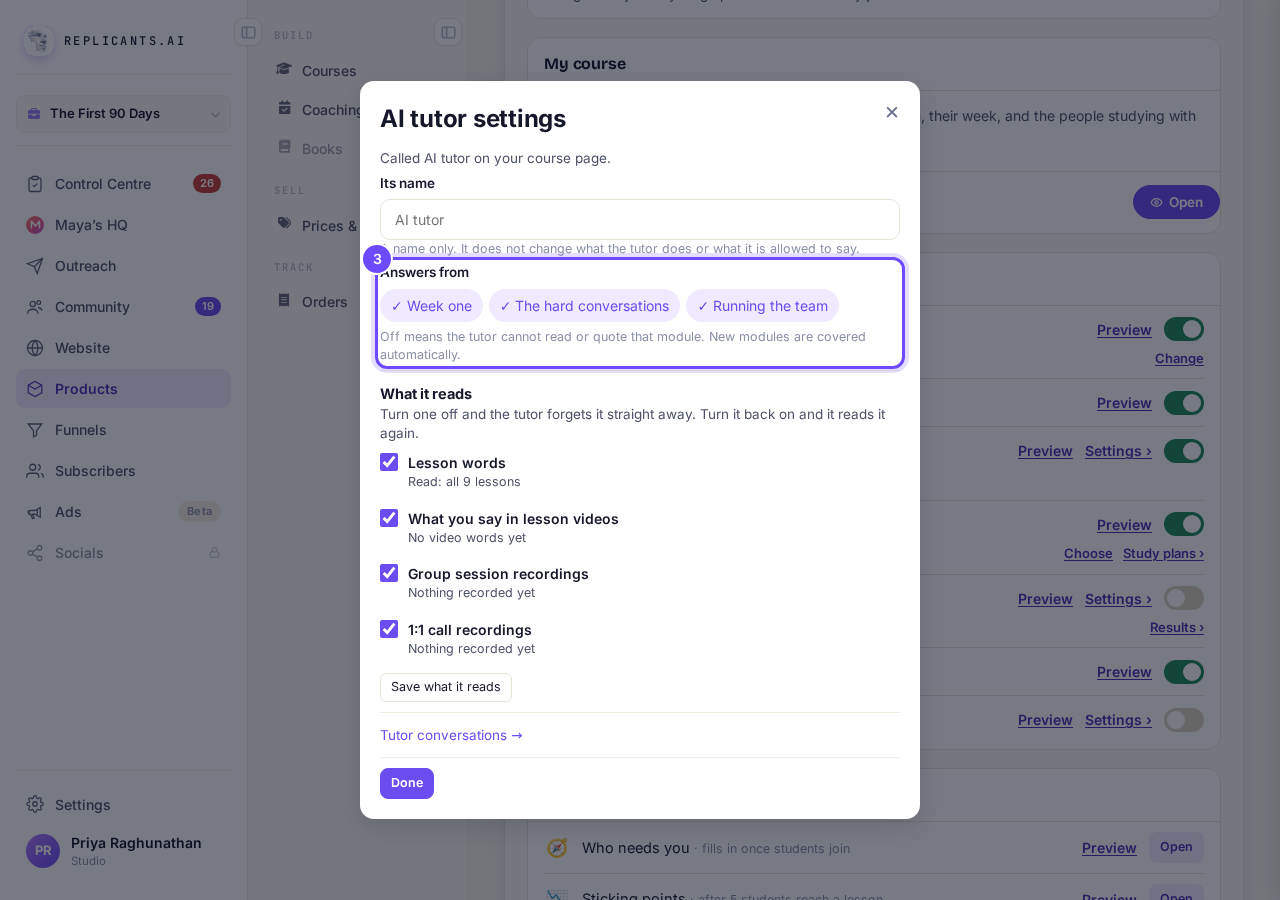
Answers from: your modules.
Check What it reads, then press Done
Untick a source and press Save what it reads to make it forget that; Tutor conversations → opens what students asked.
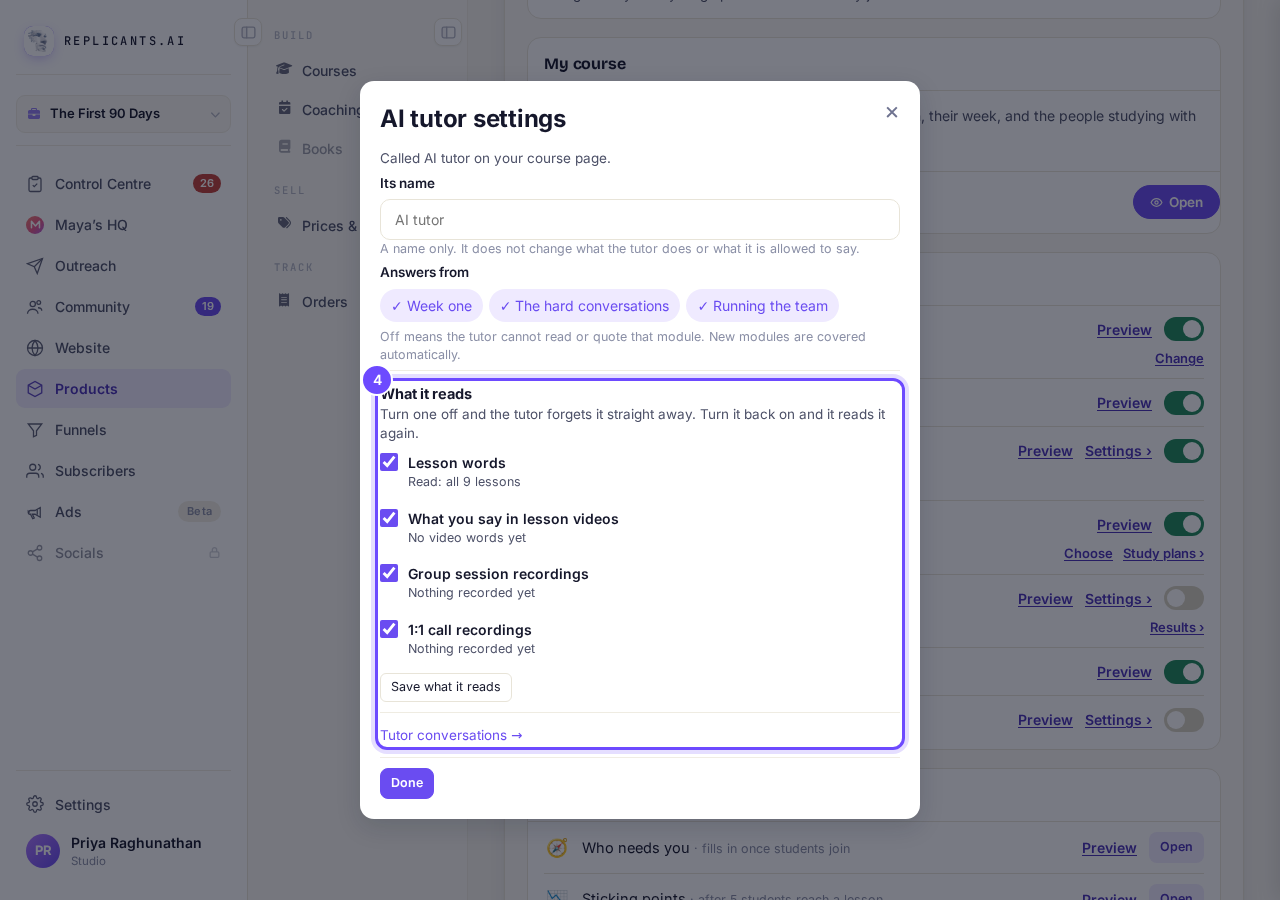
What it reads, and Tutor conversations.
See the tutor under each lesson
Students press Stuck on this? Ask the AI tutor., and are told plainly that you can read their questions.
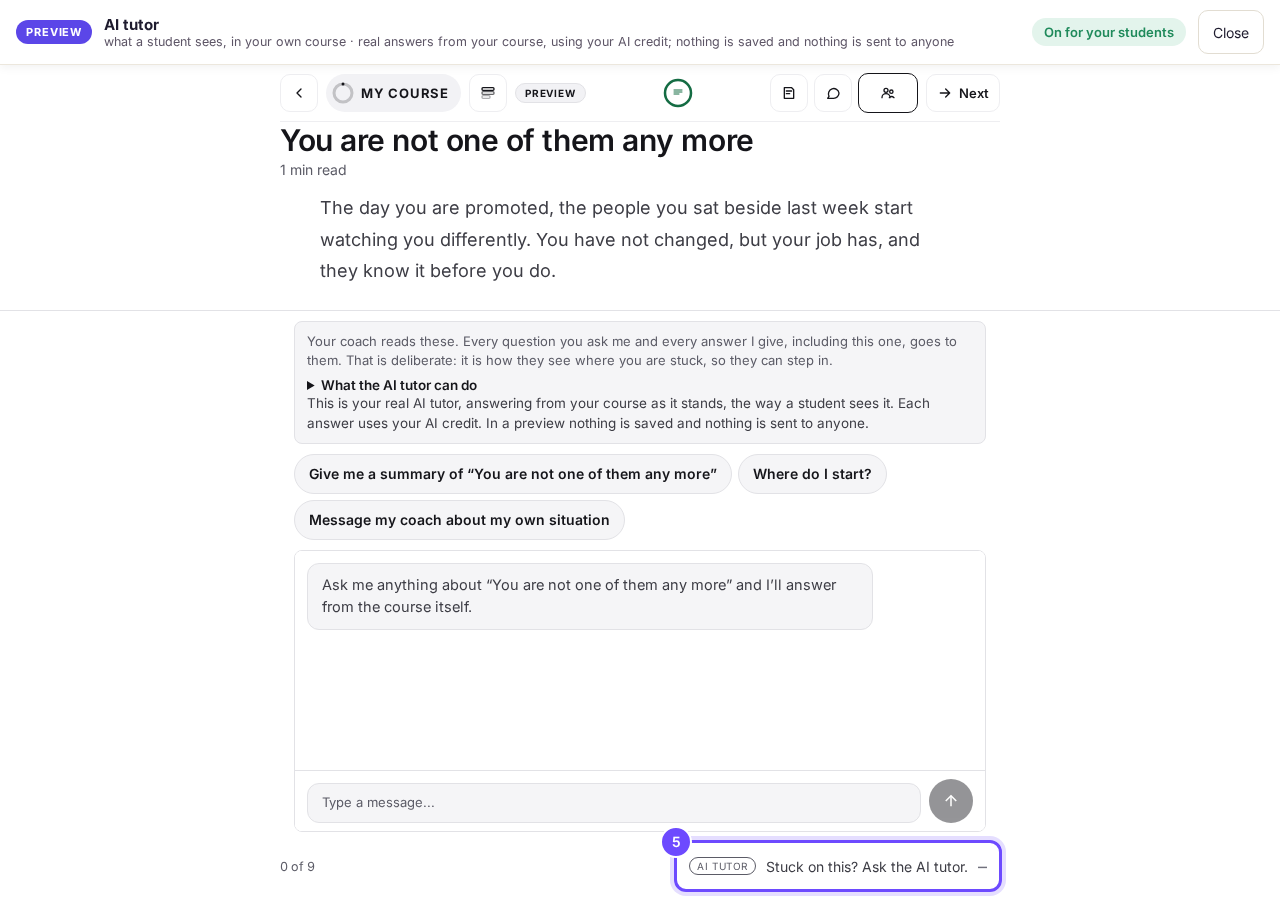
The AI tutor, open under a lesson (Preview as a student).
See a real answer
Asked how a first one-to-one with a former teammate should go, it answered from Managing a former peer and The first 1:1, with Walk me through it properly and Did this answer your question? under it.
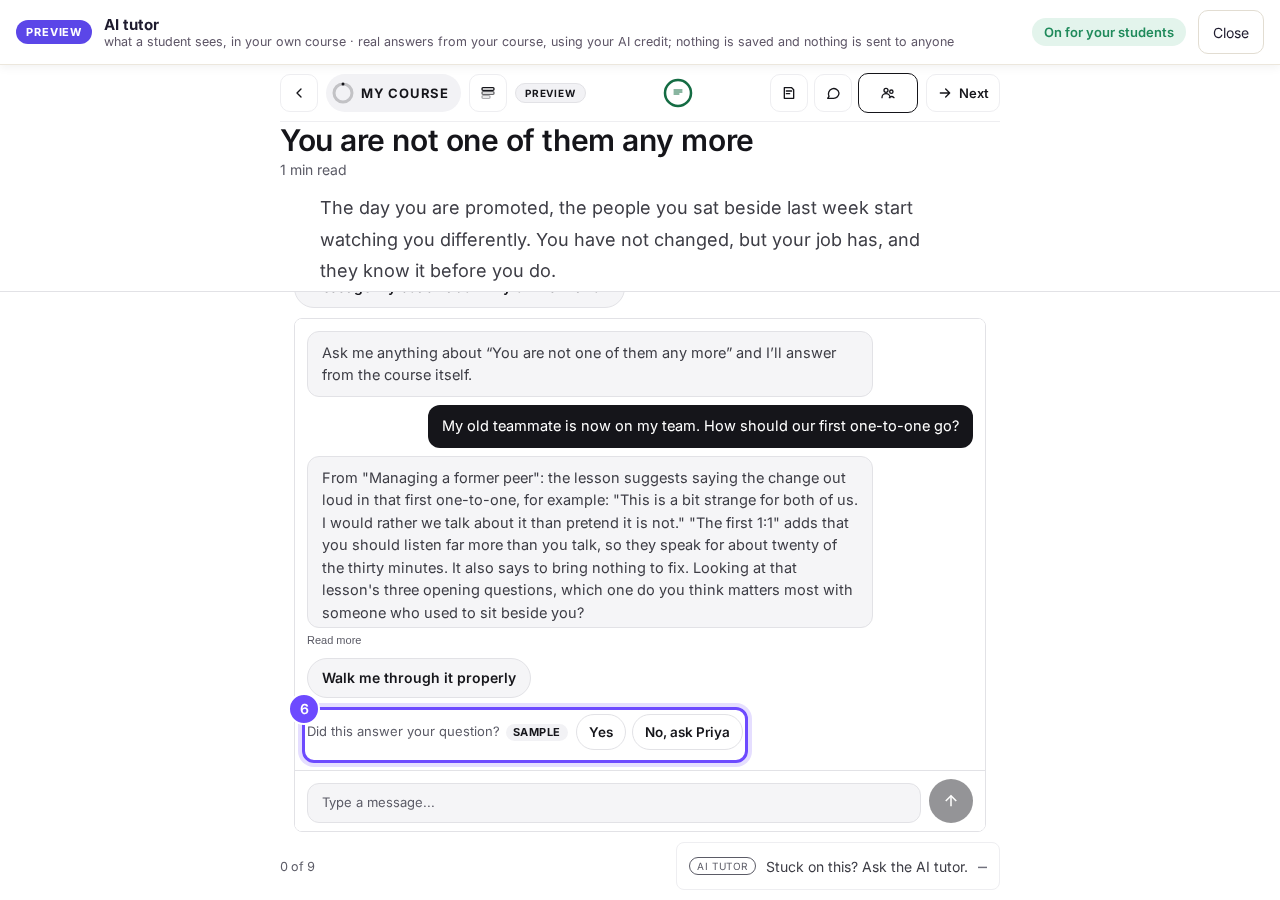
A real answer from the course, with Walk me through it properly and Did this answer your question?


Questions
What does it read?#
Only what you put in: lesson words, what you say in lesson videos, and recordings of your sessions once they have their words. Never lesson discussion or students' notes.
What if it cannot help?#
No, ask and your name hands the question to you, and the student can send you a message from the tutor.
Each question a student asks uses your AI credit, usually one AI request and never more than three. Questions it hands straight to you cost nothing, and so does reading and replying to them; the preview uses your credit too. Each student can ask 6 questions in 5 minutes and 40 in 20 hours. If the top of your course shows Publish changes, press it once. That brings your students today's tools and anything you have changed on your course page.
How do I read what my students asked the AI tutor?
Related articles
Can I see a real course before I build mine?
Yes. Claire's free course, Small Steps, is a real course you can join as a student in about five minutes.
Can I turn my workbook, notes or recordings into a course?
Yes. Add your workbook, notes, slides or recordings at the start of a new course and Maya reads them; the questions arrive already answered, and your plan is built from them.
How does my course help students finish?
Your course has a tool for students who drift off, get stuck or feel alone, and you switch them all on or off in one place: Delivery, at the top of your course. Looking through them takes about five minutes.