
How do I create a new tag?
A tag is a label you put on people so you can find them again. You make one by ticking the people it belongs on and naming it, in Subscribers, on the Contacts page.
Updated 29 September 2026
Tick the people, then press Add Tag
Tick the box beside each person you want to label. Buttons appear above the list: Archive, Delete, Add Tag, Remove Tag, Add to community, Export CSV. Press Add Tag, not Delete beside it.
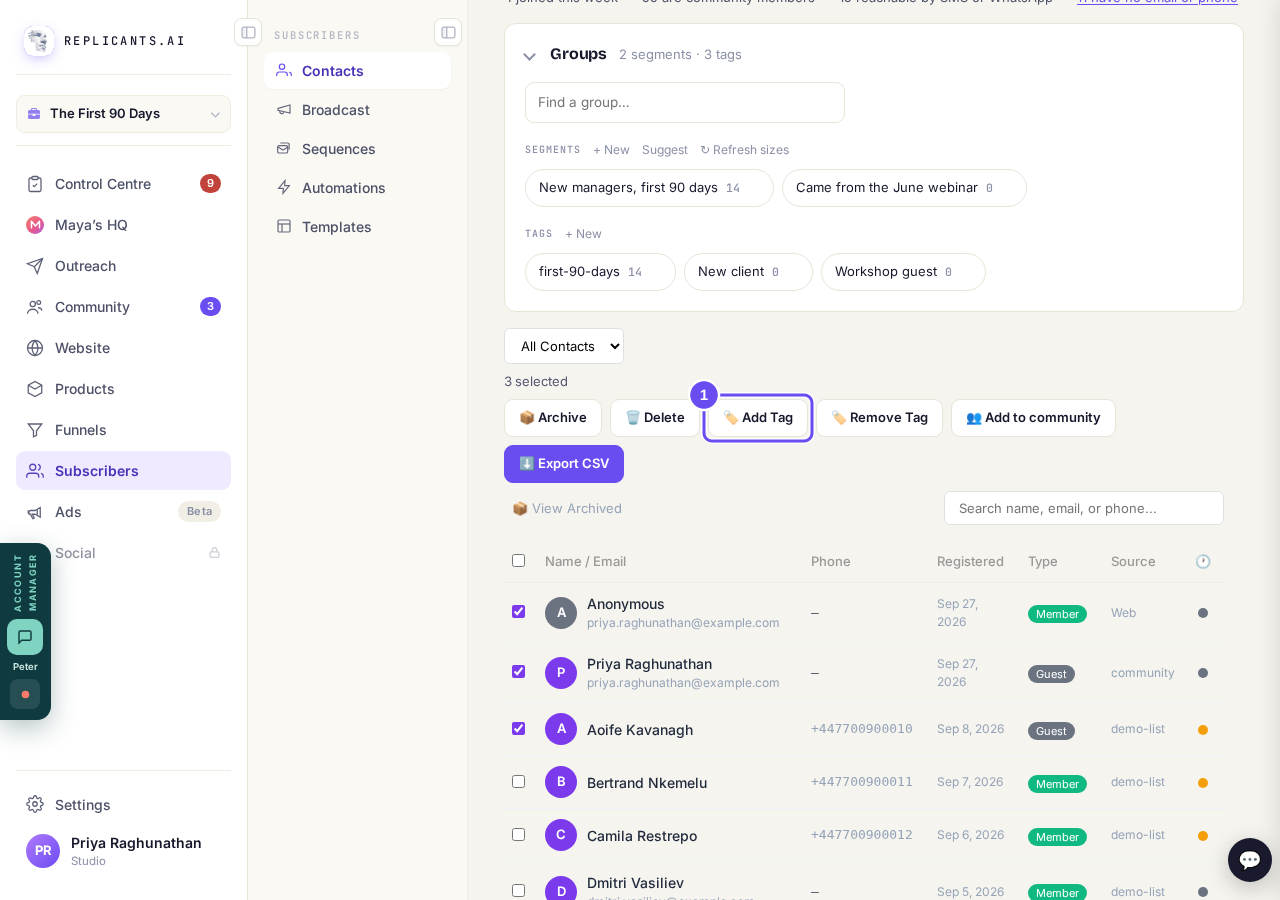
Three contacts ticked, and Add Tag in the bar above the list.
Take me thereType the name, then press Add
Start typing the tag's name. If you already have tags, the list underneath narrows to the ones that match, with how many people are on each: pick one, or finish typing a new name. If you have none yet it says No tags yet; just type the name. Then press Add.
Read the list before you make a new one: webinar, June webinar and Webinar Leads would be three different tags, and people spread across all three make every list wrong.
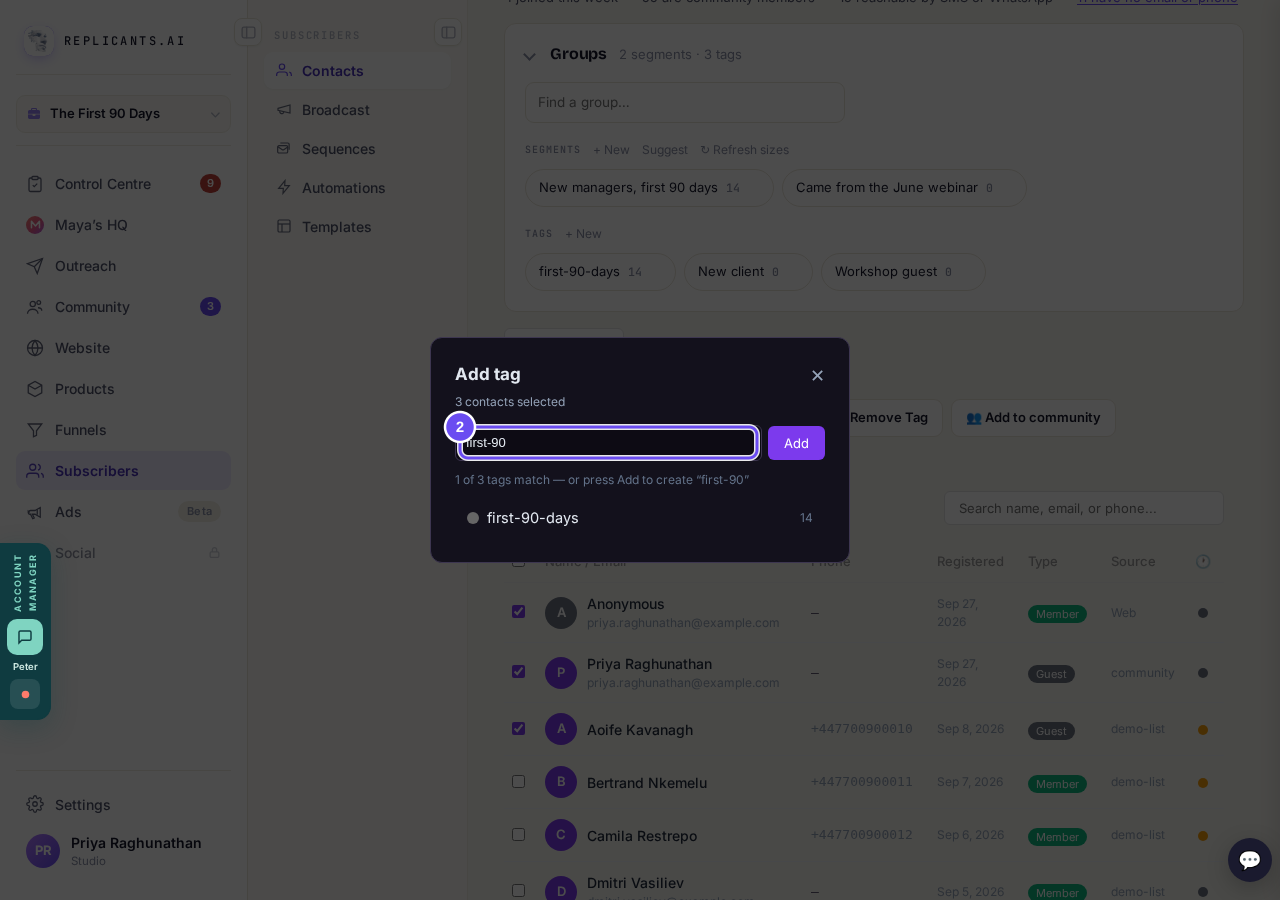
With tags already made, the box narrows to the ones that match what you typed.
Press Yes, add it
It asks you to confirm, naming the tag and how many contacts it will go on. A brand-new name says Create the tag; one you already have says Add the tag. Press Yes, add it. On a long list it counts as it goes. It finishes on Done, with Tagged and the number underneath. Press Close.
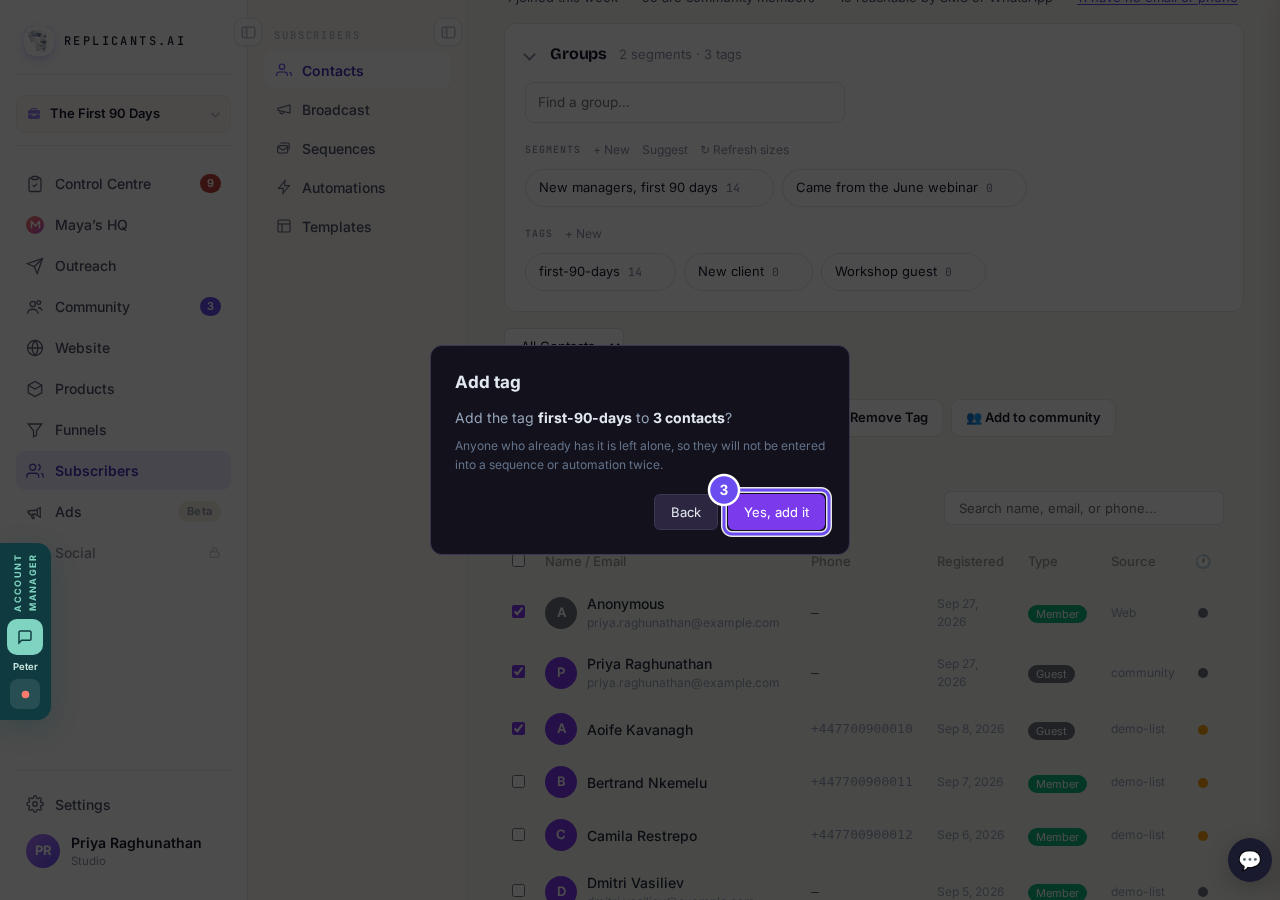
The confirm names the tag and the number of contacts.
Check the count beside your tag
Tap the word Groups above the list to open it if it is closed. Your tag shows under Tags with a number beside it: how many people carry it. Press the tag's name to see just those people. The small × on a tag deletes it from everyone (it asks first), so press the name, not the ×.
Want a tag with nobody on it yet? Press the + New beside Tags (not the one beside Segments), type the name and press OK.
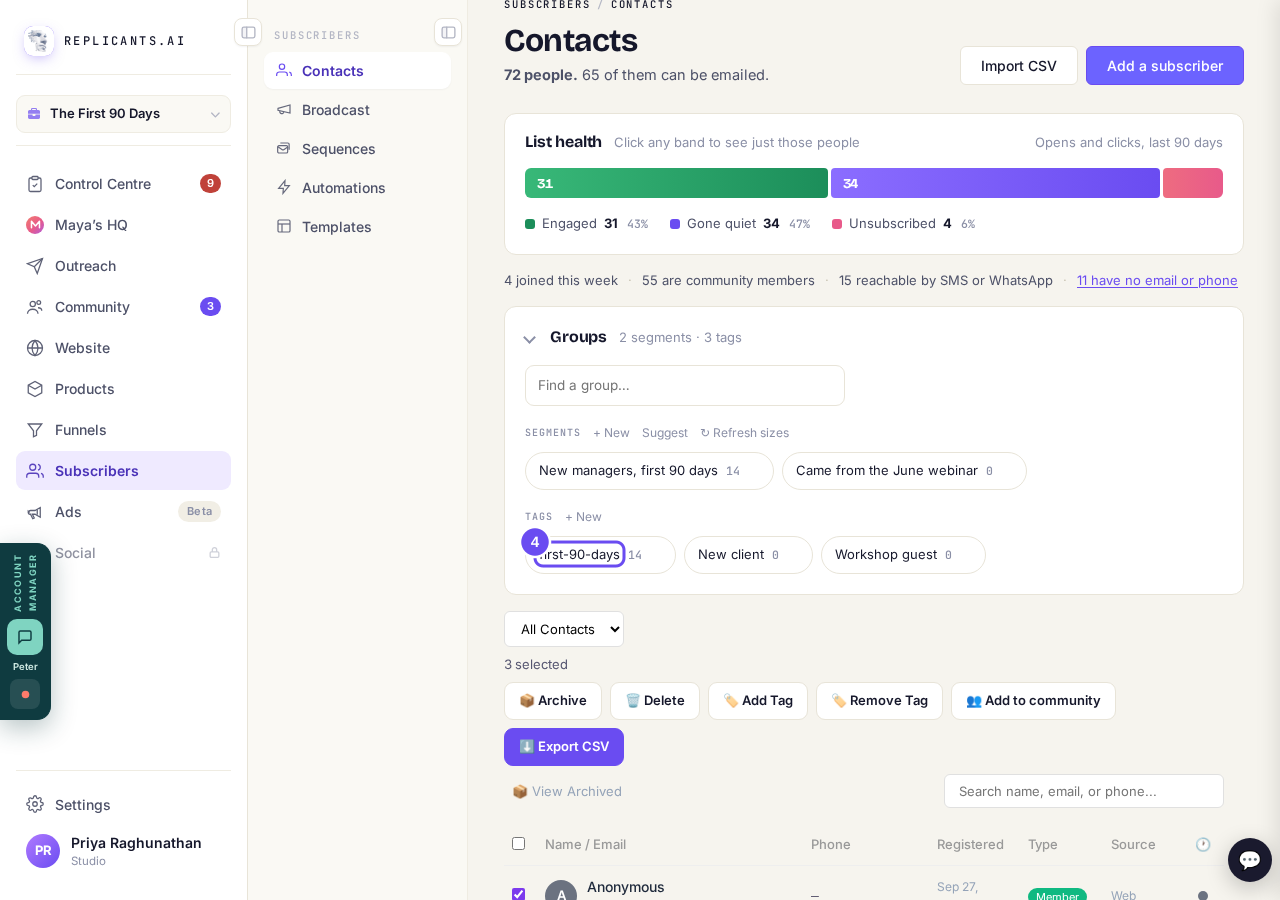
The number beside a tag is the check that it worked.
Take me there
I have my list in a spreadsheet. How do I get it in here?
Related articles
Can a sequence run without a tag, started by an automation instead?
Yes. Set the sequence to Used in an automation only, and an automation's Add to sequence step puts people in. No tag needed. About two minutes.
Can I send a broadcast again, or use it as a starting point?
Yes. Press ••• on the broadcast, then Duplicate. A copy opens as a draft with the same subject and words, ready to change and send. About a minute.
How do I choose what time of day my emails arrive?
When you send a broadcast you can spread it over a few hours, and let each person get it at the time they usually read their email. It is all on the last screen, Schedule.