
How do I limit places and run a waiting list?
Set the most people for an intake and choose what happens when it is full: show it as full, keep a waiting list, take payment when a place opens, or offer the next intake. About two minutes.
Updated 18 October 2026
Find When it’s full
Open Products, then Courses, then Manage on your course, press Publishing, then Open beside How people get in, and go to When it’s full. On a phone, press the menu button at the top right first.
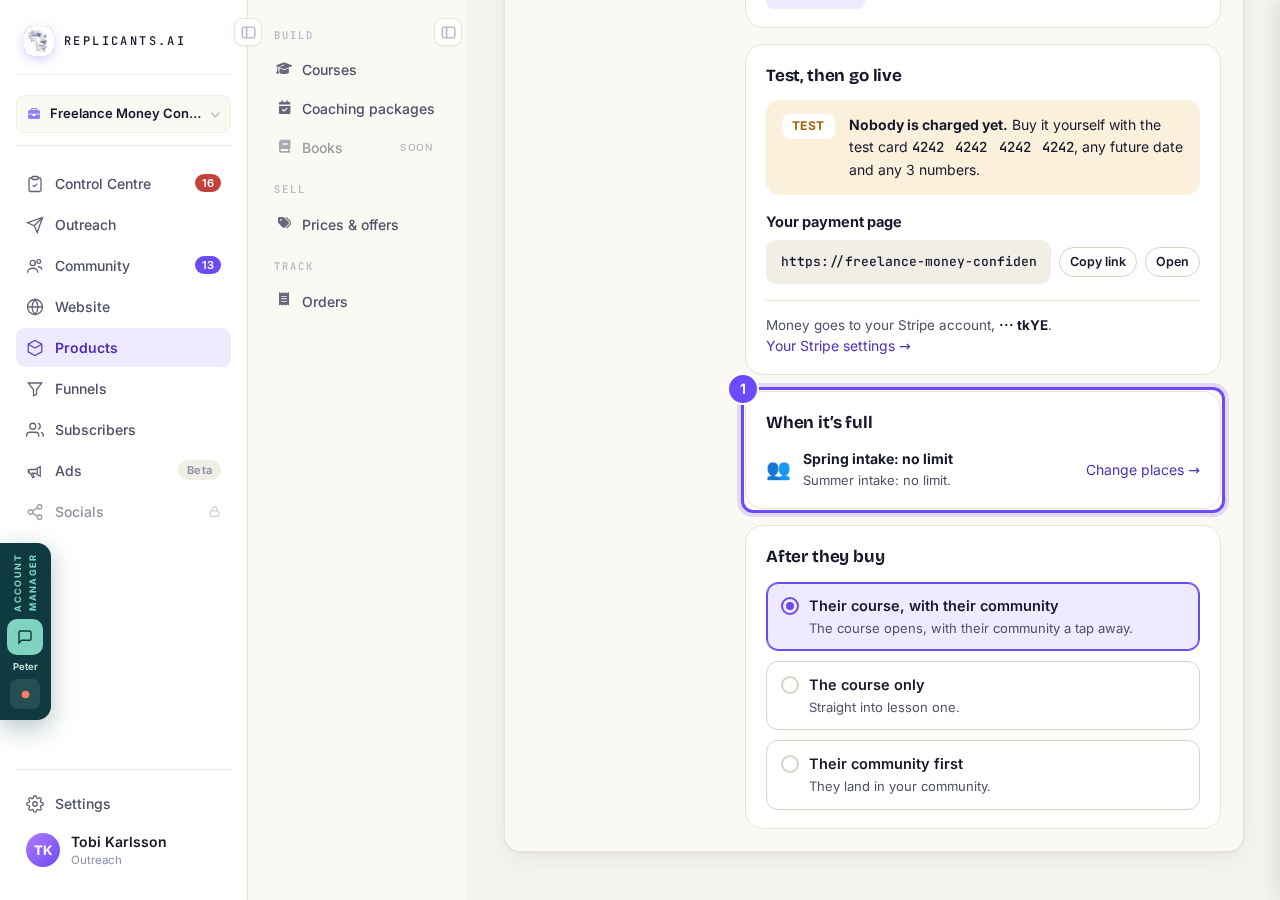
When it’s full, on Selling.
Press Change places and set Most people
Press Set a limit → (it says Change places → once you have an intake), pick the intake under Which intake? if you have more than one, and type the number in Most people. With no intake yet, the page offers Add an intake first.
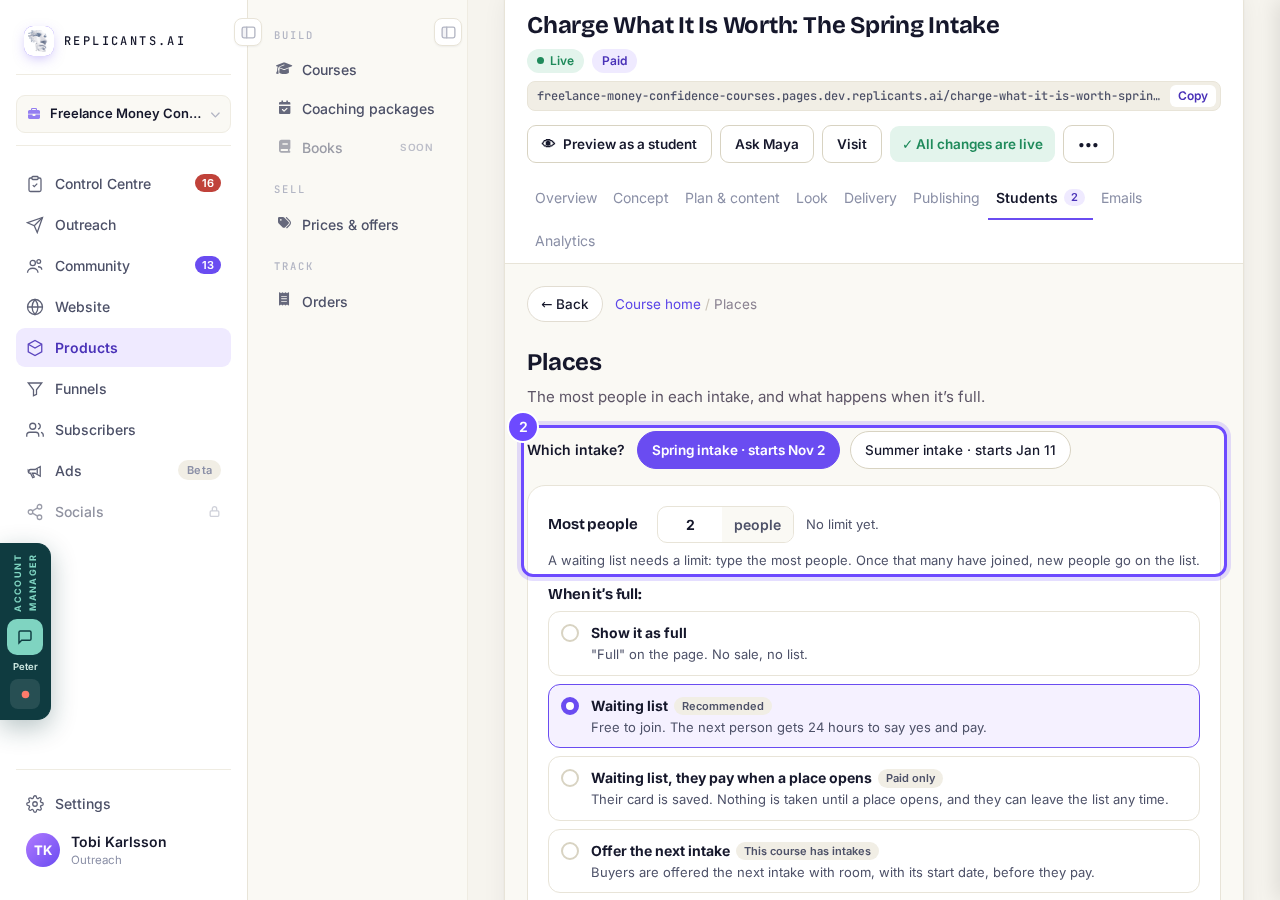
Which intake? and Most people.
Choose what happens when it is full
Pick Show it as full, Waiting list (recommended), Waiting list, they pay when a place opens or Offer the next intake. With the pay-later list, their card is saved, nothing is taken until a place opens, and then it is charged automatically.
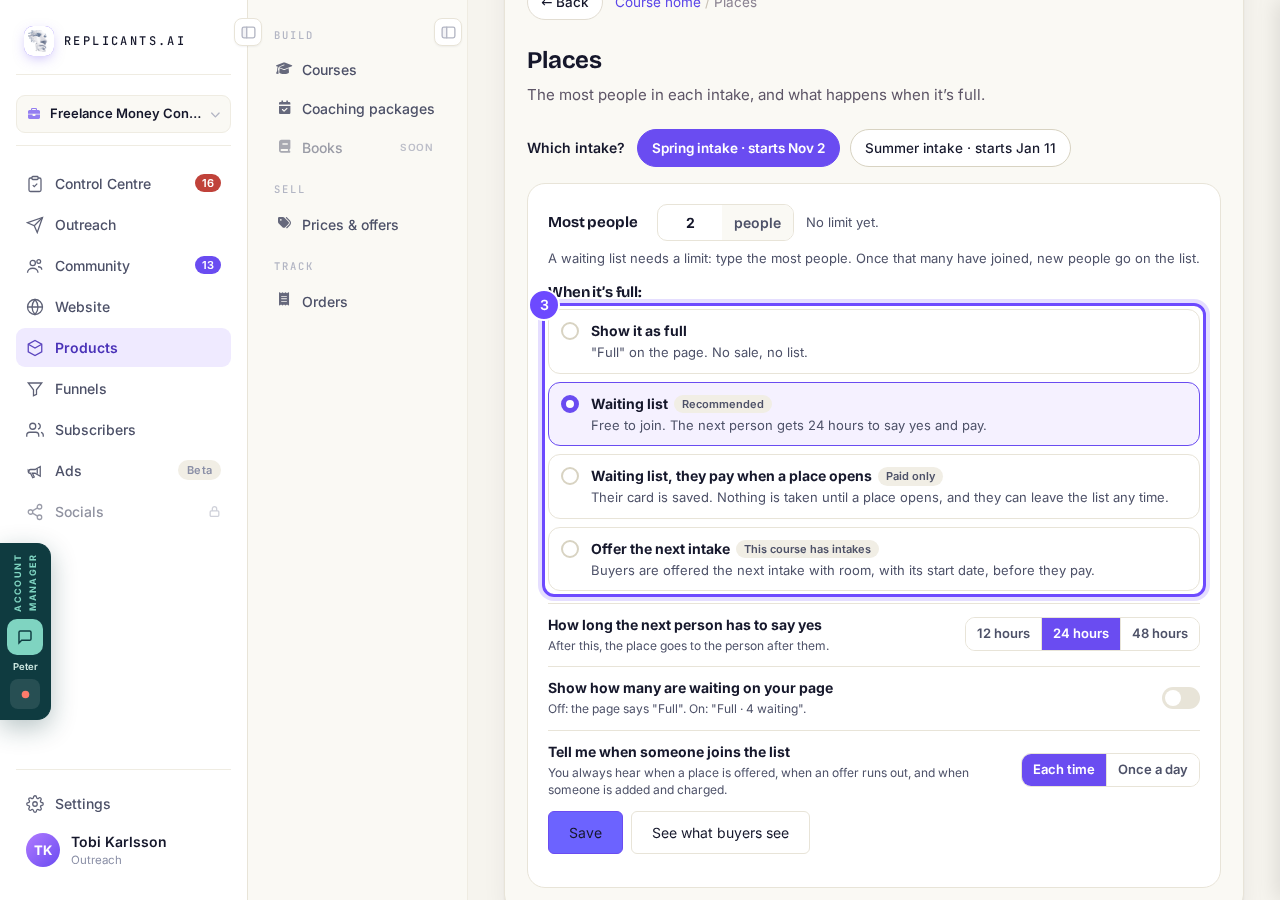
The four choices.
Choose how long the next person has
Choose 12 hours, 24 hours or 48 hours for the next person on the free list to say yes. You can also show how many are waiting.
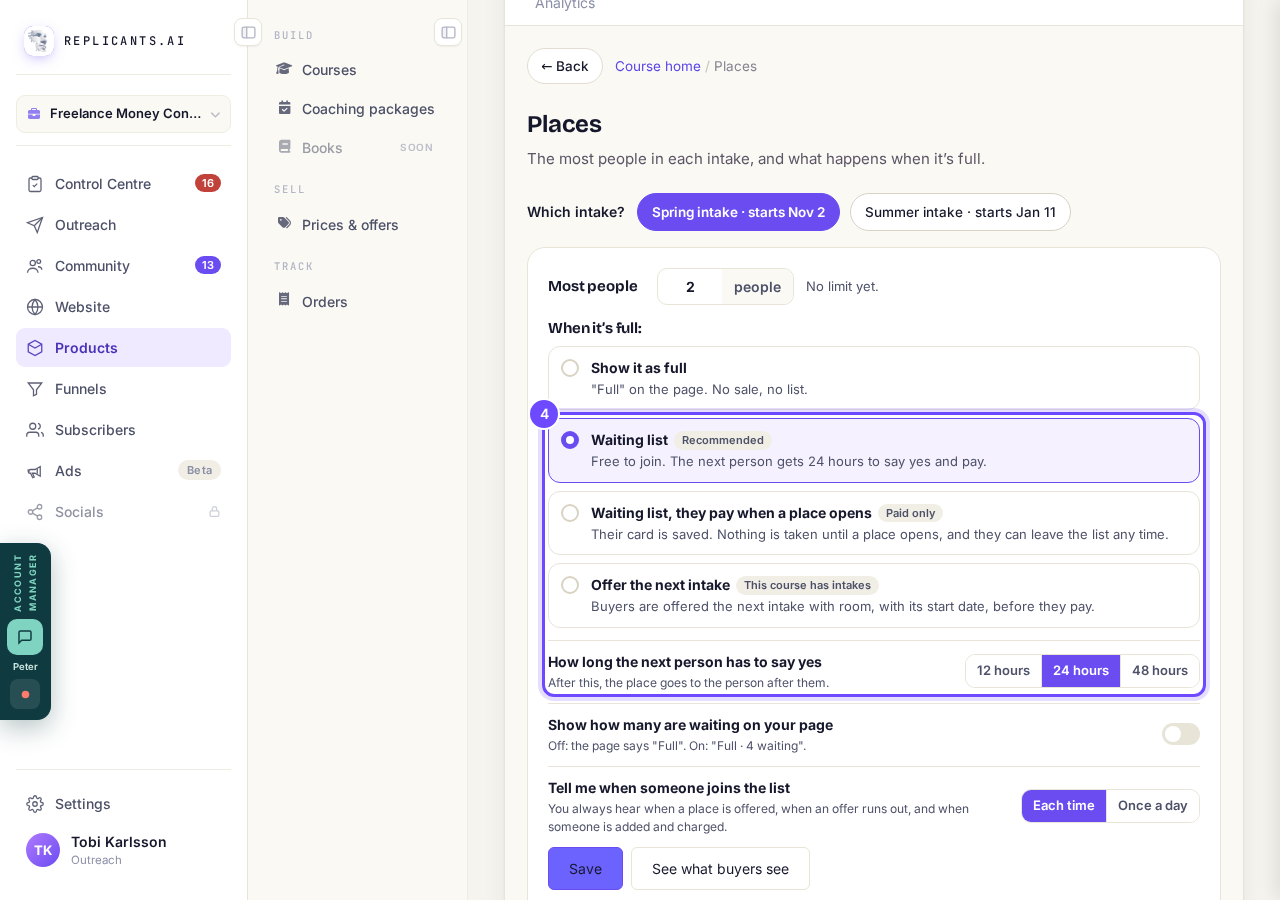
Waiting list, and how long the next person has to say yes.
Press Save, then See what buyers see
Press See what buyers see for a preview of your payment page when the intake is full, then press Save.
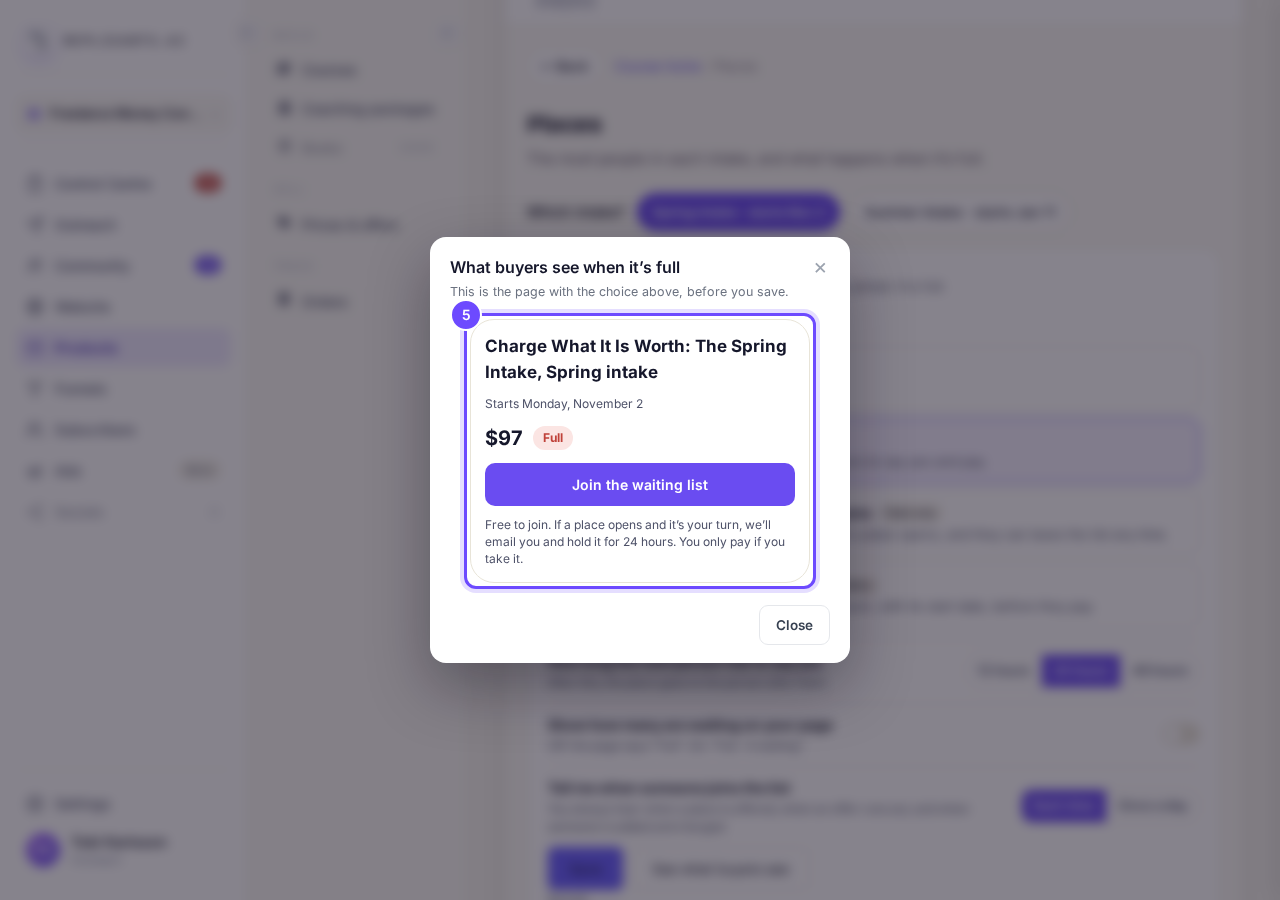
What buyers see when it is full.
Check your payment page
Look for Full and Join the waiting list on your payment page once the intake is full. When a place opens, the free list emails the next person and holds it for the hours you chose; the pay-later list charges their saved card and puts them in.
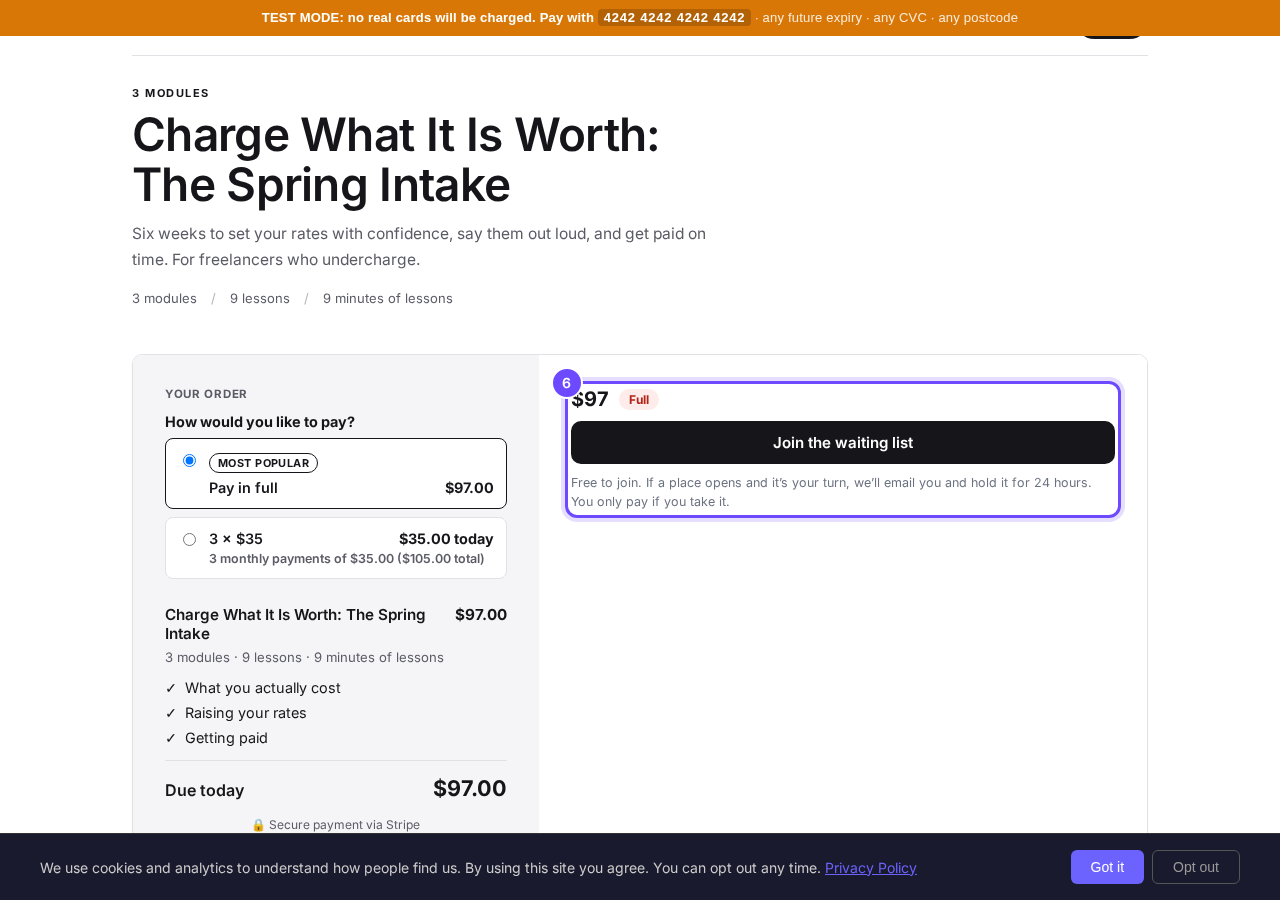
Full, with Join the waiting list.


Places are counted per intake: people who start on the same date, so a course with no intake has no limit. Waiting list, they pay when a place opens is only offered when the course has a one-off price, and Offer the next intake only when there is more than one intake.
How do I set up my course shop?
Related articles
Can I see a real course before I build mine?
Yes. Claire's free course, Small Steps, is a real course you can join as a student in about five minutes.
Can I turn my workbook, notes or recordings into a course?
Yes. Add your workbook, notes, slides or recordings at the start of a new course and Maya reads them; the questions arrive already answered, and your plan is built from them.
How does my course help students finish?
Your course has a tool for students who drift off, get stuck or feel alone, and you switch them all on or off in one place: Delivery, at the top of your course. Looking through them takes about five minutes.