
How do I make a copy of my course?
Open your course, press the three dots at the top, then Duplicate this course, then Duplicate. The copy opens in a few seconds, unpublished and free, with all its lessons.
Updated 18 October 2026
Press the three dots at the top of your course
Open Products, then Manage on your course (on a phone: the menu button, Products, then Courses).
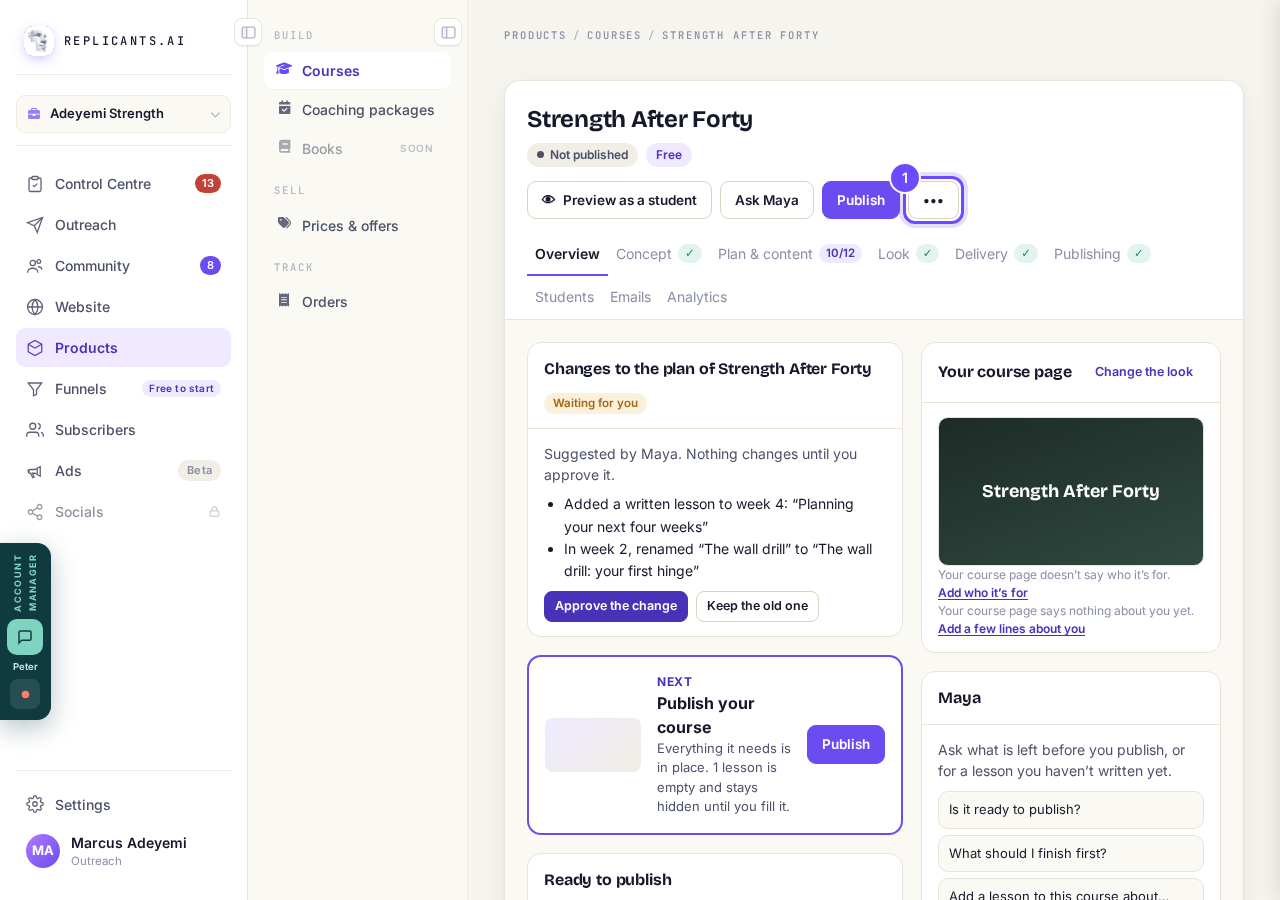
The three dots, at the top of the course.
Press Duplicate this course
The same menu has Rename and Delete this course.
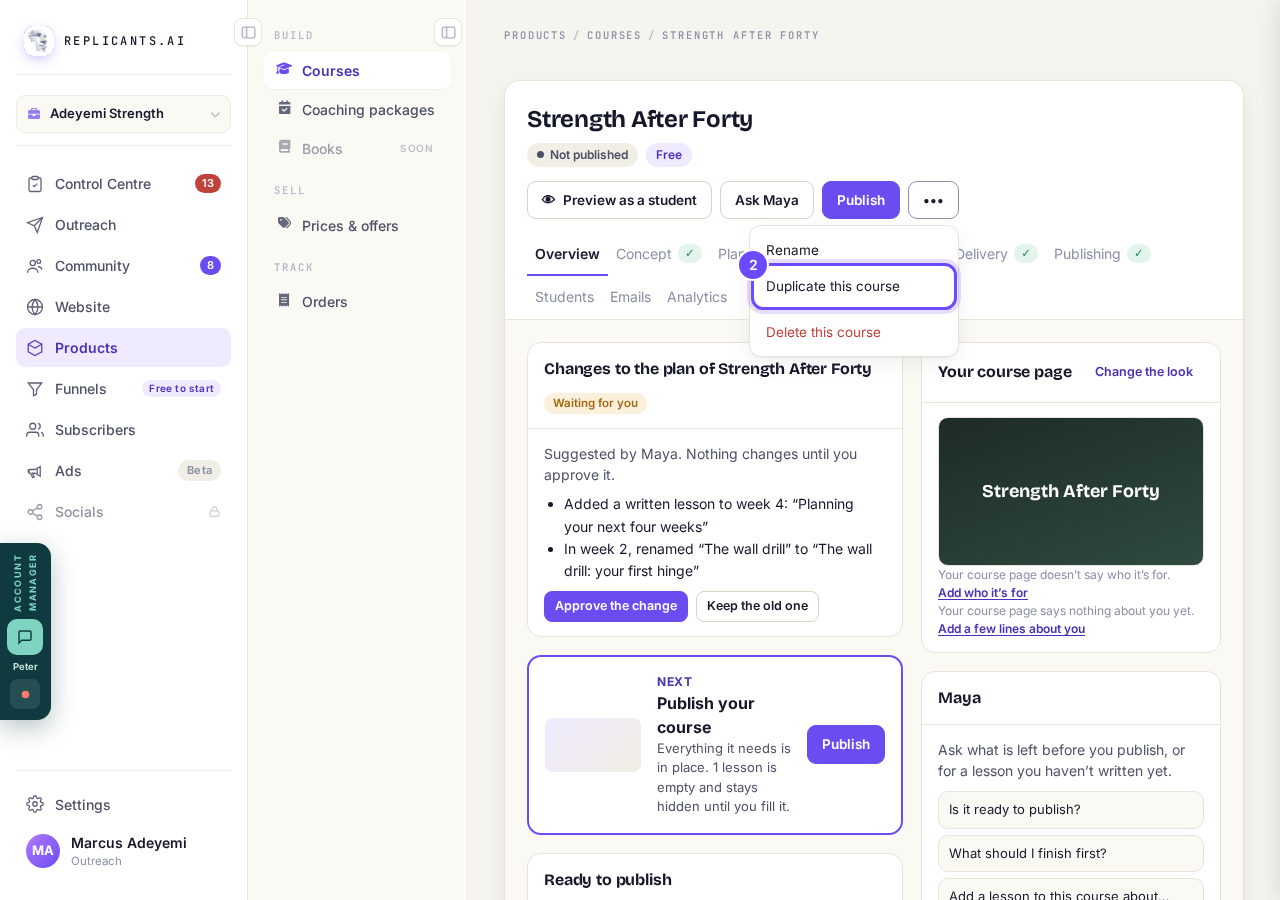
Duplicate this course, in the menu.
Press Duplicate
The box says the copy gets the lessons, knowledge checks, look and settings.
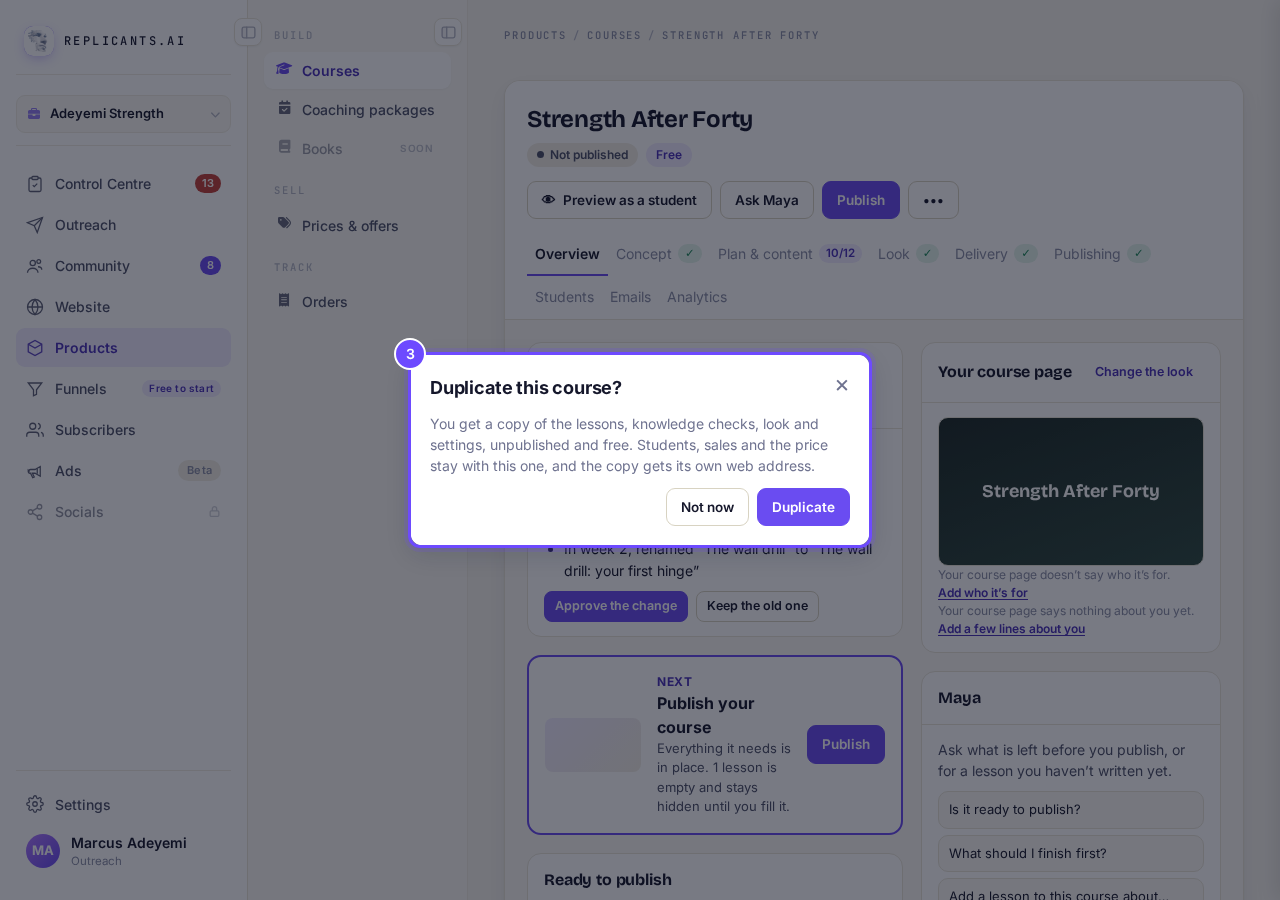
Duplicate this course?
Rename your copy
It opens as Copy of and the original name; press •••, then Rename.
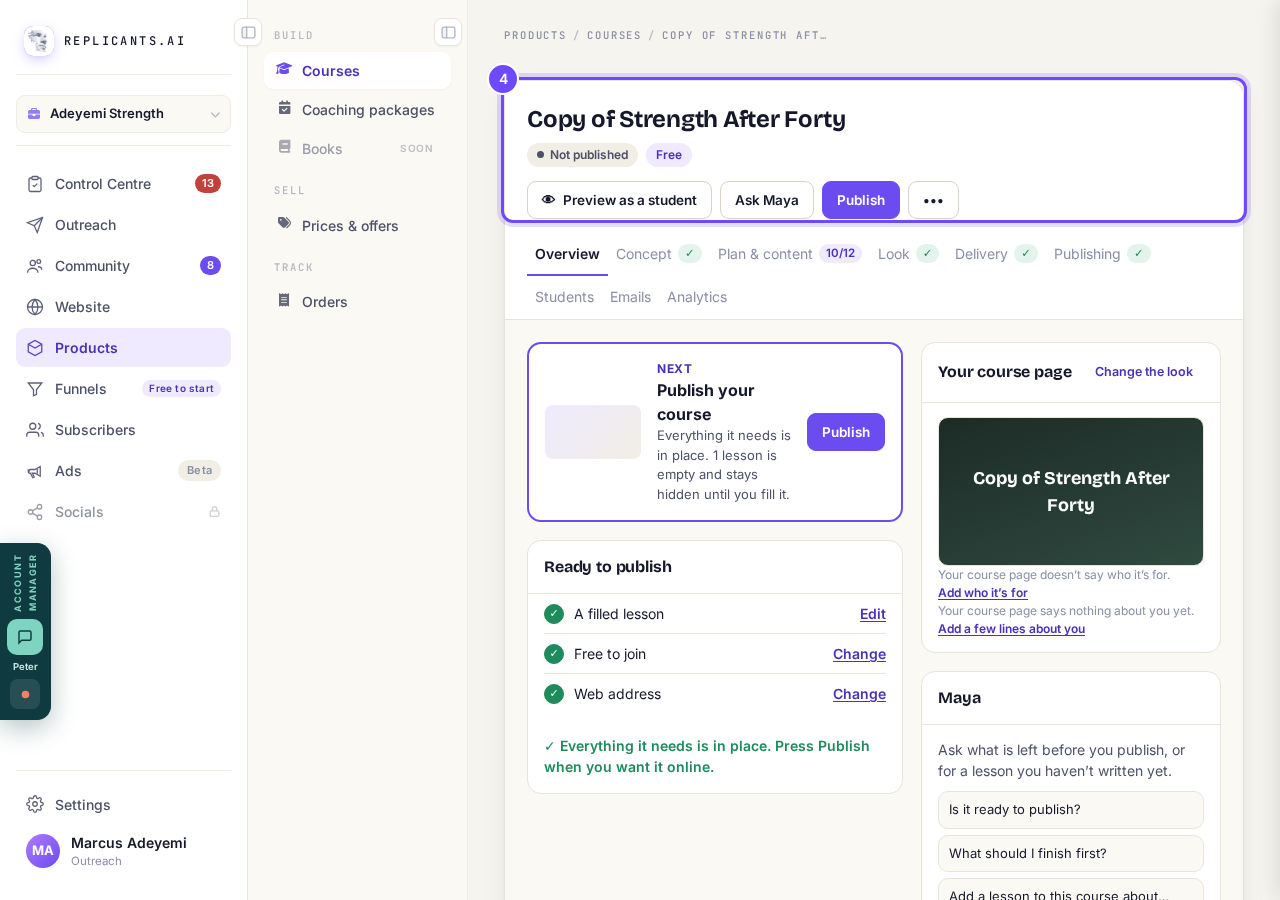
The copy, open in its own course page.


Students, sales and the price stay with the original. The copy is Not published and Free, with its own web address ending in -copy. To sell it, set its price under Publishing and press Publish.
How do I see my course as a student, then put it live?
Related articles
Can I see a real course before I build mine?
Yes. Claire's free course, Small Steps, is a real course you can join as a student in about five minutes.
Can I turn my workbook, notes or recordings into a course?
Yes. Add your workbook, notes, slides or recordings at the start of a new course and Maya reads them; the questions arrive already answered, and your plan is built from them.
How does my course help students finish?
Your course has a tool for students who drift off, get stuck or feel alone, and you switch them all on or off in one place: Delivery, at the top of your course. Looking through them takes about five minutes.