
How do I see my course as a student, then put it live?
Press Preview as a student to see your course the way a student will, then press Publish, and Publish in the box. Your course page goes online at its own address, usually within a minute.
Updated 18 October 2026
Open Products
Press Products in the main menu. On a phone, press the menu button at the top right, then Products, then Courses.
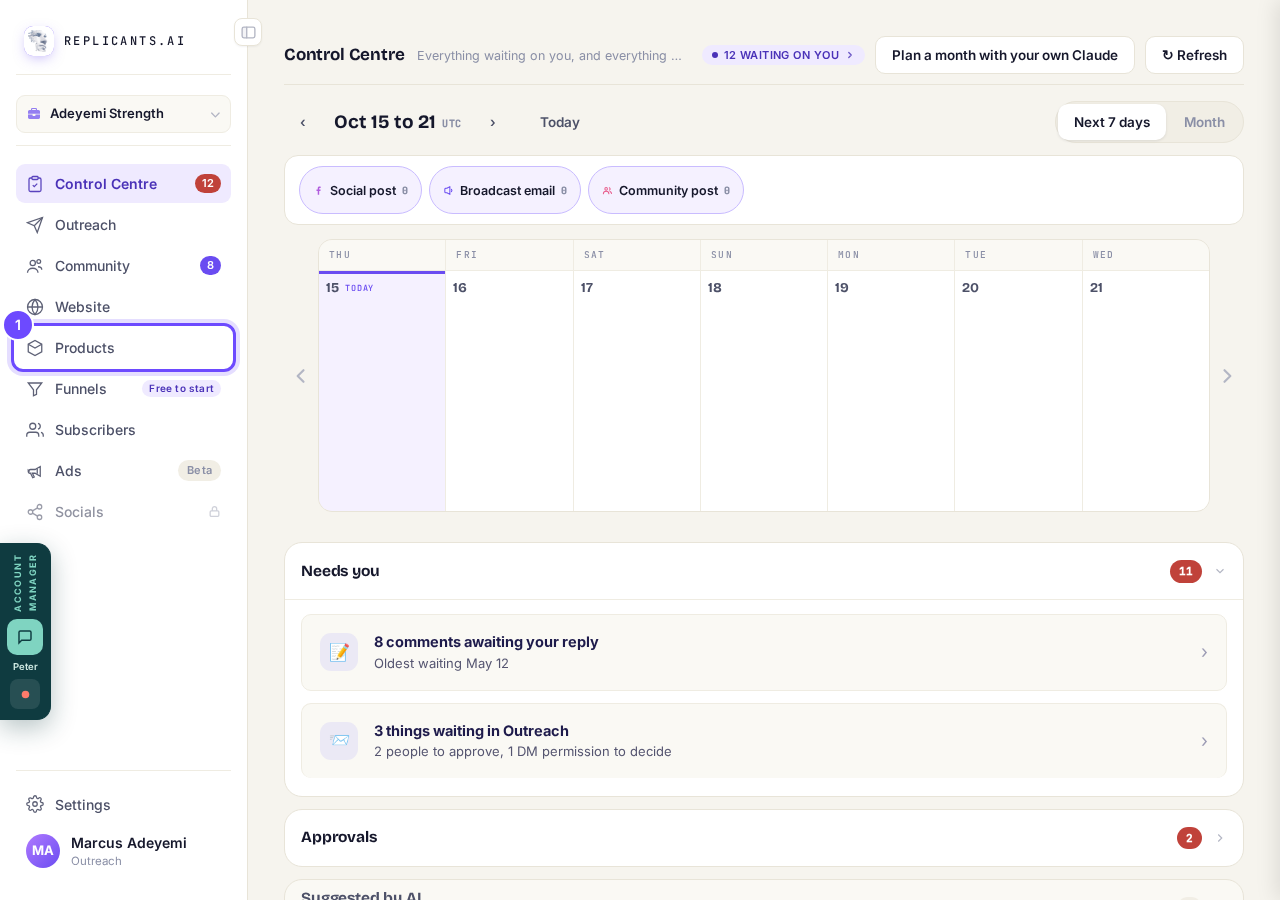
Products, in the main menu (on a phone, then Courses).
Press Manage on your course
A course that is not live yet says Not published on its card.
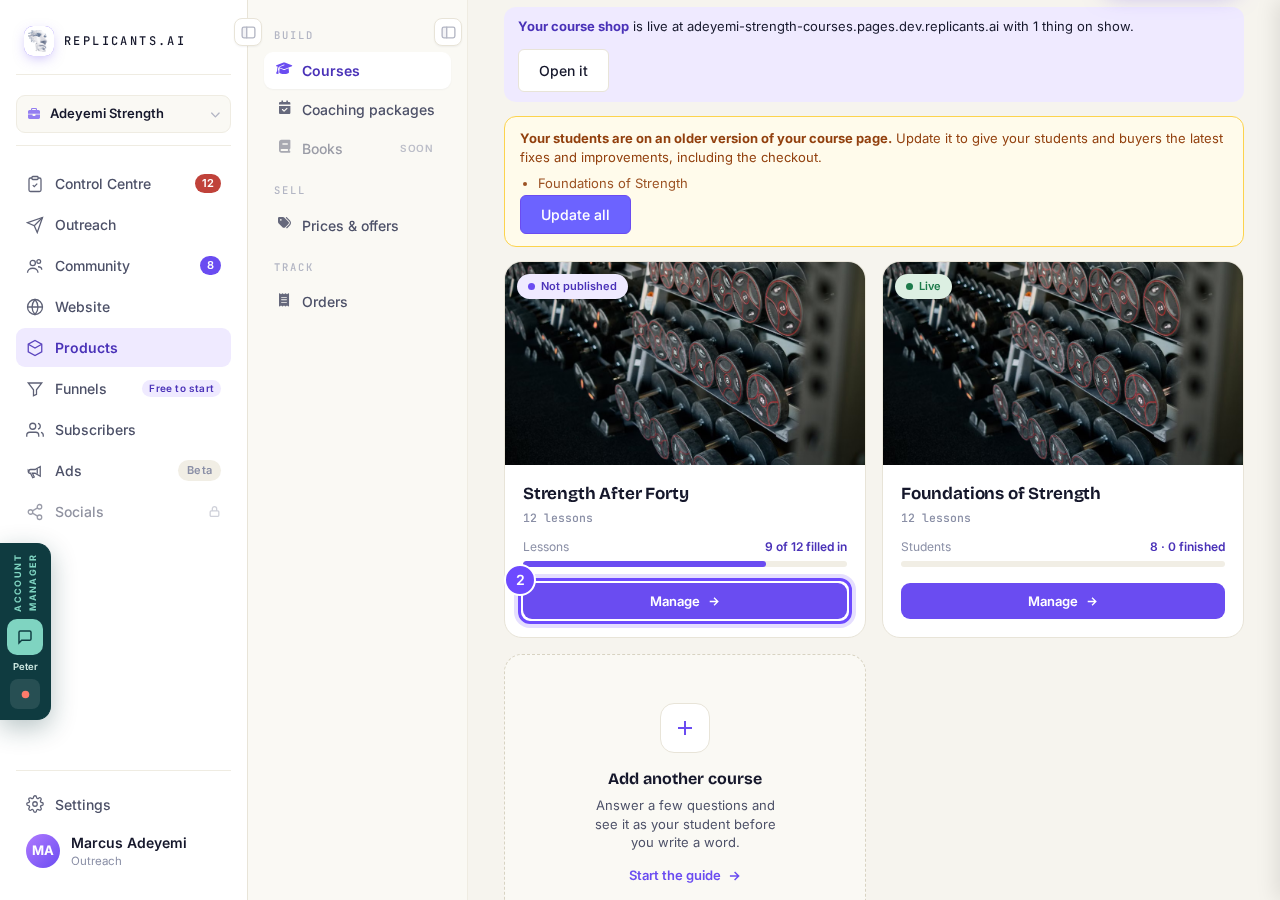
Manage, on the course card.
Press 👁 Preview as a student
It opens your course in a new window; before you publish, nothing you do there is saved.
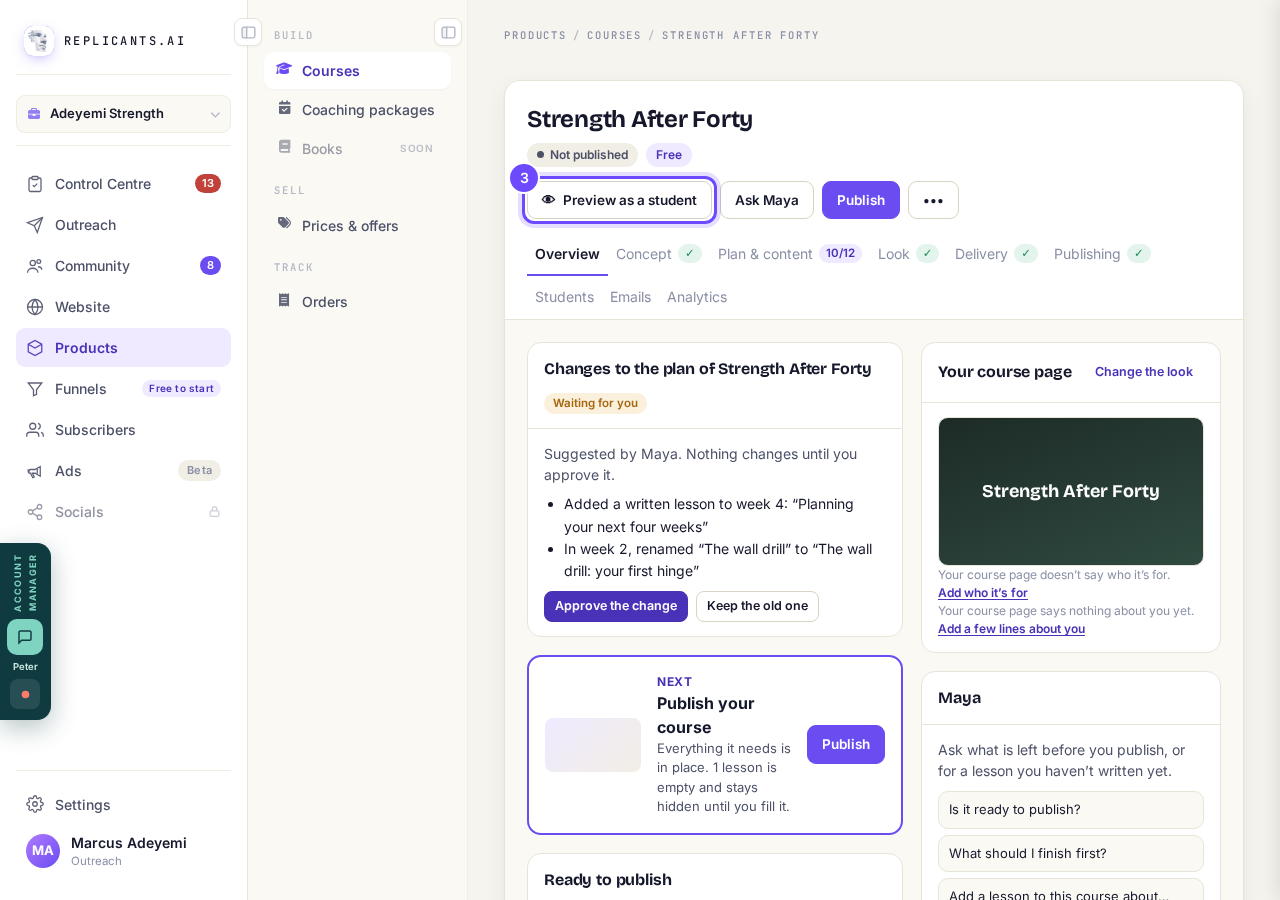
Preview as a student, at the top of the course.
Go through it as a student
Press Join for free (or your price) to open the lessons; Start over in the bar at the bottom clears what you did.
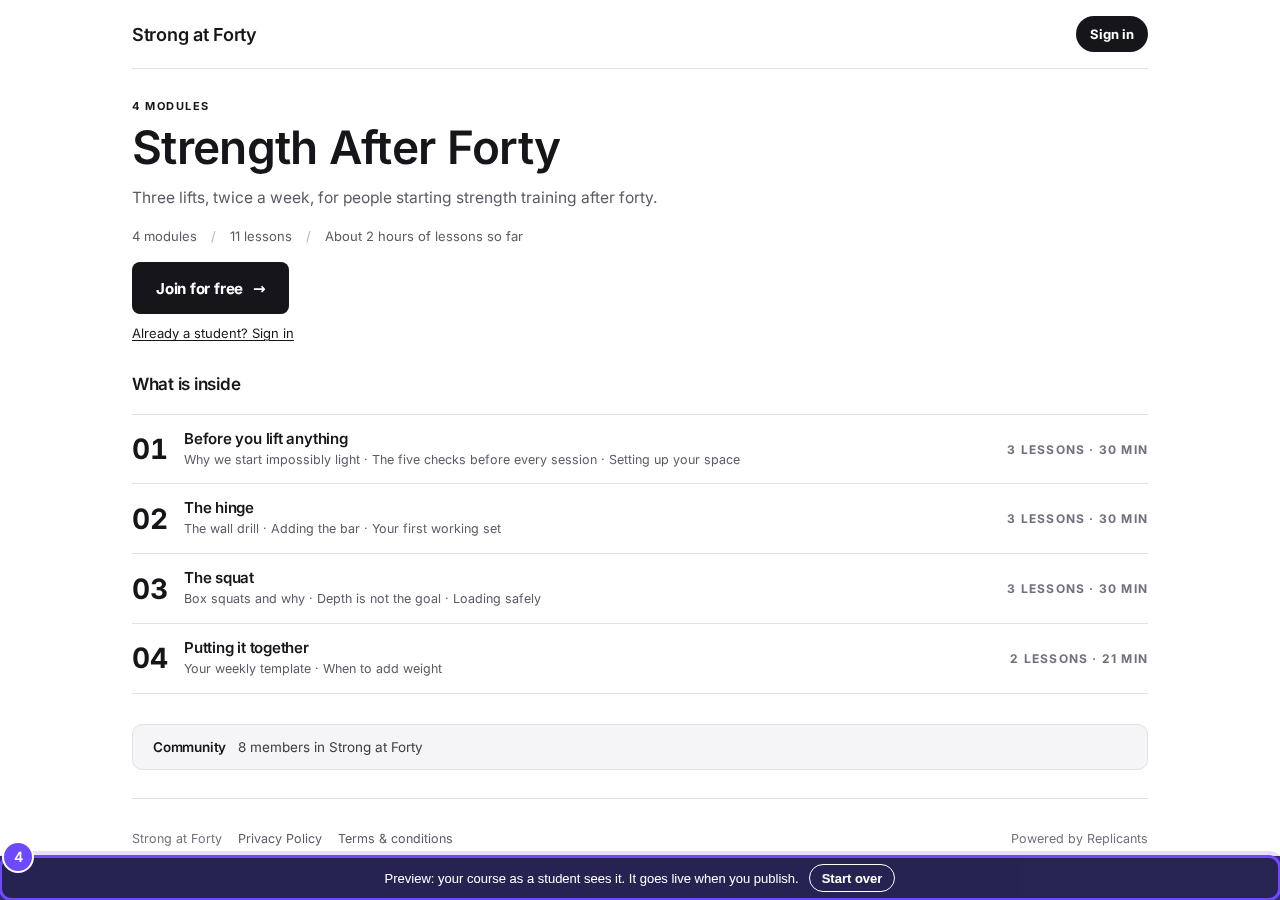
The preview, with its bar at the bottom.
Press Publishing and check the list
Press Publishing near the top (on a phone, slide that row to the left). When every item is ticked it says Ready to publish.
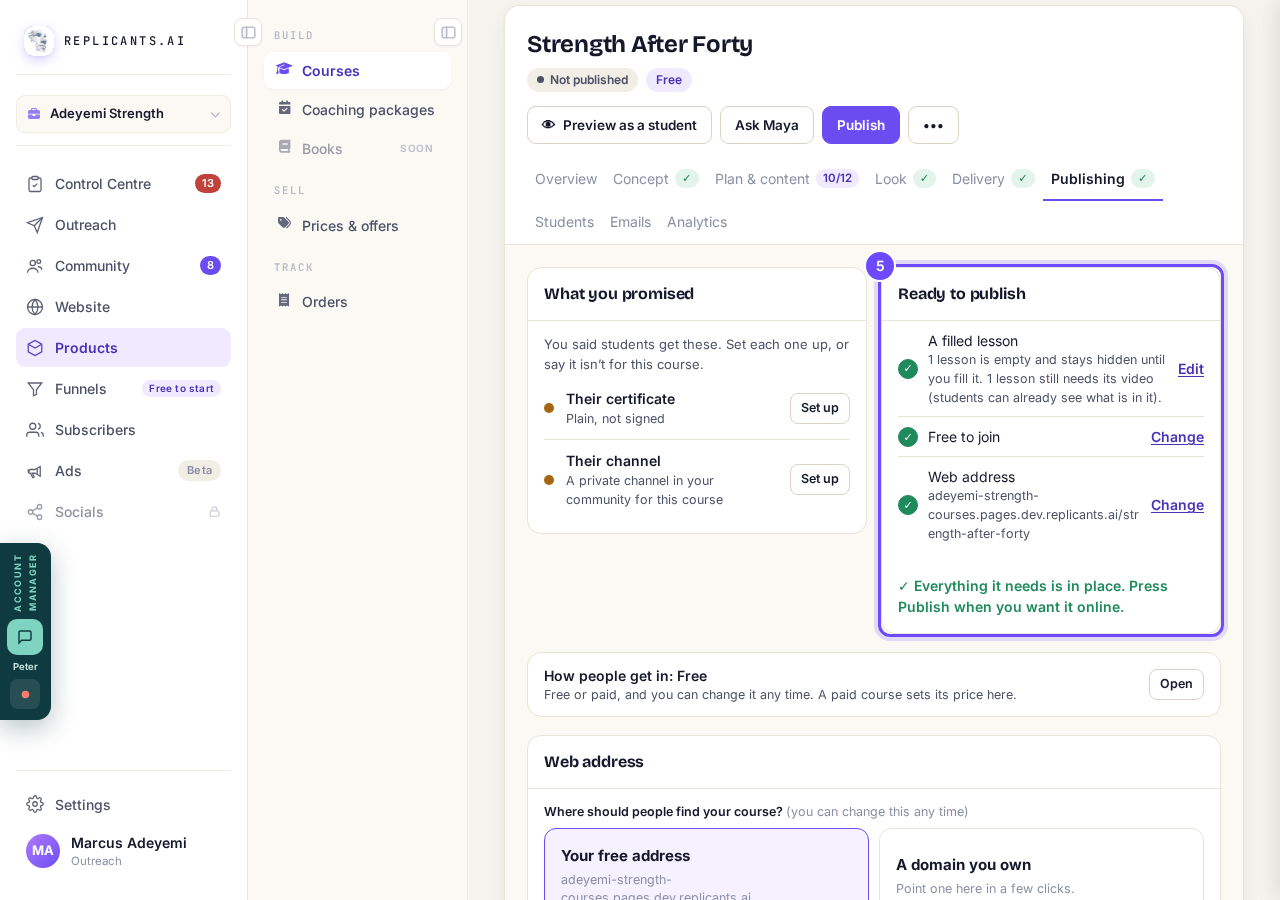
Ready to publish.
Press Publish at the top
It is the purple button beside Ask Maya.
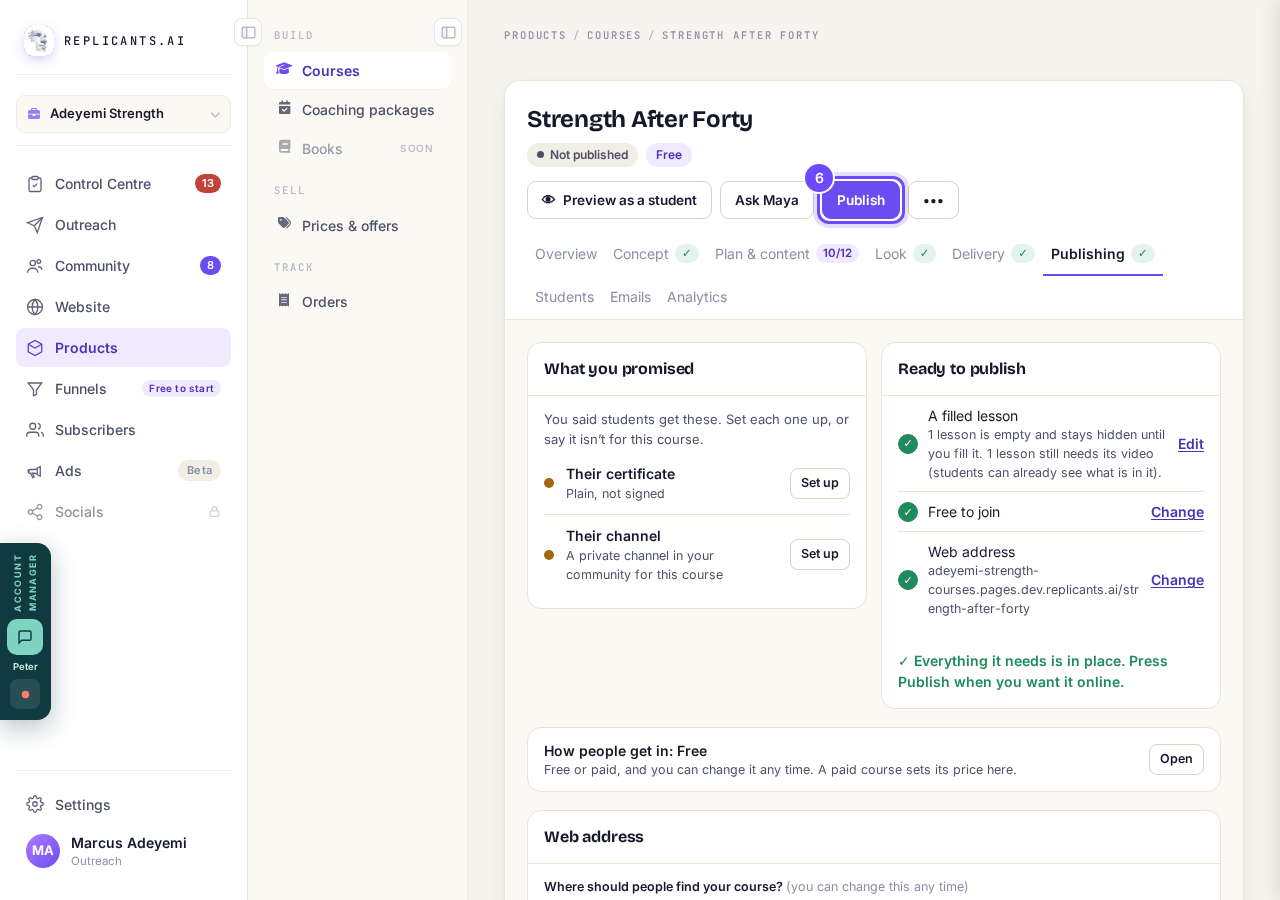
Publish, at the top of the course.
Press Publish in the box
If something you promised is not set up yet, such as a certificate, press Publish anyway or Set them up first.
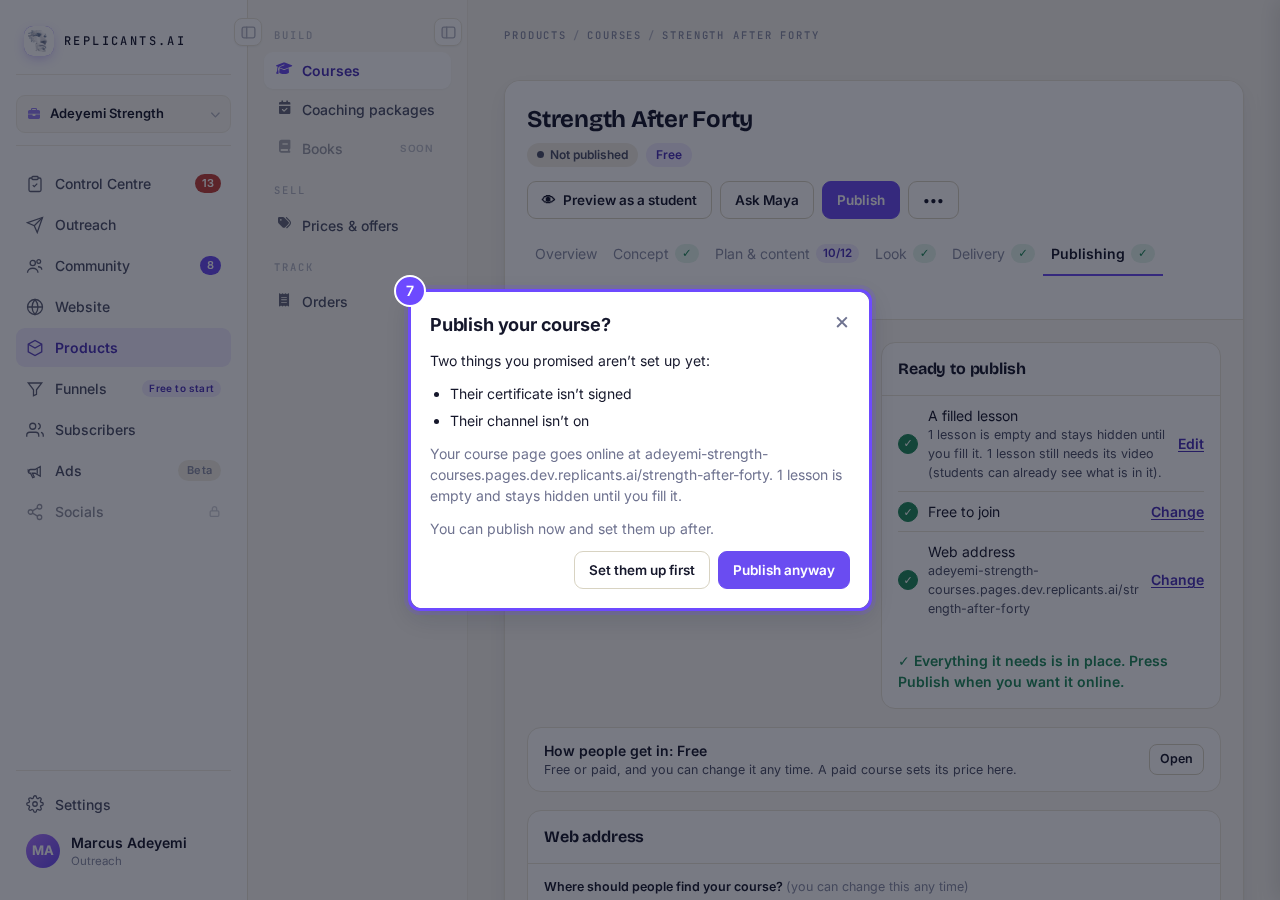
The box, with Publish.


At least one lesson needs something in it, and the button says, for example, Publish 2 to go until the list is done. If you have not confirmed your email address, press the link in that email and your course goes live.
My course says it needs republishing. What do I do?
Related articles
Can I see a real course before I build mine?
Yes. Claire's free course, Small Steps, is a real course you can join as a student in about five minutes.
Can I turn my workbook, notes or recordings into a course?
Yes. Add your workbook, notes, slides or recordings at the start of a new course and Maya reads them; the questions arrive already answered, and your plan is built from them.
How does my course help students finish?
Your course has a tool for students who drift off, get stuck or feel alone, and you switch them all on or off in one place: Delivery, at the top of your course. Looking through them takes about five minutes.