
How do I set a price and take payments for my course?
Choose Paid, type your price and save it, then connect Stripe, the company that takes card payments and pays them into your bank, and press Start selling. About 15 minutes, most of it on Stripe.
Updated 18 October 2026
Open How people get in
Open Products, then Courses, then Manage on your course, press Publishing, and press Open beside How people get in. On a phone, press the menu button at the top right first, and slide the row under the course name left to find Publishing.
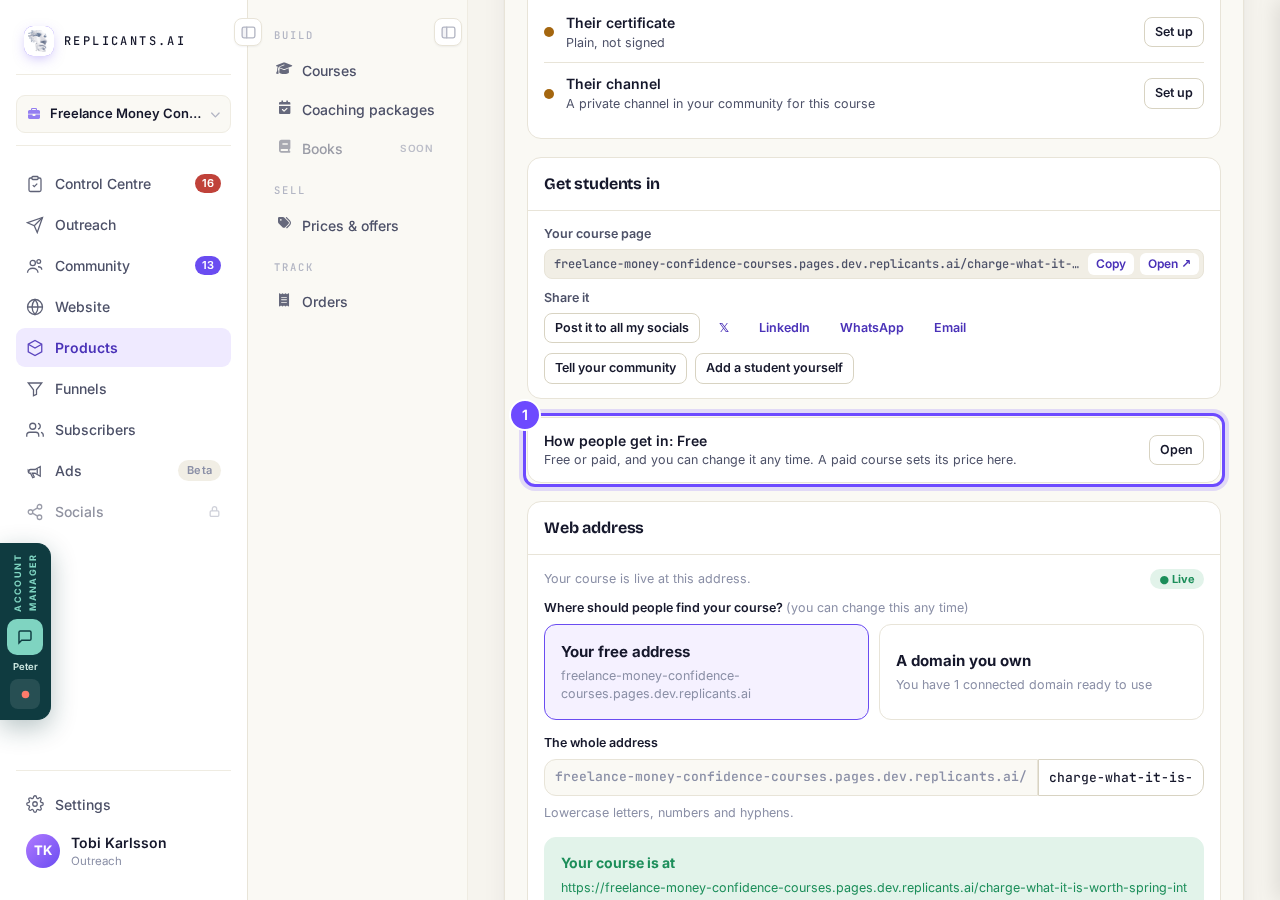
How people get in, on Publishing.
Press Paid
Press Paid to open the place for your price. Nothing is charged yet.
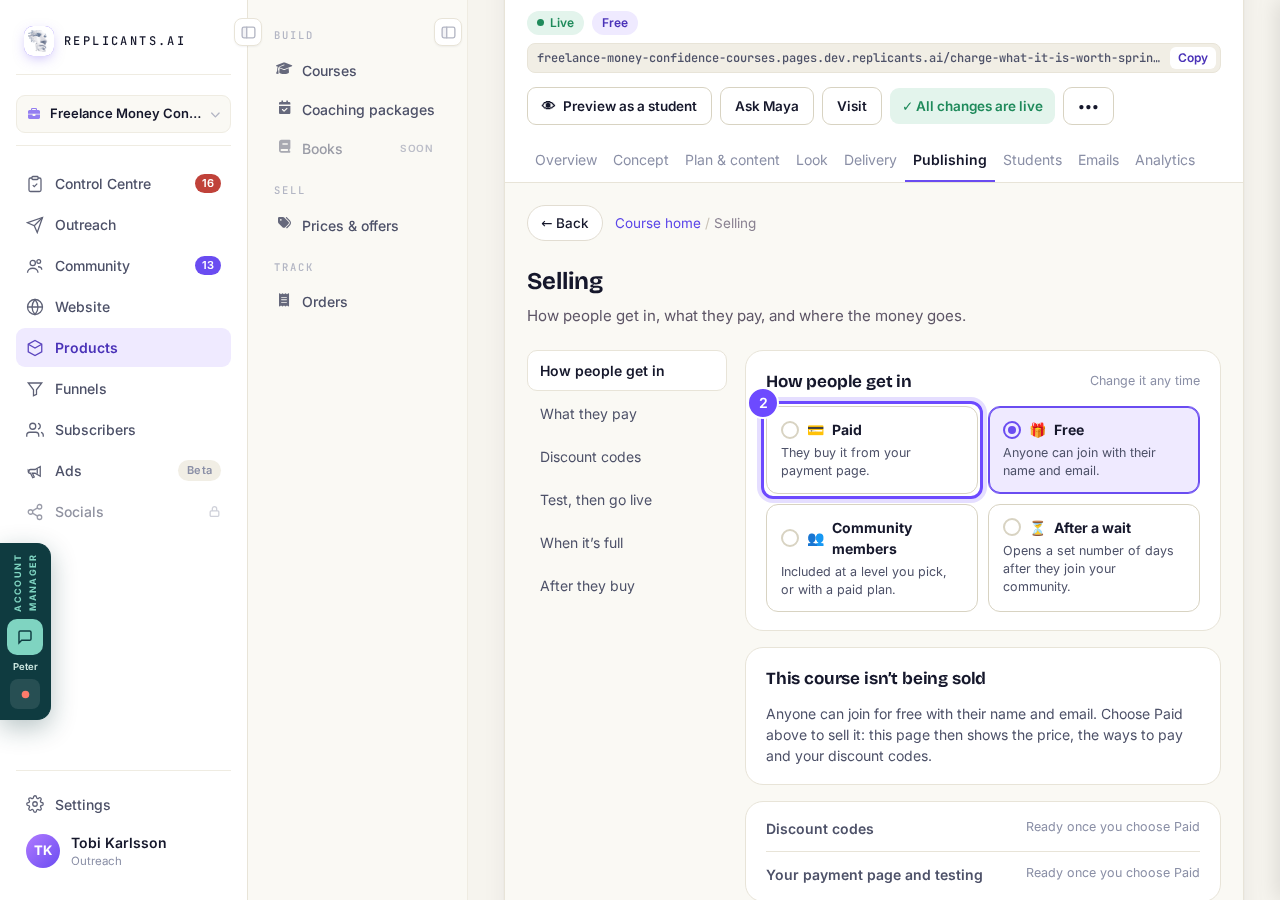
Paid, the first of the four ways in.
Type your price
Type it in Your price and pick the Currency. If Stripe is already connected, you see Price and Start selling at… instead: type your price, press it, and skip to the end.
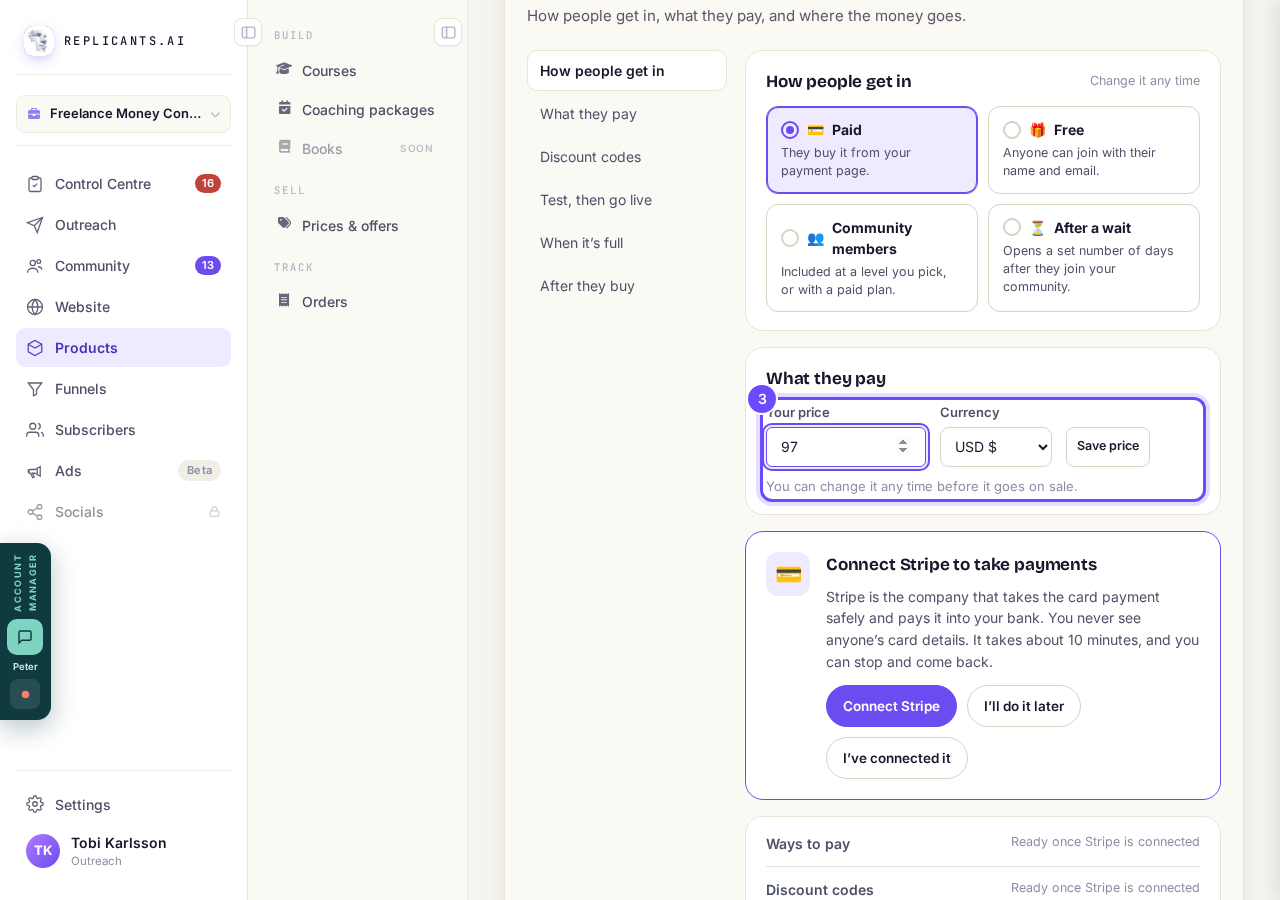
Your price and Currency, under What they pay.
Press Save price
Press Save price, then in Connect Stripe to get paid choose Set it up now or I’ll do it later and press Continue. That box only appears while Stripe is not connected.
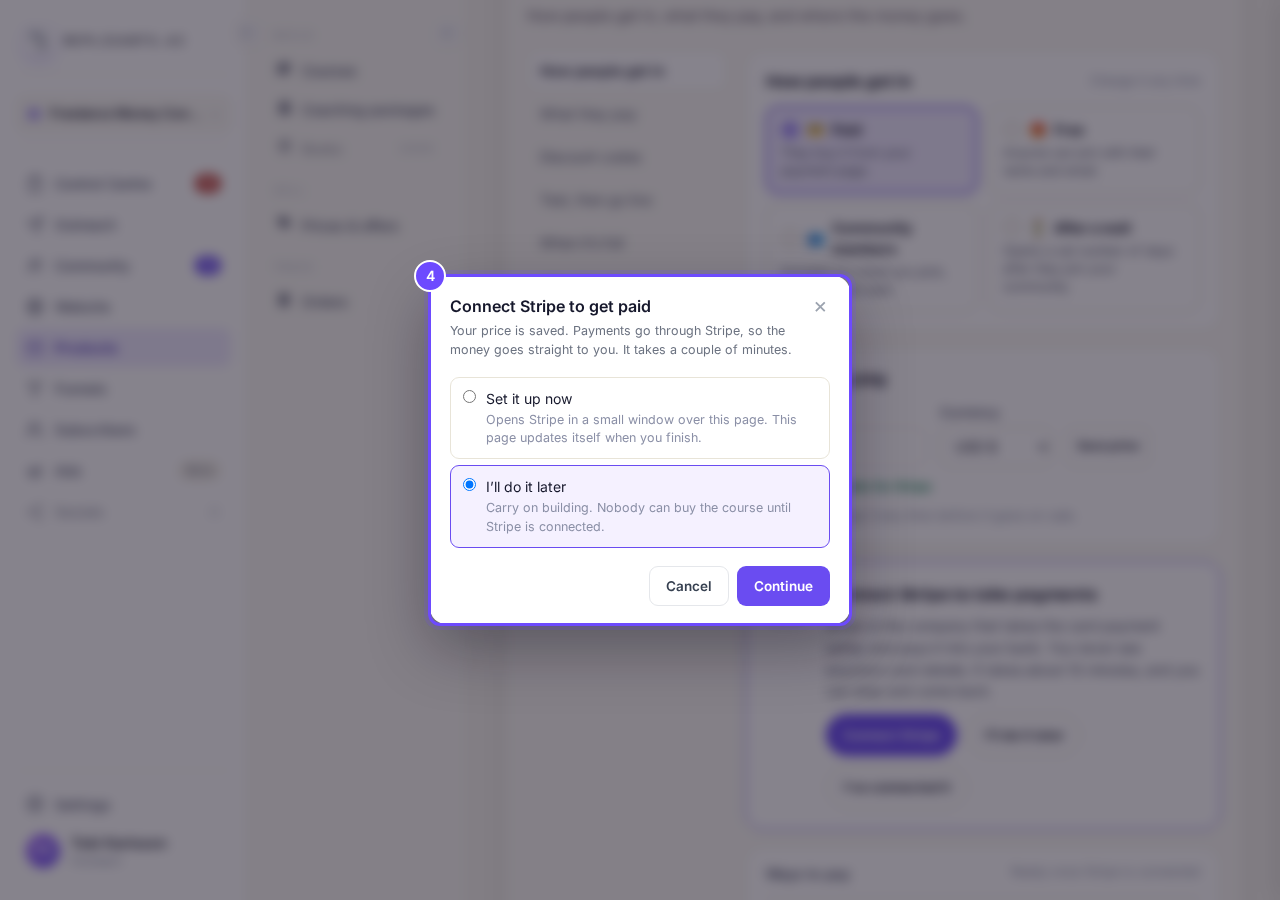
The question about Stripe, after Save price.
Press Connect Stripe
Press Connect Stripe and follow Stripe’s steps in the small window over the page. It takes about 10 minutes, you can stop and come back, and nobody can buy the course until it is connected.
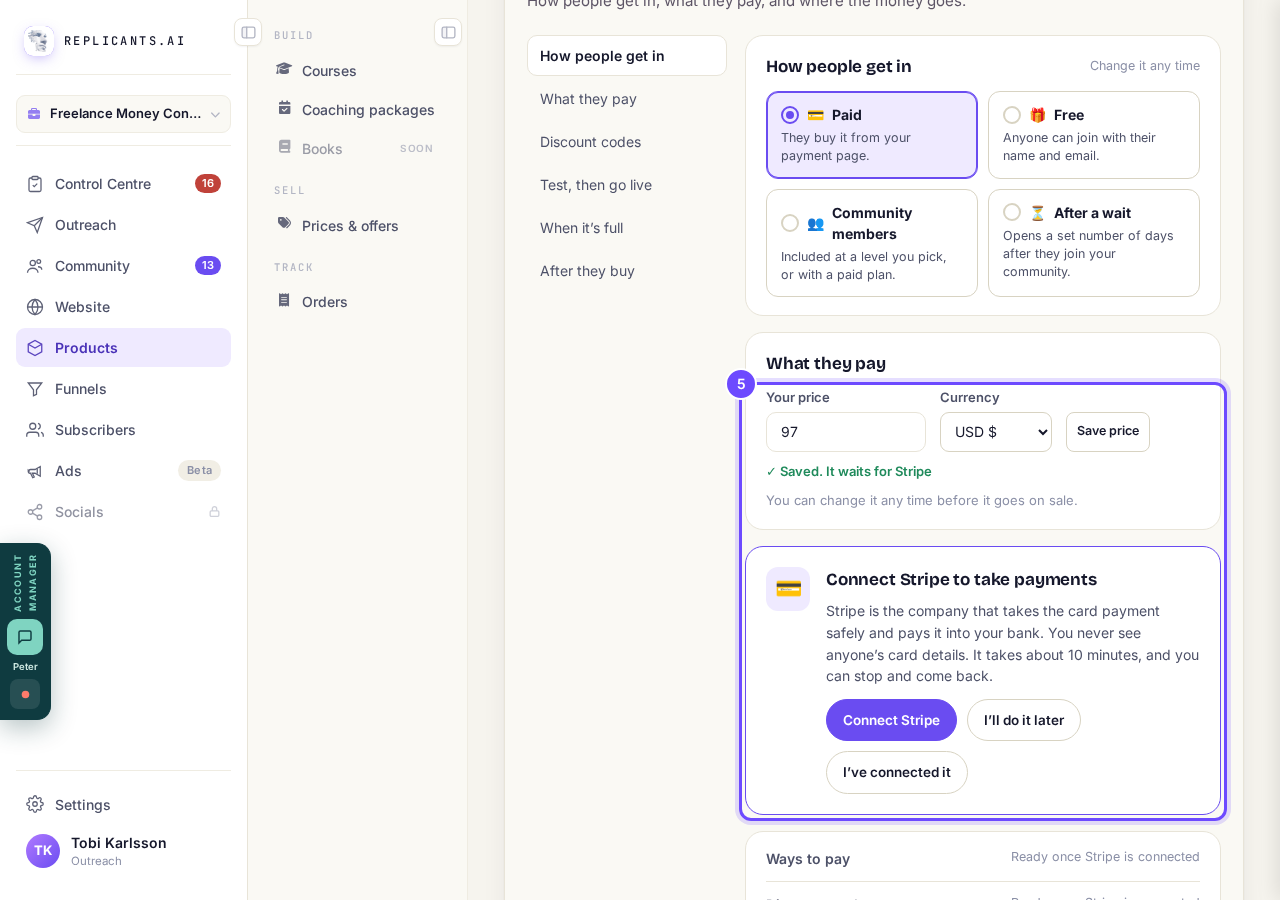
Saved, waiting for Stripe, with Connect Stripe underneath.
Press Start selling
Press the button that shows your price, for example Start selling at $97, once the page updates to show Stripe is connected. If the page has not changed, press I’ve connected it.
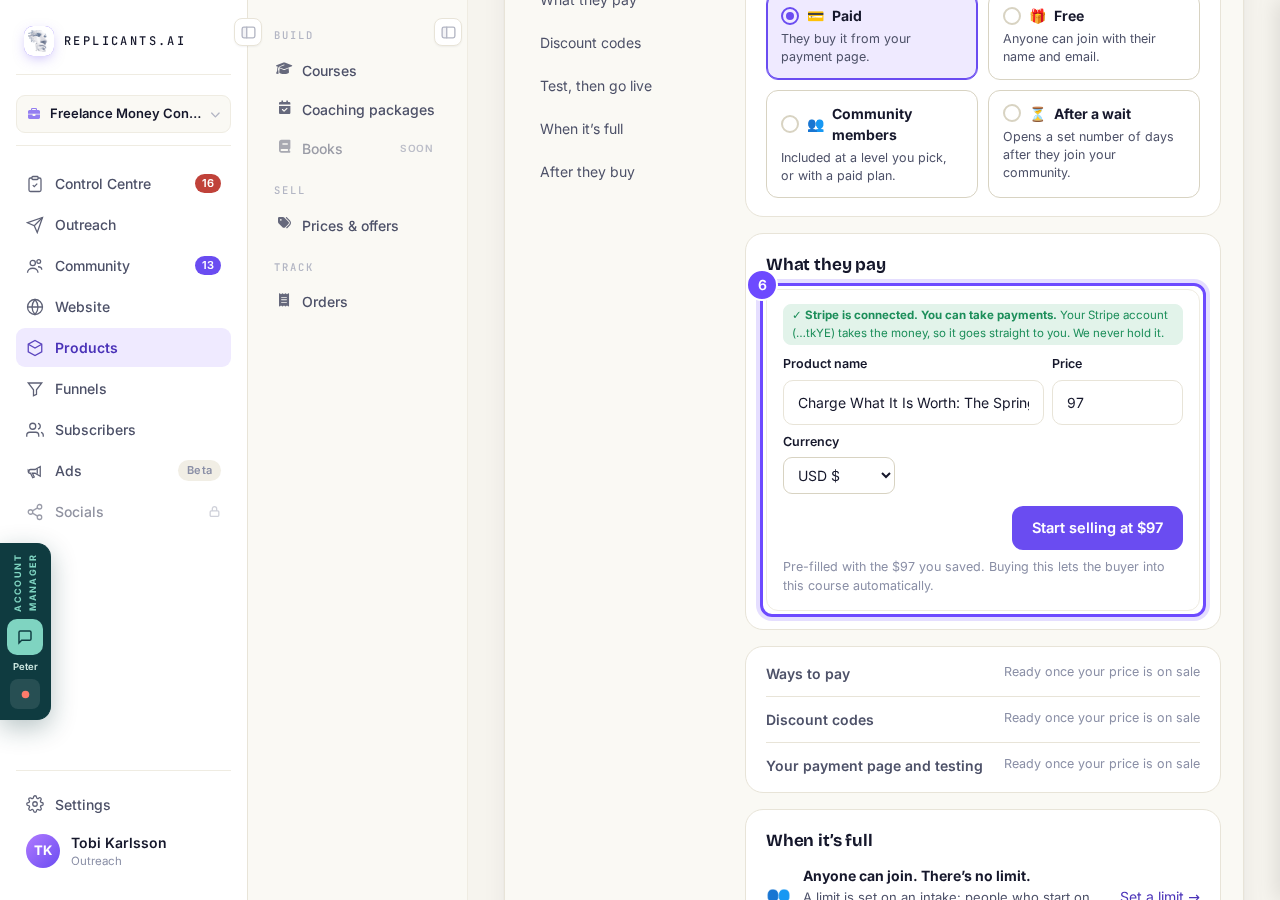
Start selling, with the price you saved already filled in.


After you start selling
Where does the money go?#
Straight to your Stripe account, which Test, then go live names under Your payment page.
How do I change the price later?#
Under What they pay, press Change in Products →.
Until you switch to real payments, nobody is charged and your payment page shows a TEST MODE banner. See How do I test my payment page, then take real payments?.
How do I let people pay in instalments or by subscription?
Related articles
Can I see a real course before I build mine?
Yes. Claire's free course, Small Steps, is a real course you can join as a student in about five minutes.
Can I turn my workbook, notes or recordings into a course?
Yes. Add your workbook, notes, slides or recordings at the start of a new course and Maya reads them; the questions arrive already answered, and your plan is built from them.
How does my course help students finish?
Your course has a tool for students who drift off, get stuck or feel alone, and you switch them all on or off in one place: Delivery, at the top of your course. Looking through them takes about five minutes.