
How do I set up an automation?
An automation does something when something happens, like adding everyone who gets a tag to a sequence. It's one straight line of steps.
Updated 1 October 2026
Press + New automation
Open Subscribers, then Automations. Press + New automation, type a name and press Create automation.
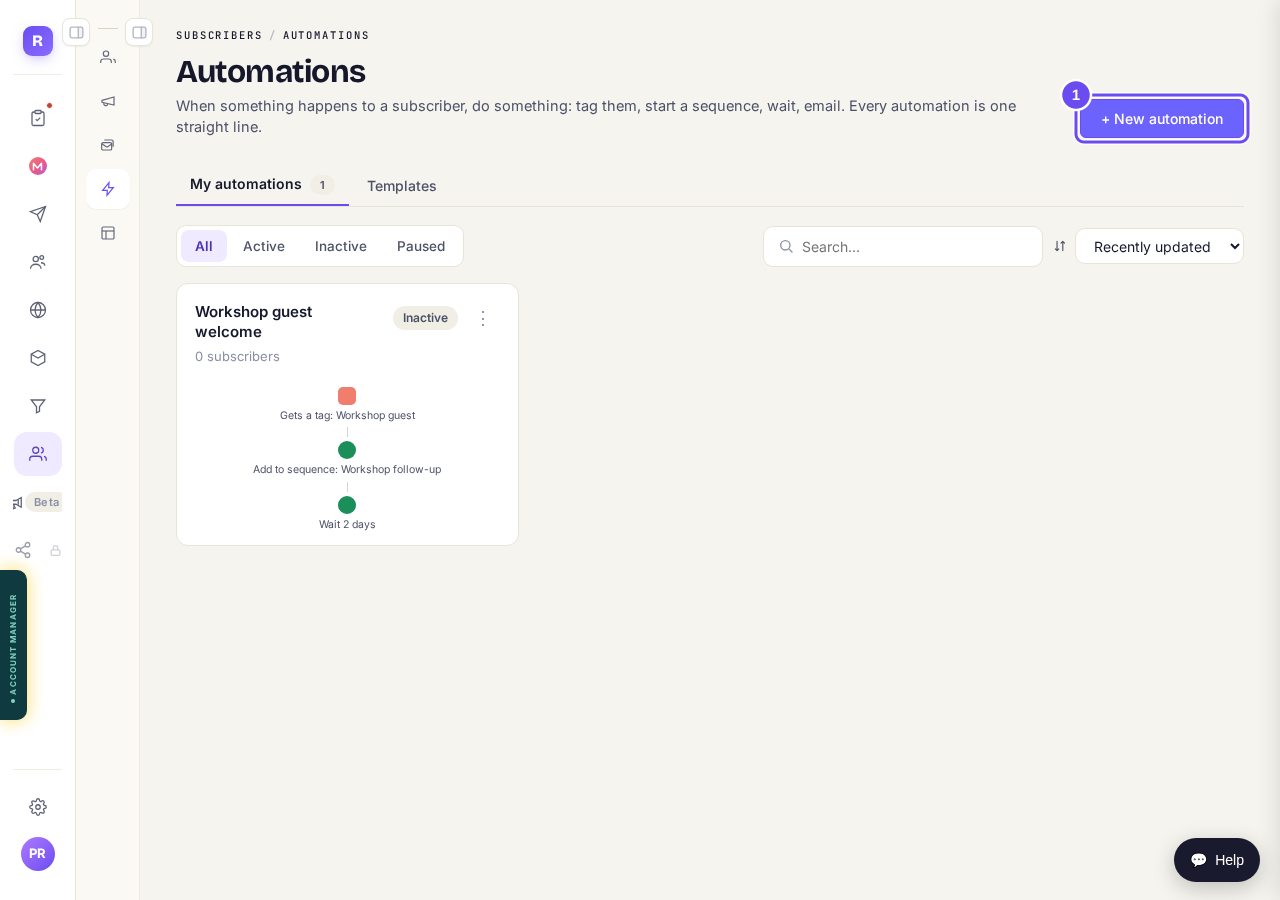
Your automations, and the + New automation button.
Take me thereChoose what starts it
Pick what starts it under When…, such as Gets a tag. Choose which tag or form, then press Save.
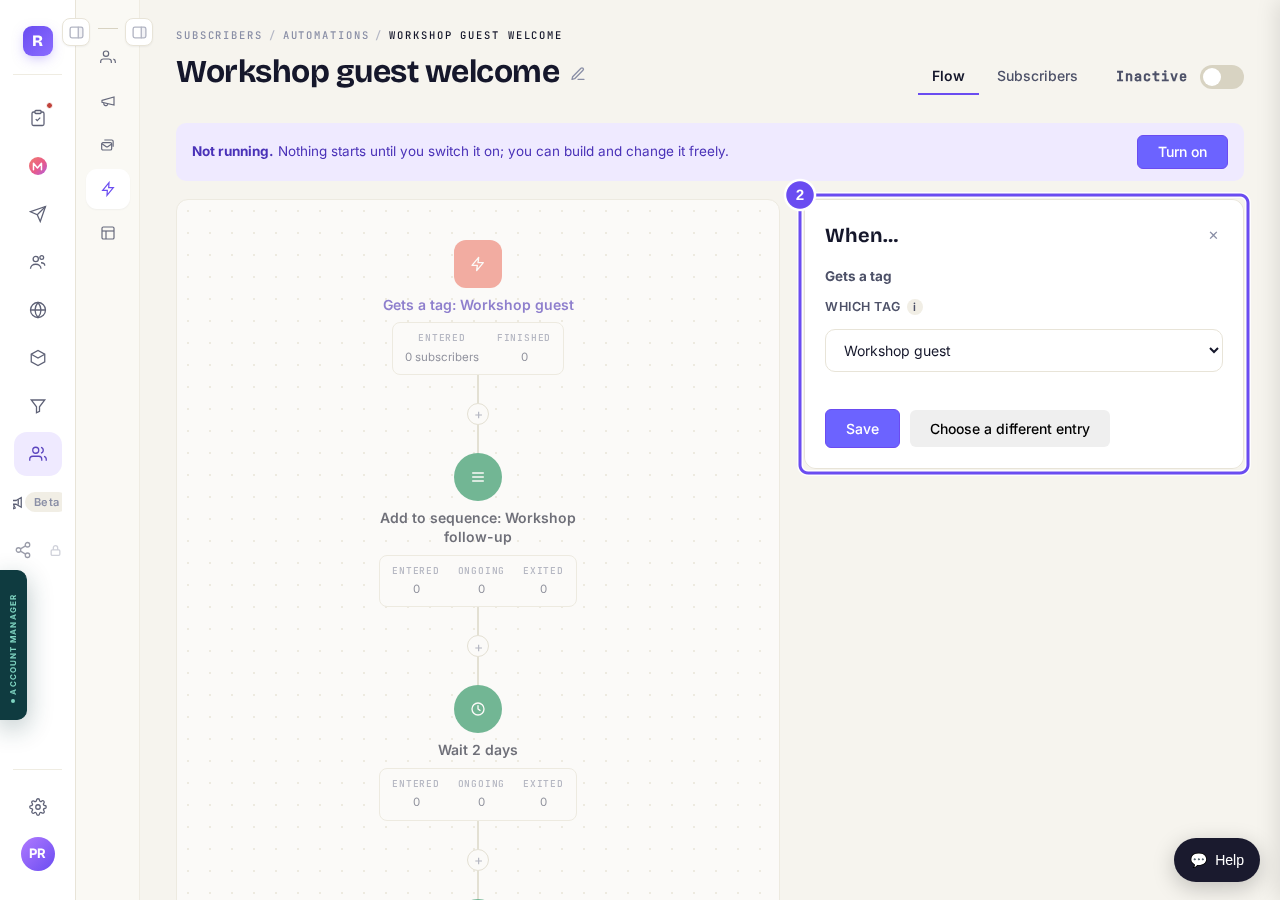
What starts it: here, getting the tag Workshop guest.
Add the steps that follow
Press the + under a step. Pick one, like Add to sequence or Wait, fill it in and press Add step.
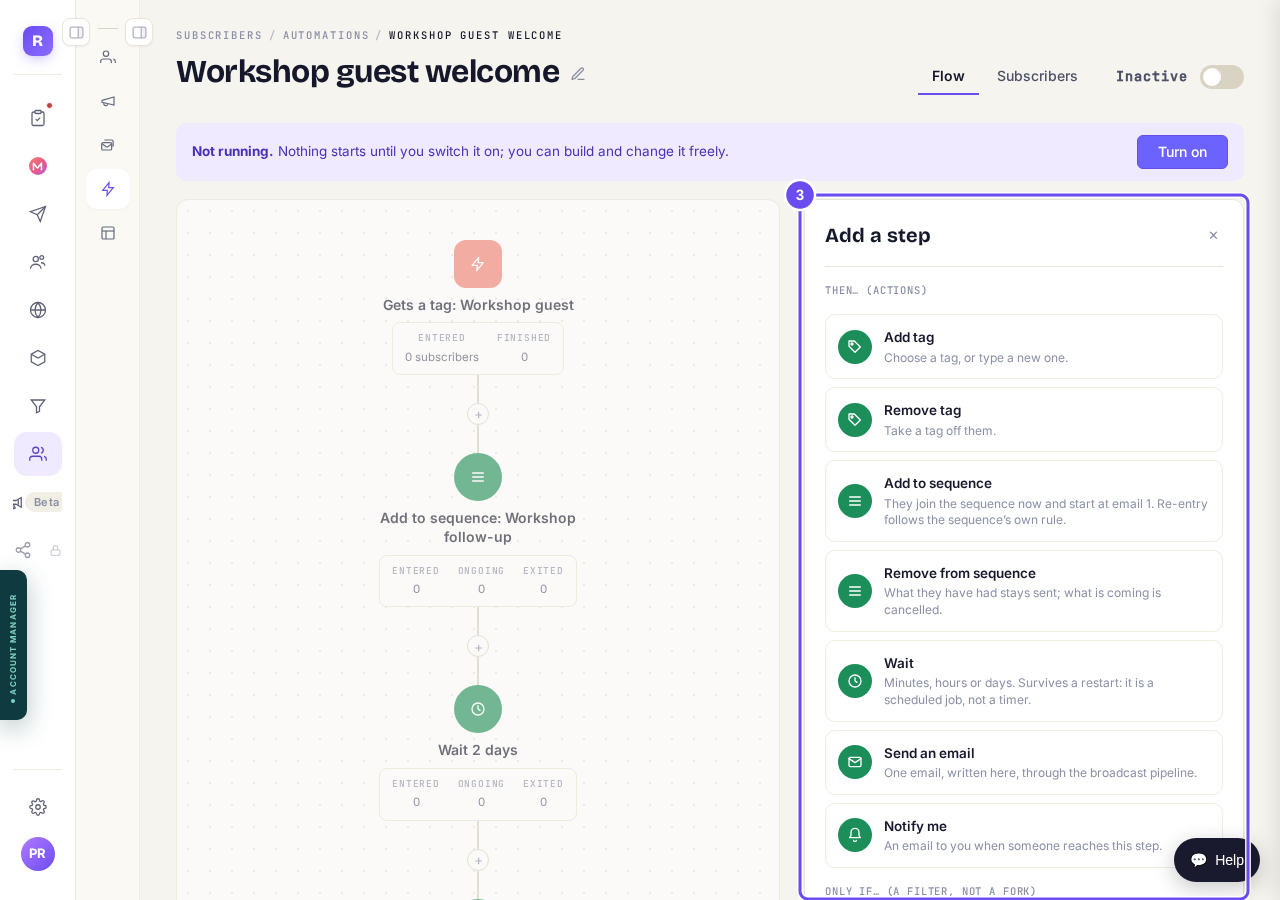
The steps you can add.
Check the line of steps
Read it from top to bottom. Press any step to change it.
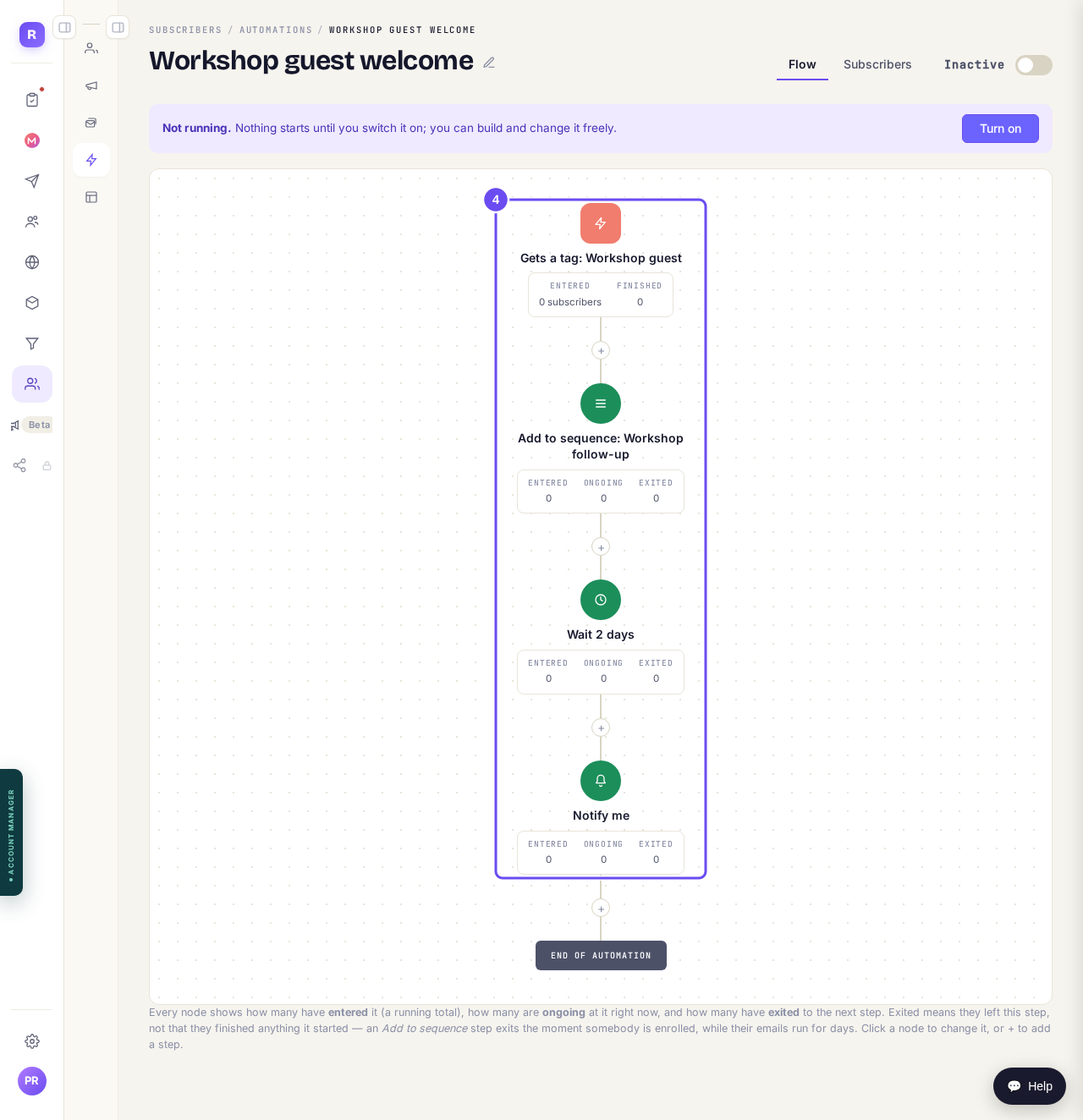
Each step, in the order it happens.
Press Turn on
It's at the top of the automation. From then on it runs for everyone who does what starts it.

Turn on, on an automation that's still off.
Take me there


How do I set up an email sequence?
Related articles
Can a sequence run without a tag, started by an automation instead?
Yes. Set the sequence to Used in an automation only, and an automation's Add to sequence step puts people in. No tag needed. About two minutes.
Can I send a broadcast again, or use it as a starting point?
Yes. Press ••• on the broadcast, then Duplicate. A copy opens as a draft with the same subject and words, ready to change and send. About a minute.
How do I choose what time of day my emails arrive?
When you send a broadcast you can spread it over a few hours, and let each person get it at the time they usually read their email. It is all on the last screen, Schedule.