
What does a student see when they open my course?
Every student gets My course, their own page for your course, with the next lesson one press away. To see it yourself, press Delivery, then Open beside Preview as a student; it takes about a minute.
Updated 18 October 2026
Press Open beside Preview as a student, under My course
It is on the Delivery screen at the top of your course, and opens on a page of its own with a purple PREVIEW label at the top.
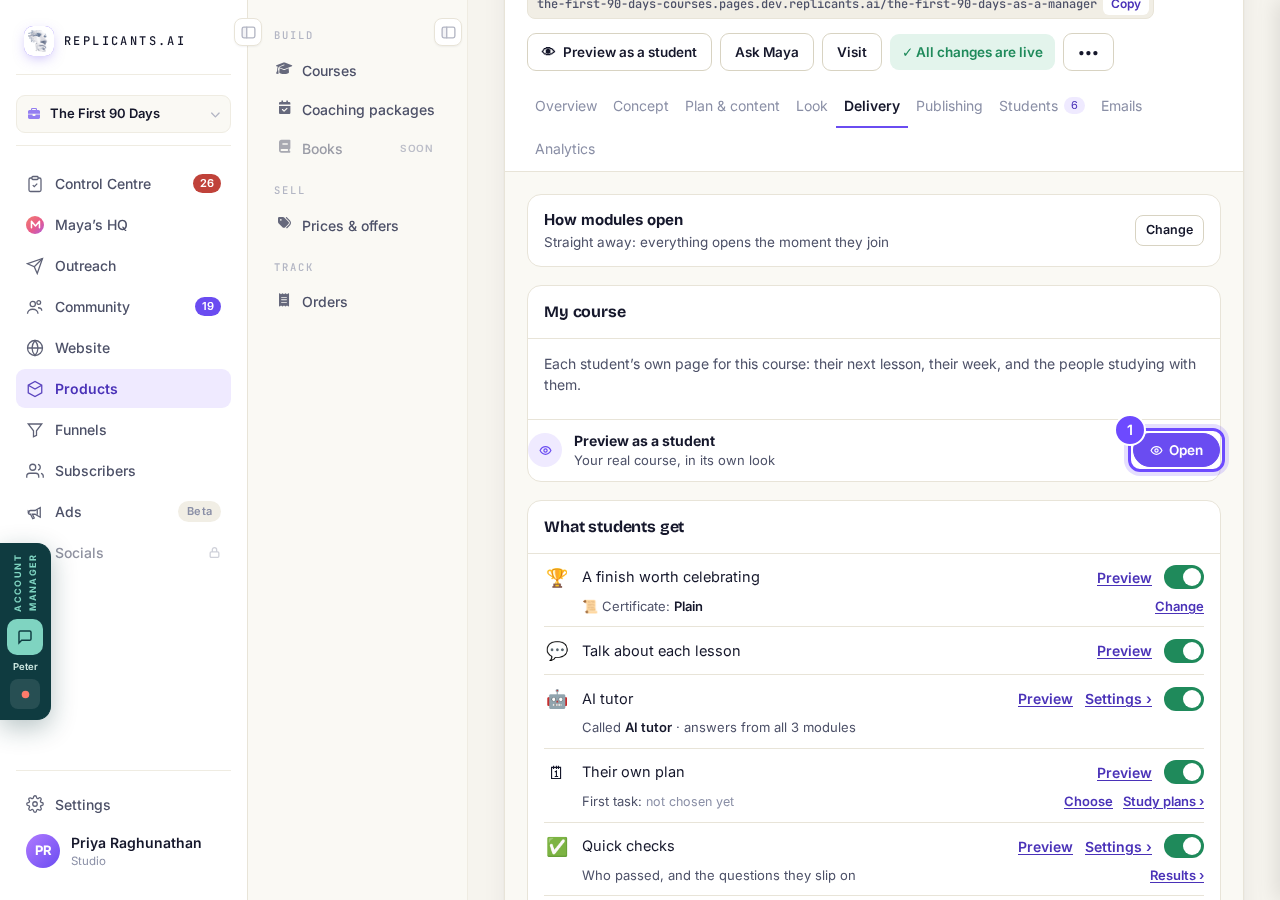
My course, with Preview as a student and Open.
See where they are and what is next
The top shows a ring with lessons done, On track when they keep to their plan, and one button to Start or Continue the next lesson.
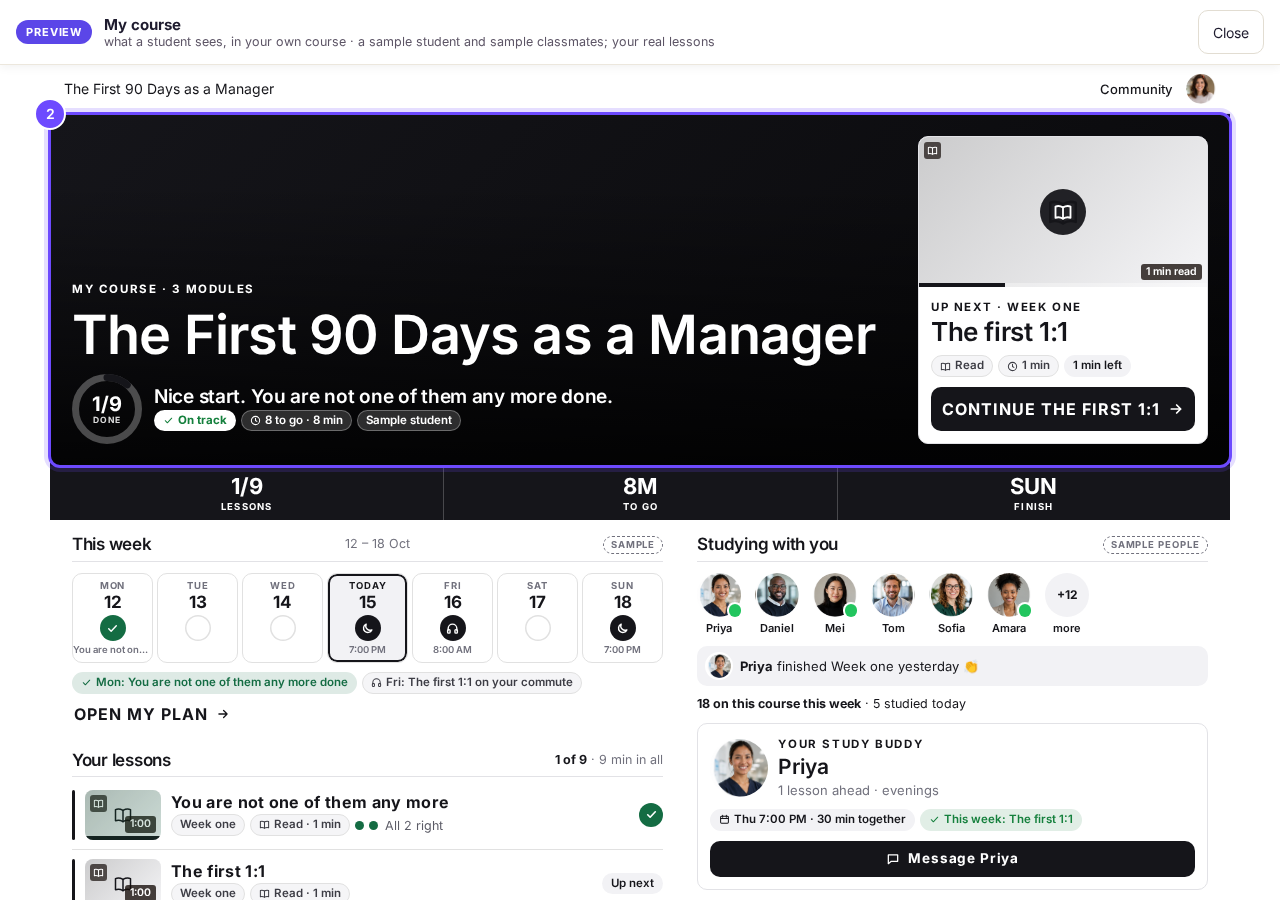
The top of My course: the ring, On track, and the next lesson.
See their week
This week shows the days they planned to study, once Their own plan is on and they have made a plan.
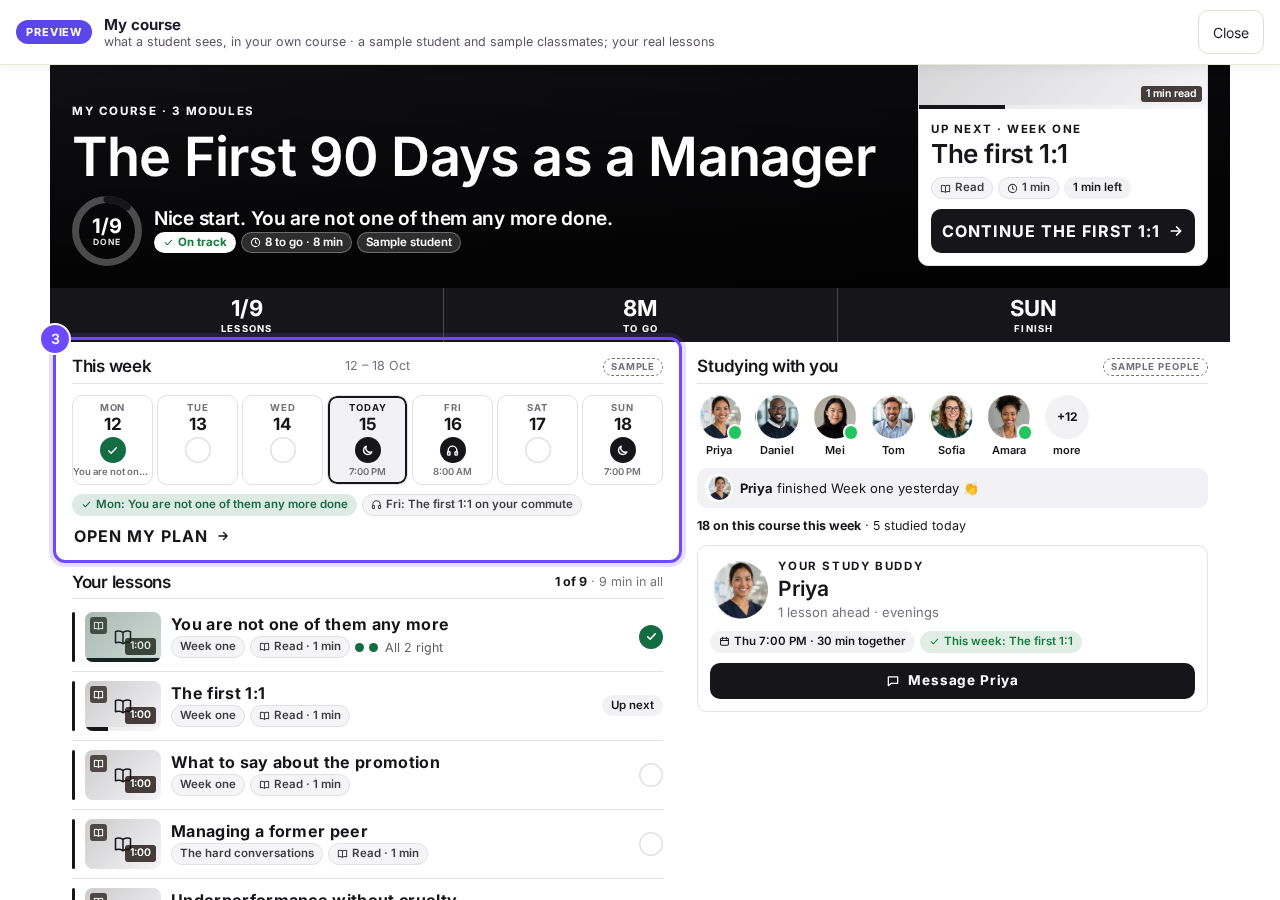
This week, from their own plan (sample student).
See who is studying with them
Studying with you shows others on the course, their study buddy if they have one, and you.
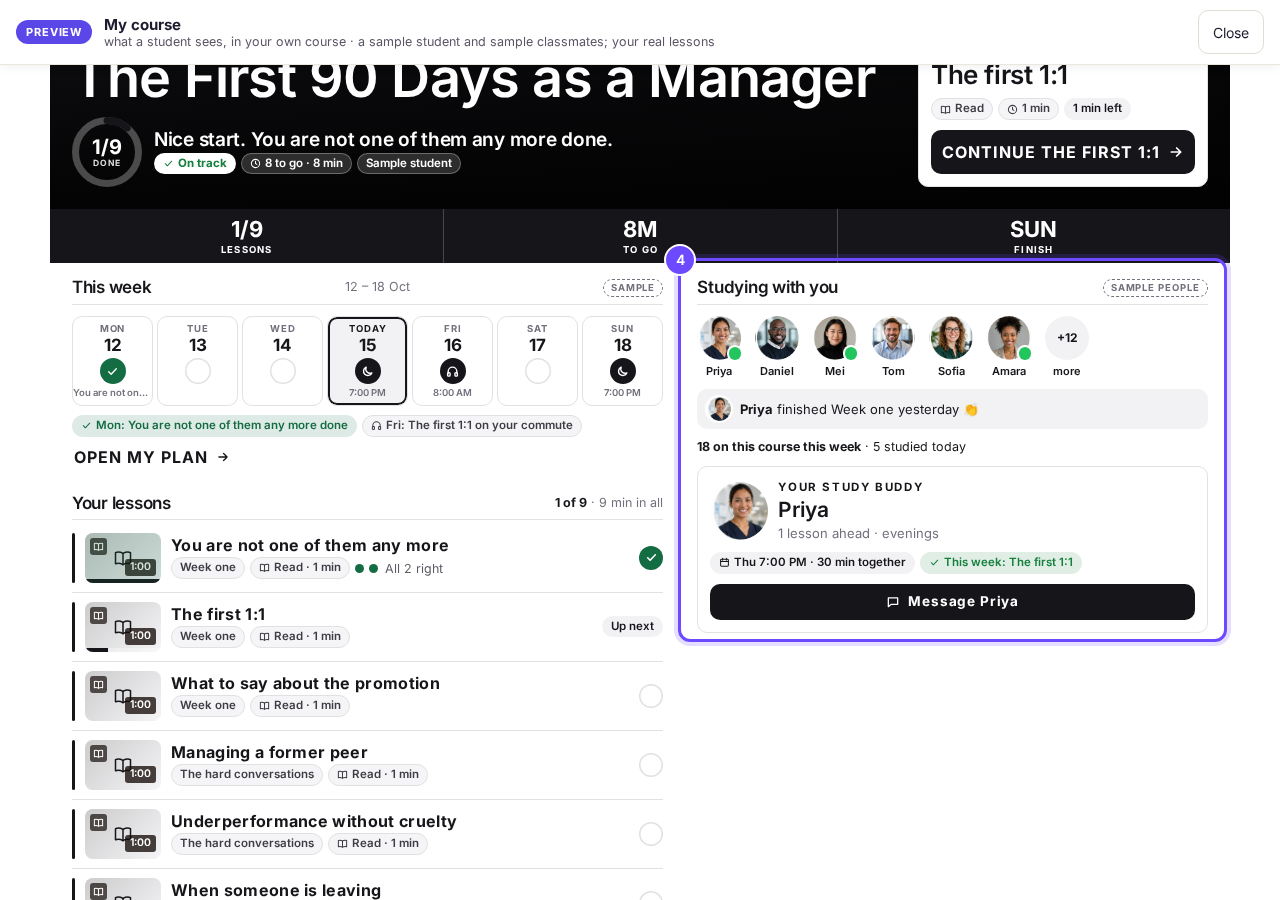
Studying with you (sample classmates).
See every lesson in order
Your lessons shows a tick on each lesson done, Up next on the next one, and a padlock and date on any not yet open.
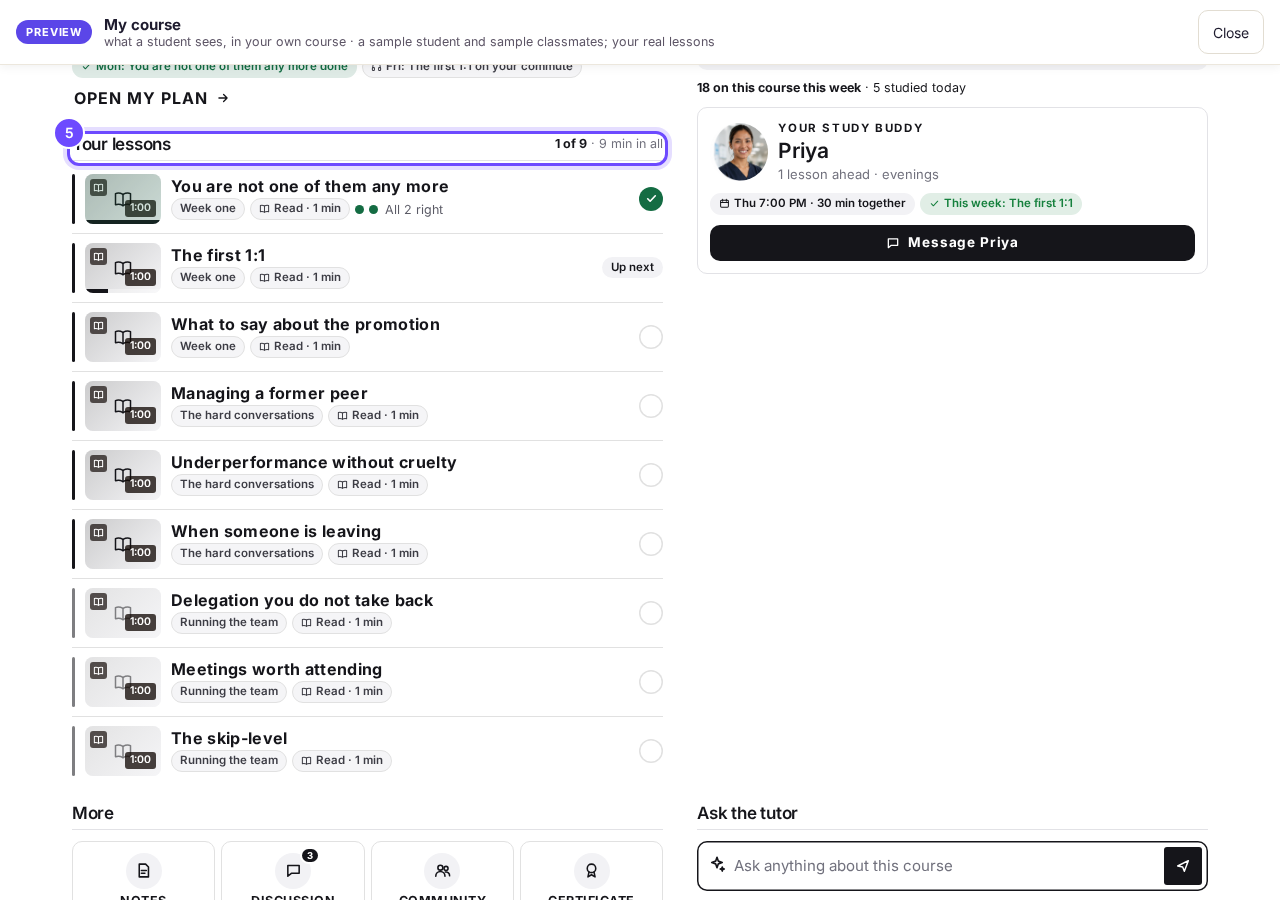
Your lessons.
See the extras
More holds Notes, Discussion, Community and Certificate, and Ask the tutor sits beside it when the AI tutor is on.
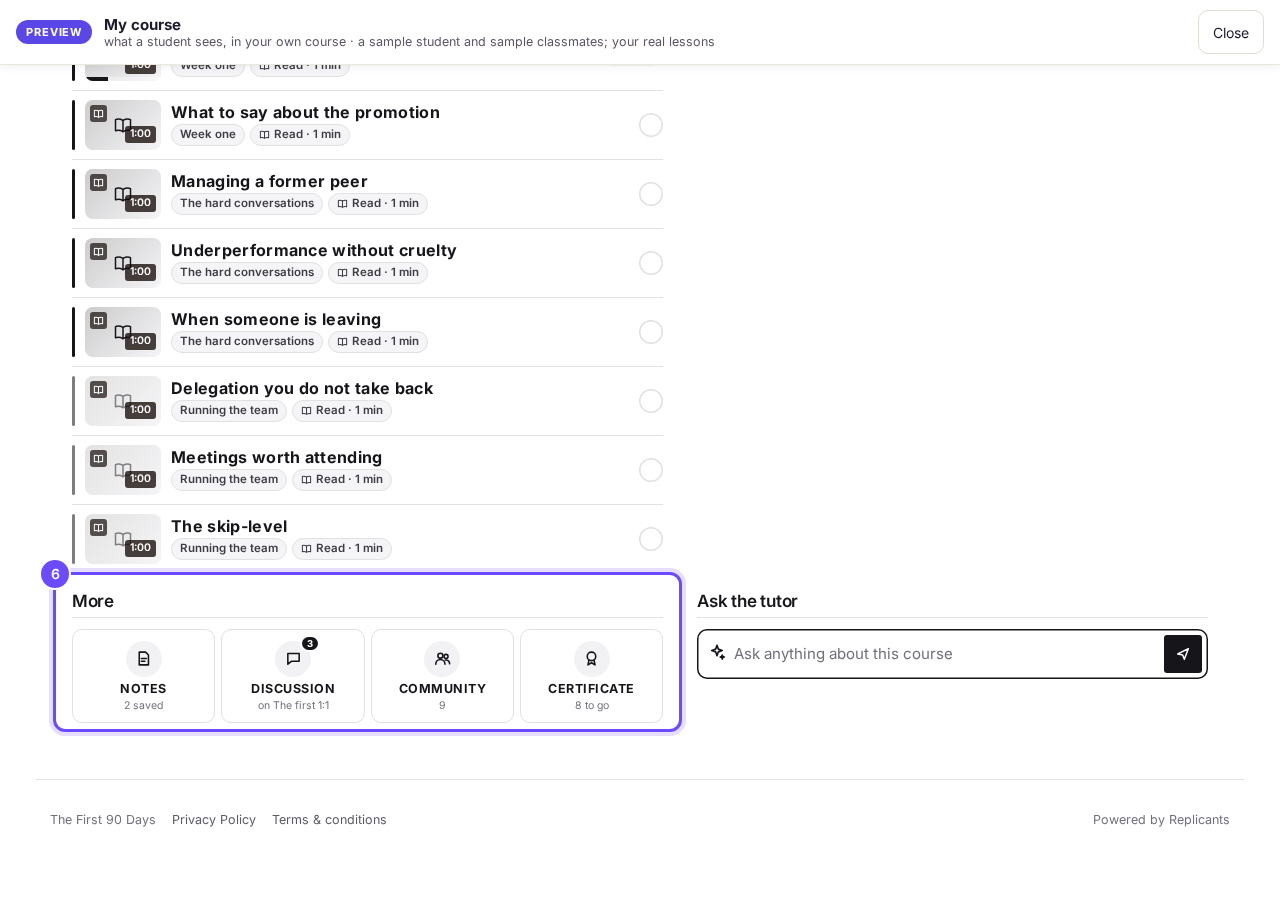
More, and Ask the tutor.


Questions
How does a student finish a lesson?#
They press ✓ Mark as done at the end of it, with Up next under it. A video counts as done by itself at 90%.
Can I see a real course as a student?#
Yes: open Small Steps as a student, a free course on our demo community.
Parts of My course appear only when their tool is on, and Welcome back appears only for a real student away a day or more, so the preview never shows it. If the top of your course shows Publish changes, press it once. That brings your students today's tools and anything you have changed on your course page.
How does the AI tutor answer my students' questions?
Related articles
Can I see a real course before I build mine?
Yes. Claire's free course, Small Steps, is a real course you can join as a student in about five minutes.
Can I turn my workbook, notes or recordings into a course?
Yes. Add your workbook, notes, slides or recordings at the start of a new course and Maya reads them; the questions arrive already answered, and your plan is built from them.
How does my course help students finish?
Your course has a tool for students who drift off, get stuck or feel alone, and you switch them all on or off in one place: Delivery, at the top of your course. Looking through them takes about five minutes.