
How do I delete a contact?
Tick them on Contacts, press Delete, then type DELETE to confirm. Delete can't be undone. To hide someone and keep their details, Archive them instead.
Updated 29 September 2026
Tick the box beside their name
Open Subscribers, then Contacts. On a phone, tap ☰ first. Tick the box beside each person you want to remove. A bar of buttons appears above the list.
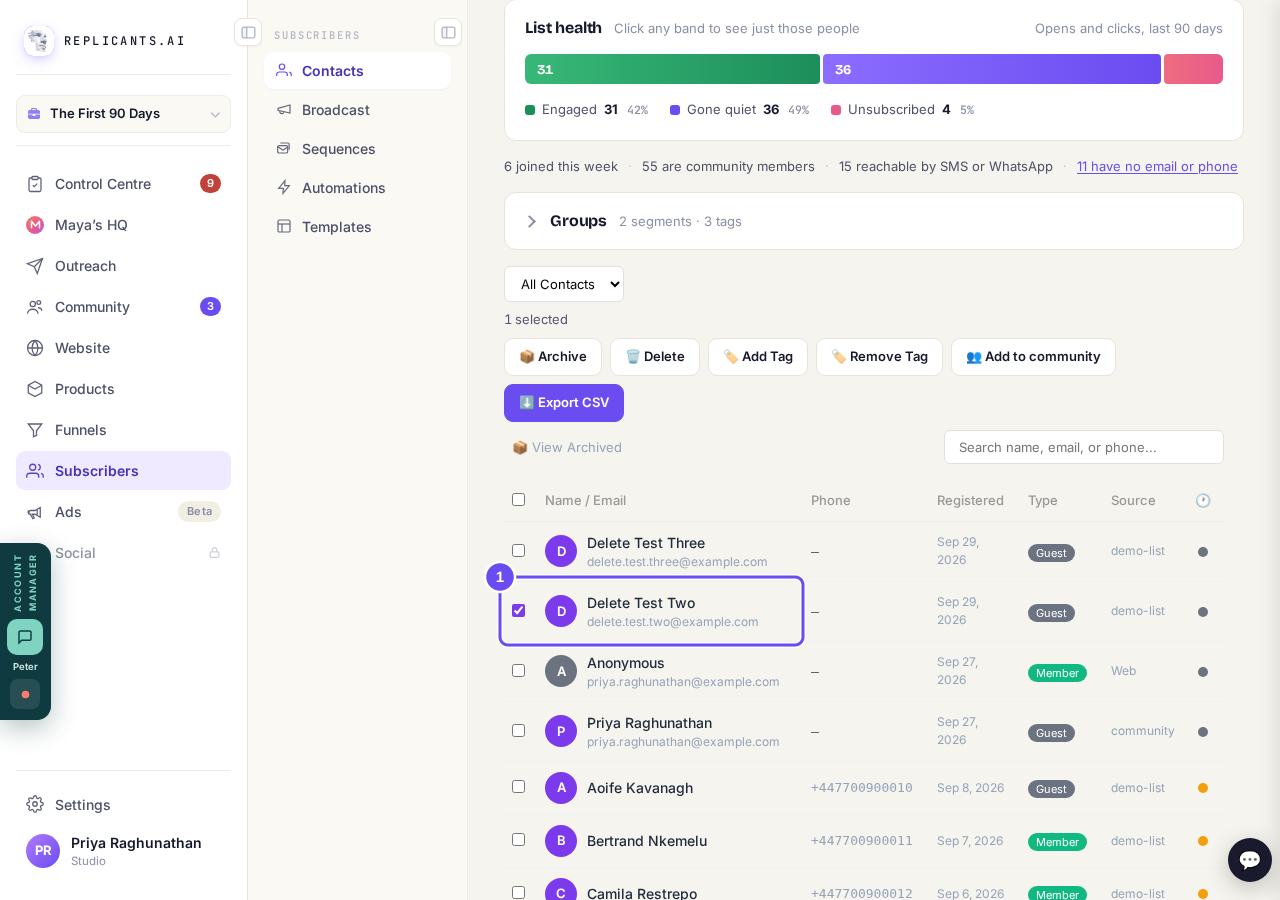
One person ticked, and the bar saying 1 selected.
Take me therePress Delete in that bar
Press 🗑️ Delete. It sits next to 📦 Archive, and both open the same box.
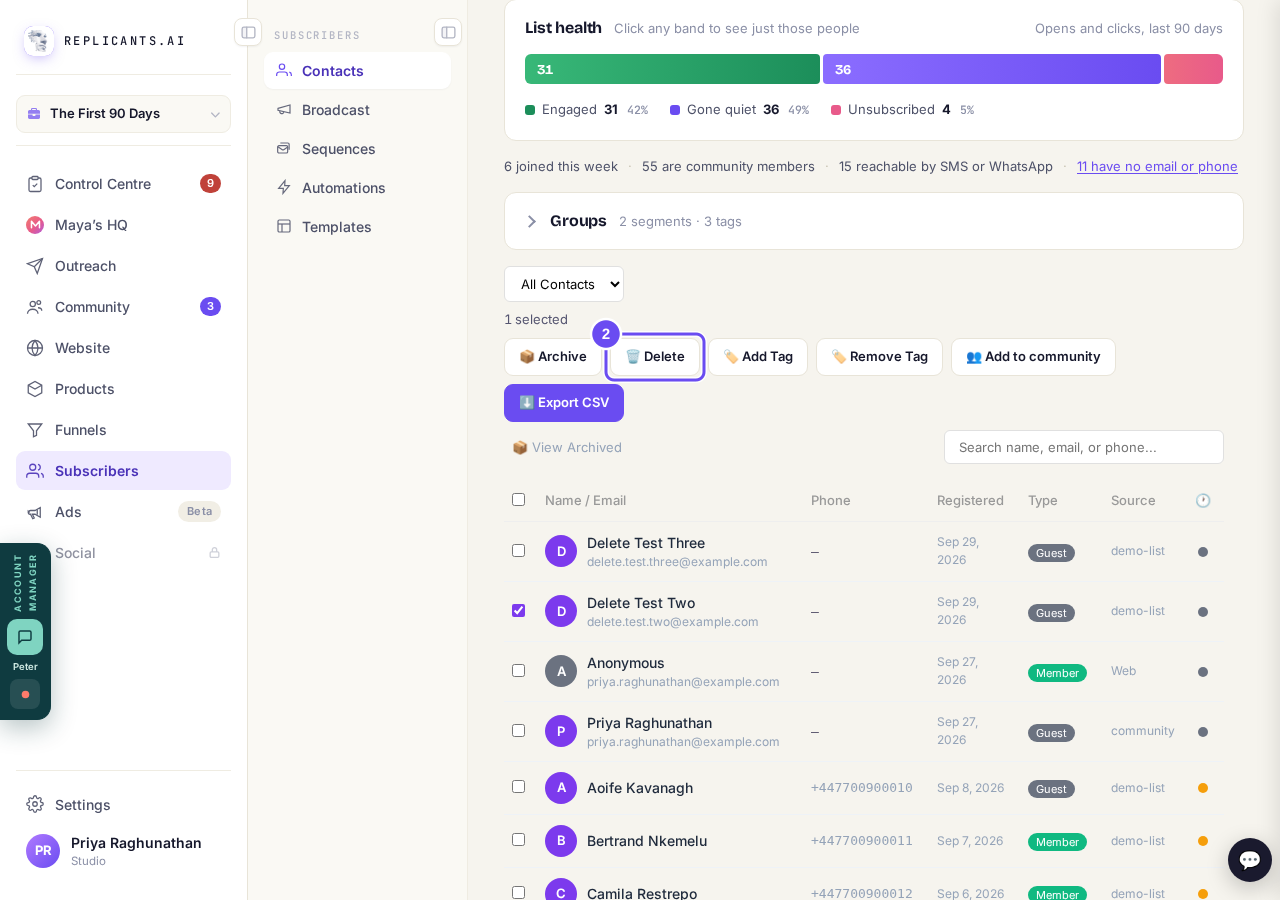
Delete, next to Archive, in the bar.
Take me thereLeave Delete picked
The box asks Remove this contact? with Delete already picked: its card has a red outline. Delete erases their details, tags, form answers and messages for good.
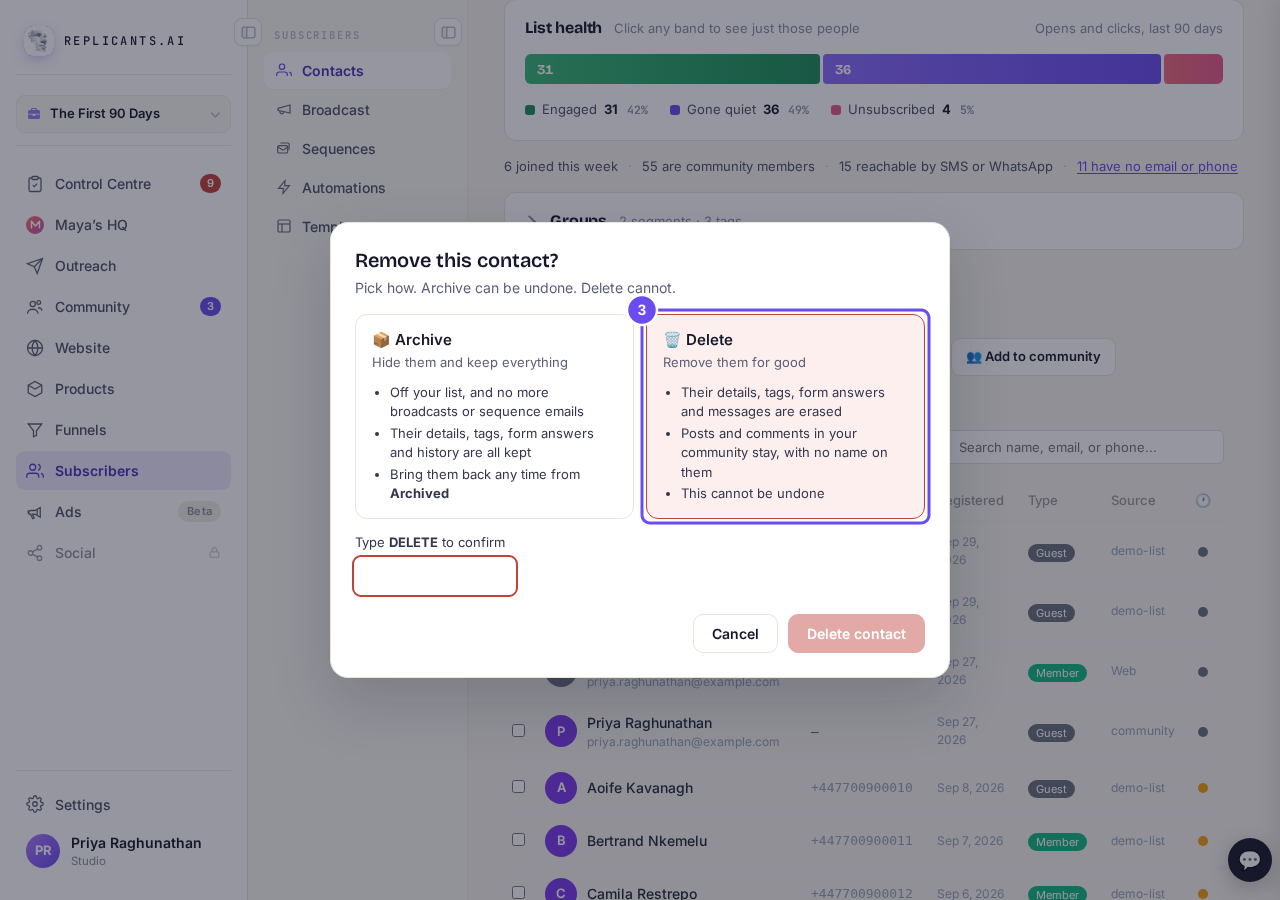
Remove this contact?, with Delete picked.
Take me thereType DELETE, then press Delete contact
Type DELETE in capitals, then press Delete contact. For several people it says Delete 3 contacts. If someone has bought from you, the box says they stay.
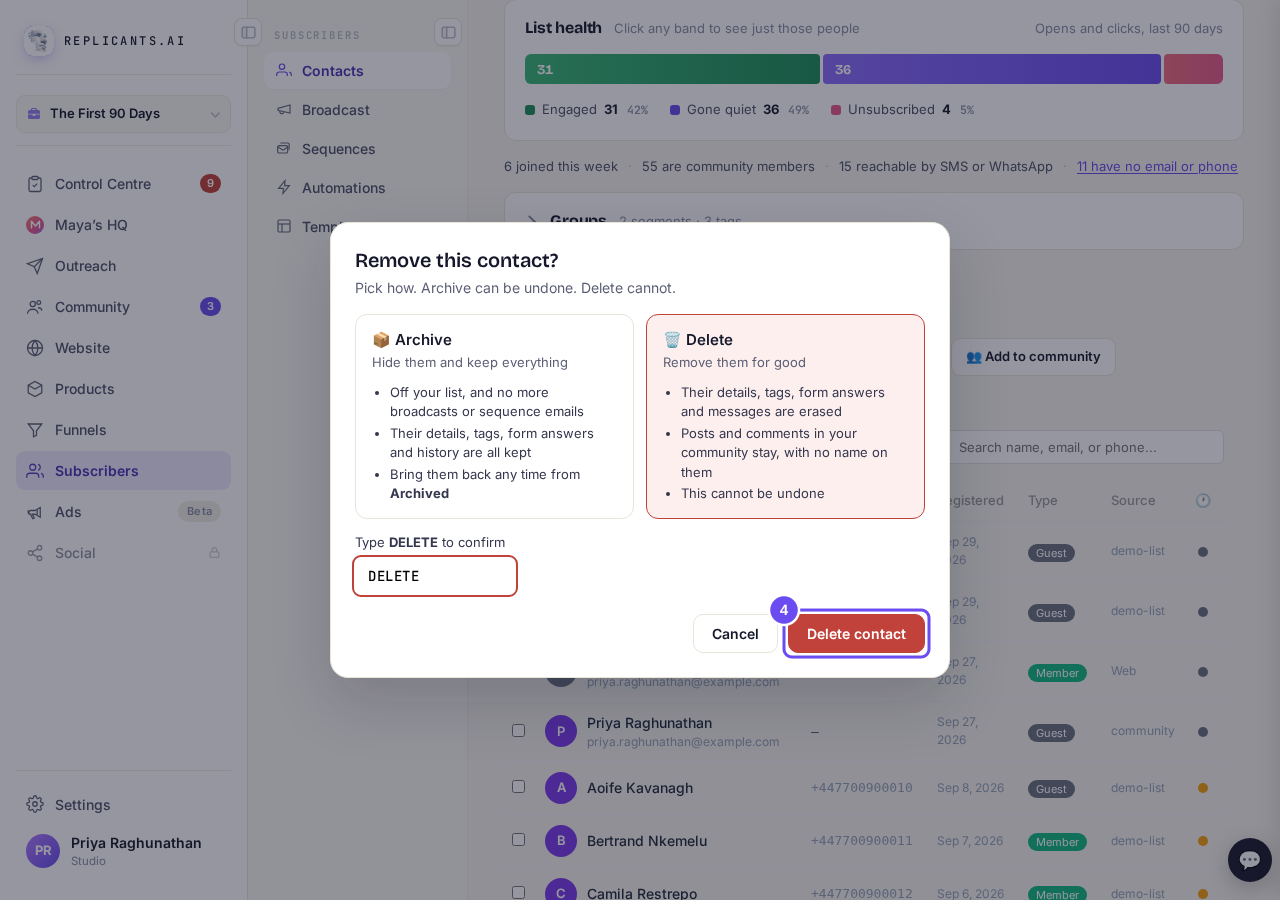
DELETE typed, and the red Delete contact button.
Take me thereOr pick Archive to hide them
In the same box, press 📦 Archive, then Archive contact. They get no more broadcasts or sequence emails. Bring them back from 📦 View Archived on Contacts.
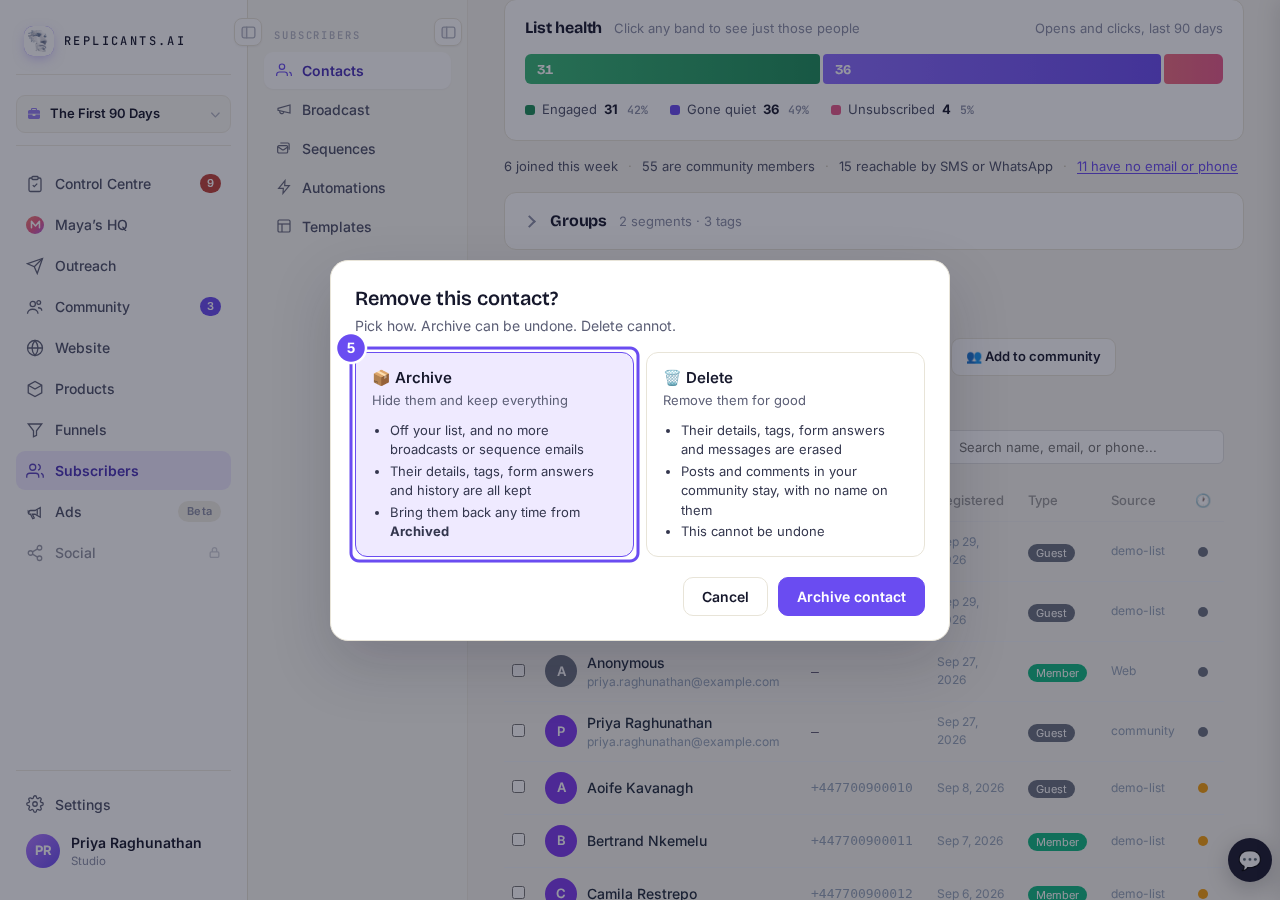
Archive picked: hidden, kept, and can be undone.
Take me there
Related articles
Can a sequence run without a tag, started by an automation instead?
Yes. Set the sequence to Used in an automation only, and an automation's Add to sequence step puts people in. No tag needed. About two minutes.
Can I send a broadcast again, or use it as a starting point?
Yes. Press ••• on the broadcast, then Duplicate. A copy opens as a draft with the same subject and words, ready to change and send. About a minute.
How do I choose what time of day my emails arrive?
When you send a broadcast you can spread it over a few hours, and let each person get it at the time they usually read their email. It is all on the last screen, Schedule.