
What counts as a lead, what am I paying for, and when will people start joining?
A lead is one person Outreach finds on LinkedIn, checks against who your community is for, warms up and invites in. You pay one monthly price for a number of leads a month, not a charge per person. Every lead appears on your Pipeline, and the first invitations can go about three days after Outreach starts working on them.
Updated 19 October 2026
See the plan sizes, in leads a month
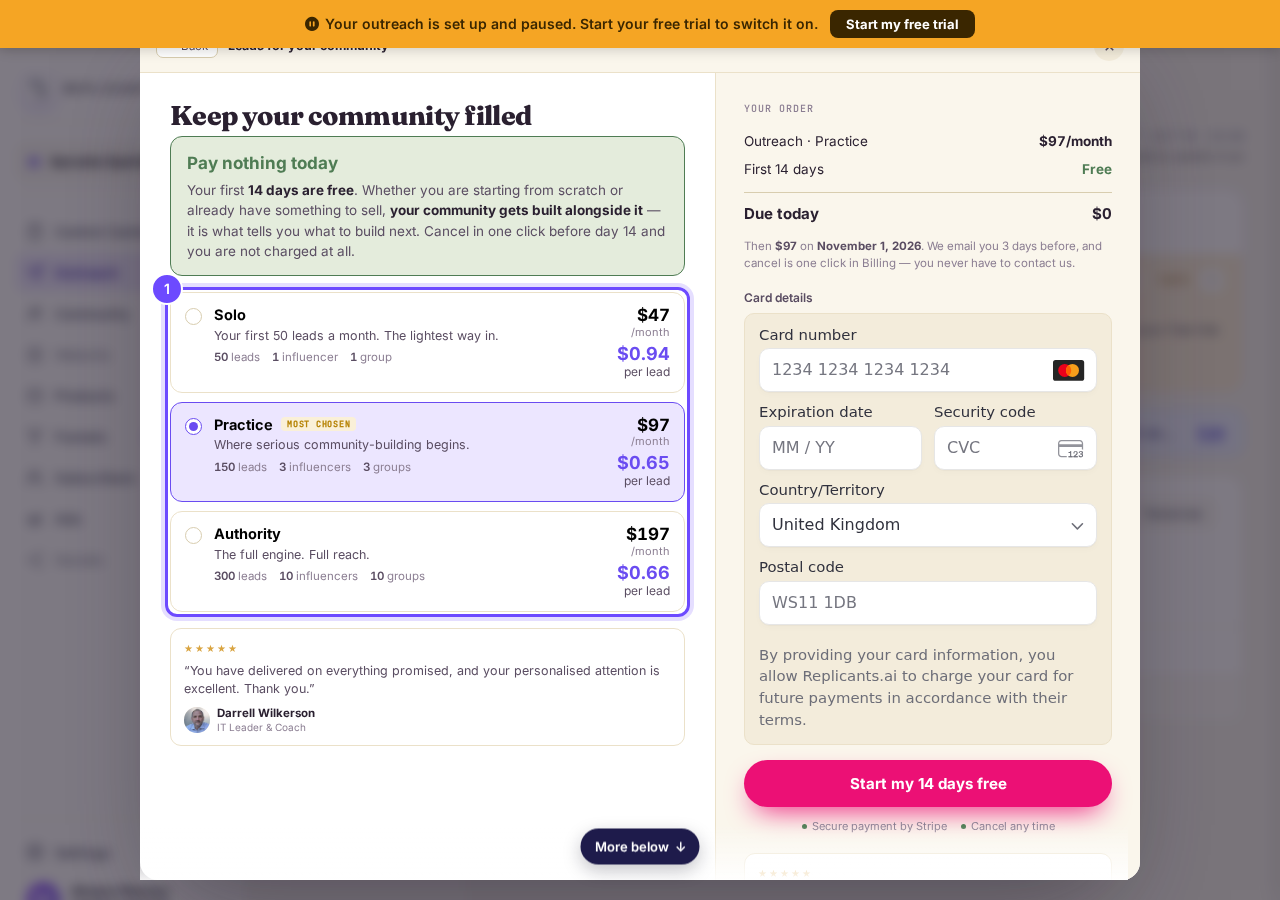
The Outreach checkout shows three sizes: Solo with 50 leads a month, Practice with 150 and Authority with 300, each with its monthly price. The per lead figure is that monthly price divided by the leads.
Plan sizes, in leads a month.
Open Pipeline to see every lead
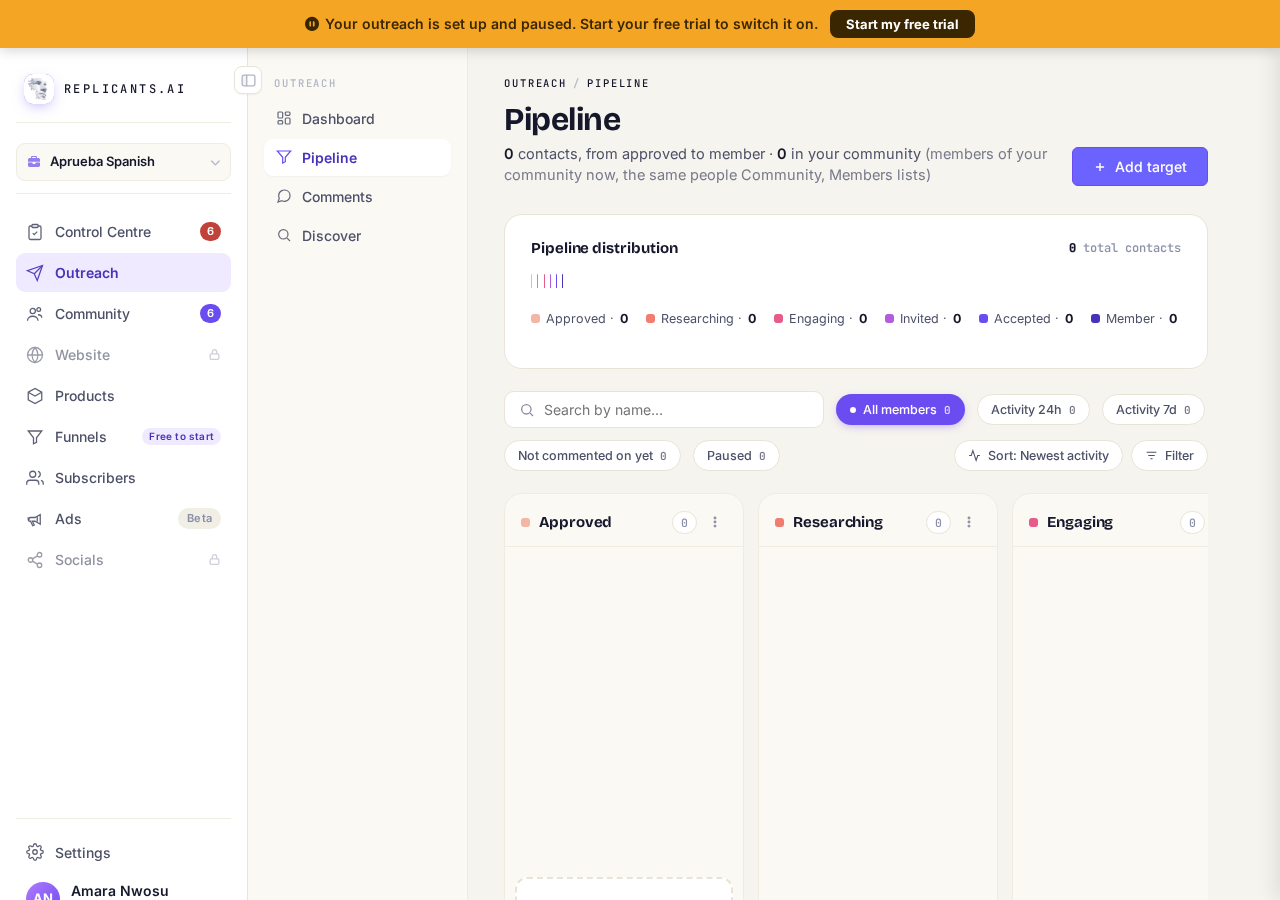
Press Outreach, then Pipeline. Each lead sits in one column: Approved (found and checked), Researching (looking for a recent post of theirs), Engaging (liked, with a comment that by default waits for you), Invited (connection request sent) and Member (they said yes).
Pipeline, one column per stage.
Take me thereChoose who Outreach watches on Discover
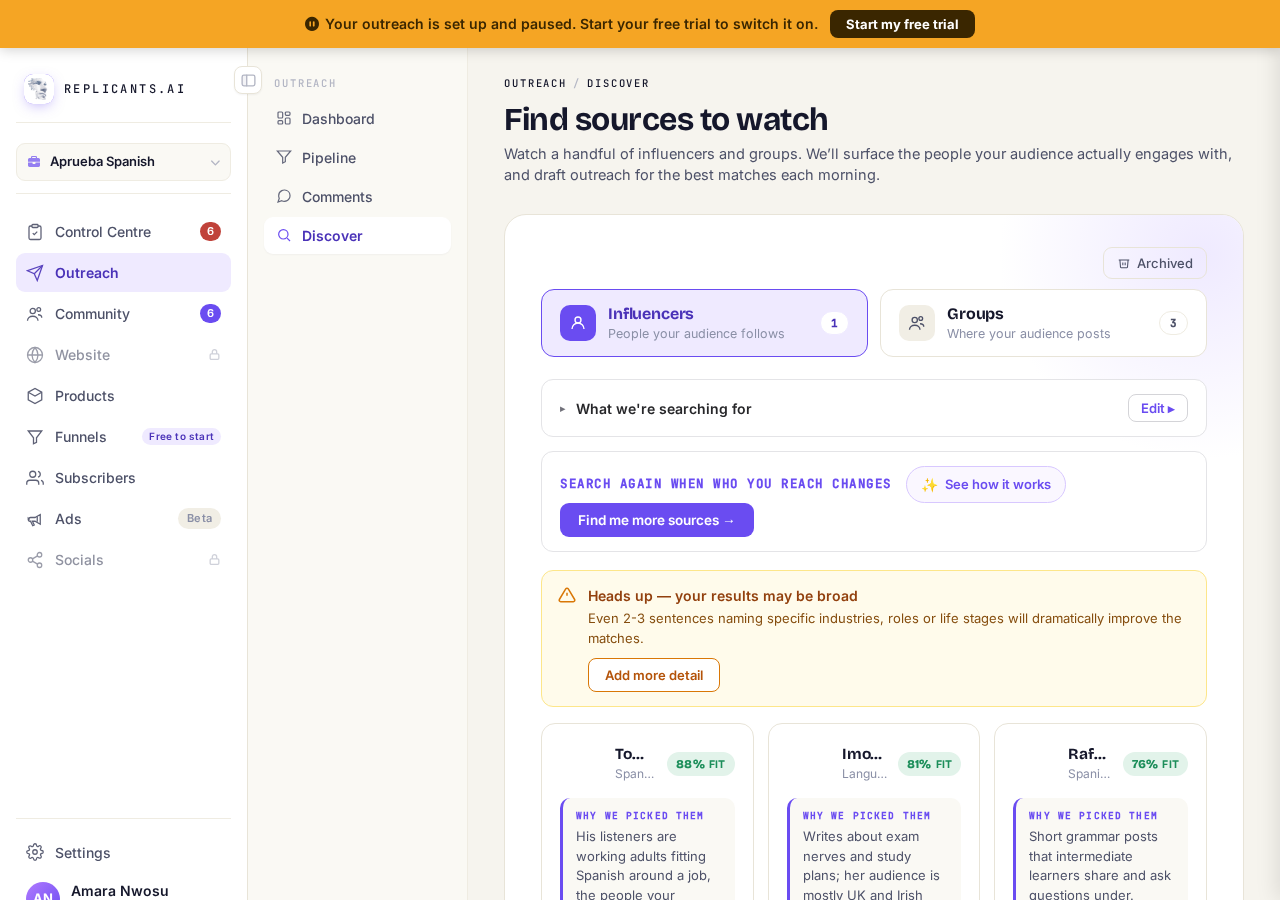
Press Discover. Outreach finds people through the Influencers your audience follows and the Groups where they post, and every suggestion shows how well it fits your community. Leads come from the ones you choose to watch.
Discover, where you choose who to watch.
Take me therePress Show the details to count your leads
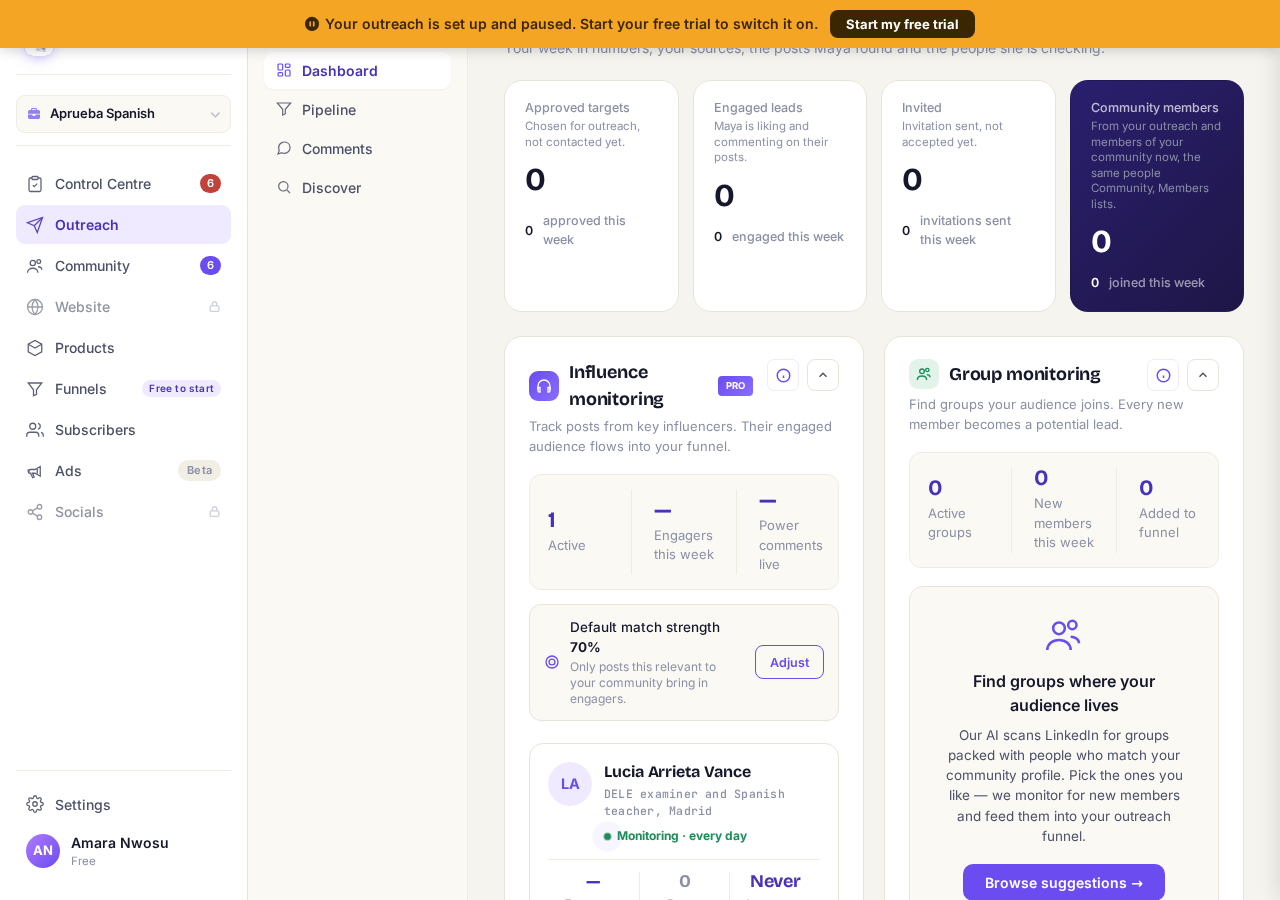
On the Outreach Dashboard, press Show the details. Approved targets, Engaged leads, Invited and Community members count your leads at each stage, with how many joined each one this week.
Your leads, counted by stage.
Take me there


What happens to a lead, and when
| Stage on Pipeline | What has happened | Roughly when |
|---|---|---|
| Approved | Found on LinkedIn and checked against who your community is for. | When Outreach finds them |
| Researching | Outreach is looking for a recent post of theirs to engage with. | Paced each day by Outreach |
| Engaging | Their post is liked from your account and a comment is drafted; by default it waits for your approval. | Straight after a post is found |
| Invited | Your connection request has gone, with your connection note. | About 3 days after Outreach starts working on them; up to 8 a day |
| Member | They accepted, and were added to your community with your welcome email. | When they say yes, which some never do |
Questions coaches ask
What if the leads are not right for me?#
Every lead is matched against your community description, so sharpen that first. On Discover, press the small cross on a suggestion that would bring the wrong people; it moves to Archived, and you can restore it later. How to find the right people.
Is a lead the same as a lifecycle?#
Yes. One screen says One lifecycle = one person found, engaged and invited. That is what a lead means everywhere else.
Am I charged more if Outreach finds more people?#
No. You pay the monthly price of the plan you chose. There is no charge per person on top.
When will people start joining my community?#
Only once Outreach is running with LinkedIn connected. The first invitations go about three days after Outreach starts working on someone, and they join when they accept.
A lead is not a member yet, and not a sale. Some people never reply, and your plan price stays the same either way.
What is the Pipeline screen showing me?
Related articles
Can I use Outreach on Instagram or X?
No. Today Outreach works on LinkedIn only, through your own account.
Do I need a LinkedIn account to use Replicants?
No. Almost everything works without LinkedIn: your community, Courses, Products, Subscribers and email, Funnels and Website. Only Outreach needs it, because it finds people on LinkedIn and connects with them from your own profile.
Do my new connections get a welcome email automatically?
Yes. If you use Outreach, every new connection gets a welcome email by itself, as soon as we have their email address. No LinkedIn welcome message is sent to anyone today, so the email does that job. One screen shows you both, in about two minutes.